2 min
2 min 
If you’re using Yotpo and thinking about switching to a more flexible review platform, exporting your existing reviews is the first step.
This is common for brands comparing a Yotpo reviews alternative that offers better control and pricing.
Whether you’re migrating, backing up your data, or just exploring better tools, this guide walks you through how to export Yotpo reviews and how to import them to WiserReview in minutes.
Step-by-step: Exporting reviews from Yotpo
Follow these steps to export your product reviews from Yotpo:
Step 1: Log in to your Yotpo dashboard
Go to and log in with your account credentials.
Step 2: Navigate to the “Moderation” section
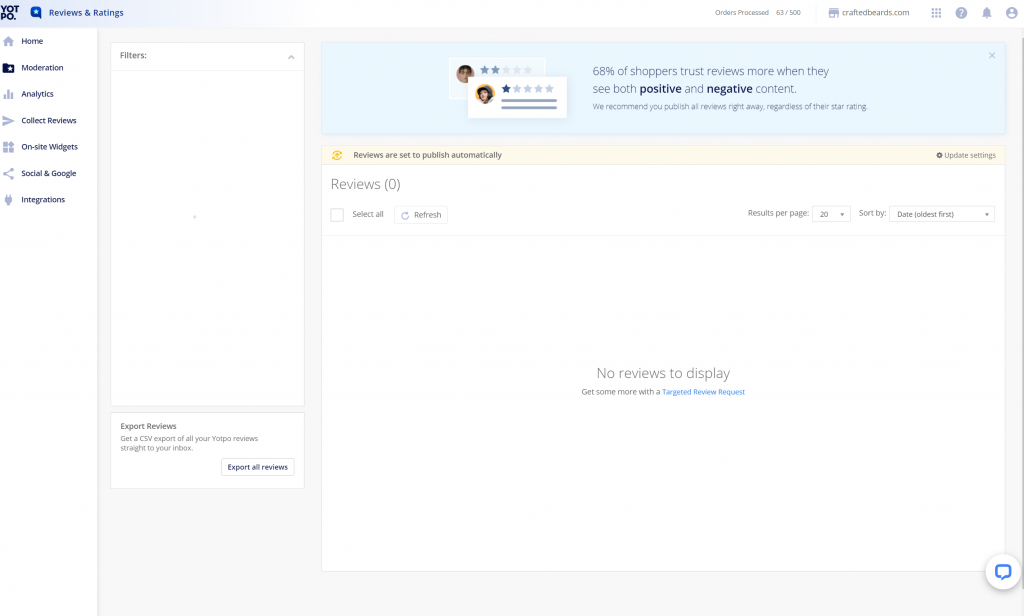
From the main dashboard, click on “Moderation” in the left sidebar.
This is where all your collected reviews are listed.
Step 3: Filter or select the reviews you want to export
You can filter by product, star rating, date, or reviewer type (verified/unverified).
Step 4: Click “Export Reviews”
Once you’ve selected your reviews, click the “Export” or “Download CSV” button (typically found in the top right corner).
Yotpo will generate a CSV file that includes:
- Reviewer name
- Rating
- Review text
- Product ID
- Review date
- Media (if available)
Step 5: Check your email
Yotpo will send the export link to your registered email.
Open it, download the file, and save it to your computer.
Why many brands prefer WiserReview after Yotpo

Yotpo is a powerful tool, but it’s not the right fit for every brand, especially for those looking for more flexibility, a more straightforward setup, or better pricing.
WiserReview makes it simple to import reviews from platforms like Yotpo and gives you more control over how reviews are shown and managed on your store.
Here’s what makes WiserReview a wise choice:
- Quick CSV Import: Upload reviews from Yotpo, Loox, Stamped.io, Amazon, and more.
- Multiple Widget Styles: Sliders, popups, carousels, and more—fully customizable.
- Auto Moderation & Tagging: Filter content, assign tags, and automate display rules.
- Integrations Ready: Works smoothly with Shopify, WooCommerce, Klaviyo, and others.
- Budget-Friendly Plans: Starts at just $9/ month, with a free plan also available.
If you’re switching from Yotpo, WiserReview keeps the process smooth without breaking your store’s look or review system.
How to import Yotpo reviews to WiserReview
Once you’ve exported your reviews from Yotpo, here’s how to import them into WiserReview easily.
Step 1: Log in to WiserReview
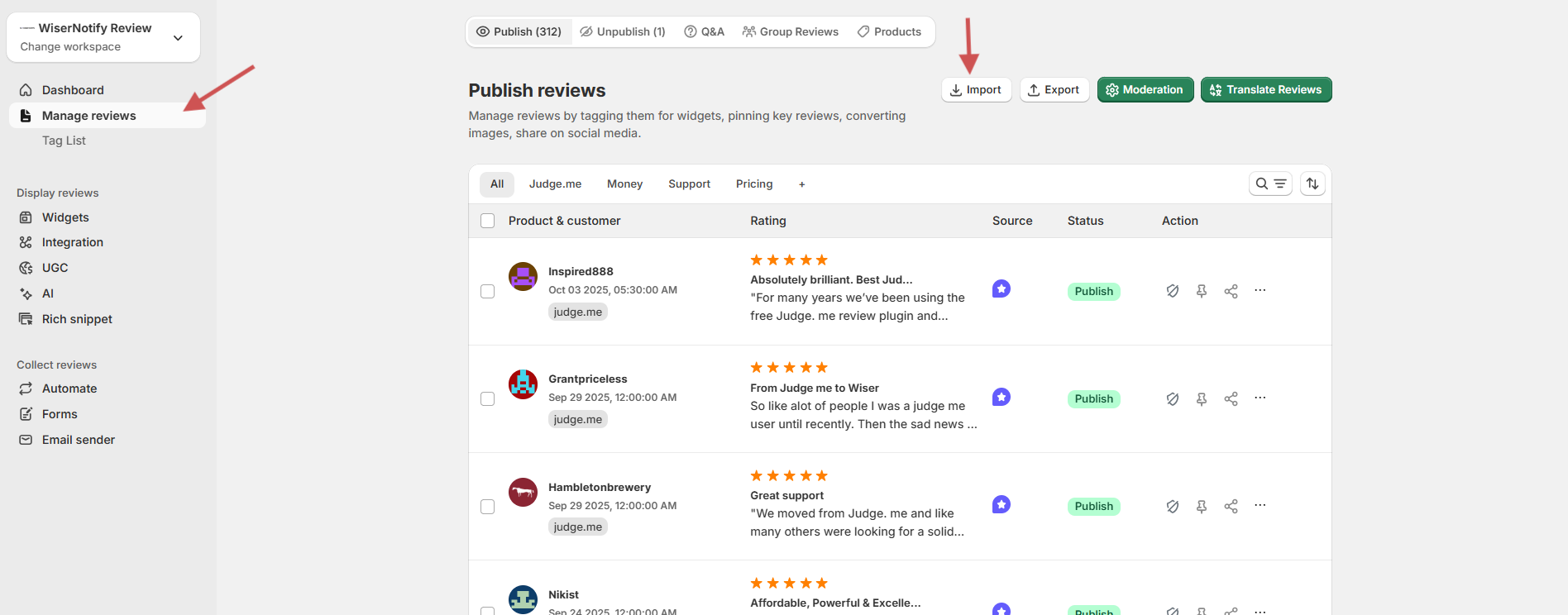
- Head to your WiserReview dashboard
- Go to the “Manage Reviews” section.
- Click “Import Reviews”
Step 2: Select Yotpo as the source
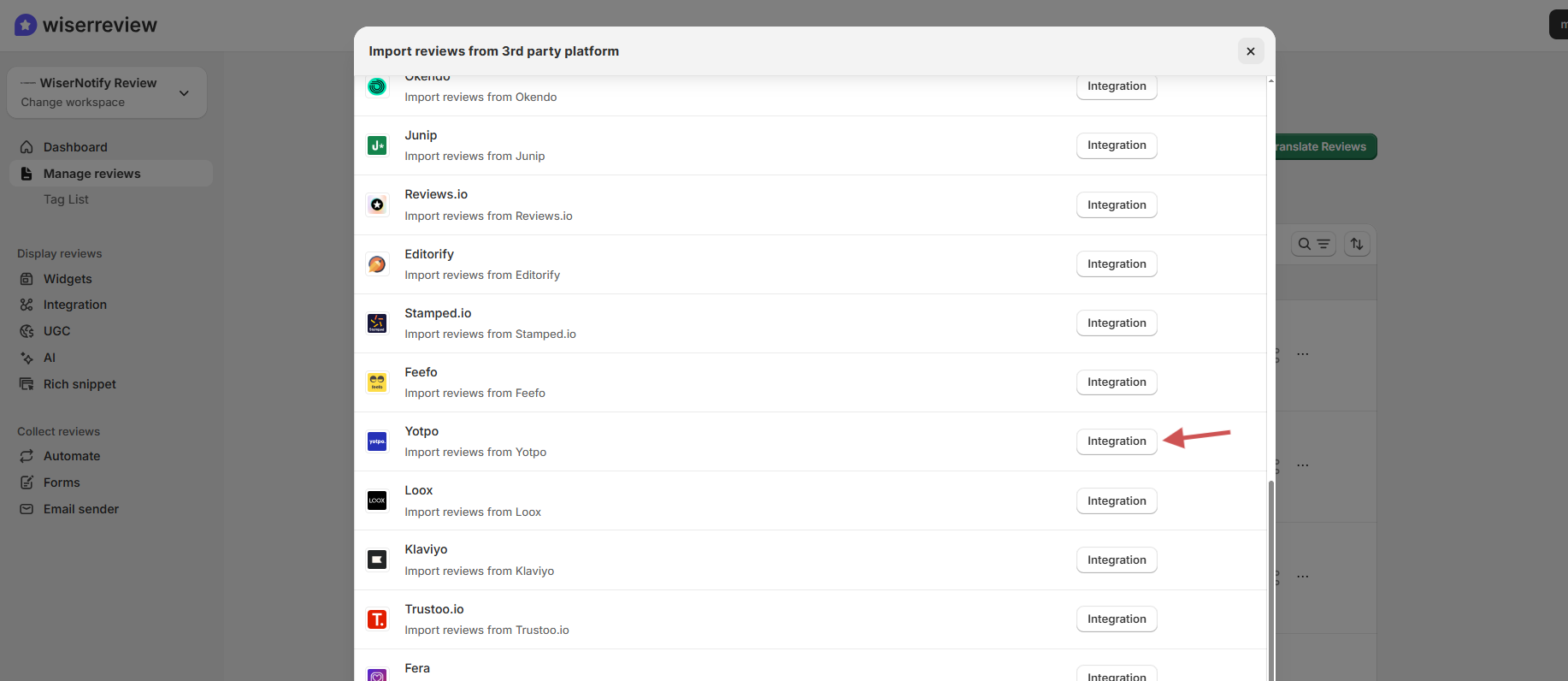
- Click the Integration button.
- Choose Yotpo from the list.
Step 3: Upload your CSV File
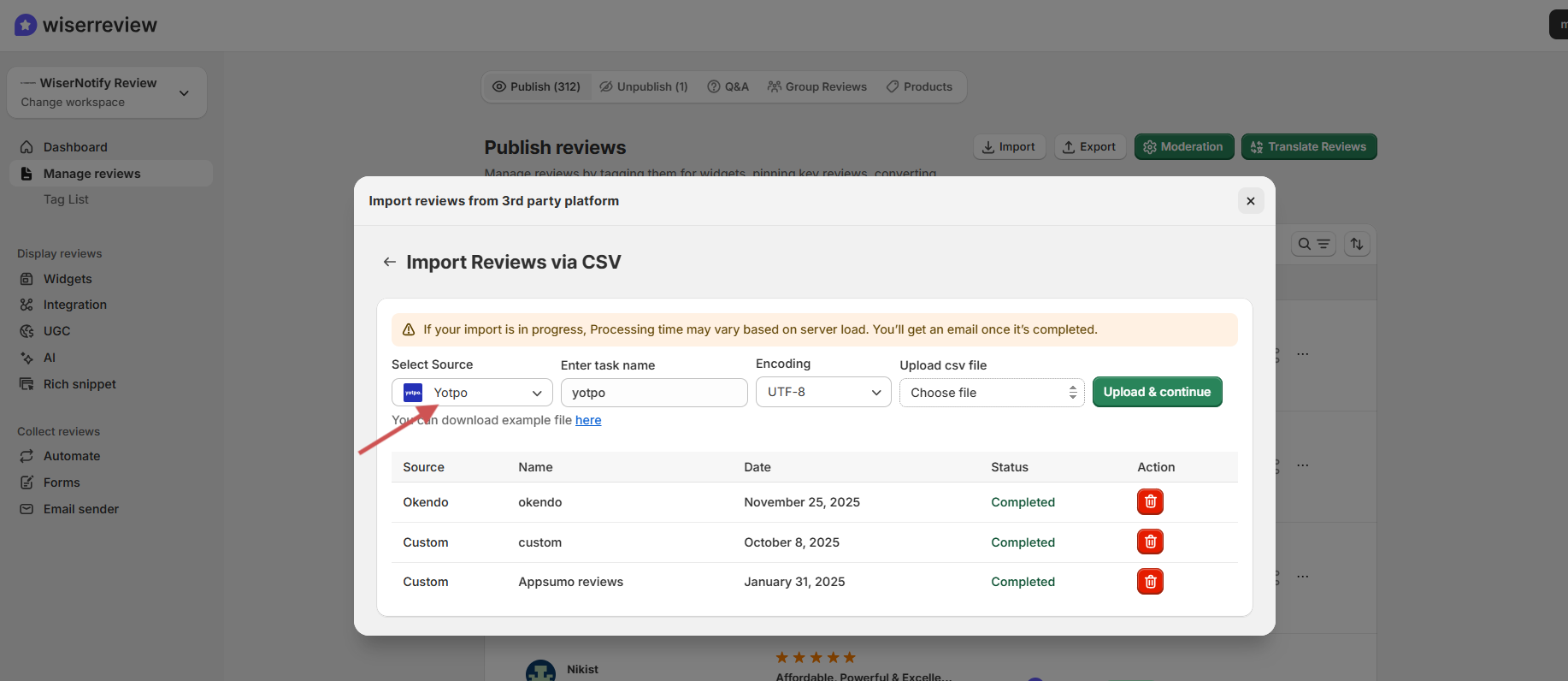
- Select CSV File Upload
- Click Browse, and choose the Yotpo file you downloaded.
- Make sure your file is saved in UTF-8 encoding to avoid errors.
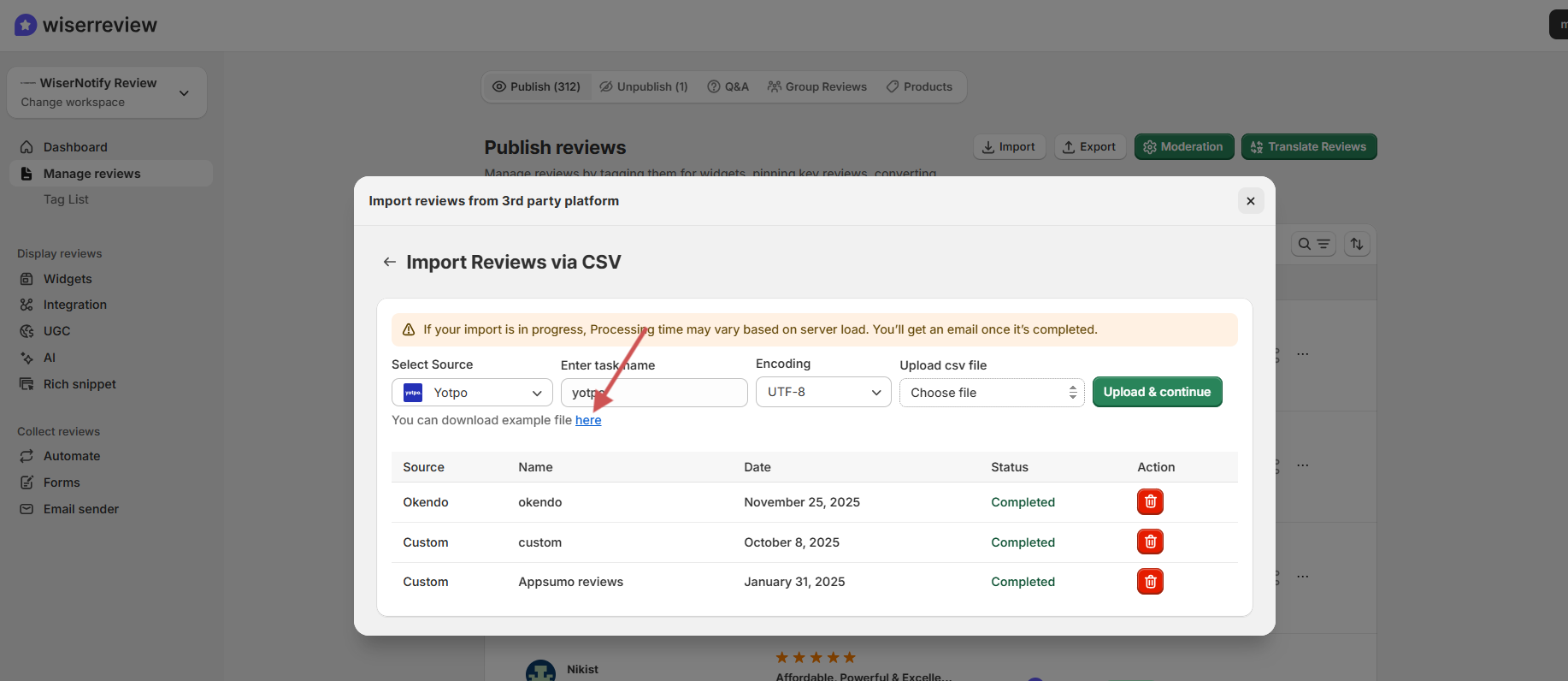
If you want a demo CSV file for format check, then it is available at the bottom. Click on the button here and download the demo CSV file.
Step 5: Finalize the import
- Review the preview
- Click Import
- All reviews will now appear in your WiserReview dashboard.
Optional: Use moderation filters or add tags
Use WiserReview’s built-in tools to:
- Add sentiment or product tags
- Auto-publish based on rules.
- Pin or hide specific reviews.
Wrap up
Exporting reviews from Yotpo is straightforward, and moving them to WiserReview makes the transition even smoother.
You get more flexibility, better display options, and pricing that fits any stage of growth.
Whether you’re scaling your store or just want a more straightforward way to manage reviews, WiserReview is built to support you without the extra hassle.
Frequently asked questions
Yes, Yotpo allows you to export your reviews as a CSV file even on lower-tier plans, but advanced features may be limited to paid plans.
The exported CSV includes reviewer names, ratings, review content, product IDs, review dates, and media URLs (if available).
No, WiserReview is built for ease. You can upload the CSV file and map fields in just a few clicks, no coding needed.
Yes, once you upload your Yotpo CSV to WiserReview, your reviews will be displayed directly on your Shopify store using customizable widgets.
Make sure your CSV file is saved in UTF-8 encoding to avoid errors with special characters during import.

Krunal