Learn how to add testimonials to Teachable in just few minutes. Step-by-step methods to display student reviews, build trust, and increase course enrollments, no coding required.
Teachable creators often attract interested visitors, but interest alone does not guarantee enrolments.
Online courses require trust before payment, especially for first-time buyers. When visitors do not see proof from real students, hesitation slows decisions.
Testimonials remove that friction by showing real learning outcomes and reassuring visitors that your course delivers value.
Why add testimonials to Teachable?
Teachable is built for selling courses and coaching, and testimonials directly support enrolment decisions.
Testimonials build trust for new students exploring your courses
Course pages with testimonials can increase enrolments by up to 34 percent
92 percent of learners read reviews before buying an online course
Social proof reduces refund anxiety and increases student confidence
Because Teachable controls your sales and checkout flow, testimonials can reinforce trust at every step.
You can explore the platform further or book a demo to learn how to collect more testimonials and show them where they matter most, based on our four years of experience working with over 1,100 brands.
Embed testimonials on Teachable
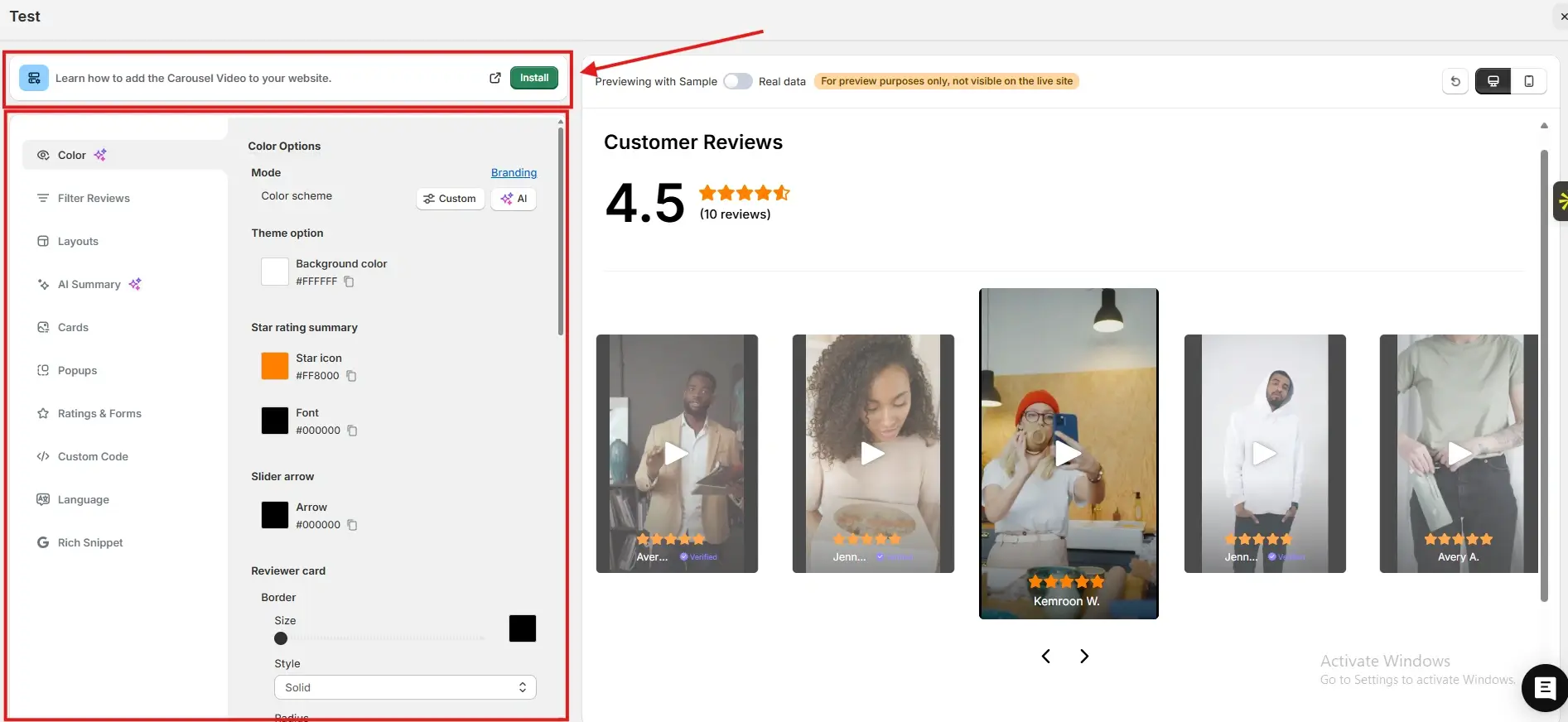
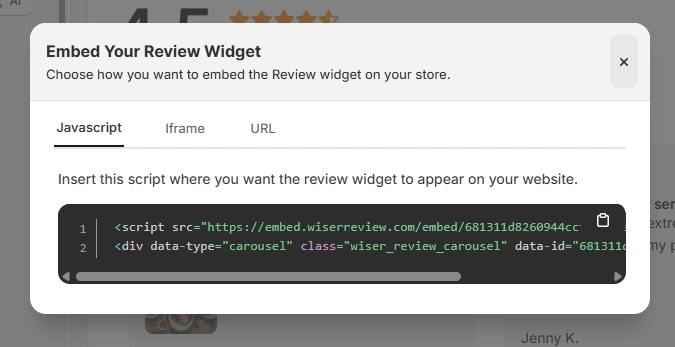
After generating your WiserReview embed code, follow these Teachable-specific steps:
Log in to your Teachable admin dashboard
Go to Site and open Pages
Select the page where you want testimonials to appear
Add a Custom HTML block or Code Snippet section
Paste the JavaScript embed code, iframe, or URL from WiserReview
Save and publish the page
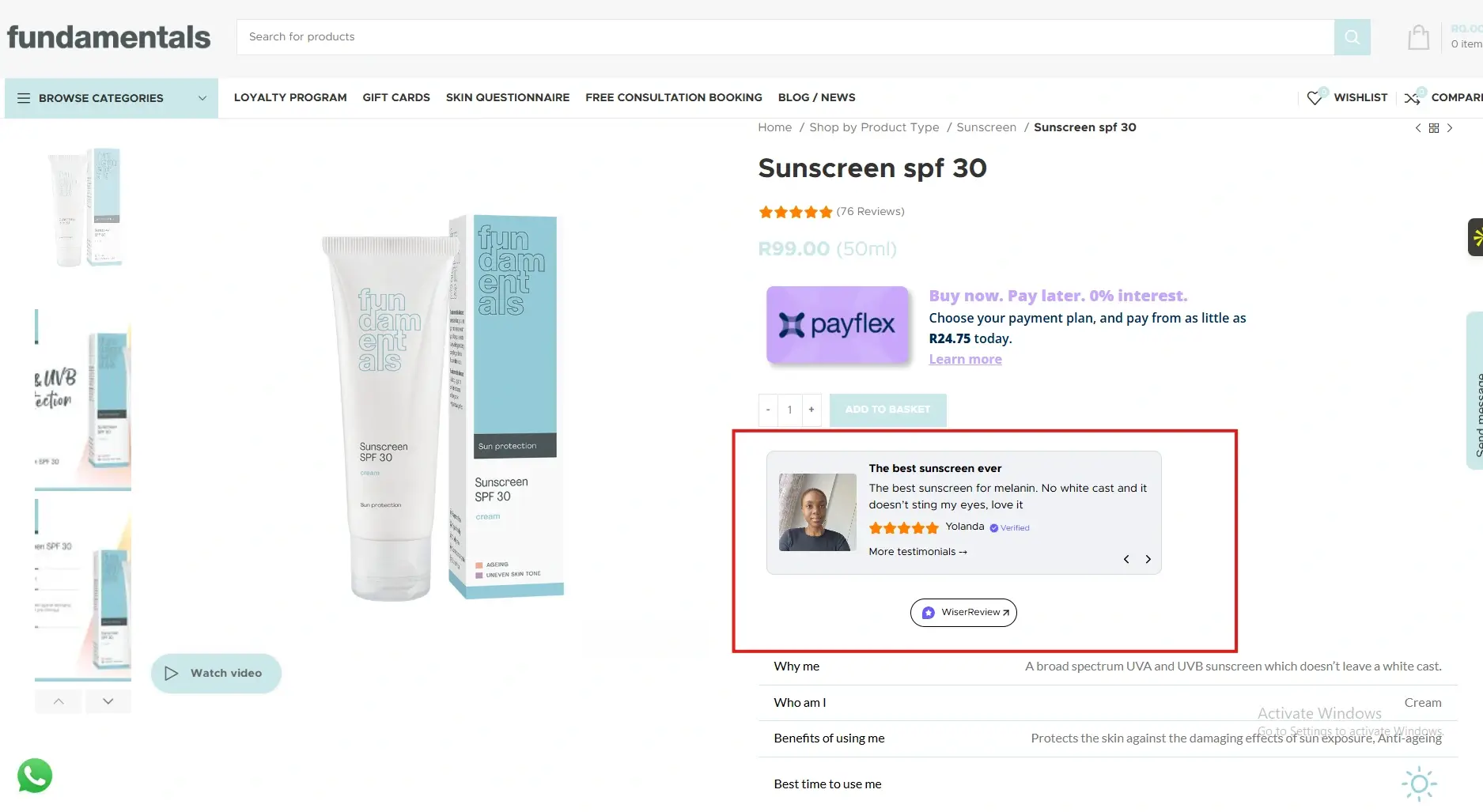
You can use the same steps to add testimonials to course sales pages, custom landing pages, and checkout pages.
Best places to show testimonials on Teachable
Placing testimonials at key moments helps learners move from interest to enrolment.
Course sales pages
Course sales pages are where most enrolment decisions happen. Testimonials that highlight transformations, results, or clarity help visitors imagine their own success. This reduces uncertainty and positions your course as a proven solution rather than a risky purchase.
Pricing sections
Pricing often triggers hesitation. Testimonials placed near pricing tables or enrol buttons justify the investment by highlighting outcomes and satisfaction. This reframes cost as value and increases enrolment confidence.
Checkout pages
Checkout is the final decision point. Even motivated learners can hesitate before payment. A short testimonial near the checkout button reassures them that others enrolled and benefited, reducing last-minute drop-offs.
Coaching and bundle pages
For coaching programs or course bundles, testimonials validate a deeper commitment. Feedback from students who experienced long-term value makes prospects more comfortable investing in higher-priced offers.
All your testimonials in one place
Collect reviews, manage every response, and display them where they matter most.
Teachable gives you the tools to deliver great education, but testimonials help you sell it with confidence.
By embedding WiserReview testimonials across sales pages, pricing sections, and checkout flows, you reduce doubt and increase enrolments.
Start showcasing real student experiences and let social proof grow your Teachable business.
Frequently asked questions
Yes. Testimonials strongly influence enrolment decisions for digital learning products.
No. Properly embedded testimonials load efficiently without slowing pages.
Three to six focused testimonials usually perform best.
Yes. Updating testimonials in WiserReview automatically reflects across embedded pages.
Absolutely. Even early testimonials significantly improve trust and enrolments.
Article by
Krunal
Krunal Vaghasia is the founder of WiserReview and an eCommerce expert in review management and social proof. He helps brands build trust through fair, flexible, and customer-driven review systems. Read more.

 3 min
3 min