Bynder is built to manage and distribute brand assets, but many marketing teams face a familiar issue: assets look polished, yet campaigns still struggle to earn trust.
When landing pages, brand portals, or shared experiences lack real customer proof, engagement drops.
Testimonials solve this by adding credibility to branded touchpoints and reinforcing trust wherever Bynder assets are used.
Why add testimonials to Bynder?
Bynder supports brand consistency across teams and channels, which makes testimonials a powerful trust layer when distributed correctly.
Testimonials strengthen credibility across brand portals and campaign pages
Pages with testimonials can increase conversions by up to 34 percent
88 percent of people trust online testimonials as much as personal recommendations
Social proof improves engagement with gated assets and campaign content
Because Bynder assets are reused across multiple channels, testimonials help maintain trust wherever your brand appears.
You can explore the platform further or book a demo to learn how to collect more testimonials and show them where they matter most, based on our four years of experience working with over 1,100 brands.
Embed testimonials with Bynder
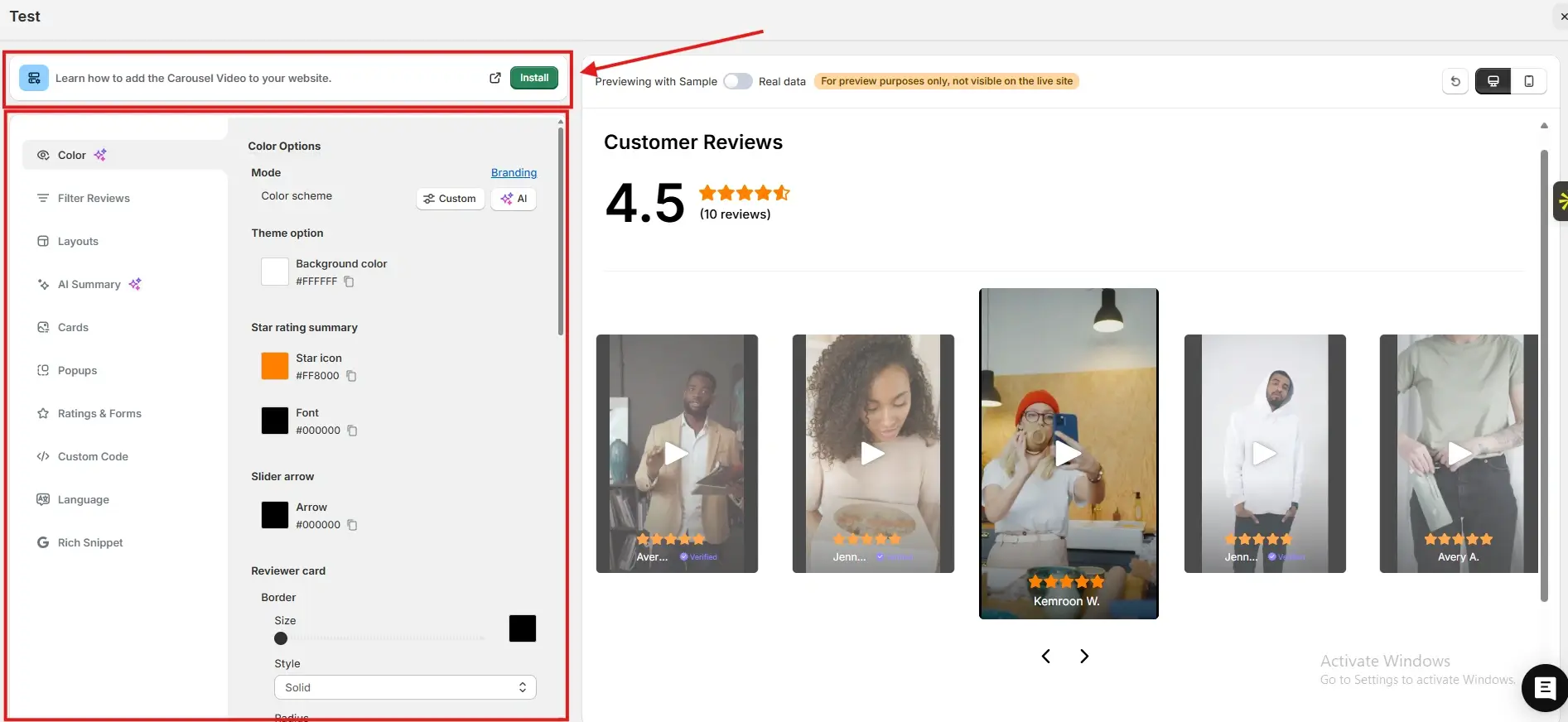
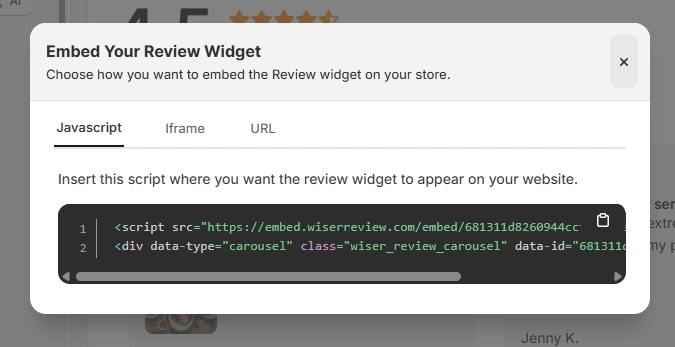
After generating your WiserReview embed code, follow these Bynder-specific steps:
Log in to your Bynder dashboard
Open the Brand Portal or page where assets are displayed
Edit the page or module that supports custom HTML or embeds
Paste the JavaScript embed code, iframe, or URL from WiserReview
Save and publish the changes
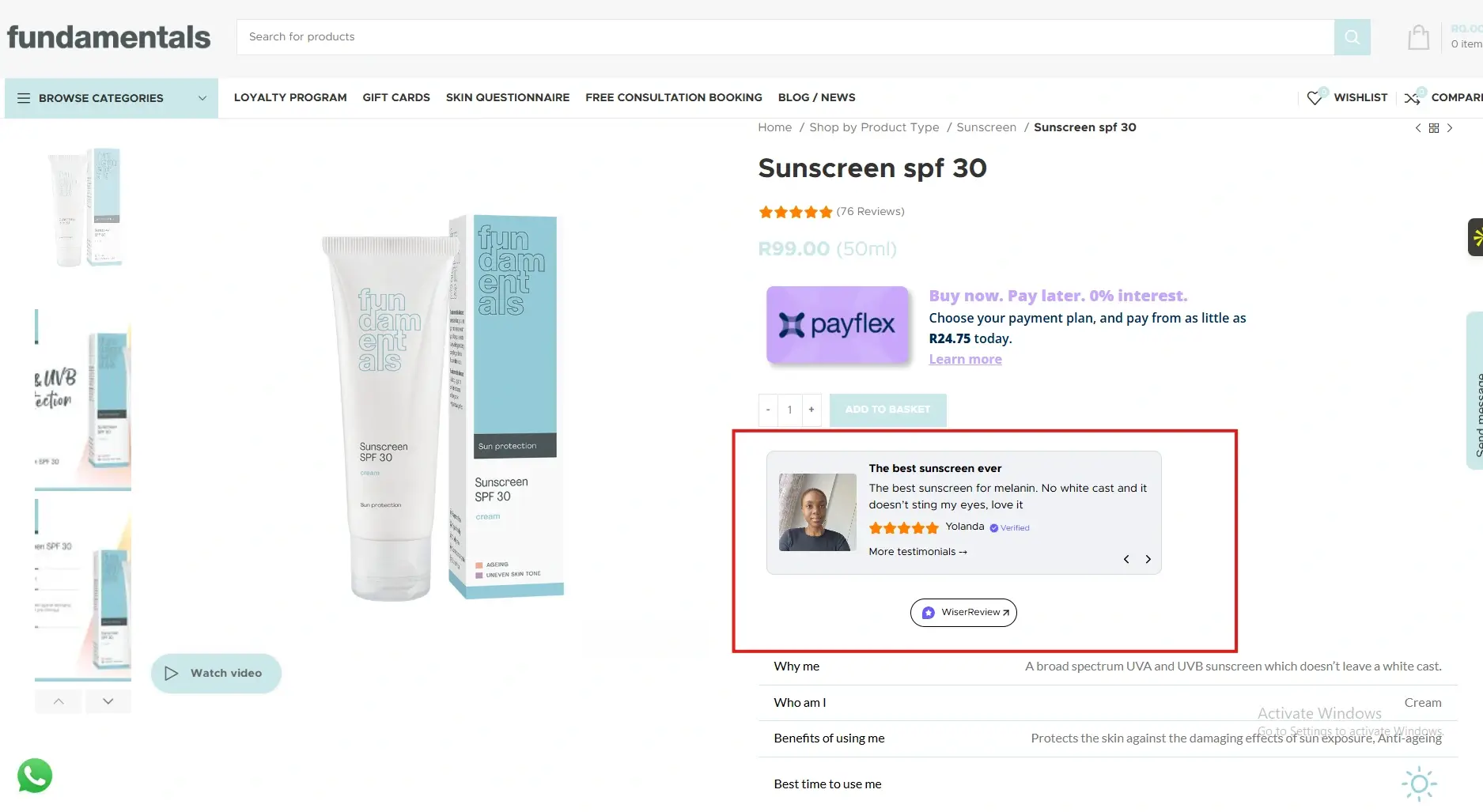
For external websites or landing pages powered by assets from Bynder, place the embed code directly within the site where Bynder content is surfaced.
Best places to show testimonials with Bynder
Testimonials are most effective when aligned with high-impact brand touchpoints.
Brand portals
Brand portals are often used by partners, resellers, or internal teams. Testimonials placed here reinforce confidence in the brand before assets are reused.
This ensures campaigns launched using Bynder assets already carry trust signals.
Campaign landing pages
Marketing campaigns supported by Bynder assets benefit from testimonials placed near key messages.
Social proof validates campaign claims and reassures visitors that the offer or message is backed by real customer experience.
Gated asset pages
When users must register or request access to premium assets, testimonials reduce hesitation.
Feedback from other users reassures visitors that sharing their details is worthwhile and safe.
Sales enablement materials
Bynder is often used to support sales teams. Testimonials embedded near case studies, presentations, or shared pages strengthen credibility during prospect conversations and shorten decision cycles.
All your testimonials in one place
Collect testimonials, manage every response, and display them on your Bynder site.
Bynder helps teams stay on brand, but testimonials help brands stay trusted.
By embedding WiserReview testimonials across brand portals, campaign pages, and asset-driven experiences, you reinforce credibility at every touchpoint.
Start adding testimonials alongside your Bynder assets and let customer voices strengthen every campaign.
Frequently asked questions
Yes. Testimonials add trust to the pages and campaigns where Bynder assets are used.
No. Properly embedded testimonials load independently and do not impact asset delivery.
Two to four concise testimonials usually work best.
Yes. Updating them in WiserReview reflects wherever they are embedded.
Absolutely. Social proof is critical for enterprise trust and long sales cycles.
Article by
Krunal
Krunal Vaghasia is the founder of WiserReview and an eCommerce expert in review management and social proof. He helps brands build trust through fair, flexible, and customer-driven review systems. Read more.

 4 min
4 min