Learn how to add testimonials to Drupal in just 5 minutes. A simple way to show real customer feedback and build trust on your website, no complex setup required.
You can explore the platform further or book a demo to learn how to collect more testimonials and show them where they matter most, based on our four years of experience working with over 1,100 brands.
Embed testimonials on Drupal
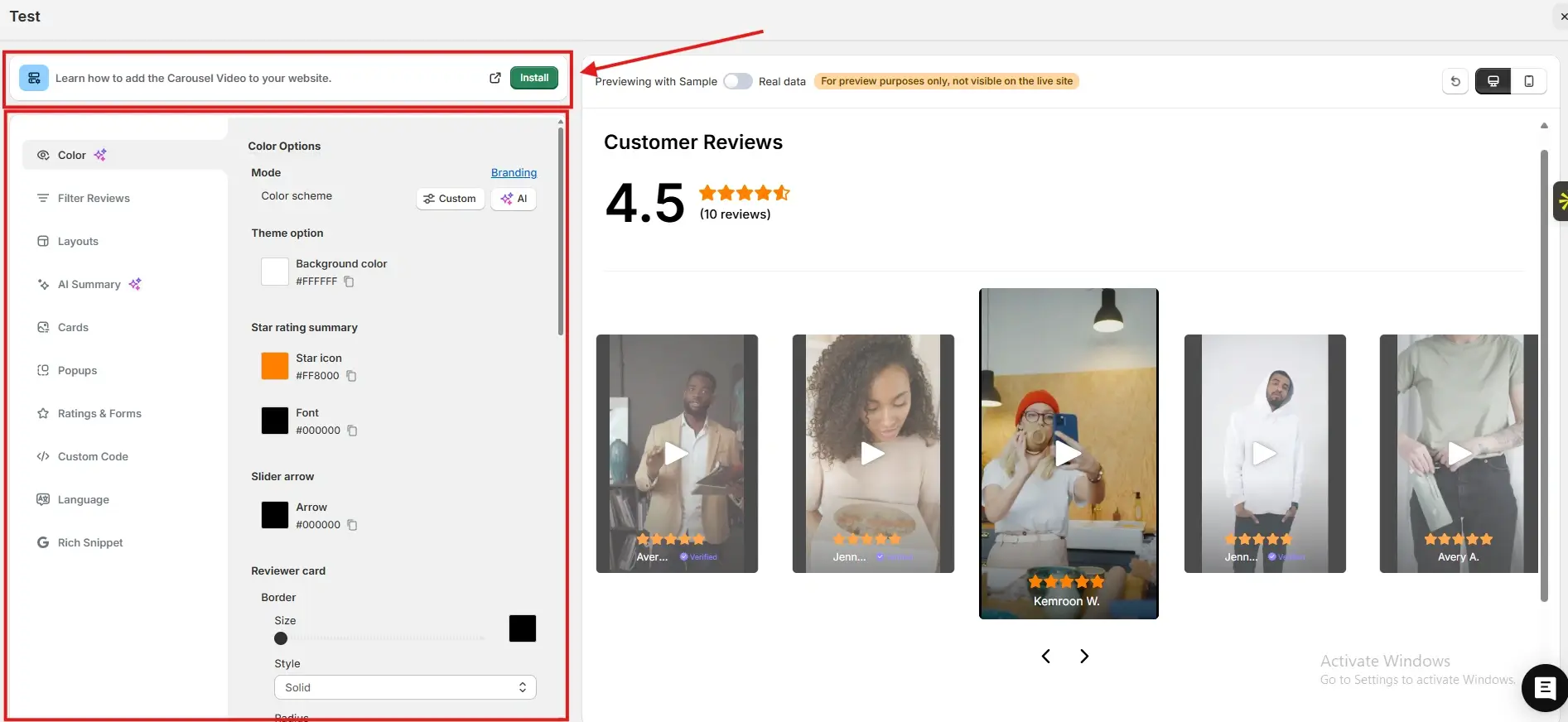
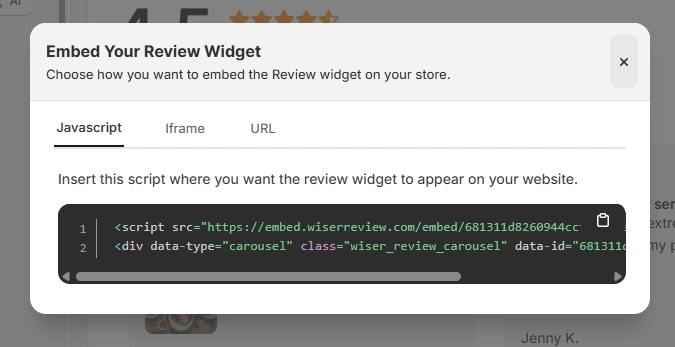
After generating your WiserReview embed code, follow these Drupal-specific steps:
Log in to your Drupal admin panel
Navigate to Content and open the page or node where you want testimonials
Click Edit and switch the text format to Full HTML
Paste the JavaScript embed code, iframe, or URL from WiserReview into the editor
Save the content and clear the cache if required
You can also place the embed code inside custom blocks and reuse it across multiple Drupal pages.
Best places to show testimonials on Drupal
Strategic placement helps testimonials support credibility and conversions.
Solution and service pages
Solution pages attract visitors who are evaluating options. Testimonials that highlight outcomes, reliability, or results help reduce uncertainty.
Seeing proof from similar organisations reassures users that your solution is proven and trustworthy.
Landing pages
Drupal landing pages are often used for campaigns and lead generation.
Testimonials placed near headlines or forms build immediate trust and encourage visitors to take action instead of leaving.
Content-heavy pages
Long-form content can overwhelm visitors. Testimonials placed within or after key sections act as credibility checkpoints.
They keep readers engaged and reinforce confidence as users move through complex information.
Footer and reusable blocks
Drupal blocks allow site-wide placement. Testimonials in footers or reusable blocks create consistent trust signals across the site, even for visitors who skim or jump between pages.
All your testimonials in one place
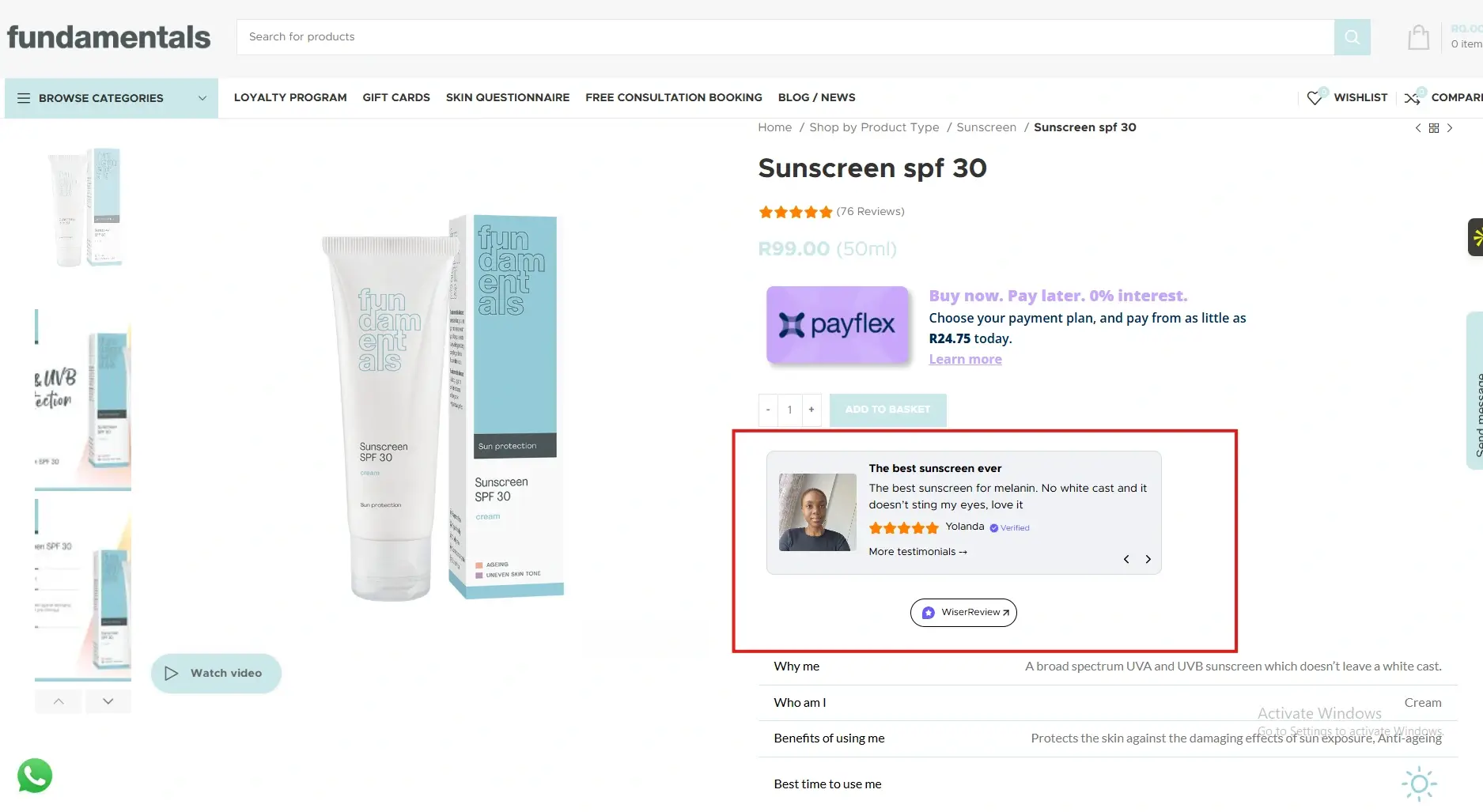
Collect testimonials, manage every response, and display them on your Drupal site.
Drupal gives you flexibility and scalability, but testimonials give your content credibility.
By embedding WiserReview testimonials across key Drupal pages and blocks, you reduce hesitation and increase engagement without changing your site architecture.
Start adding testimonials today and let real customer experiences strengthen your Drupal website.
Frequently asked questions
Yes. Testimonials are highly effective for content-driven and enterprise Drupal sites.
No. Properly embedded testimonials load efficiently and do not affect performance.
Two to five focused testimonials usually work best.
Yes. Using Drupal blocks makes reuse simple.
Absolutely. Social proof is critical for trust and long decision cycles.
Article by
Krunal
Krunal Vaghasia is the founder of WiserReview and an eCommerce expert in review management and social proof. He helps brands build trust through fair, flexible, and customer-driven review systems. Read more.

 3 min
3 min