Searching for a Squarespace alternative? You’re not alone. Although Squarespace provides great designs and functionality, it’s not the best choice for everyone.
Squarespace is great for simple sites, but it can be frustrating as your needs expand. Many site owners run into roadblocks with pricing, control, SEO, or advanced functionality.
If you are looking for greater flexibility, scalability, or cost-effectiveness in the long run, switching platforms is a good idea. The choice of which one to make depends on how much control, flexibility, and room for growth you require.
This guide provides a breakdown of the 9 best Squarespace alternatives to help you make a decision quickly and avoid costly mistakes.
Quick comparison: Squarespace alternatives
| Platform | Best For | Starting Price | Key Strength |
|---|---|---|---|
| Wix | Overall flexibility | $17/month | 900+ templates, drag-and-drop freedom |
| Shopify | Serious ecommerce | $22/month | Advanced selling tools, multi-channel sales |
| Hostinger | Budget-conscious users | $1.99/month | AI tools at the lowest price point |
| Webflow | Designers & developers | $14/month | Complete design control, clean code |
| SITE123 | Complete beginners | $5.80/month | Simplest setup process |
| GoDaddy | Quick launches | $2.72/month | Fast deployment, AI assistance |
| Strikingly | One-page sites | $16/month | Mobile-first single-page focus |
| Duda | Teams & agencies | $19/month | White-label, client management |
| Framer | Modern portfolios | $3.96/month | Visual canvas, interactive design |
9 Best Squarespace alternatives
Below is a comprehensive elaboration of the nine selected Squarespace alternatives for 2026:
1. Wix: Best overall for design freedom

Wix is a comprehensive website creation platform that is much loved for its flexibility and ease of use. It allows its users the flexibility of placing everything exactly where they want, which is a feature that is not available in most conventional website creation platforms.
There are more templates (900+ vs 160+ for Squarespace) and more flexibility and third-party integrations than with Squarespace.
Main Features
- True pixel-perfect drag-and-drop editor.
- Wix ADI (Artificial Design Intelligence) for automated site creation.
- App Market with 300+ integrations for booking, forums, and events.
- Velo by Wix for advanced full-stack web development.
- ◆ Unmatched creative freedom without needing code.
- ◆ Massive library of 900+ high-quality templates.
- ◆ Extensive built-in marketing and SEO tools.
- ◆ Regularly updated with cutting-edge AI features.
- ◆ You cannot change your template once your site is live.
- ◆ A complex editor can be overwhelming for some beginners.
- ◆ Free plan includes large, visible Wix branding.
Perfect For: Small businesses and creatives who want total control over their site’s layout.
Pricing: Free plan available; Paid plans range from $17- $159/month (billed annually).
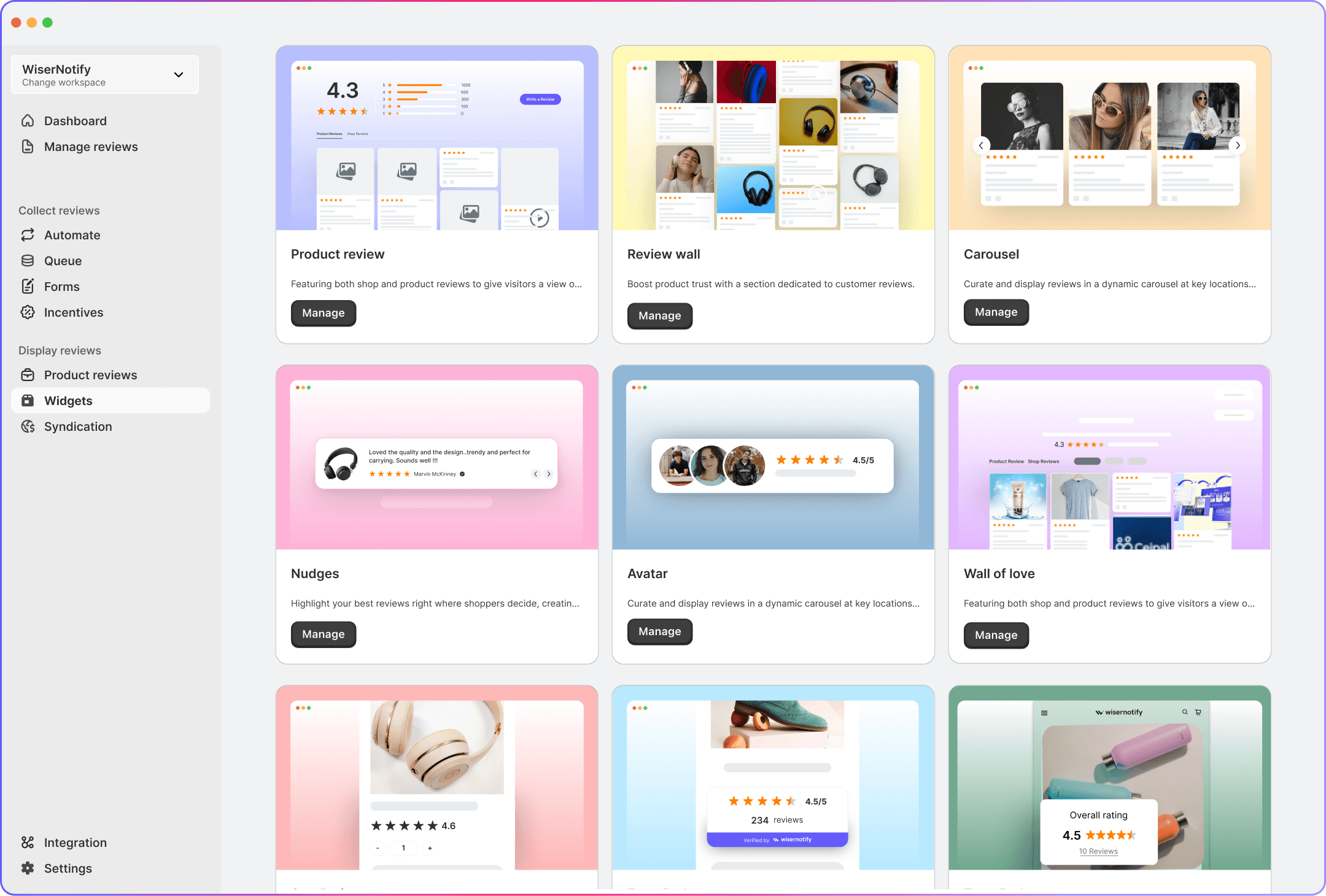
WiserReview easily integrates with Wix and all other platforms, letting you collect reviews with text, photos, and videos, manage them in one place, and display customer reviews with a smart widget without having to switch tools later.
All your reviews in one place
Collect reviews, manage every response, and display them where they matter most.
2. Shopify: Best for serious eCommerce

Shopify is a specific e-commerce platform that provides a robust, integrated solution for companies whose core focus is to sell products online.
It shines in scalability, multi-channel selling, and inventory management, earning its reputation as the industry standard for online retail, from small shops to large enterprises.
Main Features
- Multi-channel selling across Instagram, Amazon, and TikTok.
- Point-of-Sale (POS) system integration for physical retail.
- Advanced inventory management and automated shipping labels.
- Shopify Payments for integrated global currency handling.
- ◆ Incredible scalability for businesses moving from 1 to 100,000 products.
- ◆ App store contains tools for every possible retail niche.
- ◆ Highly secure with 24/7 specialized commerce support.
- ◆ Fastest checkout experience in the industry (Shop Pay).
- ◆ Transaction fees apply if not using Shopify Payments.
- ◆ Design flexibility is more restricted than Squarespace or Wix.
- ◆ Monthly costs escalate quickly with third-party apps.
Perfect For: Growing retail brands and businesses focused primarily on online sales.
Pricing: Plans range from $22/month (Basic) to $329/month (Advanced).
3. Hostinger: Best budget-friendly alternative

Hostinger offers a very affordable website builder included with its hosting services, and it works very well if you want a budget-friendly website.
It comes equipped with a drag-and-drop interface and advanced AI tools (site builder, logo creator, and content writer) that help beginners set up a professional webpage in a very efficient manner without requiring any particular technical knowledge.
Main Features:
- AI Website Generator (creates a full site from a prompt).
- AI Heatmaps to predict where visitors will click.
- Drag-and-drop editor with smart grid snapping.
- Free domain and business email included in most plans.
- ◆ Extremely affordable pricing for long-term plans.
- ◆ Excellent page loading speeds and performance.
- ◆ Includes free SSL and unlimited bandwidth.
- ◆ The interface is very clean and easy to navigate.
- ◆ No free plan (must pay for a subscription upfront).
- ◆ Fewer specialized features for complex blogging.
- ◆ Limited advanced third-party integrations.
Perfect For: Solopreneurs and small startups on a strict budget.
Pricing: Starts at approximately $1.99 – $6.99/month (depending on term length).
4. Webflow: Best for designers & developers

Webflow is a powerful, no-code platform that lets designers visually control HTML, CSS, and JavaScript without writing code from scratch.
It is a hybrid tool that bridges the gap between simple website builders and custom development, offering exceptional design control and clean, semantic code for performance-focused sites.
Main Features
- Visual CSS/HTML box model editor.
- Advanced 3D interactions and parallax animations.
- Flexible Content Management System (CMS) for custom data types.
- Logic-based automation for user workflows.
- ◆ Complete control over mobile responsiveness and breakpoints.
- ◆ Sites load exceptionally fast due to clean code output.
- ◆ No need for manual updates or security plugins.
- ◆ Allows for 'pixel-perfect' custom designs.
- ◆ Steep learning curve for those unfamiliar with web design basics.
- ◆ E-commerce tools are not as robust as Shopify.
- ◆ High-tier pricing can become expensive for simple sites.
Perfect For: Design agencies and B2B companies requiring a unique, high-end brand presence.
Pricing: Free Starter plan; Paid site plans start at $14/month (Basic) to $39/month (Business).
5. SITE123: Best for absolute beginners

SITE123 makes Squarespace look complicated by comparison. The service is all about simplicity; you simply answer a set of questions, and they build your website – perfect for someone who has zero knowledge of building or designing a website.
It offers a well-structured and wizard-based system setup process that helps to create a functional website and put it live in a few minutes.
Main Features
- Layout-based editor (no manual dragging).
- Free image library and icon set.
- Built-in SEO adviser tool.
- One-page website options.
- ◆ The fastest way to get a basic site online.
- ◆ Very difficult to 'break' the design or make it look bad.
- ◆ Great 24/7 customer support for beginners.
- ◆ Includes free hosting and a subdomain.
- ◆ Extremely limited creative control.
- ◆ Pricing is high relative to the features offered.
- ◆ Cannot change templates once the site is live.
Perfect For: Users who want a professional site in under an hour without touching design tools.
Pricing: Free plan; Premium plan starts at $5.80/month.
6. GoDaddy: Best for fast website launch

GoDaddy’s Website Builder focuses on speed and simplicity, enabling users to launch a professional online presence quickly.
It is tightly integrated with GoDaddy’s hosting and domain services and offers a simple, section-based builder.
Its key strength is the ability to automatically sync business information across platforms like Google Business Profile and social media.
Main Features
- AI-powered site creation and content generation.
- Integrated online appointment scheduling tool.
- Social media content creator and post scheduler.
- Centralized marketing dashboard.
- ◆ Allows for extremely rapid site deployment.
- ◆ Great integration with GoDaddy’s domain and email services.
- ◆ Very simple and clean mobile-friendly templates.
- ◆ Strong focus on local SEO and business listings.
- ◆ Templates are very rigid and basic.
- ◆ Not suitable for complex or content-heavy websites.
- ◆ E-commerce tools are less sophisticated than competitors.
Perfect For: Local service providers (plumbers, gyms, salons) who need to be found online quickly.
Pricing: Plans range from $2.72/month (Basic) to $9.82/month (Commerce).
7. Strikingly: Best for one-page websites

Strikingly is a site builder designed to help users create a single-page site, such as a portfolio, event site, or lead-capture page.
The website builder’s interface is simple and attractive. It allows developers to create a beautiful, mobile-responsive page by simply stacking elements.
Main Features
- Single-page scrolling layout system.
- Built-in Simple Store (for 1–5 products).
- Click-to-edit interface.
- Built-in analytics and contact forms.
- ◆ Perfect for mobile-first browsing.
- ◆ Very intuitive and fast to set up.
- ◆ The 'Pro' plan allows for up to 3 websites.
- ◆ Ideal for landing pages and simple portfolios.
- ◆ Not suitable for large, multi-page business sites.
- ◆ Very limited SEO capabilities for deep content.
- ◆ The free version includes a very large footer ad.
Perfect For: Personal portfolios, event landing pages, and single-product launches.
Pricing: Free plan; Paid plans range from $16 – $49/month (billed annually).
8. Duda: Best for teams & agencies

Duda is a robust website builder platform targeting web professionals, freelancers, and digital agencies who work with multiple website clients.
It provides advanced design features, team collaboration tools, and even client management, including white labeling, to simplify the scaling of client project building and deployment.
Main Features
- White-labeling (brand the builder as your own).
- Client collaboration tools (on-site commenting).
- Dynamic pages connected to external data (Google Sheets, Airtable).
- Reusable “Sections” and “Widgets” for design consistency.
- ◆ Highest page speed scores (Core Web Vitals) in the industry.
- ◆ Allows granular control over client site permissions.
- ◆ Very stable and secure hosting infrastructure.
- ◆ Strong multi-language support tools.
- ◆ Expensive for individual users or single sites.
- ◆ Steeper learning curve for agency-specific features.
- ◆ No free plan (only a 14-day trial).
Perfect For: Freelance web designers and digital marketing agencies.
Pricing: Starts at $19/month (Basic) up to $149/month (white label).
9. Framer: Best for modern portfolios

Framer is a distinctive design solution that enables users to build, publish, and feature fully functional, interactive websites, with an emphasis on hi-fi animation and modern responsive design trends.
It can be widely used by product designers in the process of creating active websites from prototypes, bringing the best of design capabilities and enabling faster, smoother development compared to traditional builders.
Main Features
- Freeform canvas (no grid restrictions).
- High-end animation presets and custom transitions.
- Figma-to-Framer import tool.
- AI-generated layouts and localized versions.
- ◆ Creates the most visually 'modern' and impressive sites.
- ◆ Animations are smooth and professional by default.
- ◆ Excellent for high-end creative portfolios.
- ◆ Responsive design is handled through a unique 'Stack' system.
- ◆ Requires a design-oriented mindset to use effectively.
- ◆ CMS features are not as robust as those in Webflow or WordPress.
- ◆ Very limited e-commerce support.
Perfect For: High-end creative professionals, tech startups, and product designers.
Pricing: Free plan; Paid plans range from $3.96/month (basic) to $39.45/month (scale).
All your reviews in one place
Collect reviews, manage every response, and display them where they matter most.How to choose the right Squarespace alternative

Choosing the right platform requires an honest assessment of your needs. Here’s how to decide:
1. Define your primary objective
The ideal platform is often dictated by the “core engine” your business needs:
- For Maximum Sales Growth: If your goal is to scale a store, Shopify is the clear winner due to its superior inventory and global payment systems.
- For Creative Brand Identity: If you need a site that looks like a high-end design firm, build it. Webflow or Framer offer the precision tools Squarespace lacks.
- For Speed of Launch: If you need to be online today with minimal effort, SITE123 or GoDaddy are designed for the fastest possible setup.
2. Match the builder to your technical comfort
Squarespace is known for being “middle-of-the-road” in difficulty. Your alternative should move you toward either more power or more simplicity:
- The No-Code Power User: For the ultimate level of control without actually writing a single line of code, Wix is more flexible in its design options than Squarespace in terms of its open-ended ‘drag and drop’ editor.
- The Design Professional: If you understand design layers and responsiveness, Webflow provides professional-grade tools that treat the web like a canvas.
- The Absolute Beginner: “If you find the editor for Squarespace confusing to work with, you can try either the SITE123 or the Strikingly platform. This ensures that you won’t inadvertently ruin the design.
3. Consider the scale of your project
Select the platform based on the “size” of the website you intend to build:
- Single-Page Projects: If you are working on a landing page or a resume page, Strikingly will end up being faster and less expensive than operating a Squarespace site.
- High-End Portfolios: For contemporary and animated portfolios that gain massive attention in 2026, Framer provides the best visual impact.
- Multi-Site Management: If you are a freelancer building sites for others, Duda is the only choice on your list with built-in tools for client management and team collaboration.
4. Evaluate long-term pricing (The “TCO”)
While Squarespace has a predictable flat fee, your alternatives vary in long-term Total Cost of Ownership:
- Lowest Long-Term Cost: Hostinger comes first with its aggressive pricing, and it is the first recommendation for those who want to cut their annual web bills significantly.
- Mid-Range Value: Wix and GoDaddy have similar pricing to Squarespace, although they may include additional marketing services that lower the expense of third-party memberships.
- Premium Investment: Both Shopify and Webflow cost more each month, but they provide the infrastructure that has the potential to generate more revenue.
Test before committing. Most platforms offer free trials. Build a test page on 2-3 finalists. The right builder will feel intuitive for your workflow. If you’re having trouble with the interface, try another option.
All your reviews in one place
Collect reviews, manage every response, and display them where they matter most.Wrap Up
Squarespace works exceptionally well for many sites, but it’s not the right fit for every project. If you want more control, stronger selling tools, a lower price, or room to grow, switching platforms can be a smart move.
Which Squarespace alternative is best depends on what you value most—design freedom, ecommerce power, speed, or simplicity. Focus on your real needs, not just the features listed on a pricing page.
Use this guide to make a clear comparison of your options and pick the platform that will support your next phase without forcing another rebuild later.
Whichever you choose, trust remains a driver of conversions. Tools like WiserReview help you collect, manage, and showcase customer reviews across channels, so your site gains credibility from day one.
Frequently asked questions
Wix gives more layout control, more templates, and more integrations. Squarespace works better if you want a guided setup with fixed design rules.
Hostinger is the lowest-cost option, starting around $1.99 per month on long-term plans. SITE123 and GoDaddy are also cheaper than Squarespace.
Shopify is the strongest option for ecommerce. It handles large catalogs, multi-channel selling, and growth better than Squarespace.
Yes. You can export content and images, but you will need to rebuild the layout and structure on the new platform.
SITE123 is the easiest to use, with a guided setup and a very low learning curve. GoDaddy is also simple and fast to launch.