Oxygen Builder gives developers and advanced WordPress users full control over design and performance, but control alone does not guarantee conversions.
Visitors still need trust before they click, enquire, or buy. When pages lack proof from real users, hesitation creeps in.
Testimonials solve this by validating your offer and reassuring visitors that your site delivers real value.
Why add testimonials to Oxygen Builder?
Oxygen Builder is used for performance-focused, custom WordPress sites where every element has a purpose.
Testimonials build trust on highly customised layouts
Pages with testimonials can increase conversions by up to 34 percent
88 percent of users trust online testimonials as much as personal recommendations
Social proof increases engagement on long-form and conversion-driven pages
Because Oxygen gives pixel-level control, testimonials can be placed exactly where trust matters most.
You can explore the platform further or book a demo to learn how to collect more testimonials and show them where they matter most, based on our four years of experience working with over 1,100 brands.
Embed testimonials on Oxygen Builder
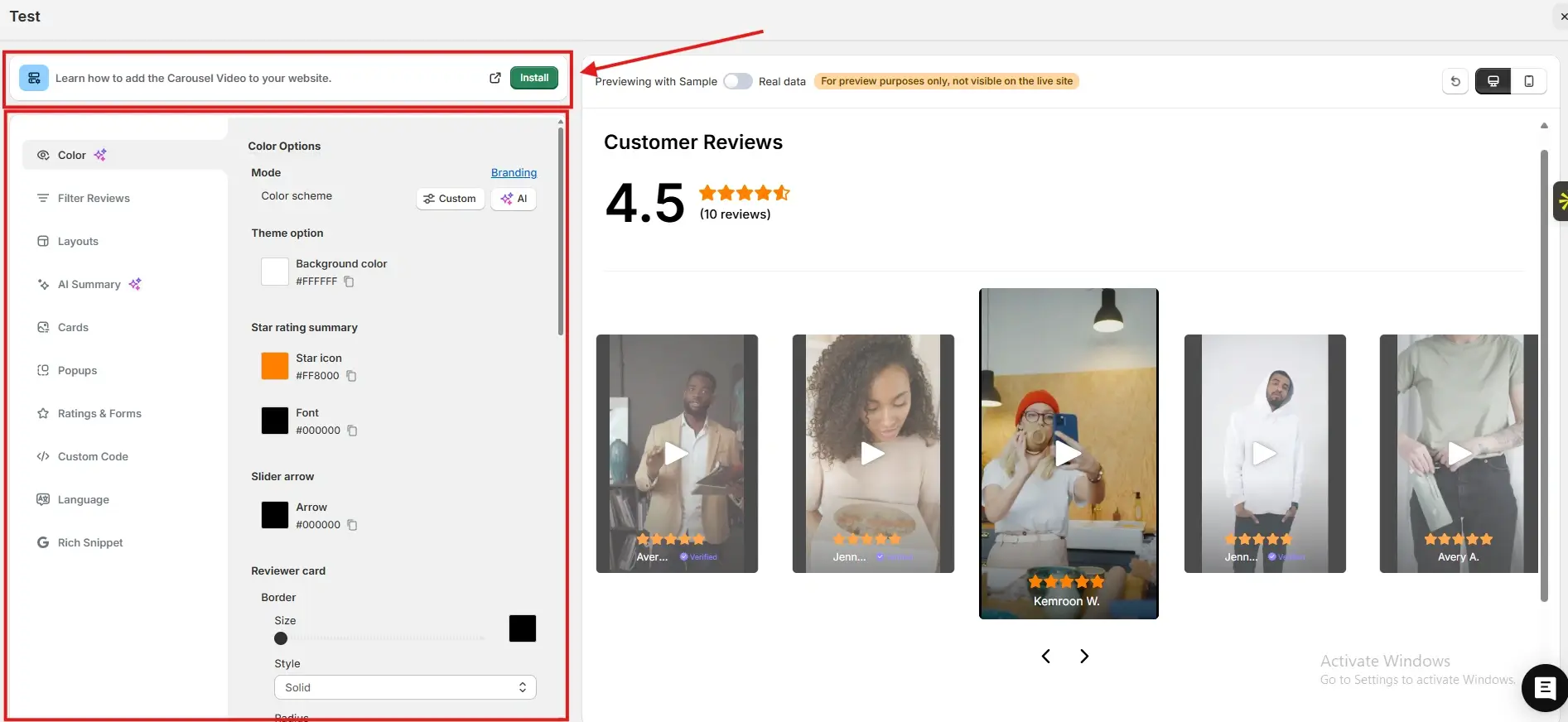
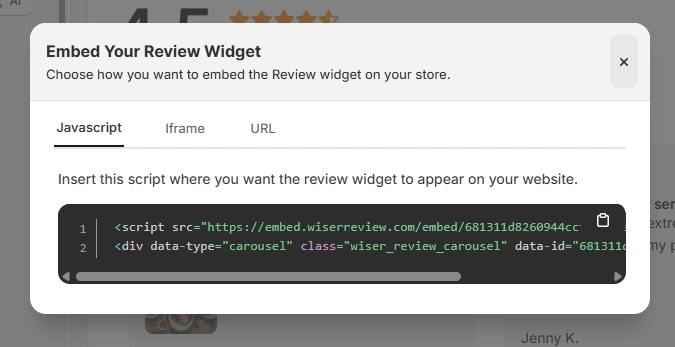
After generating your WiserReview embed code, follow these Oxygen-specific steps:
Log in to your WordPress dashboard
Open the page or template with Oxygen Builder
Add a Code Block element where you want testimonials to appear
Paste the JavaScript embed code, iframe, or URL from WiserReview into the Code Block
Save and publish the page or template
You can also add the embed inside reusable Oxygen templates for consistent placement across the site.
Best places to show testimonials on Oxygen Builder
Oxygen layouts are intentional, so testimonial placement should be equally deliberate.
Above the fold sections
Placing testimonials near the top of an Oxygen-built page establishes credibility immediately.
Visitors decide quickly whether to trust a site. Seeing real feedback early reassures them that your solution is legitimate and worth their time.
Near primary call to action
Oxygen sites often guide visitors toward a specific action. Testimonials placed just before or after call-to-action buttons reduce last-minute doubt.
This placement reinforces confidence at the exact moment a decision is made.
Pricing and offer sections
Pricing sections naturally trigger hesitation. Testimonials near pricing tables help justify cost by highlighting outcomes and satisfaction.
This reframes price as value and supports confident purchasing decisions.
Global templates and footers
Oxygen allows reusable templates across pages.
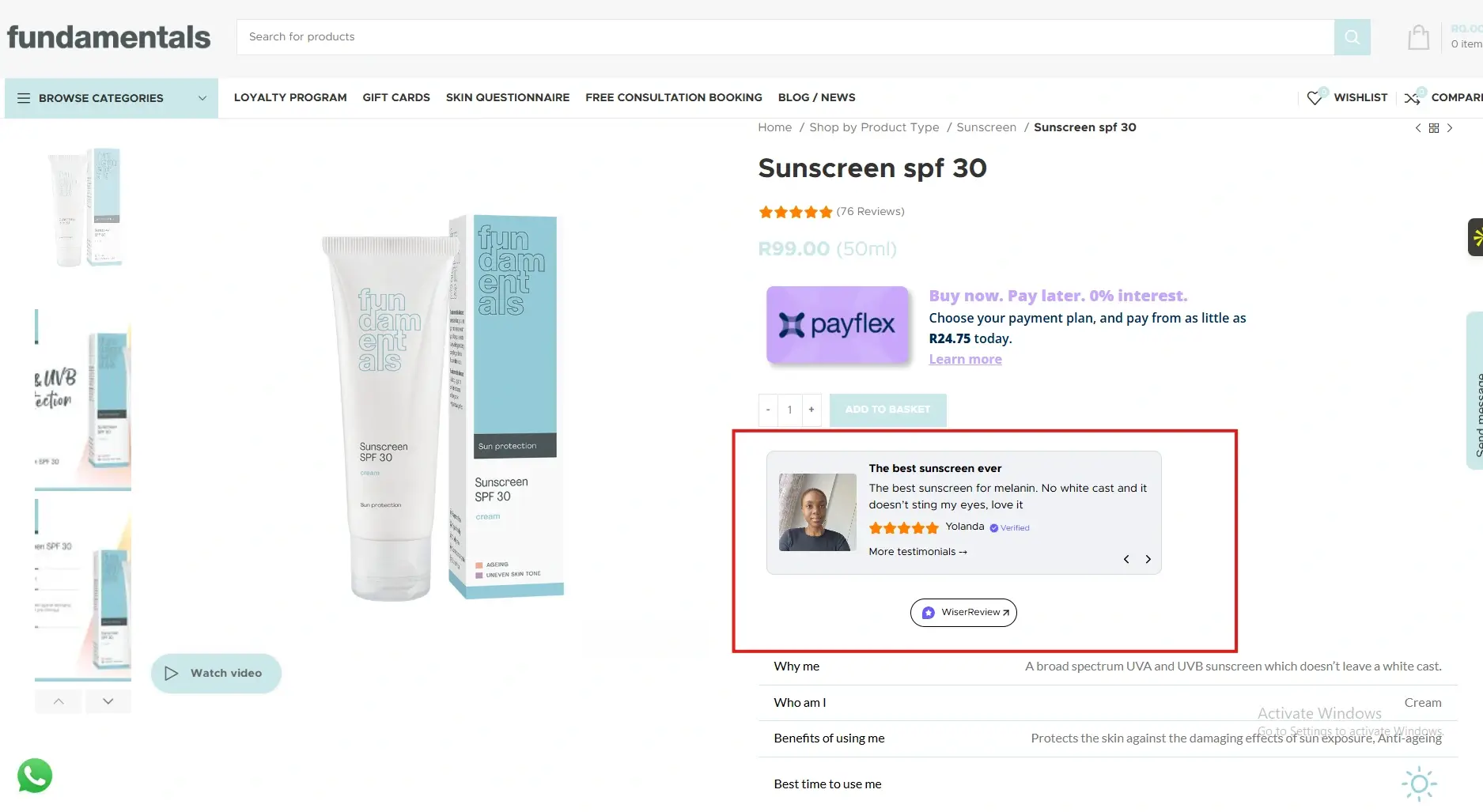
Testimonials placed in global sections or footers create consistent trust signals throughout the site, even for visitors who skim content.
All your testimonials in one place
Collect testimonials, manage every response, and display them on your Oxygen Builder site.
Oxygen Builder gives you unmatched control and performance, but testimonials give your pages credibility.
By embedding WiserReview testimonials in strategic Oxygen sections, you reduce doubt and increase conversions without sacrificing design or speed.
Start adding testimonials today and let real customer experiences strengthen your Oxygen-built site.
Frequently asked questions
Yes. Testimonials are highly effective on performance-focused and custom Oxygen sites.
No. Properly embedded testimonials load efficiently and maintain performance.
Two to five focused testimonials usually work best.
Yes. Using reusable templates makes this easy.
Absolutely. Testimonials add essential trust to highly custom designs.
Article by
Krunal
Krunal Vaghasia is the founder of WiserReview and an eCommerce expert in review management and social proof. He helps brands build trust through fair, flexible, and customer-driven review systems. Read more.

 4 min
4 min