How to display testimonials on Systeme.io for free
Learn how to display testimonials on Systeme.io for free. A simple way to show real customer feedback and build trust across your pages and funnels, no coding required.
Systeme.io is designed to help creators sell courses, funnels, and digital products from one platform, but even an all-in-one system cannot convert without trust.
Visitors may like your offer yet hesitate before signing up or paying. That hesitation usually comes from doubt.
Testimonials solve this by showing real results from real users, reassuring prospects at key decision points.
Why add testimonials to Systeme.io?
Systeme.io combines funnels, pages, and payments, which makes testimonials a powerful conversion driver.
Testimonials build trust across funnels, landing pages, and checkout steps
Pages with testimonials can increase conversions by up to 34 percent
92 percent of buyers read testimonials before purchasing online
Social proof reduces drop-offs on order forms and upsell pages
Because Systeme.io manages the full buyer journey, testimonials can reinforce confidence at every stage.
You can explore the platform further or book a demo to learn how to collect more testimonials and show them where they matter most, based on our four years of experience working with over 1,100 brands.
Embed testimonials on Systeme.io
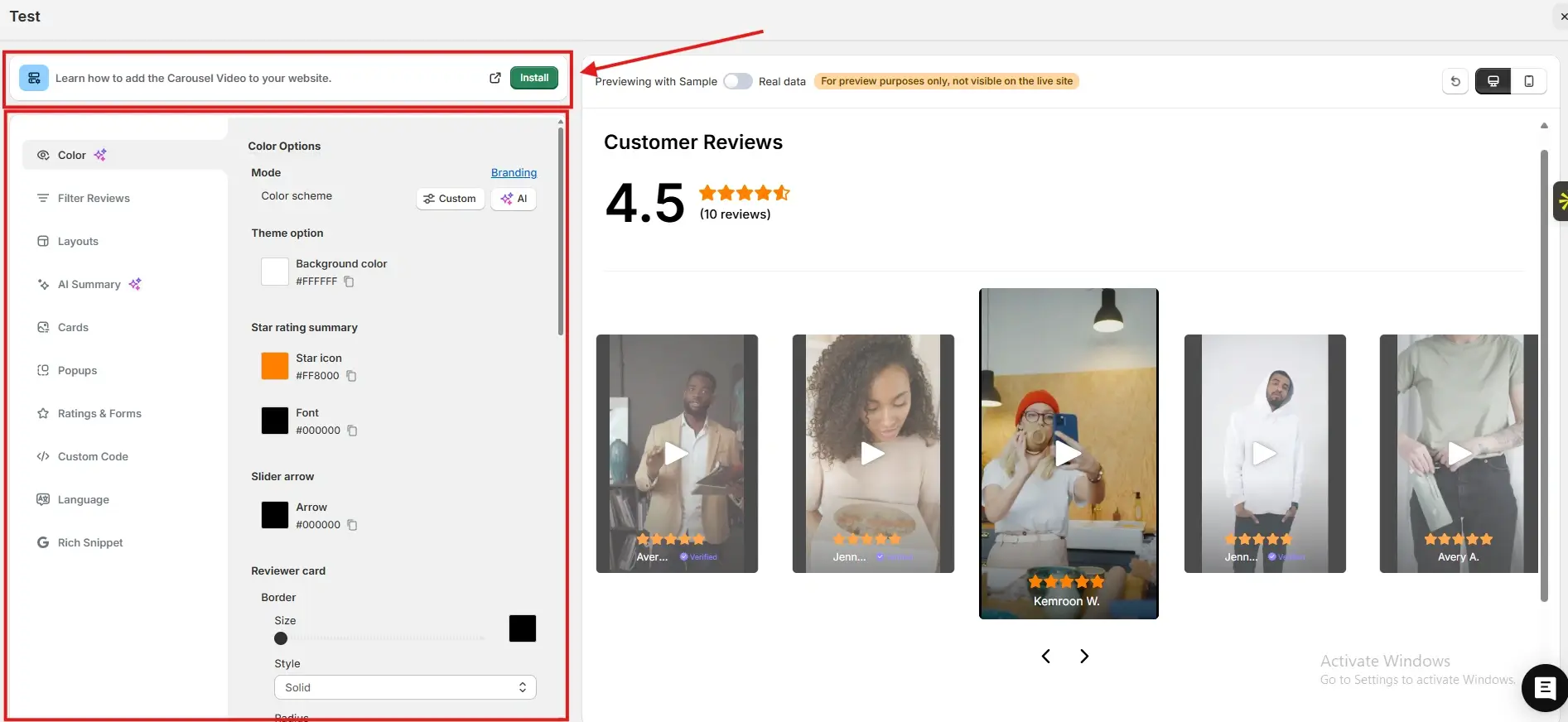
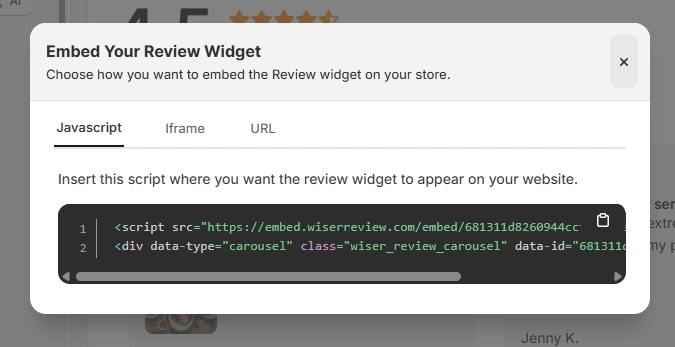
After generating your WiserReview embed code, follow these Systeme.io specific steps:
Log in to your Systeme.io dashboard
Go to Funnels or Websites and open the page you want to edit
Click Edit Page to open the visual builder
Add a Custom HTML block or Code element to the page
Paste the JavaScript embed code, iframe, or URL from WiserReview
Save changes and publish the page
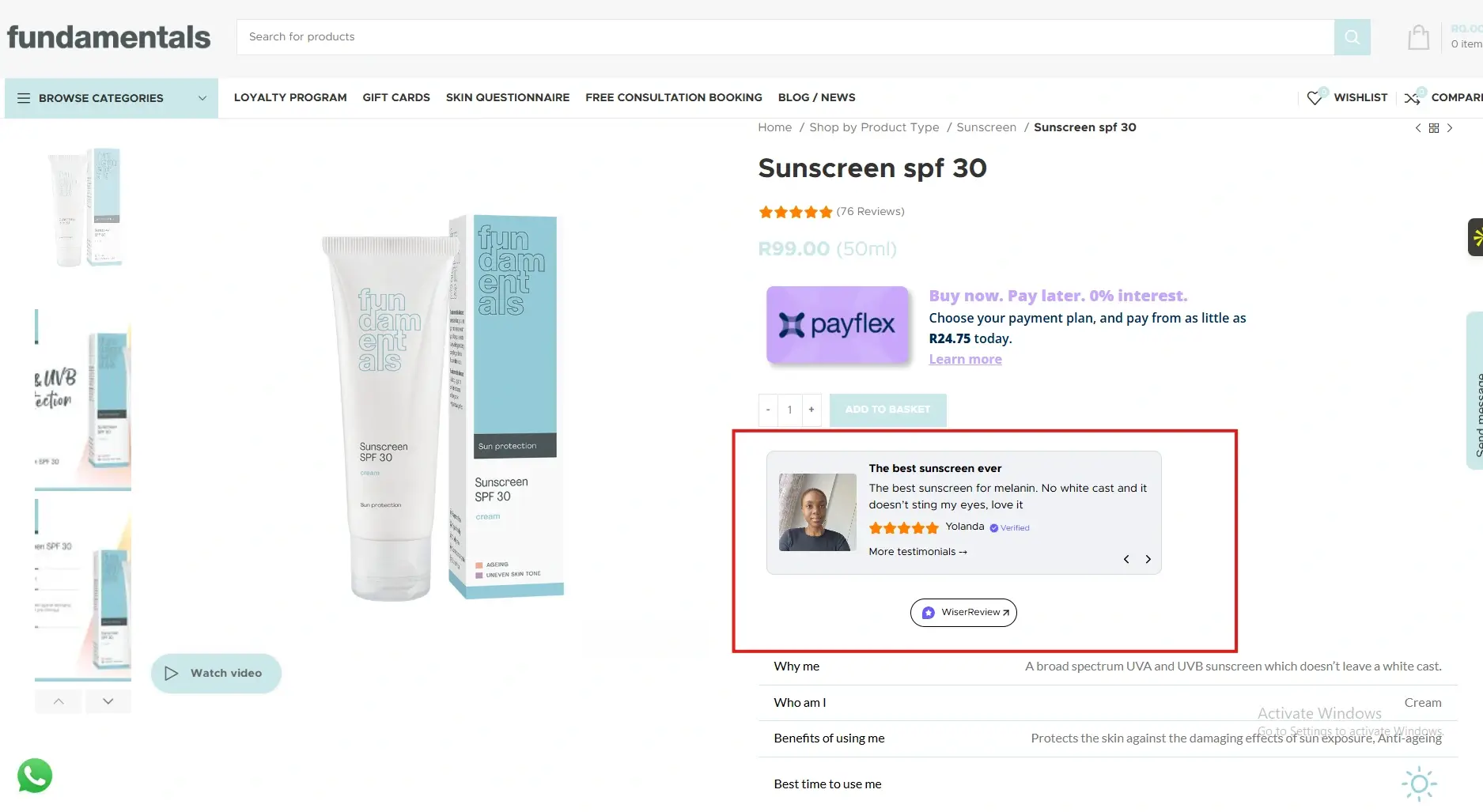
The testimonials will appear instantly inside your Systeme.io page without affecting layout or speed.
Best places to show testimonials on Systeme.io
Strategic placement ensures testimonials support conversions throughout your funnel.
Landing and opt-in pages
Opt-in pages introduce your offer and capture leads.
Testimonials placed near headlines or signup forms reduce skepticism and encourage visitors to subscribe or register, especially for lead magnets and webinars.
Sales pages
Sales pages explain value and handle objections.
Testimonials placed near key benefits or pricing reinforce claims and make promises believable.
This increases conversions for courses, memberships, and digital products.
Order and checkout pages
Checkout pages are where hesitation peaks.
Testimonials placed near order buttons reassure buyers that others completed the purchase and were satisfied, reducing abandonment.
Upsell and downsell pages
Upsell pages require extra trust.
Testimonials from customers who upgraded or continued validate the offer and increase average order value without aggressive selling.
All your testimonials in one place
Collect testimonials, manage every response, and display them on your Systeme.io site.
Two to four focused testimonials usually work best.
Yes. The same embed code can be added to different pages and funnels.
Absolutely. Social proof is critical for higher-value purchases.
Article by
Krunal
Krunal Vaghasia is the founder of WiserReview and an eCommerce expert in review management and social proof. He helps brands build trust through fair, flexible, and customer-driven review systems. Read more.

 3 min
3 min