Thinkific gives course creators and educators a powerful platform to share knowledge, sell online programs, and grow their businesses.
But even the best-designed course pages can struggle to convert if potential students don’t see proof of trust.
This is where Google reviews come in – authentic feedback that instantly builds credibility.
With WiserReview, embedding Google reviews into your Thinkific site is simple, turning visitor hesitation into confidence and boosting enrollment.
Why add the Google review widget to Thinkific?
Adding Google reviews to Thinkific does more than decorate your site; it directly impacts conversions and trust.
Here’s why:
Credibility counts:74% of consumers say positive Google ratings make them trust a business more.
Drive enrollments: Businesses with 25+ reviews average double the revenue compared to those with few.
Boost SEO visibility:Google’s algorithm considers review signals like recency and volume. More reviews can help your Thinkific site rank higher in local and niche searches.
Social proof for big decisions: Students are more likely to invest in online courses when they see others’ success stories.
Use case example: A language teacher on Thinkific embeds Google reviews on their course sales page. Prospective students see positive experiences and feel more confident enrolling.
Build trust with every visitor
In just minutes, display your Google reviews on Thinkific site.
Ok, now that you know the benefits of adding Google reviews, let’s go through the steps to add them to any website or online store.
First, sign up for WiserReview. It has a free plan, and paid plans start at just $9/month.
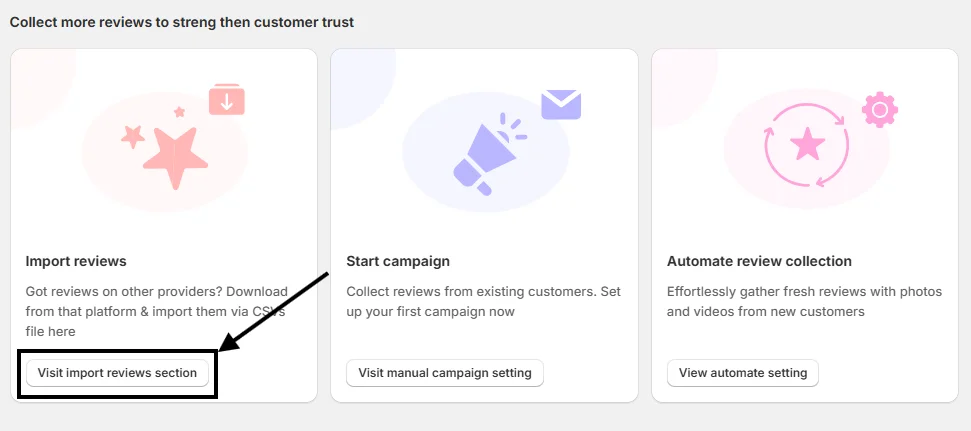
Once your account is created, you’ll land on the WiserReview dashboard. Scroll down a bit, and you’ll see this option:
Click on “Visit Import Reviews Section.”
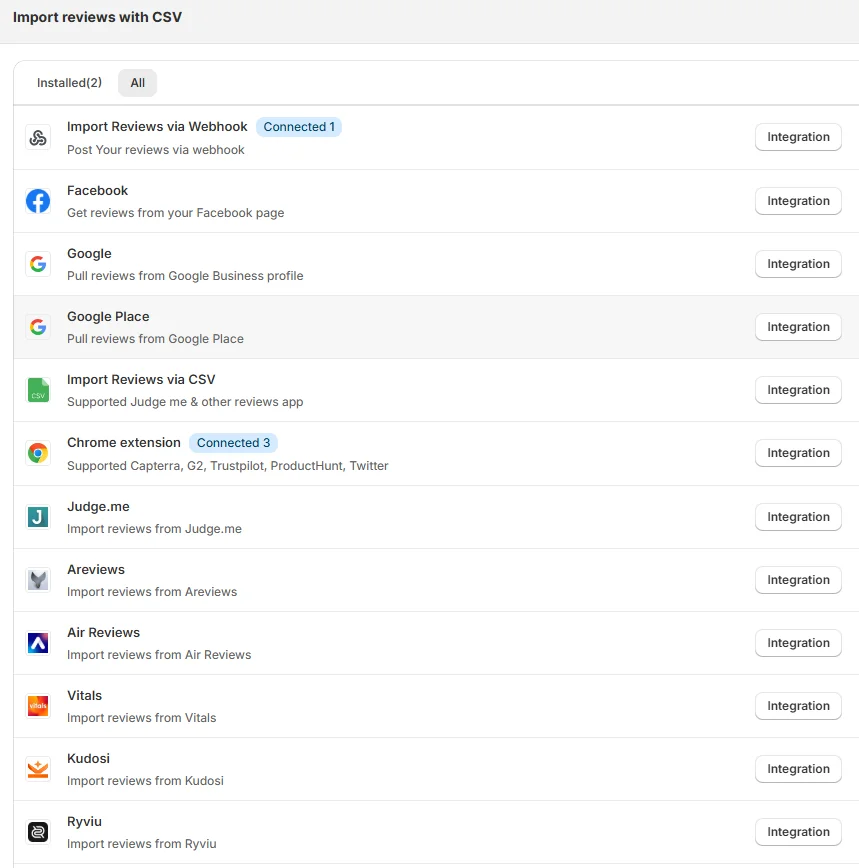
From there, you’ll find many options to pull in reviews. Choose the integration method that works best for you.
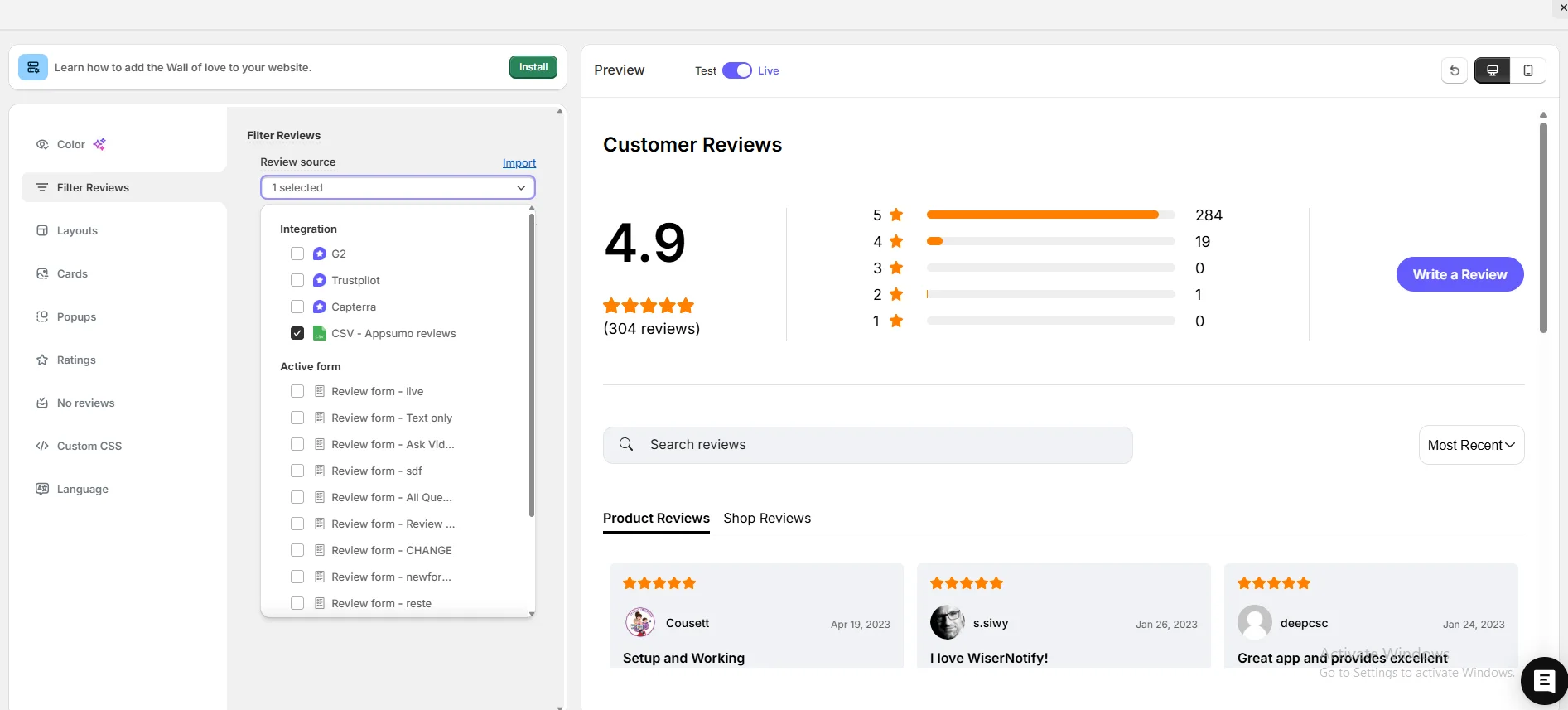
After connecting successfully, go to the Widgets section and select any widget you like.
Next, go to Filter Review Options, pick your review source, and start customizing your widget.
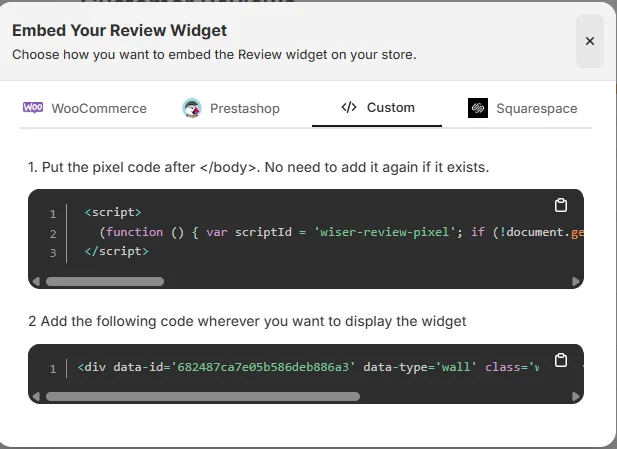
When you’re done customizing, click on Install in the upper-left corner. Copy the code and paste it where you want the Google review widget to appear on your site.
That’s it, your widget is now live and helping build trust and credibility for your site.
And here’s the best part: WiserReview offers multiple Google review widget styles you can choose from.
Plus, WiserReview doesn’t just display Google reviews; it also helps you collect and manage them. It’s a complete Google review management tool.
Here’s a video guide for reference:
How to embed Google reviews in Thinkific
After generating your widget code with WiserReview, embedding reviews into Thinkific is quick:
Log in to your Thinkific admin dashboard.
Go to Design Your Site > Site Pages.
Open the page where you want reviews displayed.
Add a Custom HTML block in the page editor.
Paste the WiserReview embed code.
Save and publish your site.
Your Google reviews will now display on your Thinkific site, auto-updating with each new review.
Hiding reviews on less important pages: If reviews aren’t visible on sales or checkout pages, you miss conversion opportunities. Solution: Place them where decisions happen.
Showing outdated reviews: Reviews from years ago may seem irrelevant. Solution: Showcase recent ones to reflect current quality.
Using too many reviews at once: Overloading pages can overwhelm visitors. Solution: Curate 5–7 impactful reviews instead.
Wrap-Up
Google reviews are one of the easiest ways to increase trust and conversions on your Thinkific site.
While screenshots or text copies are possible, they lack credibility and automation. WiserReview makes it simple to embed live, authentic, and customizable Google reviews that work seamlessly with Thinkific.
If you want to attract more students and grow your Thinkific business, start embedding Google reviews today with WiserReview.
Frequently asked questions
No. You just paste the WiserReview embed code into a custom HTML block.
Yes, with WiserReview your reviews sync in real time.
Yes. WiserReview lets you adjust layout, colors, and fonts to match your Thinkific branding.
Yes. Reviews influence Google’s local rankings and provide trust signals.
Yes. WiserReview has flexible pricing plans suitable for solo educators, small teams, and larger institutions.
Article by
Krunal
Krunal Vaghasia is the founder of WiserReview and an eCommerce expert in review management and social proof. He helps brands build trust through fair, flexible, and customer-driven review systems. Read more.

 4 min
4 min