5 min
5 min 
You open your Google Business Profile and suddenly, 15 reviews have vanished. No alert. No message. Just gone.
It’s stressful, and you’re not the only one. Many businesses experience this kind of Google review purge without knowing why.
The truth is, Google’s system has its own rules for filtering reviews, and once you know how it works, you can recover your lost reviews and prevent it from happening again.
Let’s review what actually matters and how to fix it quickly.
Understanding a review purge
A review purge isn’t always negative. Sometimes Google removes fake or spam reviews. At other times, a system bug or policy rule mistakenly removes real ones.
No matter the reason, it still feels unfair when your genuine customer feedback disappears overnight.
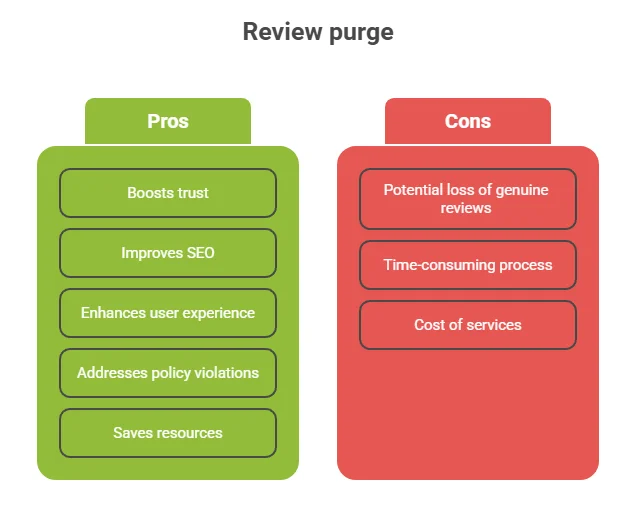
What “purge” really means in this context
A Google review “purge” refers to the removal of reviews that violate Google’s policies, which can occur automatically through algorithms or after a business flags a review for human review.
This can happen to:
- Individual reviews flagged by users or algorithms.
- Entire batches during automated cleanses.
- Reviews from specific accounts that Google marks as suspicious.
How Google handles review moderation
When a person submits a review, Google’s automated systems review the content first for spam, untrue statements, off-topic sentences, and abusive language.
If the review is concerning, it will be sent to a human moderator for review. These reviewers use judgment and experience to spot issues machines might miss.
Even after a review is published, Google continues to monitor patterns. If they see any suspicious activity, such as a large quantity of similar reviews, they may re-review or delete the reviews altogether.
According to statistics, reports indicate that approximately 10.7% of reviews on Google are flagged as fake or fraudulent. Additionally, organizations have noted that around 90% of the deleted reviews are 5-star reviews.

All your Google reviews in one place
Collect Google reviews, manage every response, and display them where they matter most.
Start Free →Common reasons Google reviews disappear
Google doesn’t always disclose why reviews are removed, but patterns emerge. Understanding these triggers helps you prevent future losses.
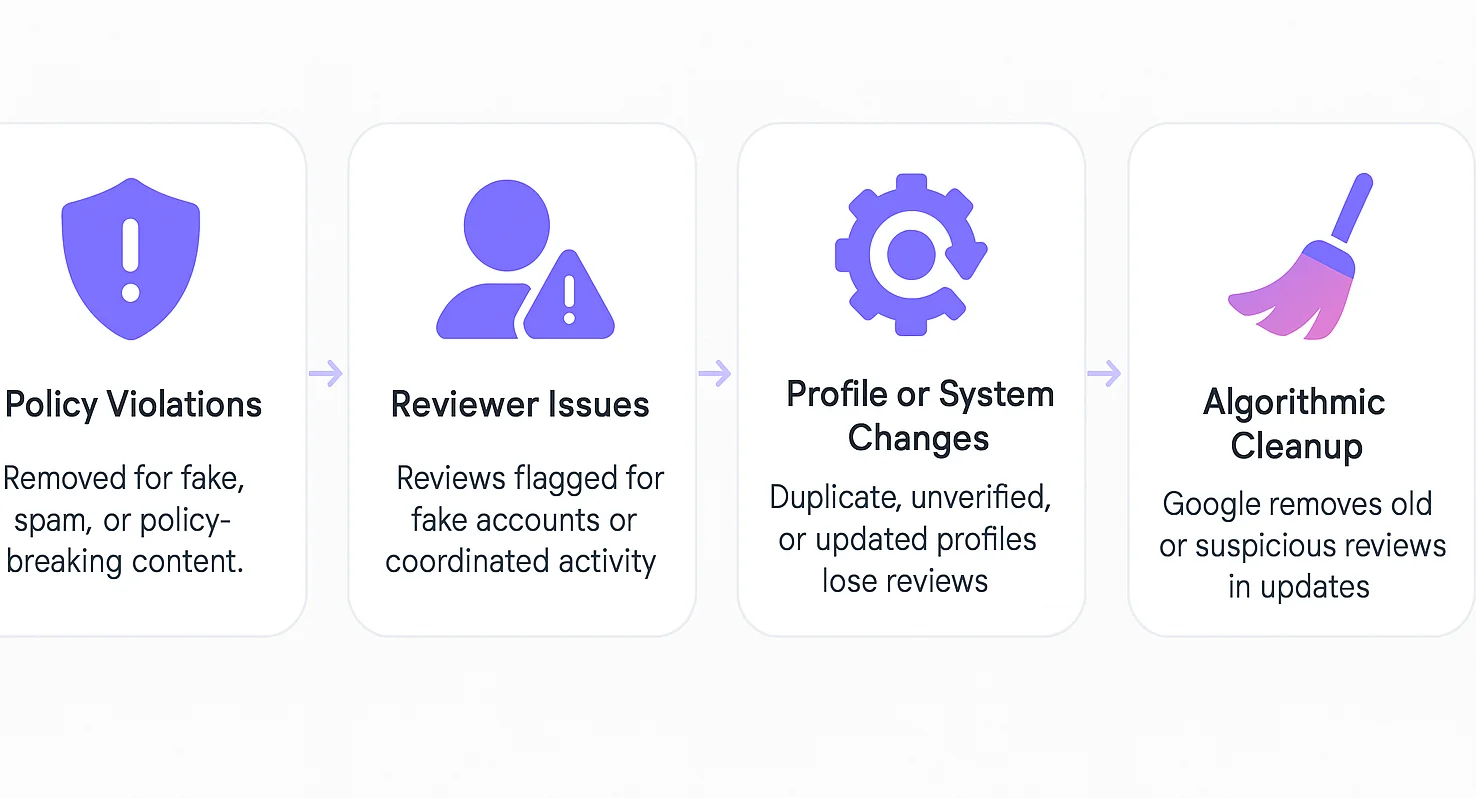
Violation of Google’s content & review policies
Google enforces strict rules. Reviews that break them are removed automatically:
- Fake reviews: from fake accounts, paid reviewers, or organized groups
- Spam or off-topic content: promotional links, attacks on competitors, related ranting.
- Hate speech or harassment: targeting individuals or groups
- Revealing personal information: phone numbers, emails, addresses
- Misuse by business owners: using the review area to promote offers instead of responding
If a location in a chain was observed for violations, this could result in a more rigorous filter for the entire profile.
Google also stated that it removed over 170 million policy-violating reviews in 2023, representing a nearly 45% increase from the previous year.
Reviewer-related issues
Sometimes the problem starts with the reviewer, not your business.
Fake or new accounts with little activity, Multiple reviews from the same IP or device, Incentivized reviews: offering rewards for reviews, Sudden flood of 5-star reviews in a short period.
Google’s system detects patterns humans often miss. Even genuine requests for reviews are allowed, but offering a discount in exchange is not.
Business profile changes & technical factors
Specific changes or errors can cause reviews to vanish.
Profile ownership or verification changes, Duplicate profiles are being merged, Category shifts (e.g., changing your business type), Bugs or errors in third-party tools or API integrations
These changes might reset or revalidate your reviews.
Algorithmic purges & review cleanses
Beyond violations, Google runs broad quality sweeps.
- Periodic re-evaluation of old reviews
- “Freshness” filters: older reviews may be downgraded or hidden
- Quality score updates: Google promotes reviews that seem helpful or detailed
- Abuse of reporting by competitors: if many flags are raised, Google may remove reviews under suspicion
In extensive analyses, many removed reviews have traits like being short, overly vague, or similar in language.
A study of 50,000 deleted Google reviews found that 89.6% of removed reviews were 5-star ratings, suggesting that Google is strict about potentially inflated positive feedback.
How to detect & audit a review purge
The first step to recovery is recognizing that a purge has occurred. Many businesses miss it at first because Google doesn’t send alerts or emails when reviews are removed.
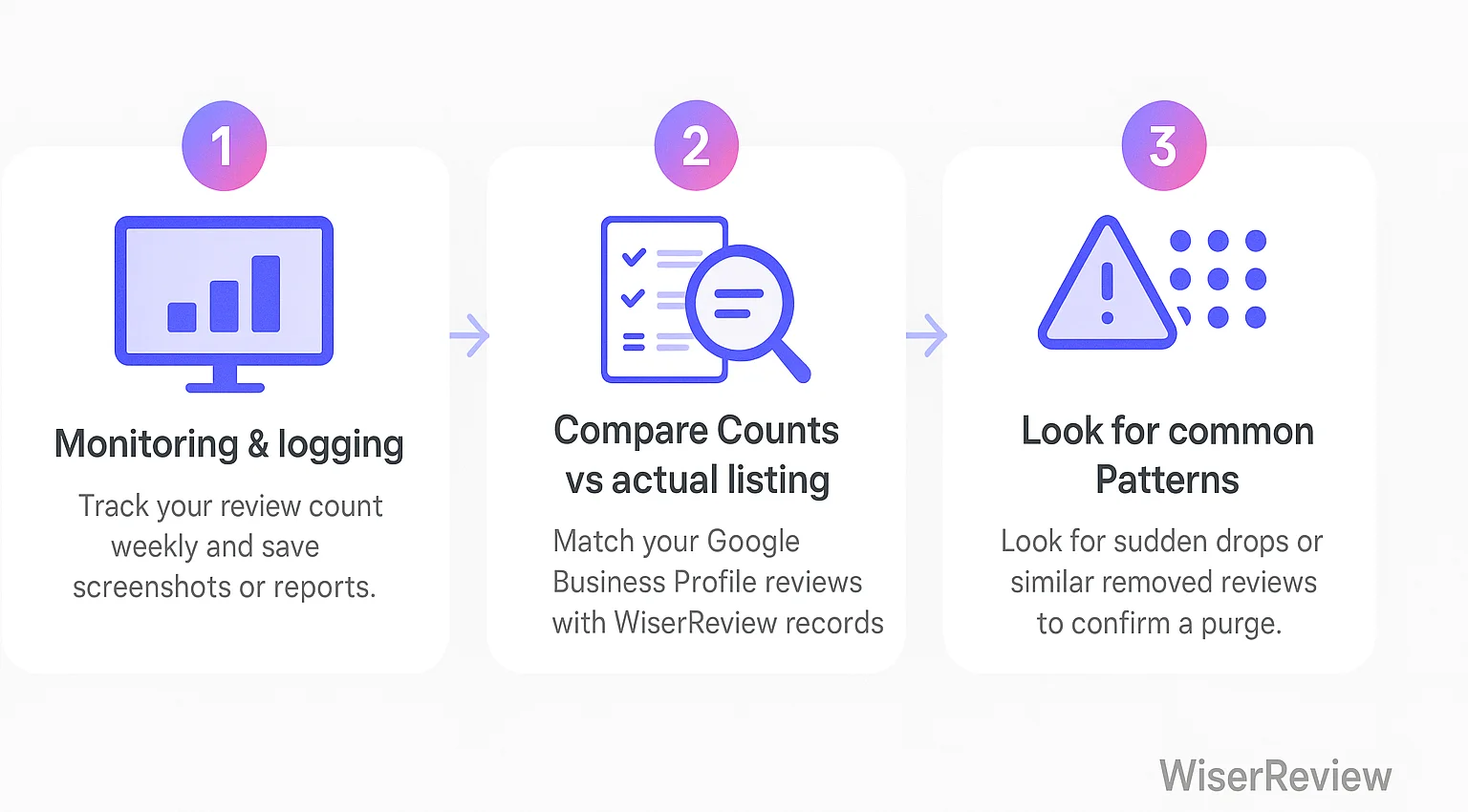
Monitoring & logging
You need a baseline so you can spot changes later.
- Check weekly: track number of reviews, average rating, and total stars
- Capture screenshots or download reports (monthly) from your Google Business Profile
- Use WiserReview to archive reviews automatically.
- Note the exact dates when reviews disappear; this helps distinguish between a purge and normal fluctuation.
WiserReview stores all your reviews in one place. That makes it easier to see when your live Google count drops short.
Compare counts vs actual listing
This is a simple audit that you can run at any time.
Count how many reviews show on your Google Business Profile. Compare that to your archived copy in WiserReview. If the numbers don’t match, a purge likely occurred, then calculate the loss (e.g., 150 → 98 means 52 reviews got removed)
Look for common patterns
Not every missing review means a purge. Watch for these signs:
- Sudden drop (10–30 reviews vanish in a day) = likely a purge
- Slow decline = might be expected moderation or algorithm changes
- Spike by date: many removed reviews were posted around the same time → could be flagged by Google
- Content pattern: removed reviews are mostly generic (“Great service”) or many are 5-star → more likely flagged as spam.
Recovery & restoration strategies
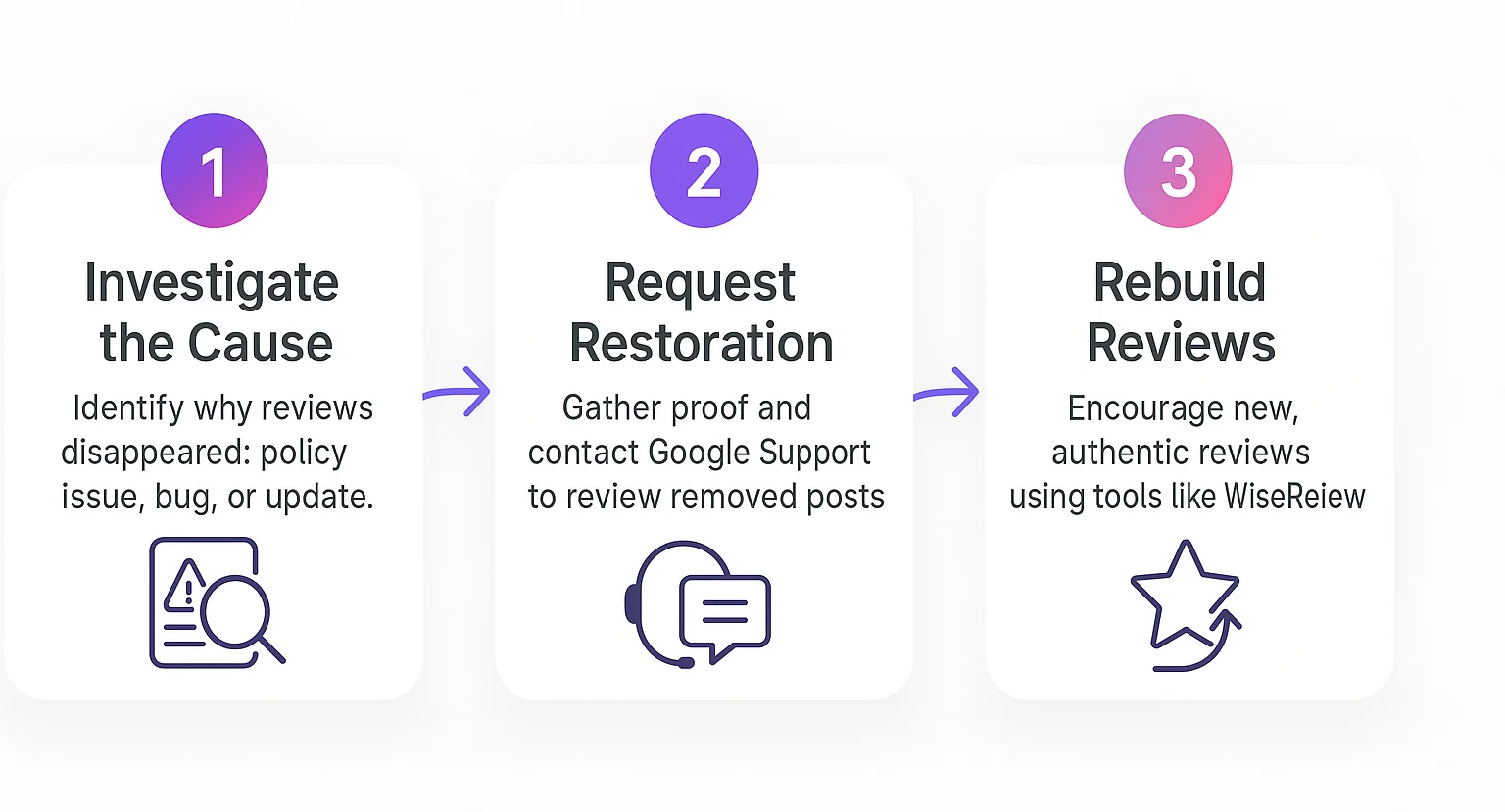
After a Google review purge, the recovery and restoration strategy involves a multi-pronged approach.
Step 1: Investigate the cause
Before acting, find likely reasons your reviews were removed:
- Policy violations: reviews flagged as fake, incentivized, or from conflicted sources
- Algorithm updates: Google might mistakenly filter genuine reviews during system changes
- Technical glitches: past updates (e.g., late 2023) caused review outages for some businesses
- Reviewer deletions: a user might have removed their own review
- Inactive profile: Google may remove reviews from profiles that have been unused for an extended period.
Step 2: Try to restore missing reviews
- Gather proof: keep screenshots, dates, reviewer names, and review content
- Contact Google Support: use your Business Profile, select “Missing or removed reviews,” and submit details
- Follow-up: Responses may take several days to process; please provide additional information if requested.
Step 3: Rebuild your review count proactively
- Reach out to original reviewers: ask politely if they’d repost
- Use steady review requests: avoid mass campaigns; aim for continuous, natural inflow
- Expand beyond Google: encourage reviews on Facebook, Yelp, and industry directories.
All your Google reviews in one place
Collect Google reviews, manage every response, and display them where they matter most.
Start Free →Wrap up
Google review purges aren’t fun, but they’re not the end either. Most are preventable with ethical review practices and continuous monitoring.
The key is staying ahead of the system: collect reviews honestly, track them consistently, and respond quickly if a purge happens.
Your reviews are too valuable to lose to mistakes or negligence. Start monitoring today, build clean practices tomorrow, and let tools like WiseReview handle the heavy lifting of collection, organization, and backup.
Frequently asked questions
Sometimes. If reviews were removed by mistake, you can contact Google Support and request a manual review with proof. If they violated policies, they can’t be restored.
Automated removals happen right away. If you file an appeal, Google usually reviews it within 7–14 business days.
Yes, but only short-term. Your ranking may dip due to fewer reviews, but it improves again as you collect new ones.
Yes. You can ask through email, text, or in person—just don’t offer discounts or rewards in exchange.

Krunal