3 min
3 min 
Trustpilot reviews help build trust, but they don’t need to stay only on Trustpilot. Exporting reviews gives full control to use them anywhere on websites, landing pages, emails, or new platforms.
Many businesses export reviews to show social proof on their own site, run sentiment analysis, create backups, or migrate to tools like WiserReview. The reviews stay valuable, even outside of Trustpilot.
This guide explains how to export Trustpilot reviews in 3 simple steps and how to import them into WiserReview using a CSV file.
Why exporting Trustpilot reviews is useful
Trustpilot reviews hold real value, and exporting them gives you the freedom to use that value wherever it matters most.
Whether you want to improve your website, understand your customers better, or keep a safe copy of your data, exporting reviews is a smart step.
➜ Build social proof for websites & landing pages
Real customer reviews help build trust fast. By exporting your Trustpilot reviews, you can show them on your website using custom layouts, review widgets, or banners.
This adds strong social proof that can increase conversions and make your pages feel more trustworthy to new visitors.
➜ Analyze customer sentiment
Exporting reviews allows you to look deeper into what your customers are saying. You can organize them in spreadsheets, filter by rating, or search for common themes.
This helps you understand what people like, what they don’t, and how to improve your product or service.
➜ Backup & data portability
Having a local copy of your reviews gives peace of mind. You’re not locked into a single platform, and you won’t lose valuable feedback if something changes.
You can also move your reviews to other platforms, tools, or dashboards when needed without starting from scratch.
How to export your Trustpilot reviews
The product reviews page on your Trustpilot Business account allows you to filter, export, and manage all your business’s product reviews from one place.
Trustpilot gives you two types of reviews:
- Service Reviews — Feedback about your overall business, service, shipping, or support.
- Product Reviews — Feedback specifically tied to individual products you sell.
Step 1: Log in to your Trustpilot business account
- Go to business.trustpilot.com and sign in with your admin or manager account.
Only users with the right permission level (usually admin or manager) will see the export options.
Step 2: Choose the review type to export
From the main sidebar menu:
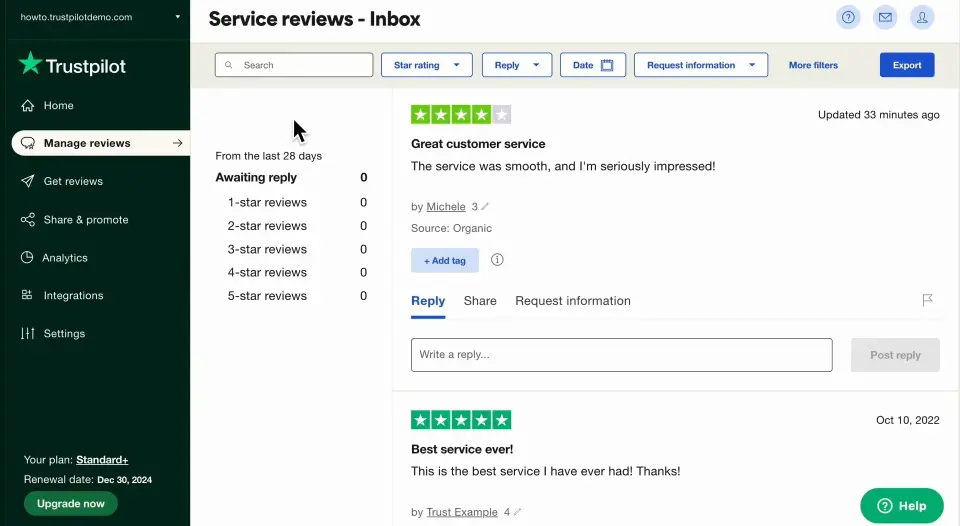
-
For Service Reviews, go to: Reviews → Service Reviews
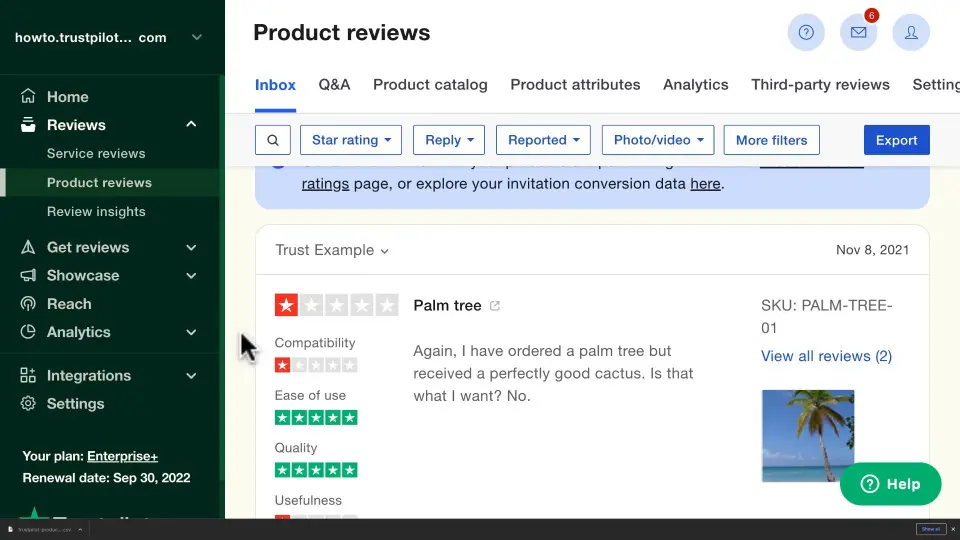
-
For Product Reviews, go to: Reviews → Product Reviews
This step matters because the export files are different. Product Reviews include product-specific details like name, SKU, and sometimes product ID — all of which are helpful for ecommerce platforms.
Step 3: Export reviews in CSV format
- In the upper-right corner of the review table, click the Export icon or dropdown.
- Choose CSV format. (CSV is preferred for uploading into WiserReview.)
- The file will download with all available review data, including reviewer name, rating, date, and text.
Service Review exports will focus on business experience.
Product Review exports will include product-related data like product name, ID, or SKU—if available in your Trustpilot setup.
For any business’s reviews (Using scrapers/tools)
1. Find the URL: Get the specific Trustpilot profile URL (e.g., www.trustpilot.com).
2. Choose a Tool: Use services like:
- Outscraper: Paste the URL, set options (format, limits), and start the scrape.
- exportcomments.com: Paste the URL (with filters applied if needed) and download the CSV/Excel file.
- Chrome Extensions: Search the Chrome Web Store for “Trustpilot Scraper” to find extensions that work within your browser.
3. Configure & Download: Configure the tool (specify data points, format like CSV/JSON/Excel) and download the file.
Why WiserReview is a better option for displaying & managing reviews
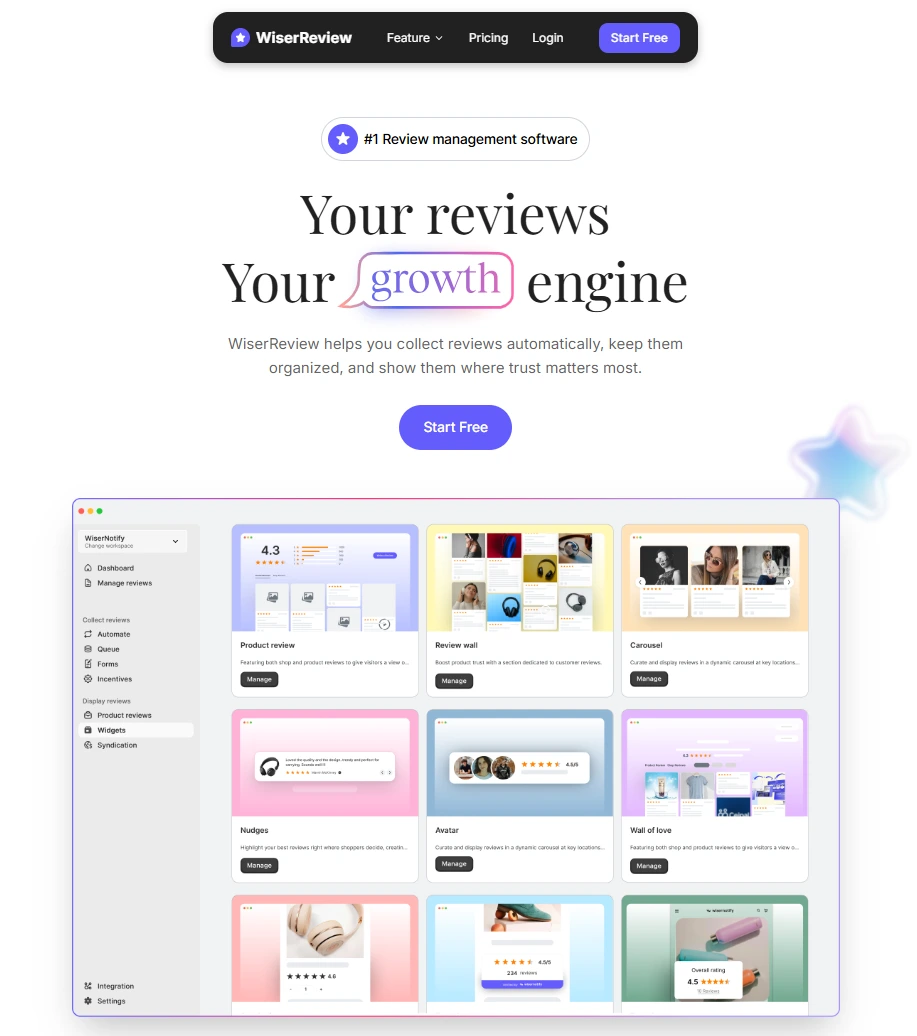
Trustpilot is a popular platform for collecting reviews, but it has limits, especially when you want full control over how your reviews look, where they show up, and how they support your marketing goals.
That’s where WiserReview comes in.
WiserReview gives businesses a complete system to collect, manage, and showcase reviews all under your control, fully customizable, and designed to drive real results.
Here’s why WiserReview is a better option than Trustpilot or other review tools:
1. Complete control over review display
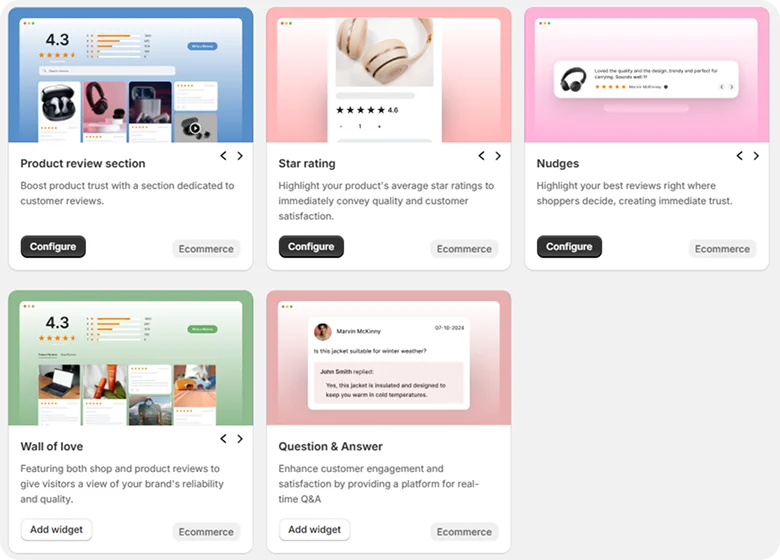
Trustpilot controls how and where you display reviews. WiserReview lets you design custom widgets, including:
- Floating carousels
- Review walls
- Popups
- Star rating badges
- Inline embeds
Place reviews anywhere on your website – homepage, product pages, landing pages, or checkout.
2. One dashboard for all review sources
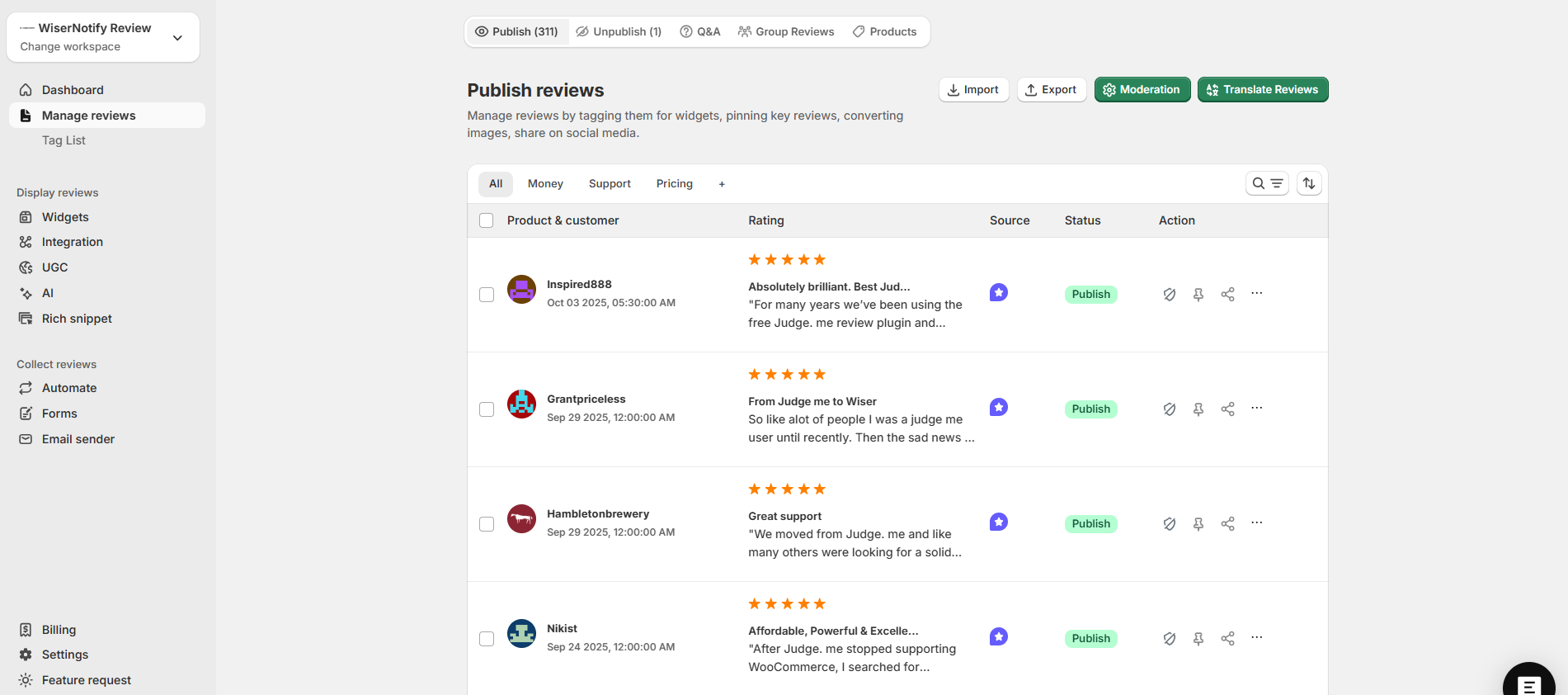
You’re not locked into just one platform. With WiserReview, you can:
- Import reviews from Google, Facebook, and more
- Collect reviews using custom review forms
- Organize everything in one clean dashboard.
No need to jump between platforms or manage reviews manually.
3. Smart automation & Tagging
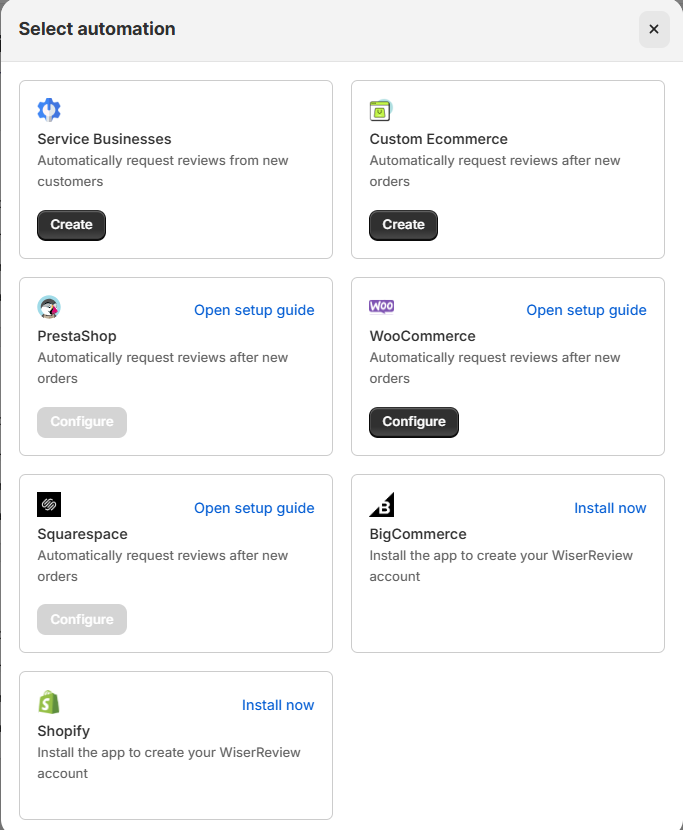
WiserReview helps you go beyond just displaying reviews:
- Auto-tag reviews based on keywords like “delivery”, “support”, or “quality.”
- Use filters and moderation tools to publish only high-quality, relevant reviews.
- Highlight reviews by category, product, or campaign — perfect for ecommerce and B2B sites.
- Automate review collection through email, SMS, or WhatsApp flows. Send review requests right after a purchase, signup, or any event using built-in triggers or integrations like Shopify, Webhooks, or Zapier.
- Schedule follow-ups to increase response rates and collect more verified reviews without manual work.
4. Built for marketing & SEO
Unlike review platforms that keep all the SEO benefits, WiserReview helps your site rank better:
- Google Rich Snippet support for stars in search results
- Share reviews directly to social media or email campaigns
- Embed reviews in landing pages and ads for higher trust and conversions
5. Affordable and flexible
No expensive locked-in plans. WiserReview offers flexible pricing with features tailored for:
- Ecommerce stores
- Digital products and coaches
- SaaS and B2B businesses
- Agencies managing multiple brands
WiserReview isn’t just another review tool; it’s a smarter way to turn customer feedback into trust, traffic, and conversions.



All your reviews in one place
Collect reviews, manage every response, and display them where they matter most.
Once you’ve exported your reviews from Trustpilot, the next step is easy: import them into WiserReview and unlock their full potential.
How to import Trustpilot reviews to WiserReview
Once you’ve exported your reviews from Trustpilot, here’s how to import them into WiserReview easily.
Step 1: Log in to WiserReview
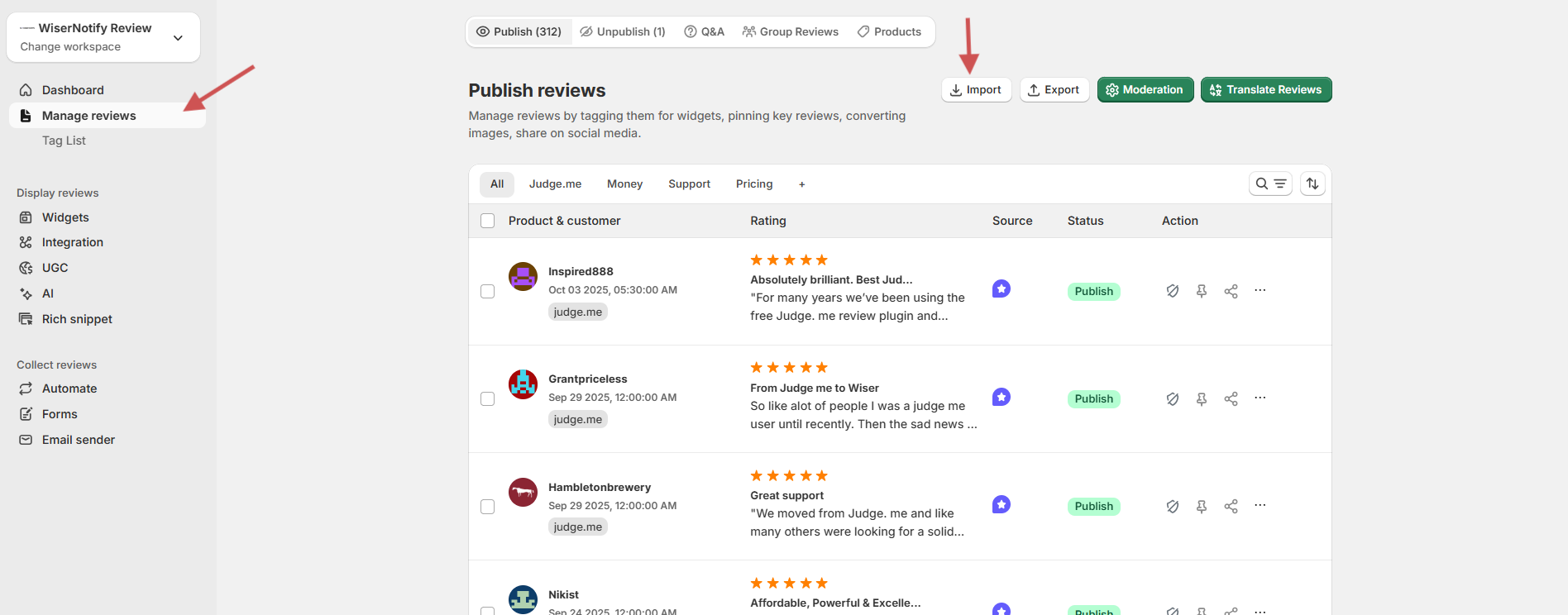
- Head to your WiserReview dashboard
- Go to the “Manage Reviews” section.
- Click “Import Reviews”
Step 2: Start the import process
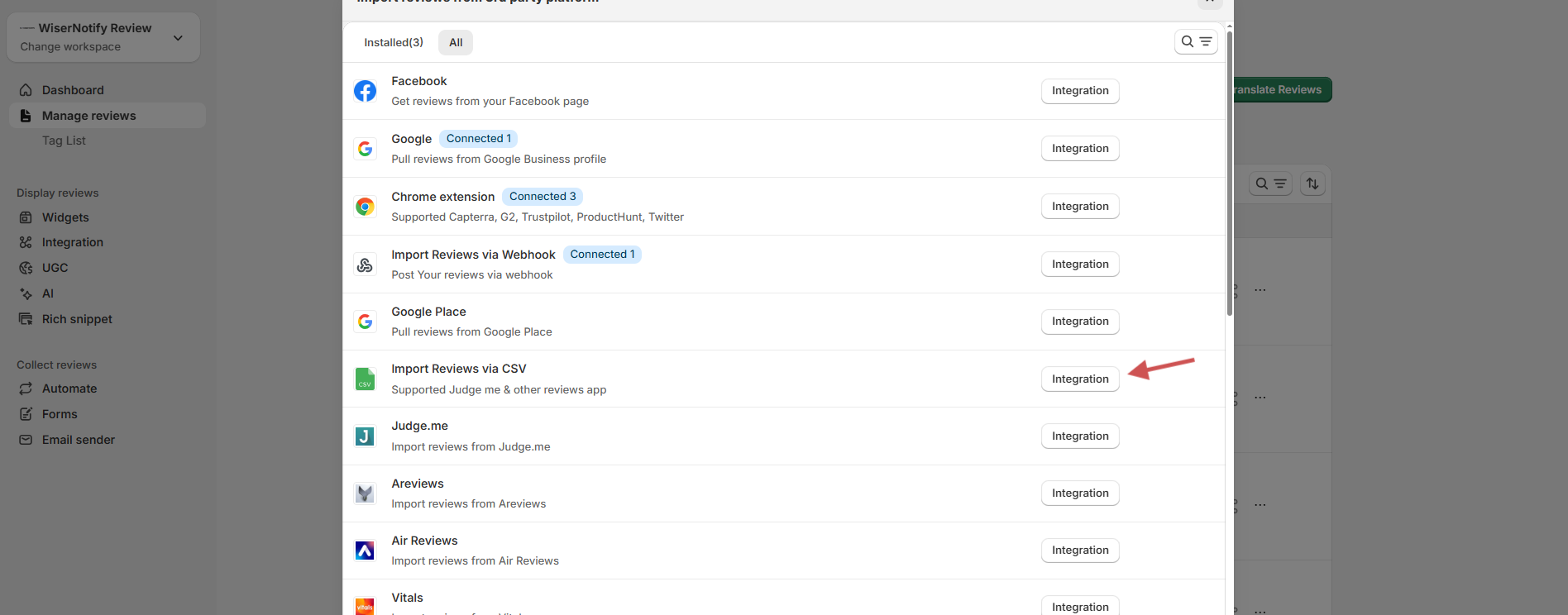
- Click on the Import Reviews button.
- Choose “Import reviews via CSV” from the available integration options.
- Select CSV File Upload as the method.
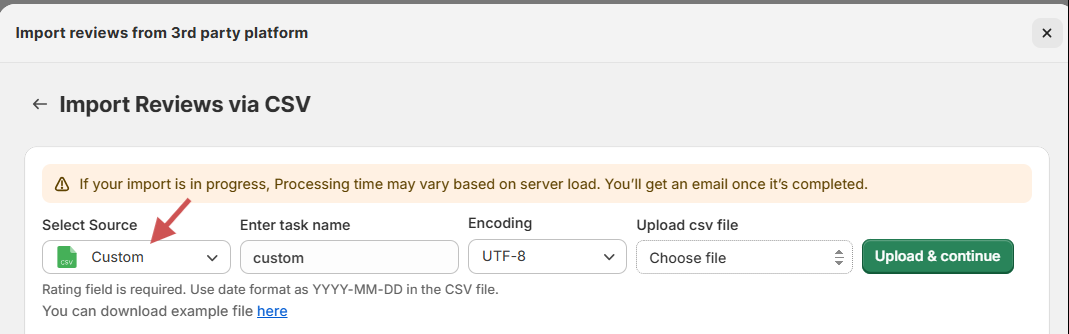
- Click Browse and upload the cleaned Trustpilot review CSV file.
Note:- To display specific reviews under individual products on your website, make sure to include a Product ID or Product Handle column in your CSV file for product reviews. This connects each review to the correct product, especially if you’re using custom product pages or ecommerce widgets in WiserReview.
Step 3: Next is mapping the fields
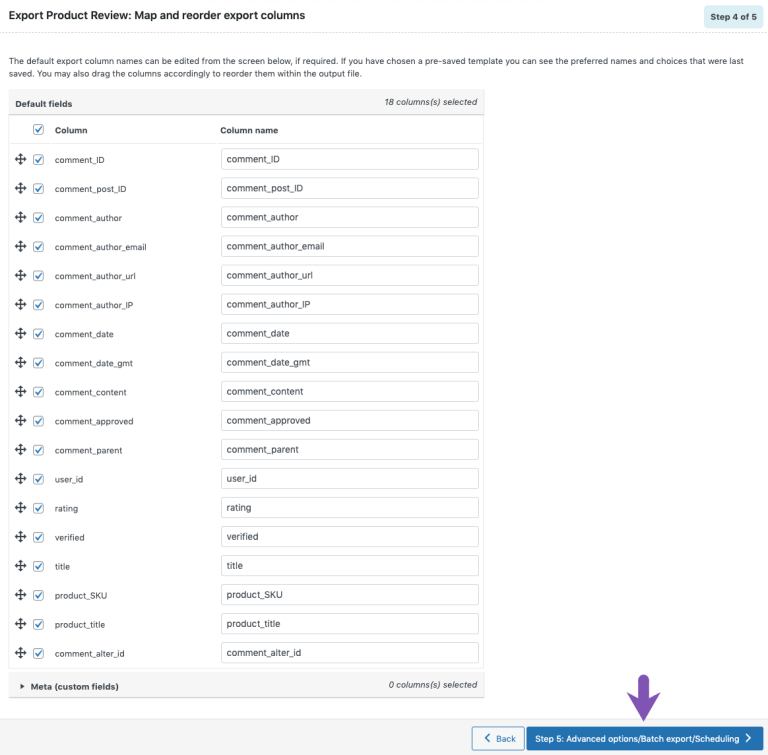
After uploading, you’ll be prompted to map each CSV column to the required WiserReview fields. For example:
Click Next when all mappings are set.
Step 4: Upload and review
- You’ll see a preview of the imported data
- Click Upload & Continue
- Once uploaded, all Trustpilot reviews will appear under Manage Reviews.
Optional: Tag & customize
WiserReview lets you do more:
- Tag Reviews by product, category, or sentiment.
- Apply Filters to hide low ratings or unverified reviews.
- Display Reviews using carousels, badges, popups, or floating sliders.
- Auto-share to Social Media using the Social Sharing module.
Troubleshooting common export issues
Export problems usually come from permission limits, browser settings, or missing fields.
These quick checks help you fix most issues fast.
You don’t see the export button.
- Confirm you’re logged in as an admin or manager.
- Check if your plan includes export options.
- Refresh your dashboard or log in again.
- Ask the account owner to update your role if needed.
Export file not downloading.
- Turn off pop-up blockers.
- Try another browser.
- Wait a few minutes if the file is large.
- Check your internet connection.
Missing review fields in CSV
- Some fields are restricted by Trustpilot.
- Product names or photos may not export.
- Only fields collected during submission will appear.
- API or higher plans may be needed for full data.

All your reviews in one place
Collect reviews, manage every response, and display them where they matter most.Conclusion
Exporting your Trustpilot reviews gives you full control over how you use and display customer feedback.
Once you have your CSV file, WiserReview makes it simple to import, organize, and showcase those reviews anywhere on your site.
With flexible display options, smart tagging, and better customization, WiserReview helps you turn every review into a stronger trust signal for your brand.
Frequently asked questions
Yes, both types can be exported separately from the Trustpilot dashboard in CSV format.
Usually, yes. Exporting is available for admin or manager roles on paid plans.
Add a Product ID or Product Handle column in your CSV to connect reviews to the right product.
Check that product reviews are linked properly in Trustpilot and synced with your store platform.

Krunal