3 min
3 min 
Trustpilot reviews are valuable for understanding customer feedback, improving your product, and showcasing social proof.
Many people look for ways to “scrape” Trustpilot reviews, but not all methods are allowed under Trustpilot’s Terms of Service.
This guide shows what is allowed, what you should avoid, and the best alternatives to access Trustpilot reviews safely and legally.
Understand Trustpilot’s terms of service
Before collecting reviews from Trustpilot, know what’s allowed. Trustpilot doesn’t allow scraping with bots, scripts, or any automated tools.
Even if reviews are public, using tools to collect them in bulk without permission breaks their rules and can get your account blocked.
What you’re not allowed to do:
- Use bots or scripts to pull reviews from the site
- Copy reviews from businesses you don’t manage
- Take large amounts of review content and reuse it without permission
- Use browser extensions or third-party scrapers to collect data.
- Ignore Trustpilot’s copyright and platform rules.
Doing any of this can lead to:
- Your IP address is being blocked
- Your business account is being suspended
- Legal notices or takedown requests
- Losing access to Trustpilot features
What you’re allowed to do:
If you own or manage a business on Trustpilot, you can:
- Log in and download your own reviews using the export button
- Use Trustpilot’s official API (if your plan allows it)
- Work with trusted tools that use approved methods.
- Show reviews on your website using legal review widgets or imports
These methods are safe, supported by Trustpilot, and don’t risk your account.
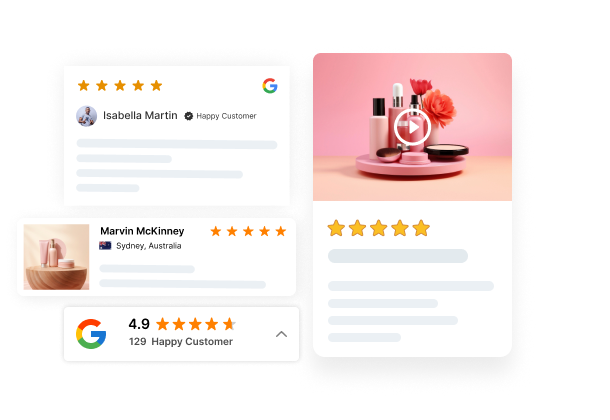
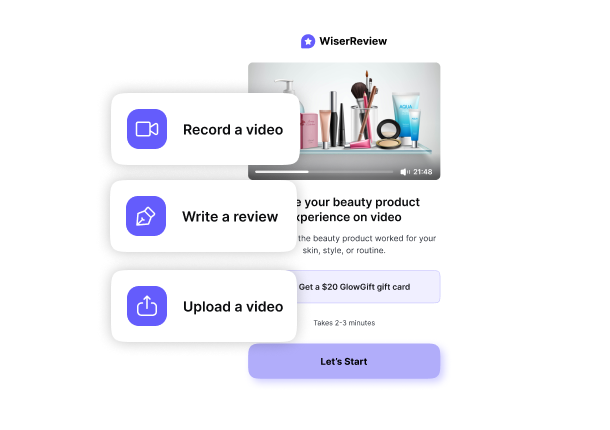

All your reviews in one place
Collect reviews, manage every response, and display them where they matter most.
Legitimate methods for accessing Trustpilot reviews
There are safe, approved ways to access your Trustpilot reviews without breaking any rules or risking your account.
Using Trustpilot’s official APIs
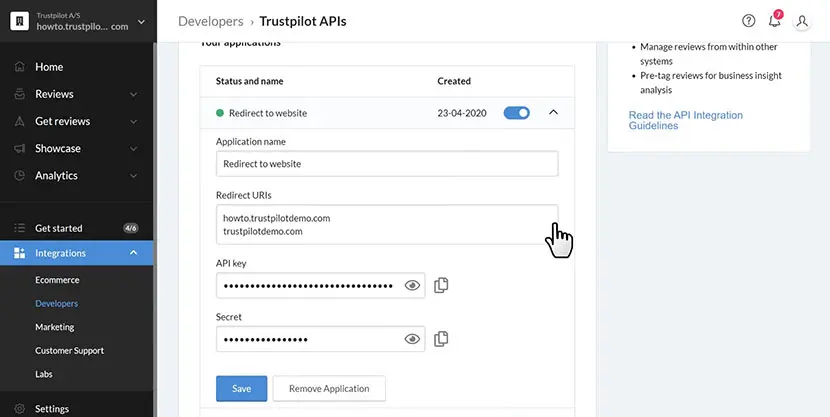
Trustpilot provides APIs that allow approved businesses and developers to access review data.
What you can do with the API:
- Fetch your business reviews
- Collect review metadata
- Display verified Trustpilot widgets on your site.
- Integrate reviews with apps or dashboards.
What you need:
- A Trustpilot Business account
- API access (depends on your subscription plan)
- API credentials
This is the most reliable and secure method.
Export reviews from your business account
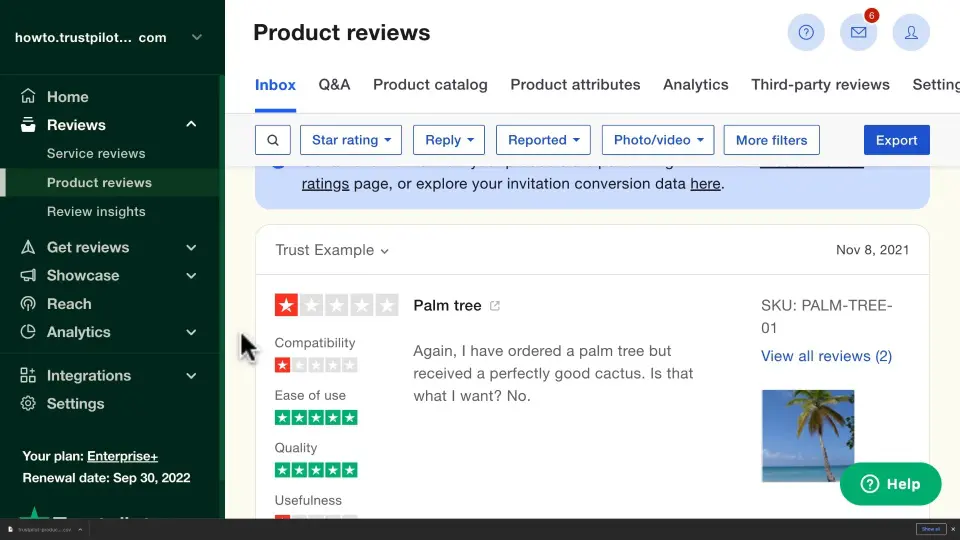
If you manage the business profile, Trustpilot lets you export all your reviews manually, no scraping needed.
How to export reviews:
- Log in to your Trustpilot Business account
- Navigate to Reviews → Service Reviews or Product Reviews.
- Click Export
- Download the CSV file.
This method is fast, safe, and compliant with Trustpilot’s terms.
Third-party tools and services
Some platforms legally integrate with Trustpilot through partnerships or API usage
Examples include:
- Customer experience dashboards
- Ecommerce review platforms
- Social proof tools like WiserReview (import method via CSV)
These tools do not scrape Trustpilot. They rely on:
- Your exported CSV
- Approved API access
This allows you to:
- Display reviews on your site
- Organize reviews by product.
- Analyze customer sentiments
- Collect new reviews on your website.
Avoiding scraping and risking legal action
Some people try to use bots, scripts, or scraping tools to pull reviews directly from Trustpilot pages.
While this may seem like a quick way to collect reviews, it’s actually risky and goes against Trustpilot’s rules.
Trustpilot clearly states that automated scraping is not allowed. They use security systems to detect and block this kind of activity.
Trying to bypass these protections can lead to real problems, both technical and legal.
Here’s what can happen if you scrape Trustpilot:
➜ You break their Terms of Service: Trustpilot’s user and business terms do not allow scraping, especially from profiles you don’t own.
➜ Your IP address may get blocked: Once detected, Trustpilot can block your device or network from accessing the site altogether.
➜ Your business account may be suspended: If you manage a business profile, scraping can result in restricted access or permanent suspension.
➜ You could receive a legal warning or DMCA notice: Trustpilot can take legal steps to protect its platform and content.
➜ You risk collecting wrong or outdated data: Automated tools often miss hidden reviews, context, or update delays — so your data ends up incomplete or incorrect.
➜ You might expose customer data: Some scraping tools are unsafe and can cause data privacy risks, especially if misused.
The safe and legal alternative
Instead of scraping, use Trustpilot’s official tools:
- Use the Export button inside your business dashboard to download your own reviews as a CSV
- Apply for API access if your Trustpilot plan includes it.
- Use third-party tools like WiserReview that rely on legal CSV import or API access, not scraping.

All your reviews in one place
Collect reviews, manage every response, and display them where they matter most.
Start Free →Conclusion
You can access Trustpilot reviews quickly, but scraping is not the method to use. Trustpilot offers safe, approved ways to download and use your review data:
- Use their official APIs
- Export reviews from your business account
- Use trusted third‑party tools
These methods give you complete access to your reviews without risking your account or legal trouble.
If you want to display Trustpilot reviews beautifully on your website, tools like WiserReview let you import your Trustpilot CSV and create high‑converting review widgets in minutes.
Frequently asked questions
No. Trustpilot does not allow scraping using bots or scripts. It's against their Terms of Service and may result in account or IP bans.
The safest options are using Trustpilot’s official API (if available) or exporting reviews manually from your business dashboard as a CSV.
Yes. API access is typically only available with paid Trustpilot Business plans and requires approval and credentials.
Yes. You can export your reviews from Trustpilot as a CSV and import them directly into WiserReview no API needed.
You risk losing access to the platform, having your IP blocked, or facing legal actions. Always use approved methods to stay compliant.

Krunal