Low trust is one of the biggest reasons WordPress websites struggle to convert visitors.
When people land on your site, they question credibility, relevance, and results. This hesitation leads to high bounce rates and missed opportunities.
Testimonials solve this problem by showing real customer experiences, building trust instantly, and guiding visitors toward confident decisions.
Why add testimonials to WordPress?
WordPress gives you full control over how and where testimonials appear, making it ideal for trust-building strategies.
WordPress sites with visible testimonials see up to 34 percent higher conversions on key pages
Nearly 88 percent of users trust online reviews as much as personal recommendations
Testimonials improve on-page engagement, which supports better SEO performance
With WordPress flexibility, testimonials can be added to posts, pages, sidebars, and custom layouts without affecting site speed or design consistency.
You can explore the platform further or book a demo to learn how to collect more testimonials and show them where they matter most, based on our four years of experience working with over 1,100 brands.
Embed testimonials on WordPress
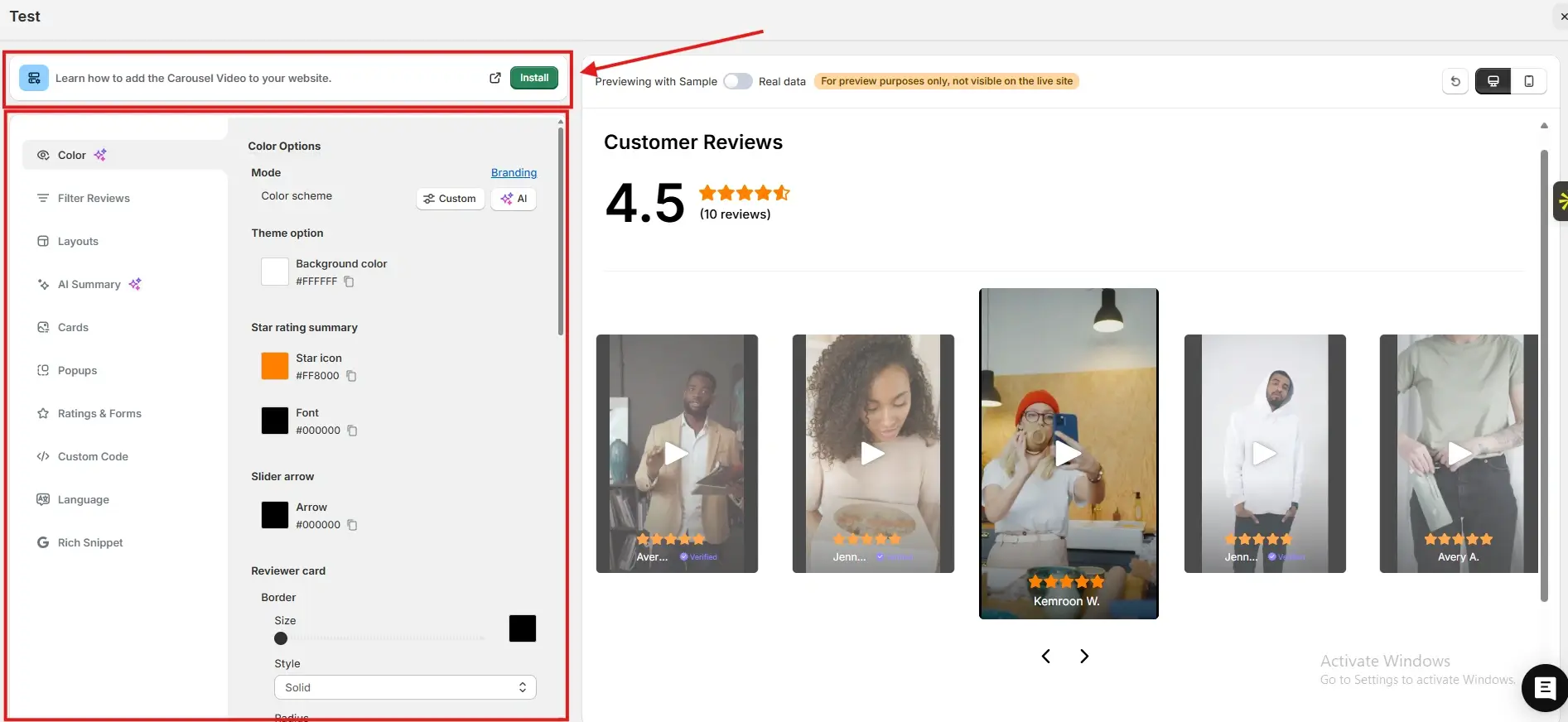
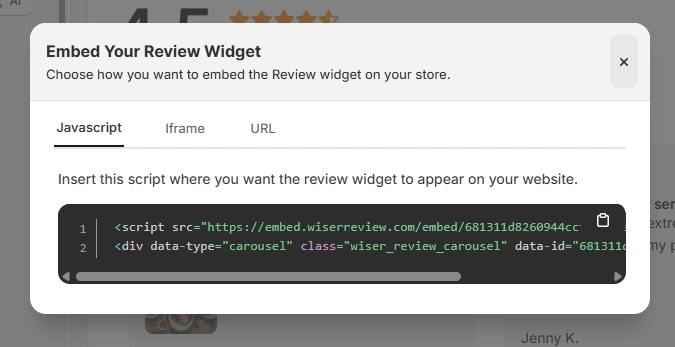
Once you have generated your embed code from WiserReview, follow these WordPress-specific steps:
Log in to your WordPress admin dashboard
Open the page or post where you want to display testimonials
Click Edit with Block Editor or your page builder
Add a Custom HTML block to the desired section
Paste the JavaScript, iframe, or URL embed code into the block
Save or Update the page
Preview the page to confirm testimonials are displaying correctly
For global placement, you can also paste the embed code inside theme files like footer.php or use a site-wide HTML injection option if available.
Best places to show testimonials on WordPress
Strategic placement ensures testimonials influence decisions at the right moment.
Homepage sections
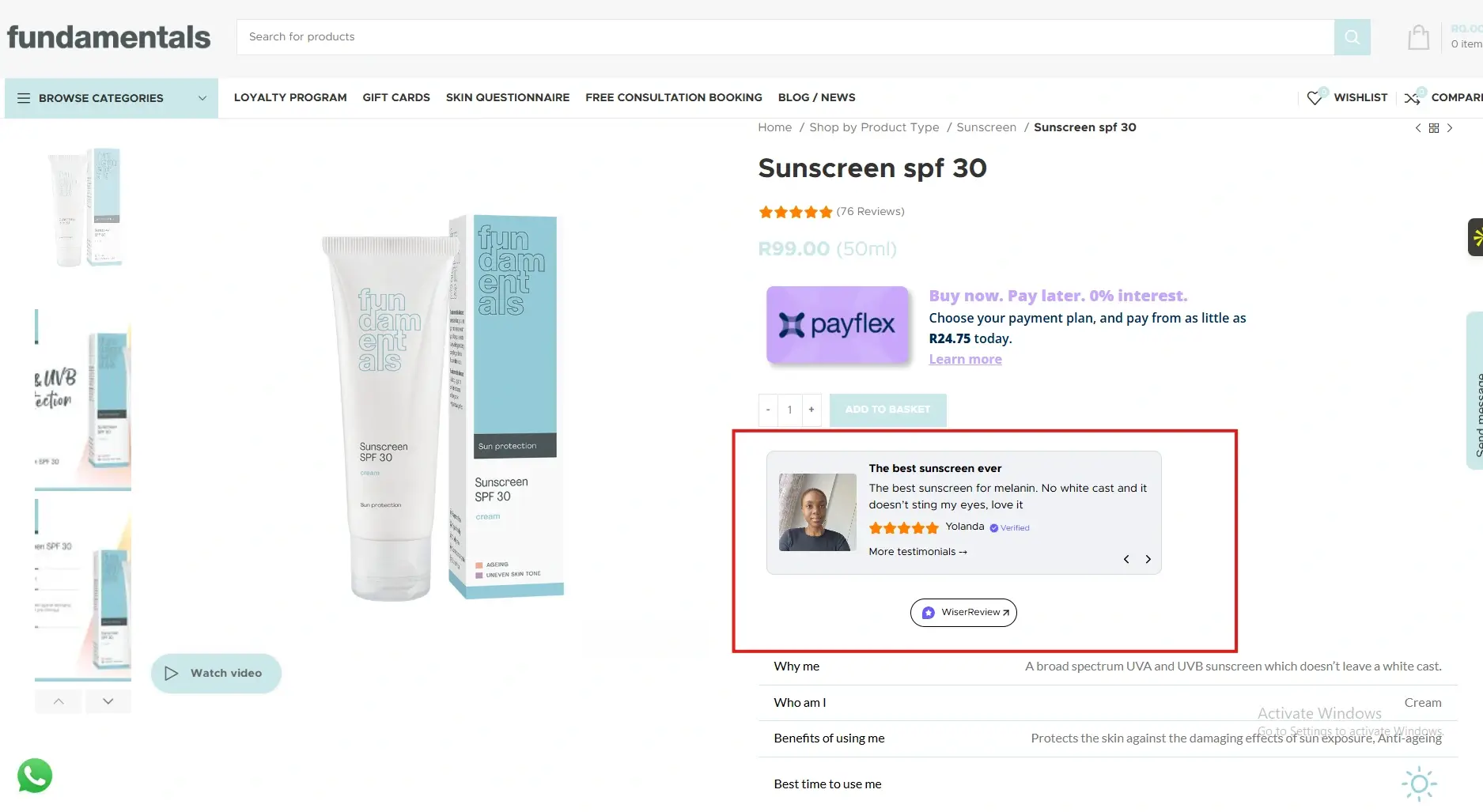
Your homepage forms the first impression. Placing testimonials near the hero section or below key value propositions reassures visitors immediately.
This reduces bounce rates and helps users trust your brand before they explore further.
WordPress page builders make it easy to place testimonial blocks without disrupting layout flow.
Landing pages
Landing pages focus on one action, so testimonials work best near call-to-action buttons.
When visitors hesitate, social proof reduces anxiety and validates the offer.
WordPress allows you to test multiple placements using duplicate pages or built-in editor revisions.
Blog posts
Adding testimonials within blog content increases the credibility of your advice.
When readers see real results connected to your topic, they are more likely to engage, subscribe, or convert.
This also increases time on page, which supports SEO.
Sidebar widgets
Sidebars remain visible across multiple pages, making them ideal for short testimonials.
They reinforce trust continuously as users browse.
WordPress widgets or block-based sidebars make this placement quick to manage.
Footer sections
Footers capture attention when users scroll to the bottom.
Testimonials here act as a final reassurance before exit.
This placement works well for users comparing options or looking for confirmation before contacting you.
All your testimonials in one place
Collect testimonials, manage every response, and display them on your WordPress site.
Testimonials turn WordPress websites into trust-driven conversion engines.
With flexible placement, full design control, and easy embedding using WiserReview, you can show real customer experiences exactly where they matter most.
Start adding testimonials today to increase credibility, improve engagement, and convert more visitors into loyal customers.
Frequently asked questions
No. When embedded correctly, testimonials load efficiently and do not impact page speed noticeably.
Yes. They increase time on page, engagement, and trust, which are positive behavioural signals for search engines.
Three to five relevant testimonials usually work best without overwhelming visitors.
Yes. Using embed code allows you to display testimonials without adding extra plugins.
Absolutely. Testimonials are often even more important for smaller sites because they quickly establish credibility.
Article by
Krunal
Krunal Vaghasia is the founder of WiserReview and an eCommerce expert in review management and social proof. He helps brands build trust through fair, flexible, and customer-driven review systems. Read more.

 4 min
4 min