Kajabi creators often struggle with one silent problem: visitors consume content but hesitate to buy.
Courses, coaching, and memberships require trust before commitment. Without proof, even warm traffic delays decisions.
Testimonials remove that friction by showing real student outcomes, reinforcing credibility, and helping visitors feel confident about enrolling or purchasing.
Why add testimonials to Kajabi?
Kajabi is built for selling knowledge, not just pages. Testimonials strengthen that sales engine when placed strategically.
Testimonials increase confidence for high-ticket courses and coaching programs
Pages with testimonials can improve conversions by up to 34 percent
92 percent of buyers read testimonials before purchasing digital products
Social proof reduces refund anxiety and improves long-term retention
Because Kajabi controls your funnels, testimonials can support every step of the buyer journey.
You can explore the platform further or book a demo to learn how to collect more testimonials and show them where they matter most, based on our four years of experience working with over 1,100 brands.
Embed testimonials on Kajabi
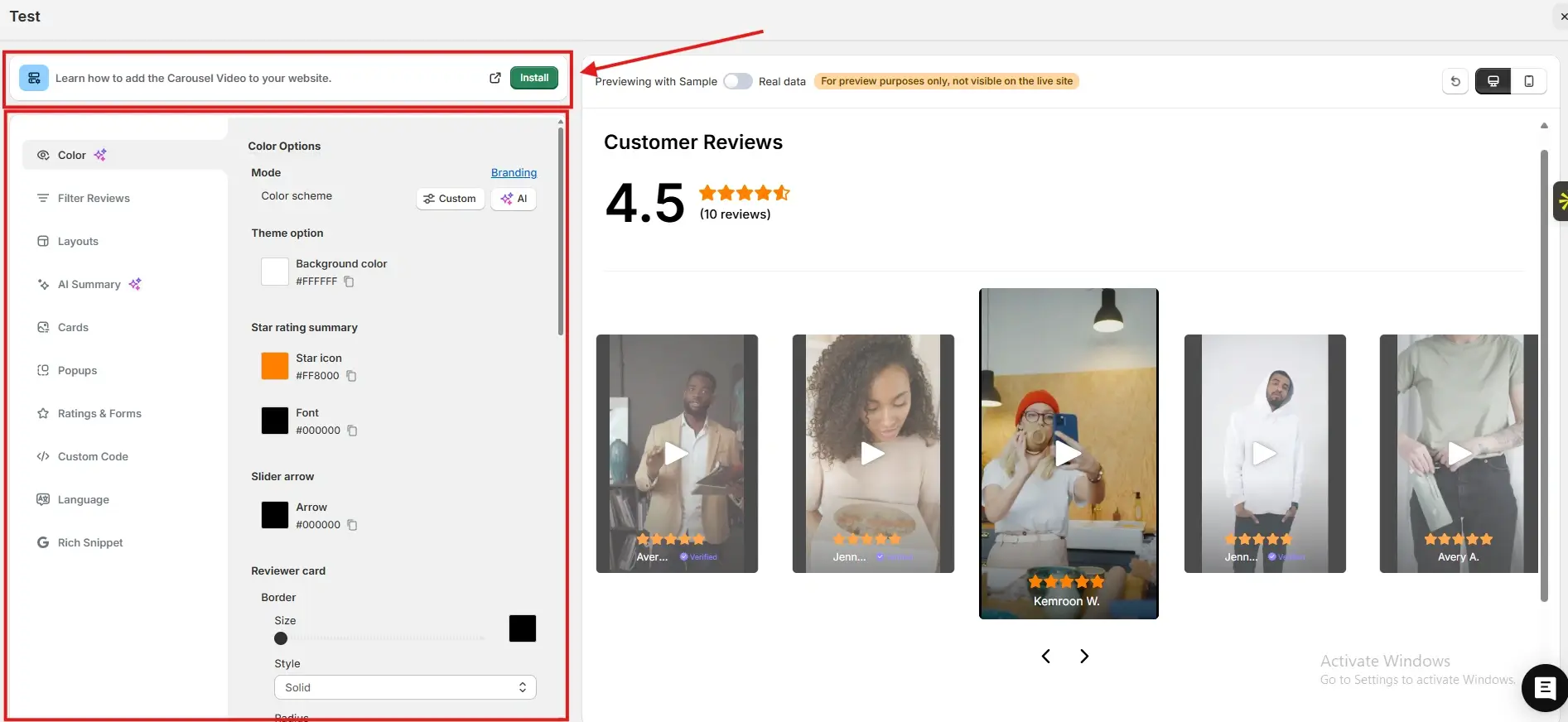
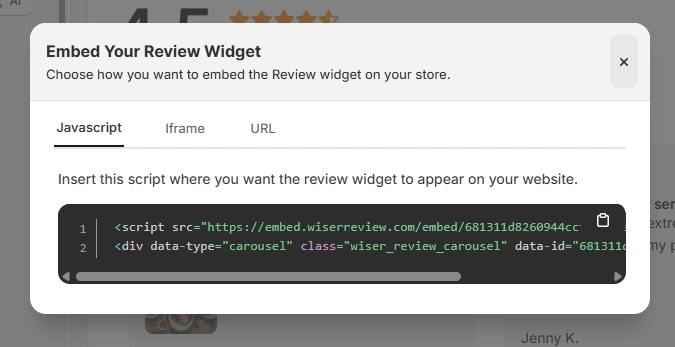
After generating your WiserReview embed code, follow these Kajabi-specific steps:
Log in to your Kajabi dashboard
Go to Website and open Pages
Select the page where you want testimonials to appear
Add a Custom Code block in the page editor
Paste the JavaScript embed code, iframe, or URL from WiserReview
Save changes and publish the page
You can also add the code inside funnel pages or sales pages using the same Custom Code block.
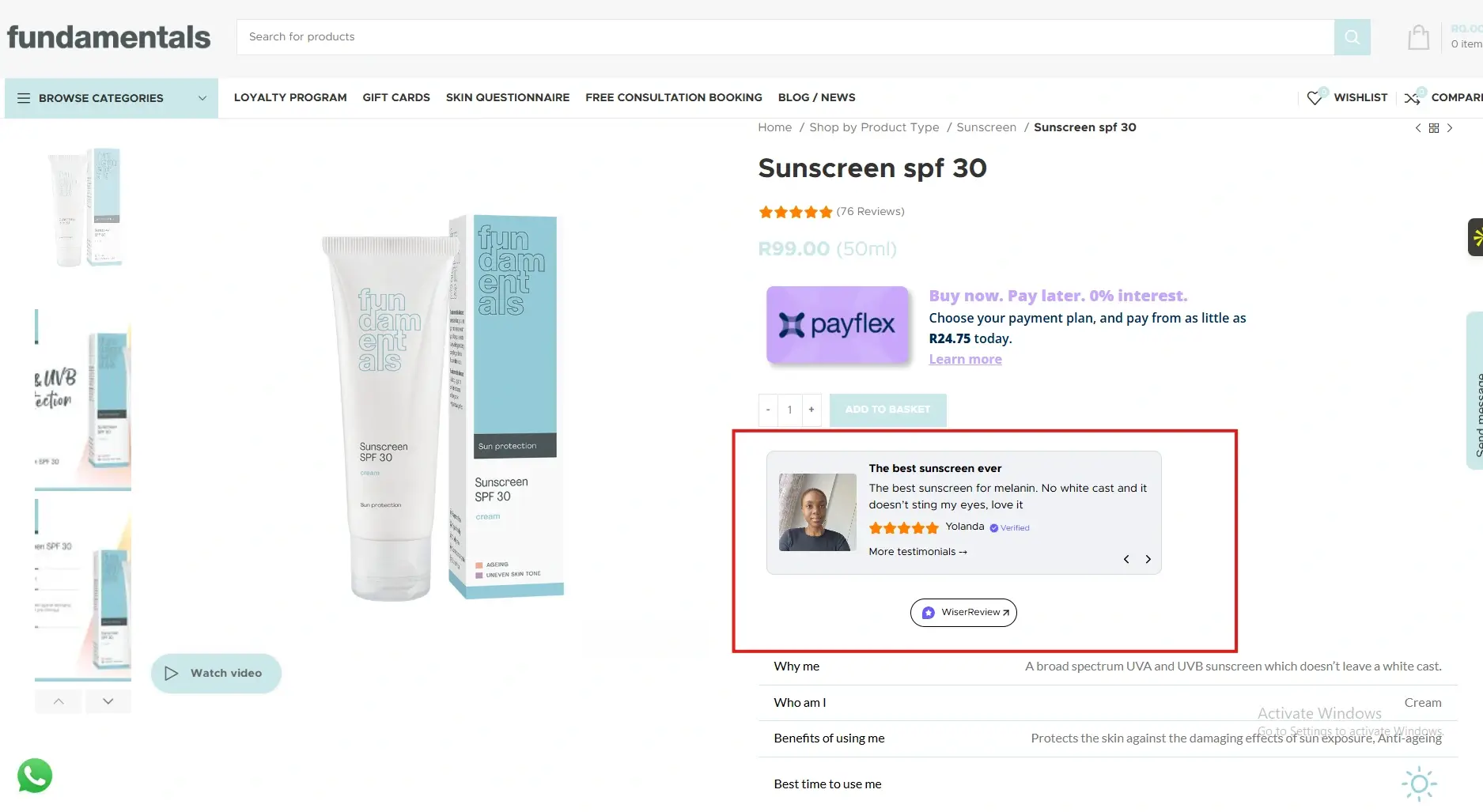
Testimonials placed near pricing sections or purchase buttons reduce last-minute hesitation.
When prospects see proof from students with similar goals, the perceived risk drops and value becomes clearer, especially for premium courses and coaching offers.
Course landing pages
Course landing pages attract learners who are exploring outcomes.
Testimonials that highlight transformations, clarity, or results help visitors imagine their own success.
This emotional connection increases enrolment rates and positions your course as a proven solution rather than an experiment.
Checkout pages
Checkout pages are critical decision points. Even motivated buyers experience doubt before payment.
A short testimonial or success quote near the checkout button reassures them that others made the same decision and benefited from it, reducing cart abandonment.
Funnel pages and upsells
Kajabi funnels guide users through multiple steps. Testimonials on upsell or offer pages validate additional purchases.
When users see feedback from people who upgraded or continued, they are more likely to accept upsells and long-term memberships.
All your testimonials in one place
Collect testimonials, manage every response, and display them on your Kajabi site.
Kajabi gives creators powerful tools, but testimonials turn those tools into trust builders.
By embedding WiserReview testimonials across sales pages, funnels, and checkout points, you remove doubt, improve conversions, and build a stronger learning brand.
Start using testimonials strategically and let student success stories drive your growth.
Frequently asked questions
Yes. Digital products rely heavily on trust, and testimonials provide proof of real outcomes.
No. When embedded properly, testimonials blend naturally with Kajabi layouts.
Three to six focused testimonials usually perform best for clarity and impact.
Yes. Using embed code avoids unnecessary plugins and keeps your site clean.
Absolutely. Even a few early testimonials can significantly improve conversion confidence.
Article by
Krunal
Krunal Vaghasia is the founder of WiserReview and an eCommerce expert in review management and social proof. He helps brands build trust through fair, flexible, and customer-driven review systems. Read more.

 4 min
4 min