Next, follow the steps below to show clean, high-converting reviews on your store.
Start by importing your existing reviews via a direct integration or CSV import.
If you do not yet have reviews, you can start collecting them with WiserReview automations.
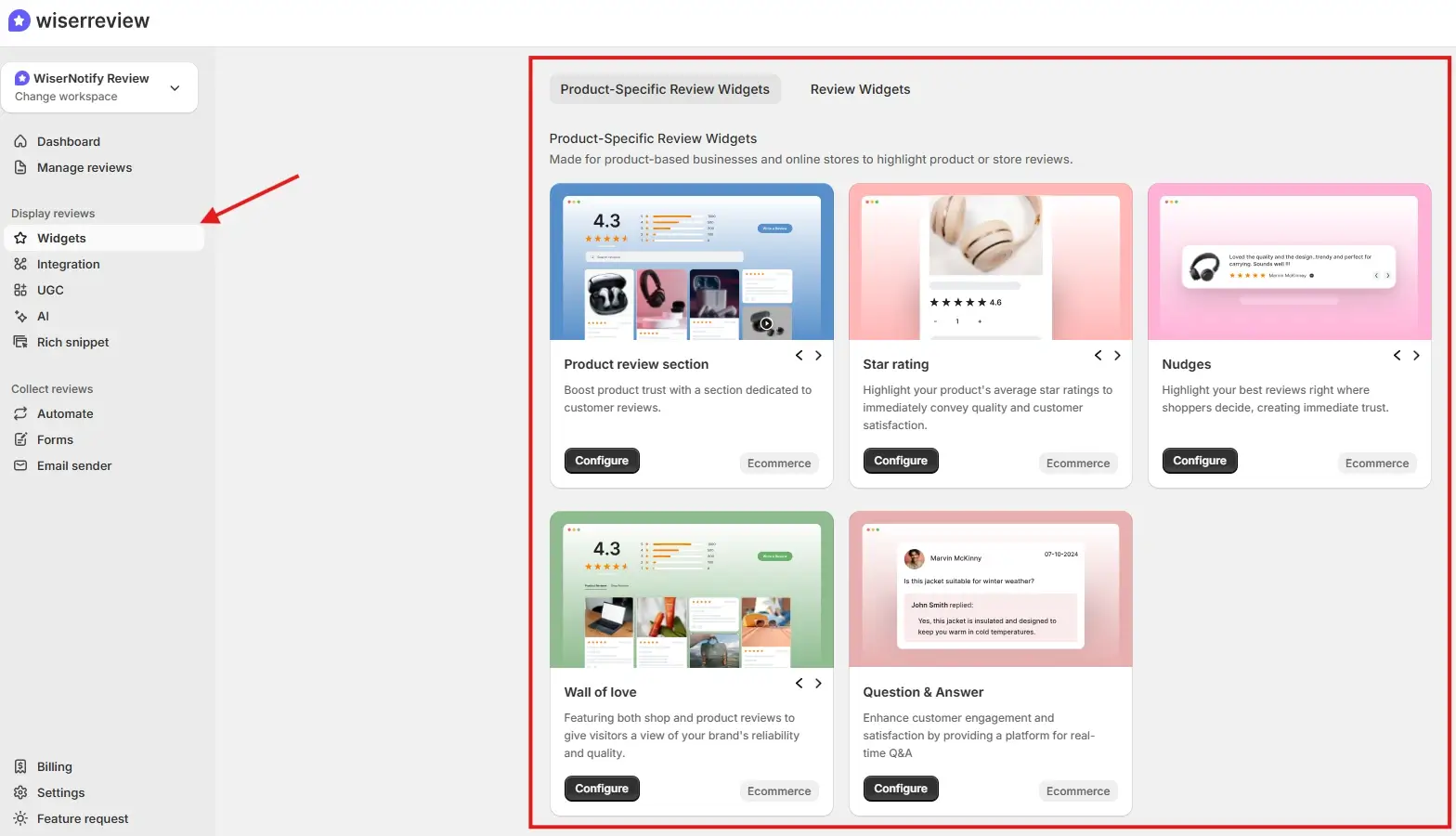
After that, go to the Widgets section. You will see multiple product review widgets designed to build trust and help visitors make decisions.
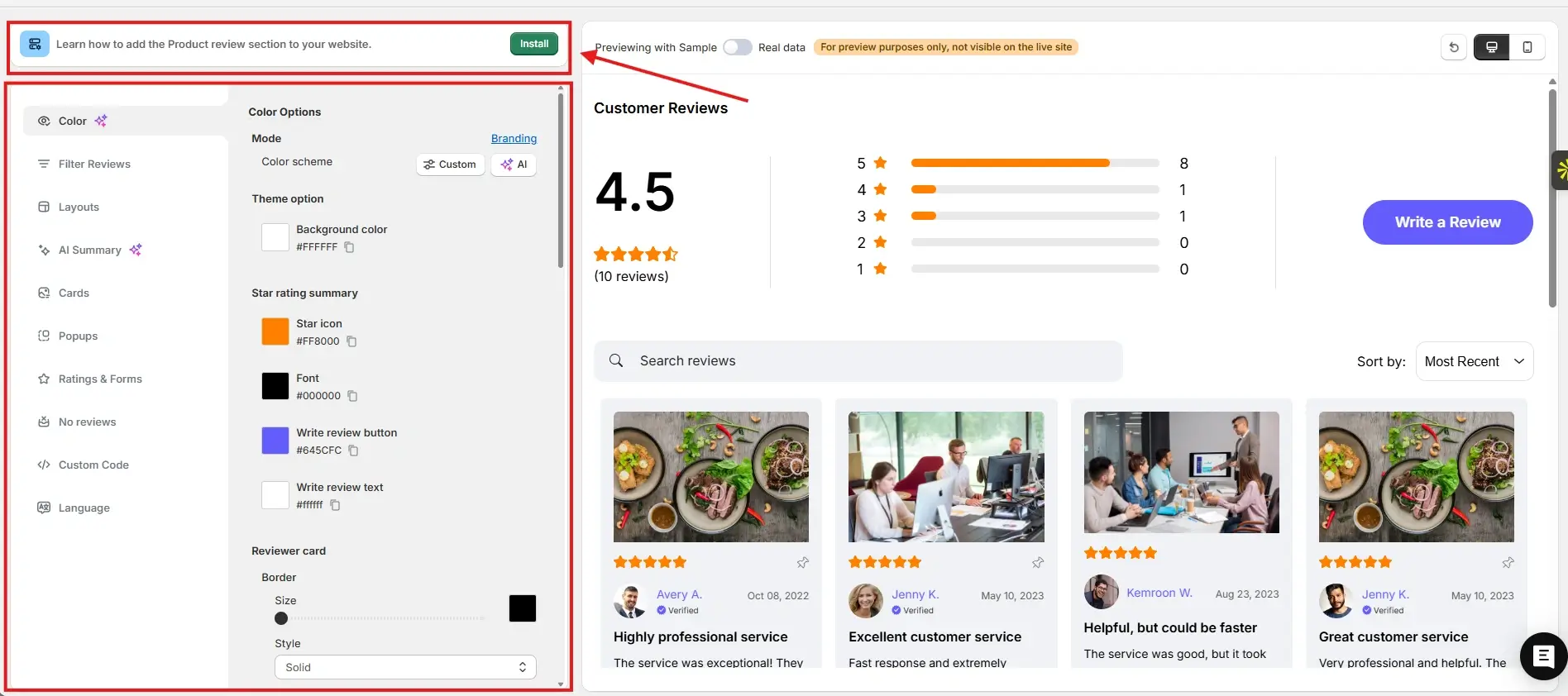
For this example, we chose the product review section. You can customize it to match your brand colors and layout. Once everything looks right, click Install.
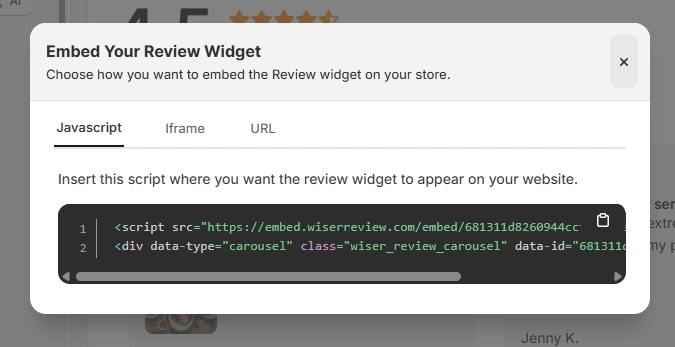
You will then see the JavaScript, iframe, and URL options for embedding the widget on your store.
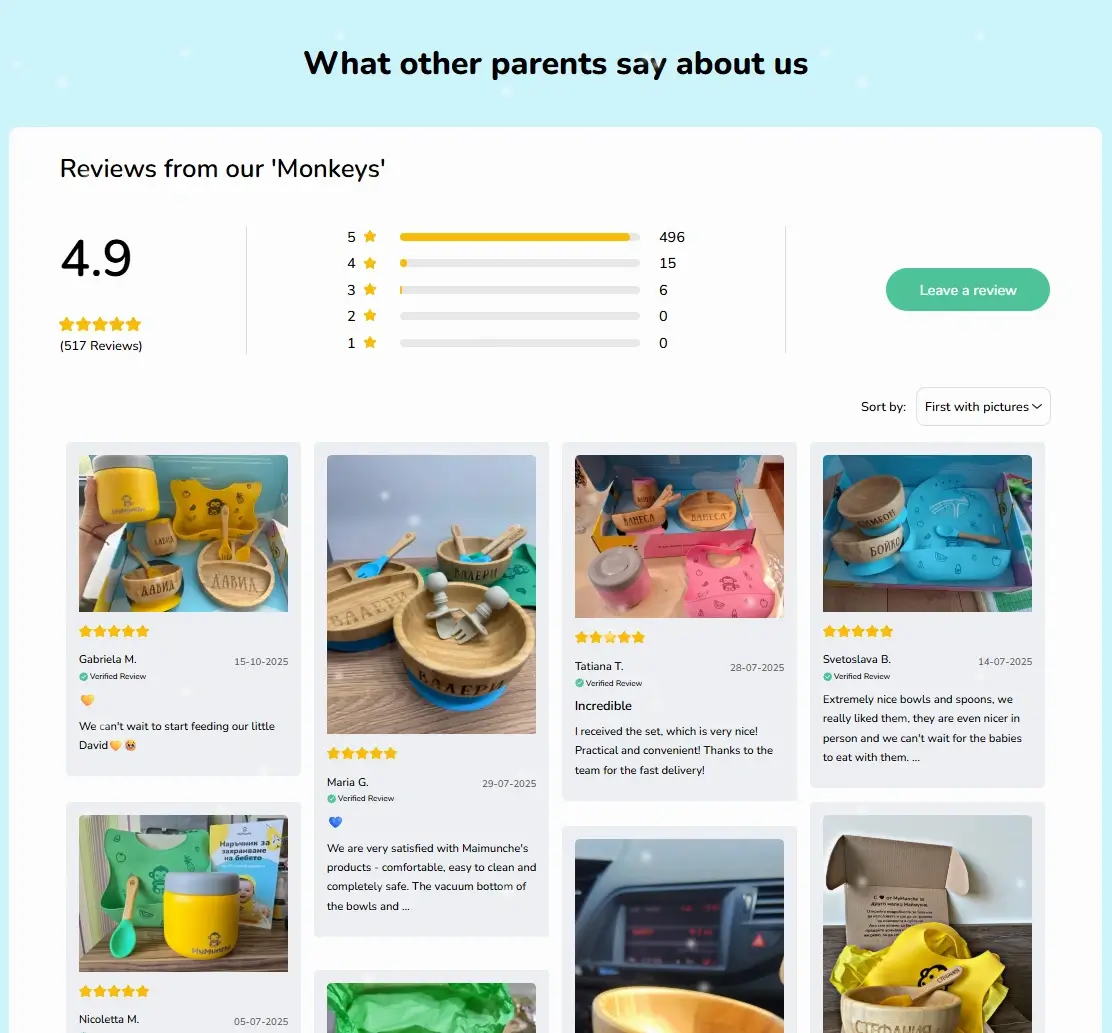
Here is how the product review section looks on the MyMunche website.
You can explore the platform further or book a demo to learn how to collect more reviews and show them where they matter most, based on our four years of experience working with over 1,100 brands.
How to embed reviews on GoDaddy
After generating your WiserReview widget code, follow these GoDaddy specific steps:
Log in to your GoDaddy account.
Open your website editor.
Navigate to the page where you want to display reviews.
Add a new section or content block.
Select HTML or Embed option.
Paste the WiserReview embed code.
Adjust spacing and alignment.
Publish your site.
For site wide widgets:
Add the embed code to a footer or global section.
Enable visibility across all pages.
Best practices for showcasing reviews on GoDaddy
GoDaddy sites work best with clear and simple layouts.
1. Place reviews near contact actions
Most GoDaddy visitors want to call or submit a form.
Place reviews:
Above contact forms
Near call buttons
Before booking sections
2. Use short, Clear testimonials
Long reviews overwhelm simple layouts.
Use:
One or two sentence reviews
Clear outcomes
Star ratings
3. Match reviews to services offered
Generic testimonials reduce trust.
Tag reviews by service type and embed them on relevant pages.
3 Common mistakes to avoid when adding reviews to GoDaddy
Small mistakes can reduce credibility.
1. Placing reviews too low on pages
Many visitors never scroll far.
Solution: Place a review summary higher on the page.
2. Showing too many reviews at once
This clutters simple designs.
Solution: Use sliders or compact widgets.
3. Using reviews without context
Standalone quotes feel less believable.
Solution: Add reviews near related services or offers.
Wrap-Up
GoDaddy websites succeed when visitors feel safe taking the next step. Reviews provide that confidence by showing real customer experiences.
With WiserReview, you can add clean, fast, and relevant reviews to your GoDaddy site without complexity.
Start using WiserReview to turn your GoDaddy website into a trust-driven lead generator.
Frequently asked questions
Yes. WiserReview works with GoDaddy Website Builder using embed blocks.
No. You only copy and paste the embed code.
No. Widgets load asynchronously and remain lightweight.
Yes. You can tag, filter, and approve reviews inside WiserReview.
Yes. All changes can be managed from your WiserReview dashboard.
Article by
Krunal
Krunal Vaghasia is the founder of WiserReview and an eCommerce expert in review management and social proof. He helps brands build trust through fair, flexible, and customer-driven review systems. Read more.

 4 min
4 min