You can explore the platform further or book a demo to learn how to collect more testimonials and show them where they matter most, based on our four years of experience working with over 1,100 brands.
Embed testimonials on Unbounce
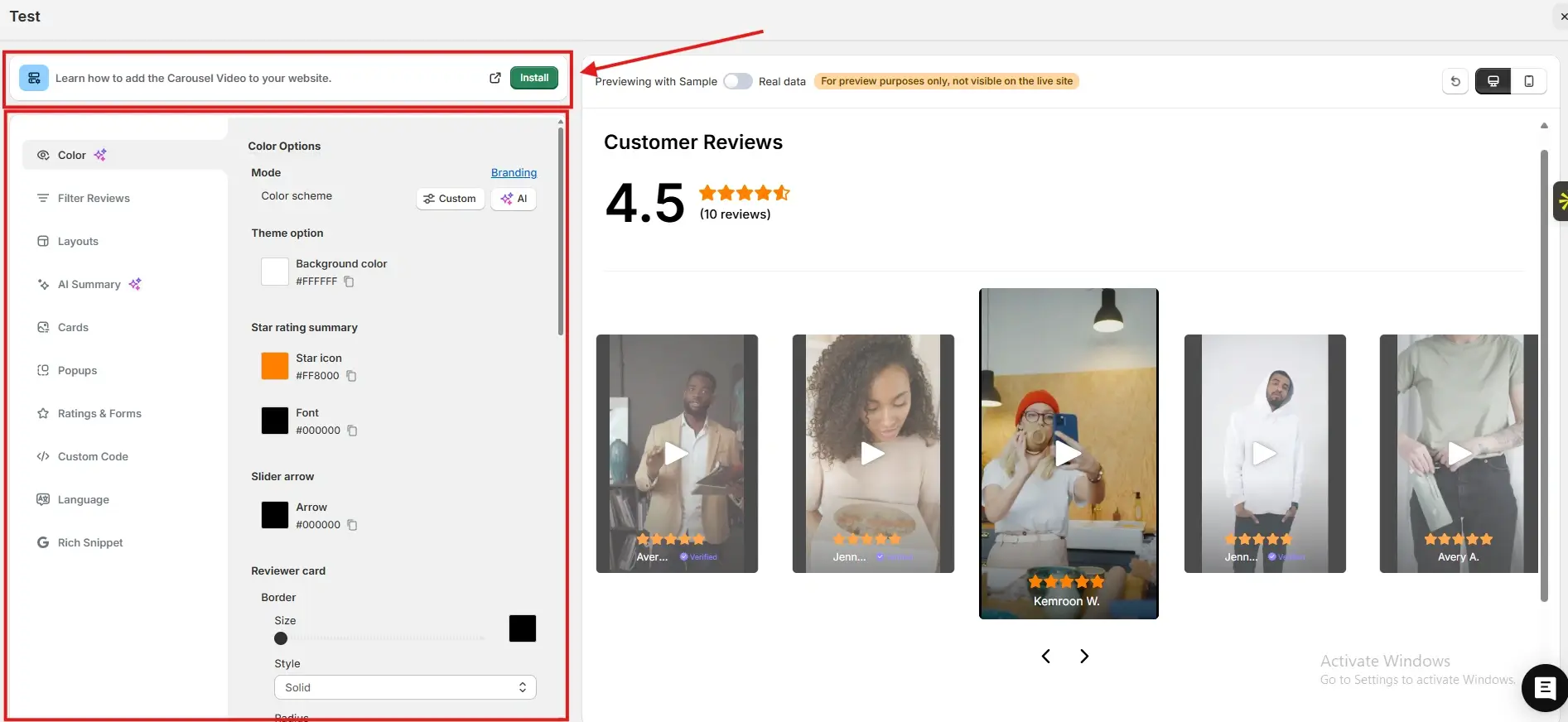
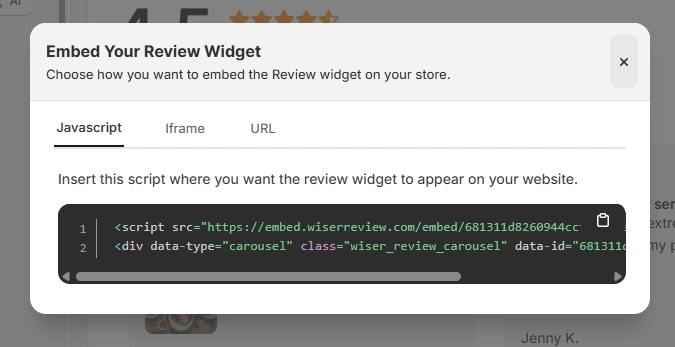
After generating your WiserReview embed code, follow these Unbounce-specific steps:
Log in to your Unbounce account
Open the landing page you want to edit
Click Edit Page to launch the Unbounce builder
Drag and drop a Custom HTML block onto the page
Paste the JavaScript embed code, iframe, or URL from WiserReview
Save and publish the page
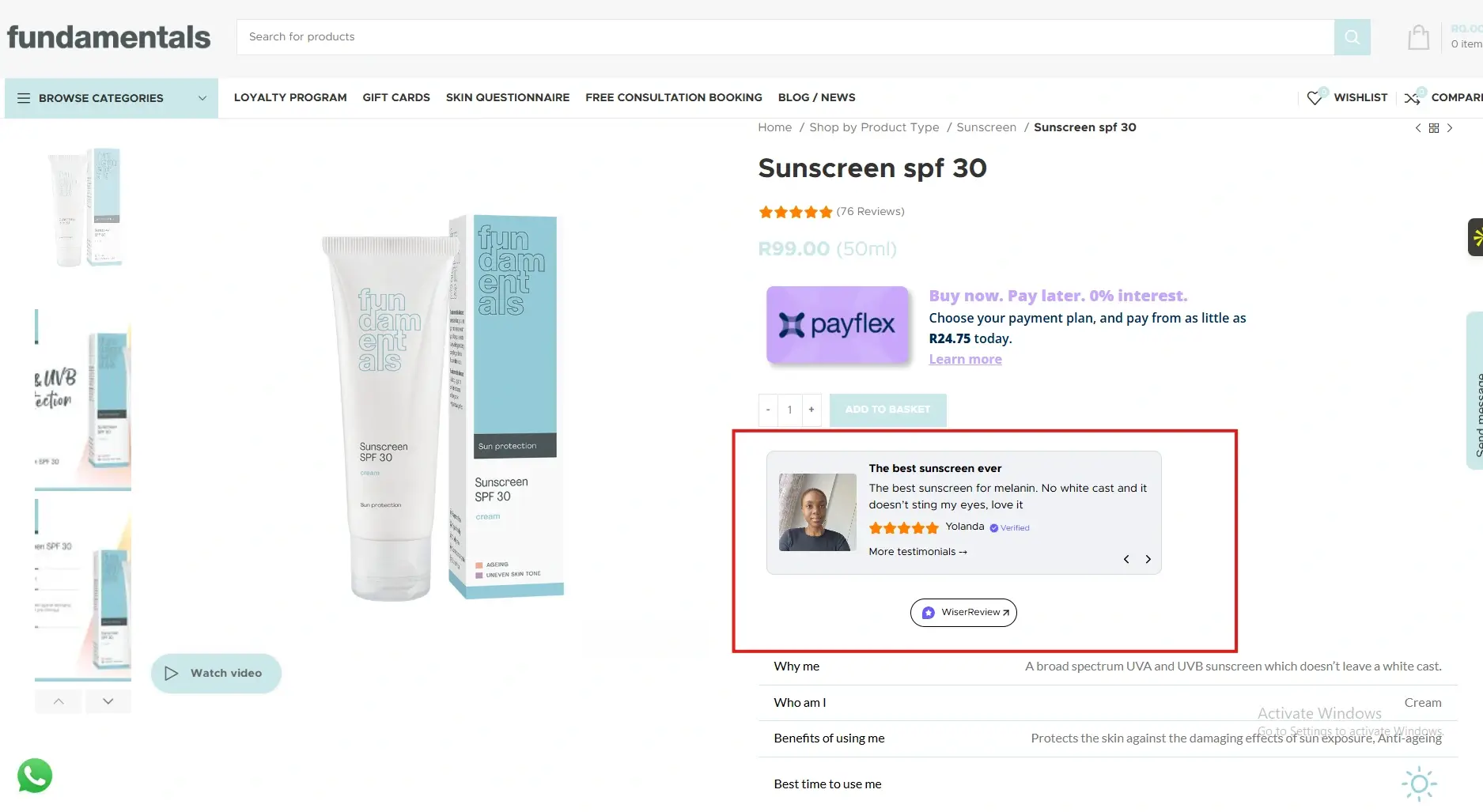
The testimonials will appear instantly on your live landing page without affecting responsiveness.
Best places to show testimonials on Unbounce
Strategic placement ensures testimonials support conversion decisions.
Above the fold sections
Visitors decide quickly whether to trust a landing page. Testimonials placed near the top build immediate credibility and reassure users that the offer is legitimate.
This reduces bounce rates and keeps visitors engaged.
Near primary call to action
Placing testimonials just before or after the main call to action reduces hesitation at the decision point.
When visitors see proof right before submitting a form or clicking a button, conversion rates improve.
Form sections
Forms often create friction. Testimonials placed beside or below forms reassure visitors that others have taken the same step successfully.
This reduces anxiety around sharing personal information.
Pricing or offer sections
When pricing is involved, testimonials help justify value. Feedback that highlights outcomes or satisfaction reframes cost as an investment, supporting stronger conversion performance.
All your testimonials in one place
Collect testimonials, manage every response, and display them on your Unbounce site.
Unbounce gives you the tools to build high-converting landing pages, but testimonials give visitors the confidence to act.
By embedding WiserReview testimonials across key Unbounce sections, you reduce doubt and increase conversions without redesigning your page.
Start adding testimonials today and let real customer experiences power your landing pages.
Frequently asked questions
Yes. Testimonials directly reduce friction and increase form submissions and clicks.
No. Properly embedded testimonials load efficiently and do not affect performance.
Two to four focused testimonials usually work best.
Yes. Testimonials work well alongside Unbounce A/B testing features.
Absolutely. Social proof is critical when converting paid traffic.
Article by
Krunal
Krunal Vaghasia is the founder of WiserReview and an eCommerce expert in review management and social proof. He helps brands build trust through fair, flexible, and customer-driven review systems. Read more.

 3 min
3 min