You’re overwhelmed with choices, and every review app out there says it’s “the best.”
The reality is: The best review app out there isn’t about having the most features, it’s about matching your workflow, your platform, and your customer location.
Choose an application based on your order volumes, review speeds per page, and the time it takes customers to write a review.
In this article, I’ll show you what to look out for before you commit to anything, what makes some apps better than others, and how to avoid the popular but slow apps.
Quick verdict
Select a Review app that can initiate reviews on its own or on autopilot, and that makes it easy for customers to complete a speedy review. Otherwise, it will be a slow process, and the number of reviews will remain low.
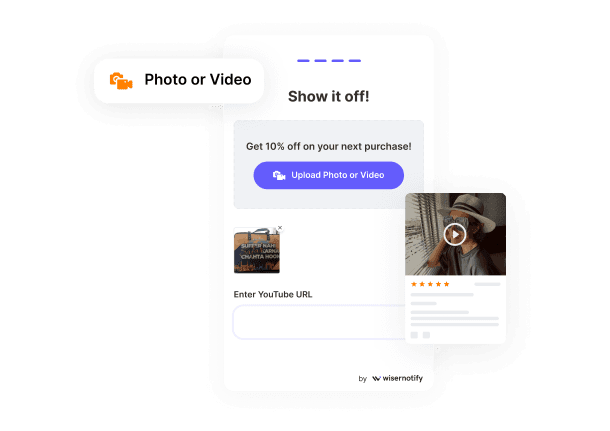
Optimize an application for Video and Photo User-Generated Content (UGC). Ensure it features a high-quality gallery layout that aligns with the store’s design to improve conversions.
Choose a platform that offers AI-based sentiment analysis and in-depth integration with loyalty and SMS campaigns.
Start with your business goals

Define success prior to comparing features. Begin the process by relating it to these four primary goals of a business:
Drive high-intent conversion
When your main objective is to convert visitors into buyers, it’s best to look for apps with exceptional capabilities for leveraging visual user-generated content (UGC).
- Prioritize apps that offer high-quality photo/video reviews. The day of merely reading reviews is gone, as visuals are becoming more impactful.
- Choose apps for specific product-related data collection, such as fit, quality, or durability-related products, to resolve broad-based customer questions and doubts instantly.
Maximize organic traffic (SEO)
Verify the app is a licensed Google Review Partner.
- This enables your star ratings to appear on Google Search and Shopping result pages, potentially boosting your click-through rate by up to 17%.
- Select apps that have “crawlable code,” which means search engines can index your customer reviews as new and keyword-rich content.
Scale operations with automation
For high-volume stores, managing them manually is not possible:
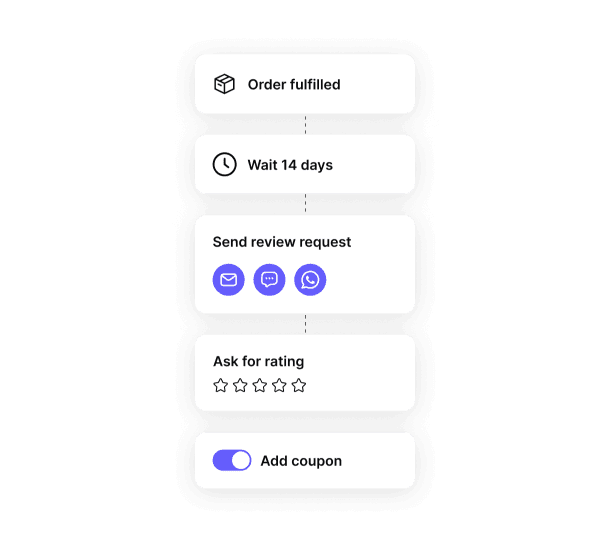
The application must send review request reminders via email, SMS, and WhatsApp after a 7-14-day interval from delivery.
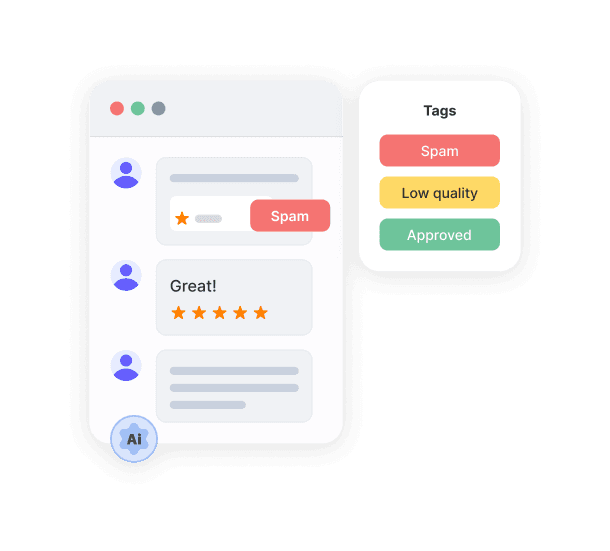
AI Moderation & Summaries: Top applications in 2026 feature AI systems that automatically filter spam messages and deliver “Review Nuggets,” i.e., summaries of essential customer sentiments.
Build instant credibility (new or dropshipping stores)
Applications that prioritize importing reviews from a variety of global sources, such as AliExpress, eBay, and the like, using the app’s single-click import feature, help establish a sense of social proof right away.
Also, watch out for “Verified Purchase” tags, which help combat the rise of synthetic, AI-generated content.
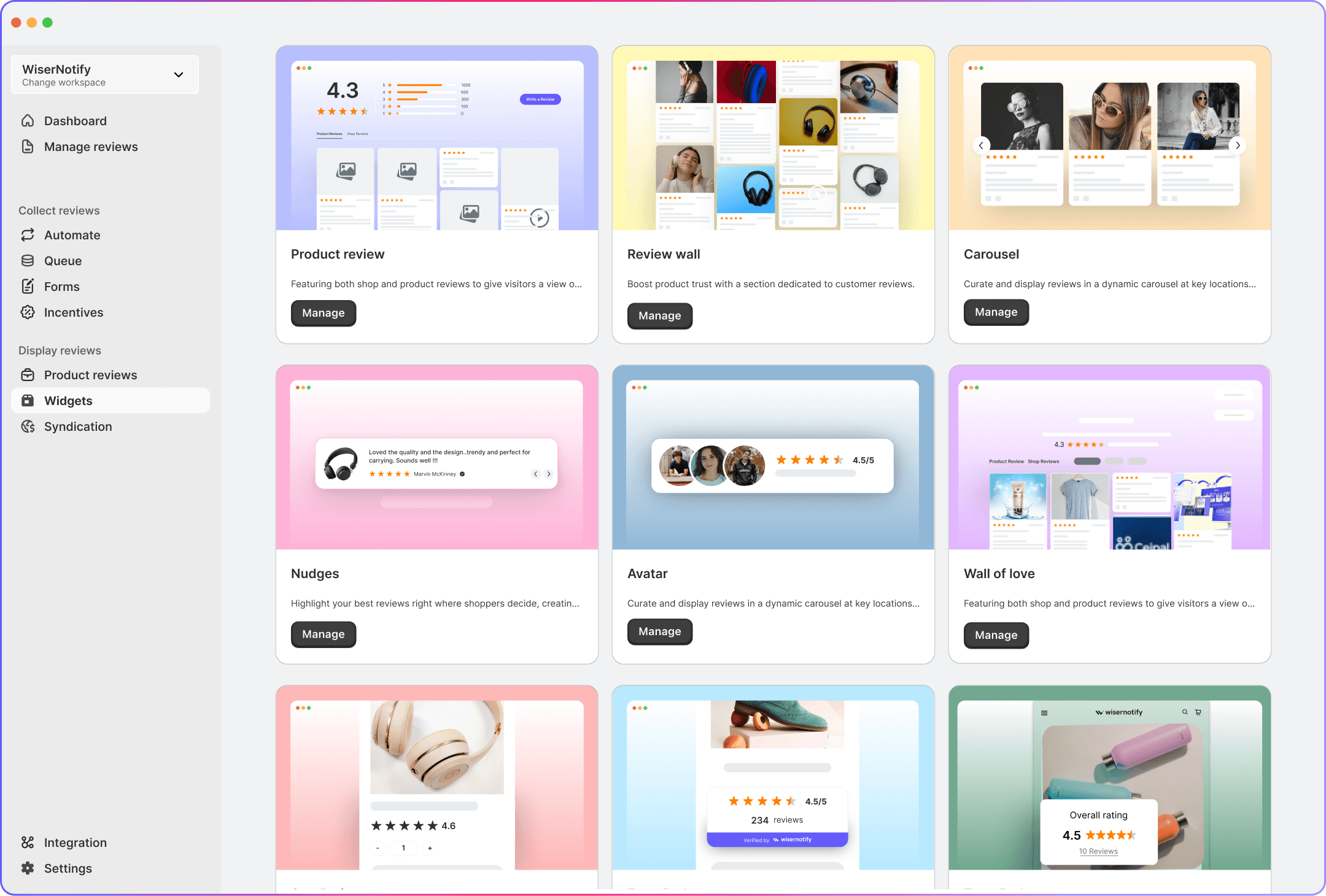
WiserReview solves the multi-channel problem by collecting reviews from Google, Facebook, and your website in one place, then displaying them wherever they’ll drive the most trust, perfect for businesses that don’t want to juggle three different tools.
All your reviews in one place
Collect reviews, manage every response, and display them where they matter most.
Check platform compatibility first

As long as your review app is not compatible with your stack, it is considered useless since it would cause your site to crash if it is not purpose-built into your own e-commerce engine.
Native integration vs. third-party plugins
For Shopify/BigCommerce: Ensure that an app is marked as “Built for Shopify” or “Native” within its store. This uses cutting-edge API technology, meaning any reviews are incorporated as original code rather than loaded as a “Heavy” script (i.e., an external script).
For WooCommerce/Adobe Commerce: The process is slightly more complicated on this platform. First, it is vital that the application under consideration comes with its own dedicated plugin. The plugin should be updated regularly, preferably once per quarter, to conform.
Impact on core web vitals
Search Engines also heavily penalize websites that are not fast enough
- Lazy Loading: “Lazy loading” should be supported by the app – in other words, only when the customer scrolls down to the review widget should it be presented.
- CDNs: Select an app that delivers its content through a global Content Delivery Network (CDN), which guarantees timely performance with customers located anywhere in the world.
Tech stack partnership
Your review app should not live in a vacuum. It must “speak” to the other tools you already use:
- Email & SMS: Does it integrate with your marketing automation (e.g., Klaviyo or Attentive) to trigger review requests?
- Loyalty Programs: Can it automatically award points in your loyalty app when a customer submits a photo or video?
- Customer Support: Does it sync with your helpdesk (e.g., Gorgias or Zendesk) so your team can respond to negative reviews immediately?
Data portability
Platform compatibility also means being able to leave a platform. Check if the app allows for:
- Easy Import/Export: You should be able to import and export your existing reviews via CSV files without losing “Verified Buyer” status.
- JSON-LD Support: Ensure the app uses standardized data formats so your review stars remain visible in search results even after a site migration.
Evaluate review collection methods

If the process is difficult, customers simply won’t do it. Evaluate your app based on how it handles.
Automated post-purchase triggers
Look for apps that trigger the request based on delivery confirmation (via carrier tracking) rather than just “order date.”
In the year 2026, requests sent using email alone would not be sufficient. The app should send requests using SMS, WhatsApp, or Push Notifications, these having achieved considerably higher open rates, up to 4x that of emails.
Frictionless in-form submissions
The more the clicks needed, the greater the rate of drop-off.
- In-Email Forms: The best applications allow customers to rate with stars and add text directly in the email message, instead of redirecting to an external website.
- Single-Page Mobile Flow: Since over 80% of reviews are submitted on mobile, the submission page must be optimized for “thumb-friendly” interaction, including easy one-tap photo and video uploads.
Advanced “full-circle” collection
Custom Forms & Attributes: Make sure that specific questions, such as “How accurate is the sizing?” or “How was the battery life?”, can be asked, which help future potential shoppers out as data points.
Community Q&A: Assess if the app enables the potential buyers to pose questions to be answered by the past reviewers themselves, in other words, make a community out of your reviews section.
WiserReview also enables delivery-based review triggers and multi-channel solicitations via email, SMS, and WhatsApp. Reviews can be submitted directly within the email or via a fast form on the customer’s mobile device.
All your reviews in one place
Collect reviews, manage every response, and display them where they matter most.Review display and customization options

Your application should incorporate robust customization options, as this ensures users experience social proof as an integral aspect. Maximize your conversions with the right visual tools.
Visual aesthetics & brand alignment
Your review widgets must match your brand’s DNA without requiring custom coding. It should inherit the various style attributes, like fonts and button styles, of the shop it is installed on.
Try experimenting with different display options, such as a Grid View for visually rich products like home decor items, a List View for technical products, or a Testimonial Carousel for your homepage.
Modern widget features
Look out for apps that use AI to automatically scan out “Review Nuggets”, short and catchy phrases from long reviews, and display them at the top of the widget.
Customers can look for reviews based on different criteria, for example, “Size: Small” or “Skin Type: Dry,” or can search for a term like “shipping” or “durable.”
Trust & transparency indicators
Transparency is the key to building trust in an era of AI-generated content.
- Verified Buyer Badges: Clearly distinguish between reviews from confirmed customers and general visitors.
- Store Replies: “The design should beautifully showcase your store’s responses to each review, as this indicates you value your customers’ opinions.”
- Timeline Transparency: Make sure the app also shows a date for the review so it is clear your comments on the product remain relevant.
Mobile-first optimization
Since most 2026 shoppers will access the site from a mobile channel, the widget should be lightweight.
- Thumb-Friendly Navigation: Ensuring easy photo filtering and scrolling on a smartphone screen is also important.
- Minimal Layout Shift: The widget should load in a way that no content jump is caused (improving your score in Core Web Vitals rating).
Understand pricing models and hidden costs

A plan that looks cheap today can become your most expensive overhead as your store scales. Evaluate costs beyond the monthly sticker price.
Subscription tiers vs usage fees
Many apps offer a low monthly fee but limit the number of review request emails or SMS messages you can send. If your order volume spikes, you may be forced into a significantly more expensive tier.
Some modern apps charge based on your total monthly orders, regardless of how many reviews you actually collect.
The cost of “premium” features
Often, the features that actually drive sales are locked behind high-tier paywalls:
- Google Shopping Integration: Access to the Google Review Feed (to show stars in search results) is rarely included in free or basic plans.
- Video & Photo Reviews: While text reviews might be free, hosting video content often incurs extra “storage” or “bandwidth” fees.
Hidden transactional costs
SMS & WhatsApp Charges: If the app offers SMS review collection, you will almost always pay a per-message fee (e.g., $0.01–$0.05 per text) in addition to your subscription.
Integration Fees: Some “Enterprise” apps charge an additional fee to connect with your existing tech stack (e.g., your CRM or Loyalty platform).
Scalability and lock-in
Check if there is a “hidden cost” to leaving. Some apps make it difficult or charge a fee to export your reviews in a format that another app can read.
Beware of apps that increase pricing based on “Revenue Influenced.” This model charges you more as your store becomes more successful, effectively taking a commission on your growth.
Quick Verdict: Choose flat-rate pricing or unlimited-review-request plans to avoid surprise costs as you scale. WiserReview keeps pricing transparent, includes SEO essentials like schema, and Google feeds on clear plans, and avoids revenue-based or lock-in fees.
All your reviews in one place
Collect reviews, manage every response, and display them where they matter most.Check integrations with your existing tools

To maximize your Return on Investment (ROI), it must integrate natively with your existing tech stack to automate workflows and enhance customer profiles.
Marketing automation (email & SMS)
Your review app should sync with platforms like Klaviyo, Attentive, or Mailchimp in real time.
- Segmented Campaigns: Use review data to create segments (e.g., “5-star reviewers”) for VIP-only sales or “brand ambassador” outreach.
- Suppression Lists: Ensure the app stops sending review requests automatically if a customer has already opened a support ticket or initiated a return.
Loyalty and rewards programs
Incentivizing reviews is standard in 2026, but it must be automated.
- Point Triggers: It would be best if the app triggered points automatically using tools like Yopto Loyalty, Smile, or LoyaltyLion once the review is verified.
- Bonus for Media: Increase the point value for photo or video reviews to drive conversion-oriented content.
Search and social channels
To reduce your Cost of Customer Acquisition (CAC), your reviews need to be visible across the web.
- Google Shopping & Search: Verify that the application sends information to the Google Merchant Center, thereby reflecting star ratings in both organic and paid Google searches.
- Social Push: Seek a one-click integration to transform positive reviews into interactive “Social Proof” posts on Instagram, TikTok, or Facebook.
Choose based on your store’s growth stage

Using an enterprise-level tool too soon will burn through capital, and using a basic plan for too long can hold back your conversion rates during a period of growth. Here is a quick guide to selecting a review strategy based on your store’s stage of growth:
The launch phase (new & emerging stores)
At this stage, your priority is building initial trust with minimal overhead. Focus on collecting your first 50–100 reviews to establish credibility.
Essential Considerations:
- Cost-Effectiveness: Look for tools or methods that are free or low-cost to start.
- Ease of Gathering: The ability to easily collect reviews, potentially through simple email requests or manual import if you have existing feedback.
- Simple Implementation: Choose solutions that are easy to set up and integrate with your store.
Strategy: Request reviews from every customer to build a foundational level of social proof.
The growth phase (scaling & consistent sales)
As your traffic increases, your goal shifts to optimizing conversion rates and improving search visibility. Focus on maximizing the impact of each review and gathering visual content.
Essential Considerations:
- Integration with Marketing Channels: Compatibility with platforms like Google Shopping to enhance your product listings.
- Support for Visuals: Encouraging customers to provide photos and videos with their reviews.
- Automated Requests: Utilizing automated systems, potentially including SMS, to increase review collection rates.
Strategy: Think about providing a small incentive for reviews to keep a high ratio of reviews to orders.
The professional phase (multi-channel brands)
At this level, you are likely operating across multiple channels and require automation and brand consistency. Focus on streamlining operations and integrating reviews into your broader marketing efforts.
Essential Considerations:
- Customization: The ability to tailor review widgets to match your brand’s look and feel.
- Customer Service Integration: Connecting reviews with your support systems to efficiently address feedback.
- Interactive Features: Including Q&A modules to facilitate customer interaction and information sharing.
Strategy: Repurpose customer reviews and visuals for your social media and other marketing campaigns.
The enterprise phase (global & high-volume brands)
For brands with significant revenue, the focus is on data-driven insights and customer retention. Focus on using advanced analysis to understand customer feedback and scaling your review strategy internationally.
Essential Considerations:
- Sentiment Analysis: Utilizing tools to automatically analyze customer feedback for recurring themes and insights.
- Multi-Language and Multi-Store Support: Managing and displaying reviews across different regions and languages.
- UGC Rights Management: Having processes in place to obtain permission for using customer-generated content in marketing.
Strategy: Use attributes in review requests, such as product fit or usage information, to help consumers make informed decisions and potentially reduce returns.
All your reviews in one place
Collect reviews, manage every response, and display them where they matter most.Wrap up
The right review app automates what you’d otherwise do manually, displays reviews where they actually influence buyers, and scales with your business without breaking your budget.
For most businesses, this means WiserReview, which gathers reviews from Google, Facebook, and your website, organizes them in one place, and displays them where trust is most important.
It is designed for businesses that require simplicity and multi-channel functionality without paying for features they will never use.
Begin with a specific goal in mind, check for compatibility on the platforms, and decide based on where you are, not where you want to be in five years.
Frequently asked questions
Judge.me works well for Shopify stores with unlimited reviews on the free plan. For multi-platform use, WiserReview’s starter plan gives more value than mixing free tools.
Yes. Apps that add schema markup display star ratings in Google results, which can increase click-through rates by 15-30%. WiserReview adds this by default.
Use both. Google reviews help local visibility. Site reviews raise conversion rates. WiserReview collects both in a single automated request.
Use free tools at the start. Move to a paid plan around 50 to 100 orders per month, when automation saves real time.
Yes. WiserReview supports CSV imports and can sync Google and Facebook reviews to your site.