3 min
3 min 
Social proof tools help people trust your website faster. They show real actions like reviews, signups, and purchases. This proof reduces doubt and pushes visitors to act.
Most visitors do not convert on the first visit. They hesitate because they do not know your brand. Social proof fixes this problem. It shows that other people already trust you.
These tools work across websites, landing pages, and online stores. They increase clicks, signups, and sales without changing your design.
In this guide, you will find the 7 best social proof tools. Each tool solves a different problem. Some are better for reviews. Some work best for live activity.
Why does social proof matter?
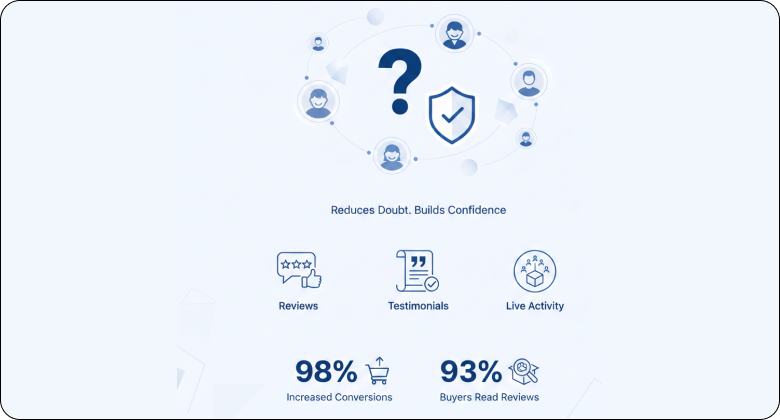
Social proof matters because people trust what others do. It reduces doubt and helps visitors decide faster.
When a visitor lands on your site, they ask one question: Can I trust this?
Reviews, testimonials, and live activity answer that question instantly.
Social proof shows that real people already chosen your brand. This removes fear and lowers risk. A visitor feels safe to click, sign up, or buy.
It also works at the right moment. When someone hesitates, social proof gives a final push. This is why pages with social proof convert better than pages without it.
Here is one clear fact from real data:
- Real-time social proof notifications can increase conversions by 98%.
- Around 93% of buyers read reviews before making a purchase.
Types of social proof
Social proof comes in different forms. Each type works at a different stage of the buyer journey. Some build trust early. Others push users to act.
1. Reviews and ratings

Reviews are the most trusted form of social proof. They show real opinions from real customers. Star ratings help users judge quality in seconds.
This type works best on product pages, local business pages, and checkout pages. A high rating removes doubt. A mix of positive and honest reviews feels real and builds trust.
2. Testimonials
Testimonials explain results in a personal way. They help visitors see real outcomes.
- Use real names and photos
- Mention the problem and result
- Keep testimonials short and clear
- Place them on landing pages and homepages
3. Live activity notifications

Live notifications show actions as they happen. These include purchases, signups, and downloads. They create a sense of activity and momentum.
This type works best for ecommerce and SaaS sites. It shows that others are taking action right now. This reduces hesitation and adds urgency.
4. User-generated content
User-generated content includes photos, videos, and social posts from customers. This content feels honest because users create it, not brands.
This type works well for ecommerce, courses, and lifestyle products. Seeing real people use a product builds strong trust.
5. Social media proof
Social media proof shows public approval. It supports trust when used lightly.
- Display follower counts or likes
- Add social mentions when relevant
- Do not overload pages with numbers
- Use it as supporting proof
6. Trust badges and certifications
Trust badges show security, guarantees, or verified status. These include payment badges, awards, and partner logos.
This type works best near forms and checkout pages. It helps users feel safe before they submit details or pay.
Here are seven social proof tools that help build trust and increase conversions by showing real reviews, live activity, and user actions across your website.
1. WiserNotify
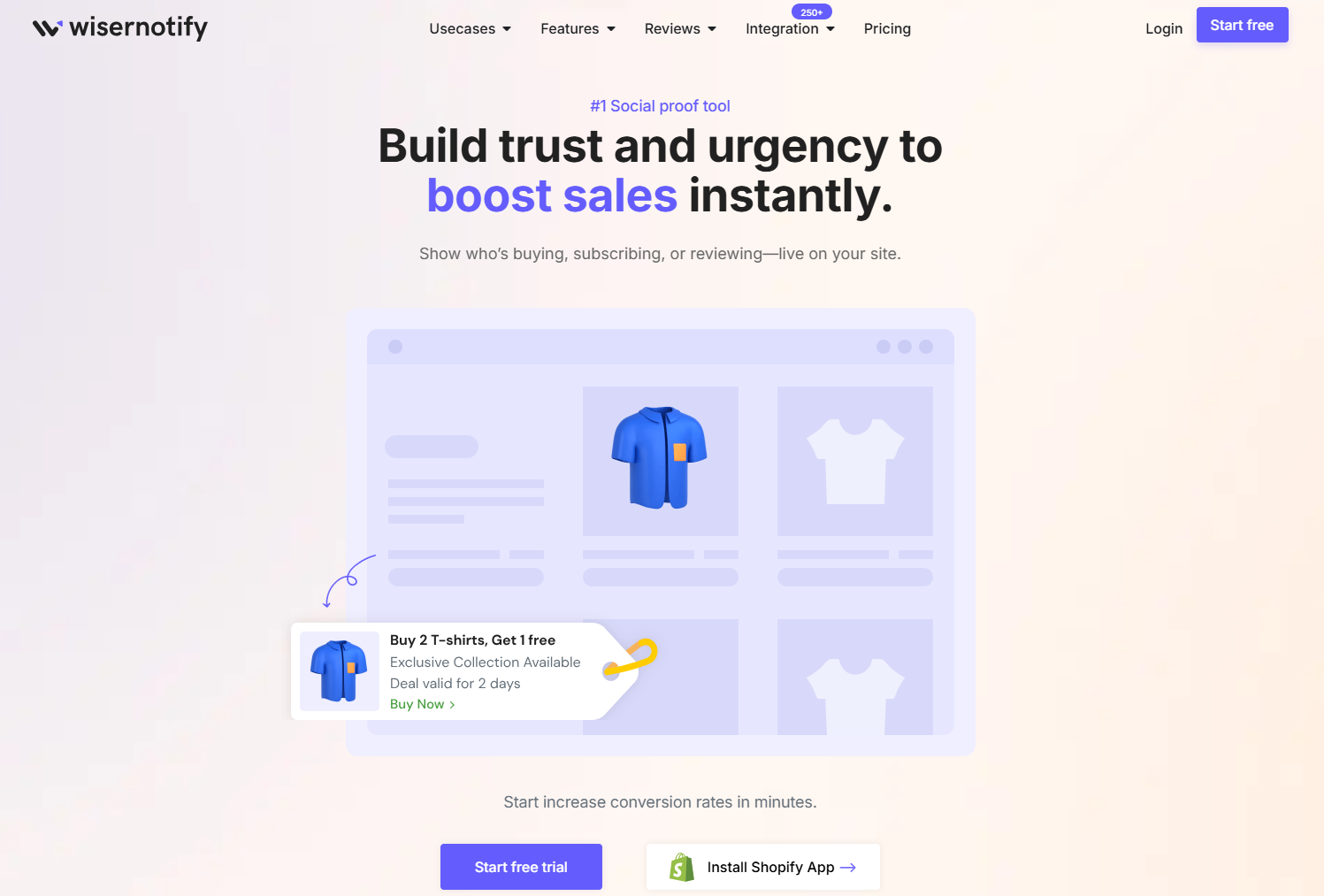
WiserNotify is a social proof tool that shows real-time user actions on your website. It builds trust by proving that other people are active and taking action right now. This helps visitors trust your brand and decide faster.
WiserNotify works with ecommerce stores, SaaS sites, landing pages, and any site that needs social proof without manual effort. It focuses on live activity alerts that appear at the right moment to boost conversions.
Live activity notifications
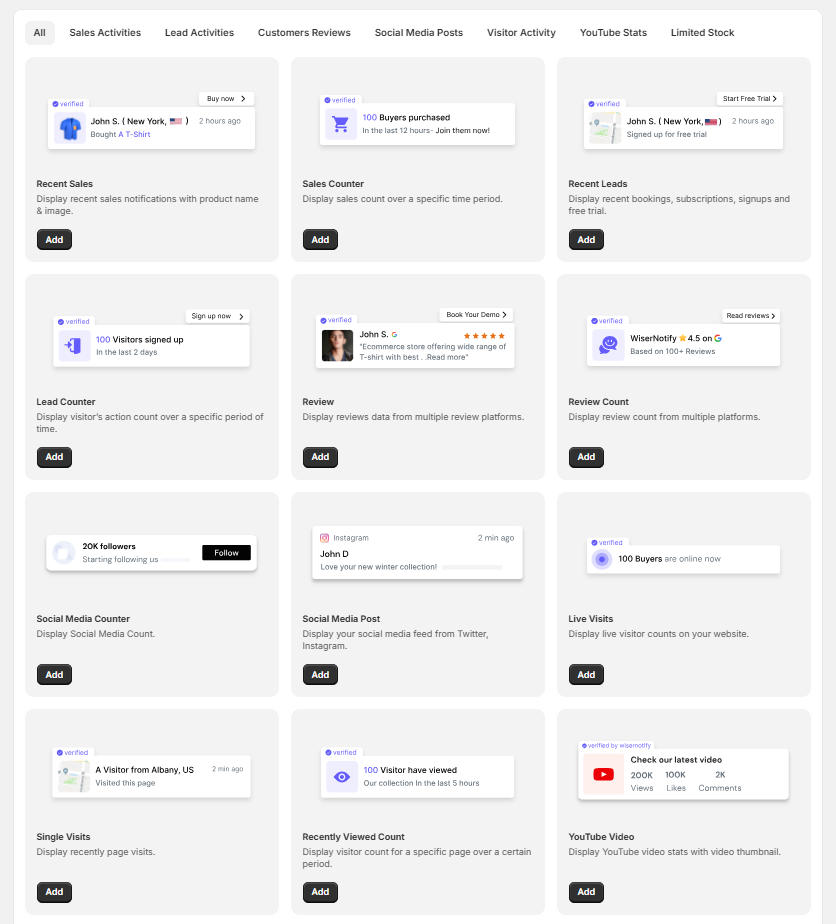
WiserNotify shows actions as they happen on your website. These actions include purchases, signups, and form submissions.
Visitors see proof that others are active right now. This builds confidence and reduces hesitation.
- Shows recent purchases and signups
- Uses real data from your website
- Updates automatically
- Feels natural and honest
Conversion-focused alerts
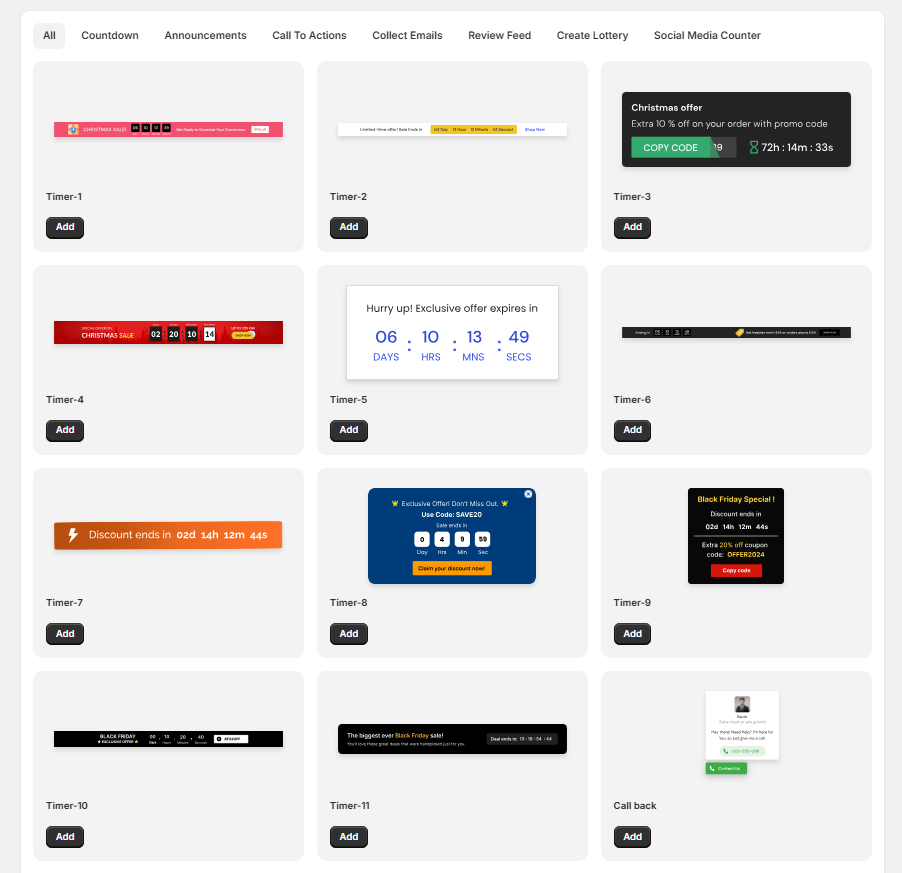
WiserNotify highlights actions that matter most for your business. These alerts guide visitors toward the same action.
When someone sees others buying or signing up, they feel safer doing the same.
- Shows high-value actions
- Supports sales and lead goals
- Works well during decision moments
Live visitor count and page activity
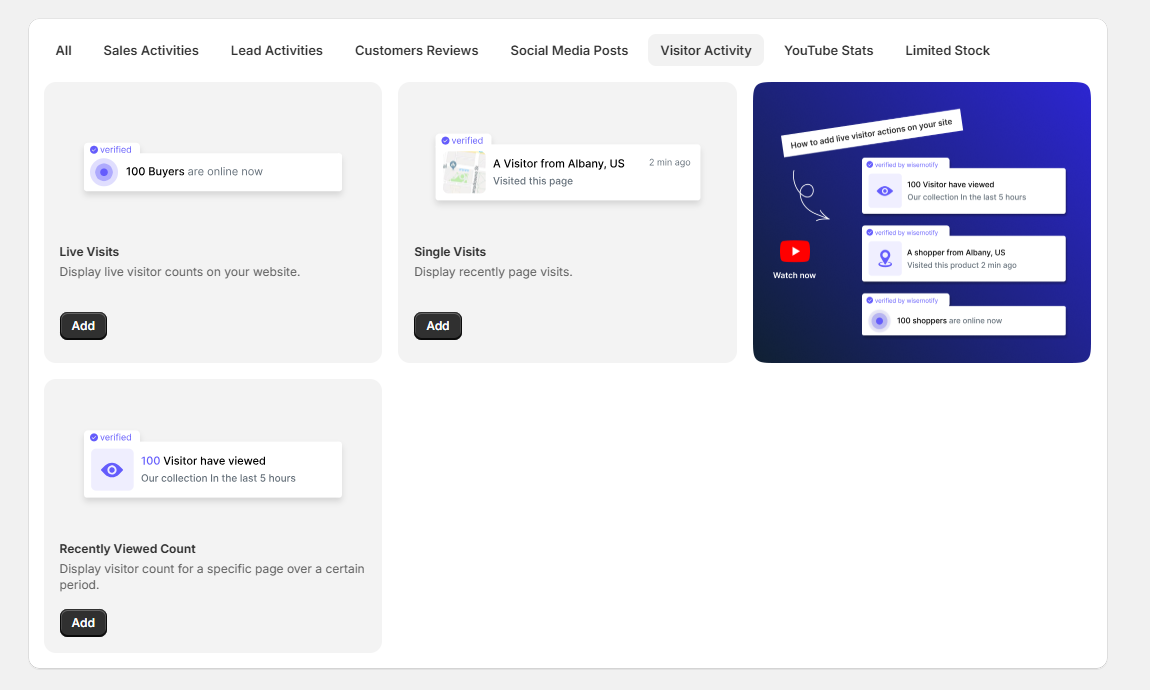
WiserNotify can show how many people are viewing a page at the same time. This creates urgency without pressure.
Visitors feel they are not alone. This keeps them engaged.
- Shows active visitors on a page
- Adds urgency to offers
- Works well for sales and launches
Review and rating notifications
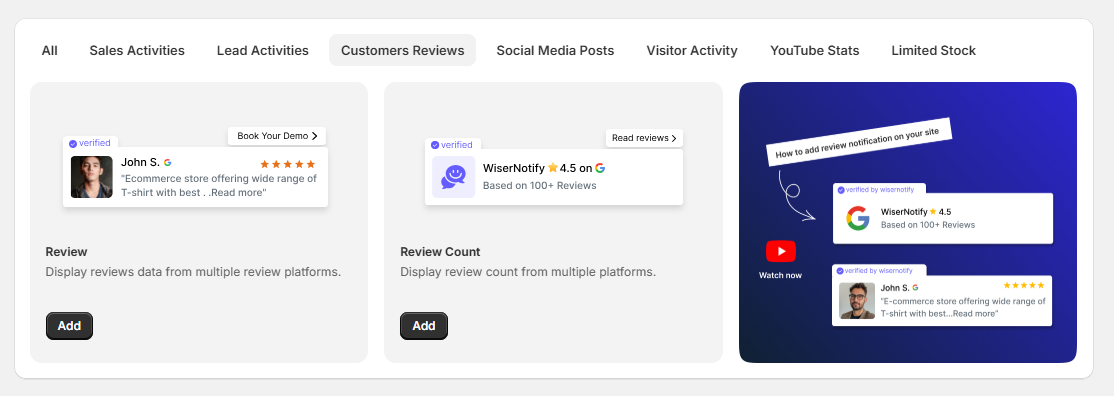
WiserNotify can display review alerts from connected platforms. These alerts add trust while users browse.
Reviews appear in a small and clean format. They do not interrupt the page.
- Shows real reviews and ratings
- Builds trust during browsing
- Supports buying decisions
Custom design and layout control
WiserNotify lets you control how notifications look on your site. This keeps your design clean and consistent.
You can adjust style, position, and text without coding.
- Match brand colors and fonts
- Choose popup position
- Keep notifications minimal
Smart targeting and display rules
WiserNotify shows notifications only when they make sense. This avoids noise and distraction.
You decide who sees what and when.
- Target by page or device
- Control delay and frequency
- Avoid repeat fatigue
Easy integrations and setup
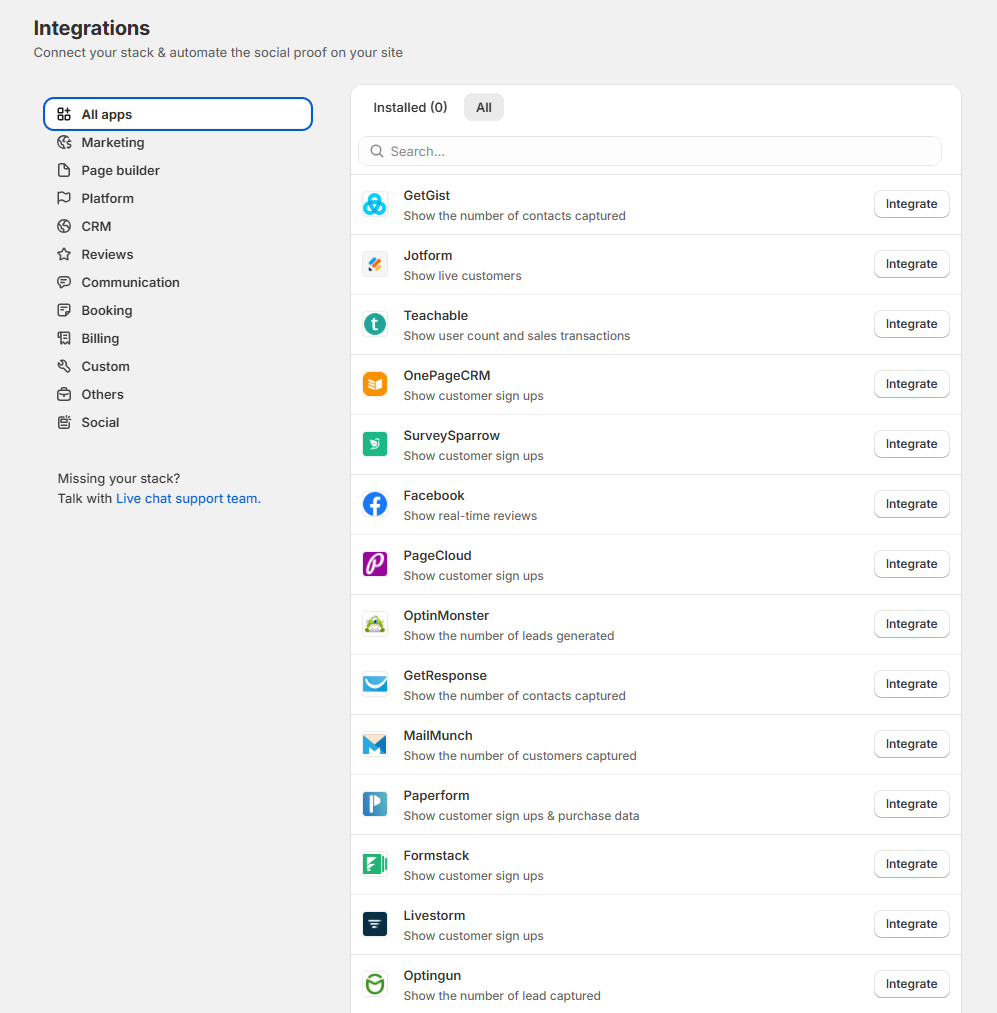
WiserNotify connects with many tools used by ecommerce and SaaS sites. Setup stays quick and simple.
You do not need technical skills to start.
- Works with ecommerce platforms
- Supports forms and CRMs
- Setup takes only a few steps
Performance tracking and insights
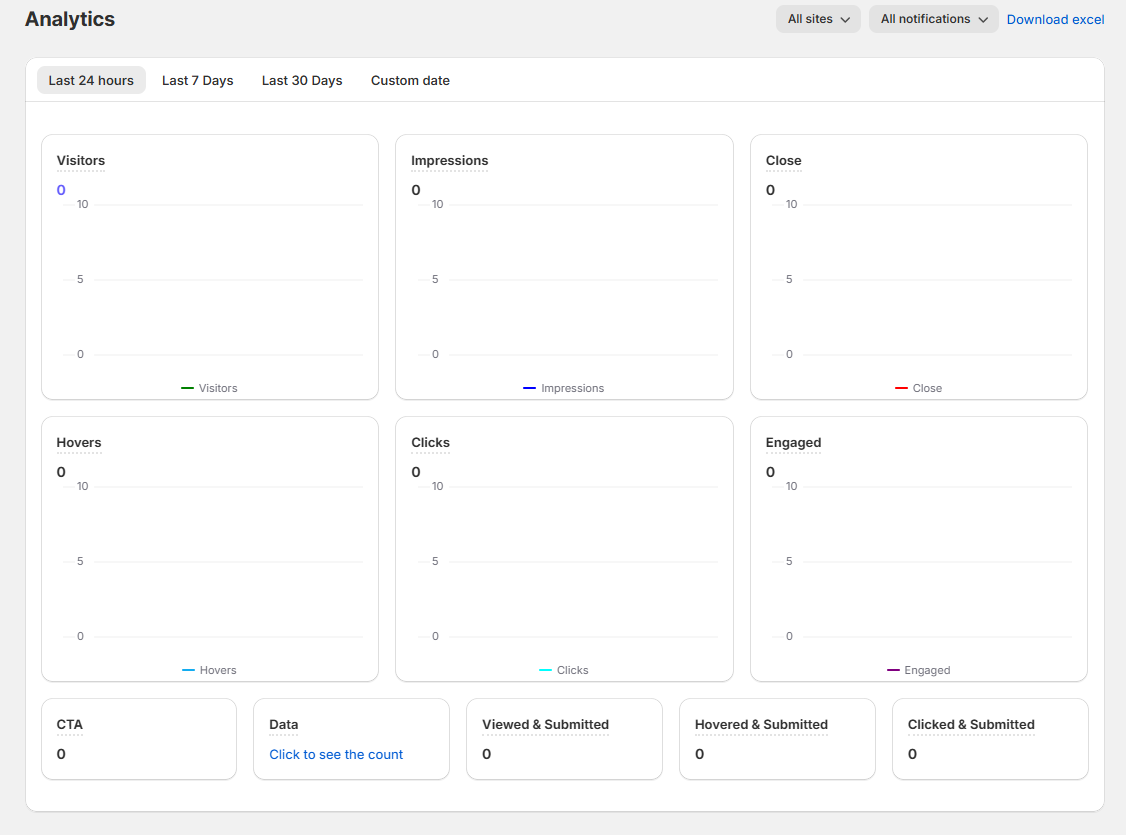
WiserNotify tracks how notifications perform. This helps you understand what works.
You can improve results by adjusting messages and timing.
- Track clicks and conversions
- See top-performing alerts
- Optimize based on data
Easy Setup
WiserNotify is designed so you can get started without technical skills or long setup steps. The goal is to help you show social proof quickly, not spend hours configuring tools.
The setup process is simple and usually takes only a few minutes. You start by adding a small script or plugin to your website.

Boost conversions with real-time notifications
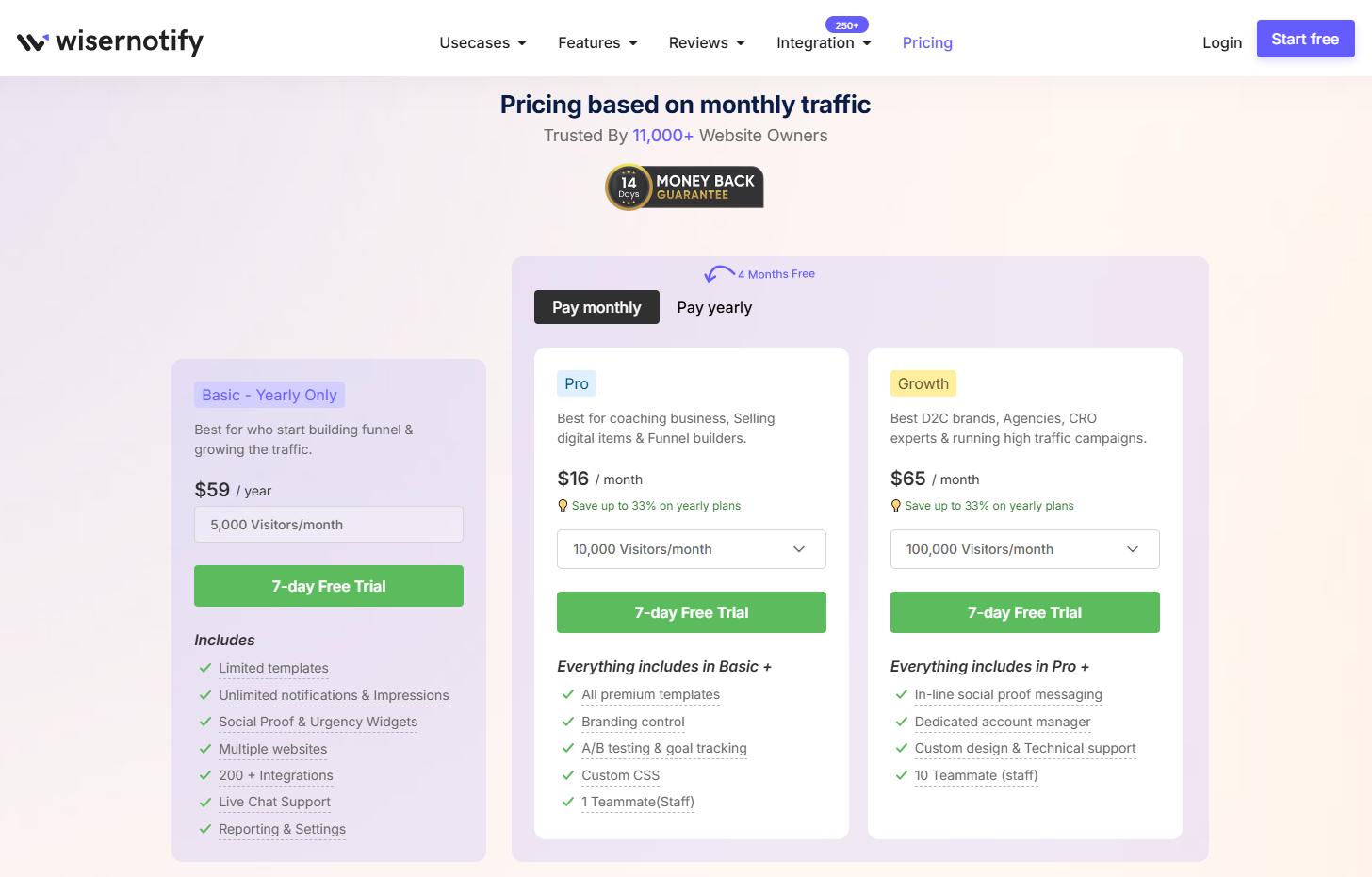
Show live sales, signups, and activity notifications to build trust and urgency.Pricing
2. WiserReview – Best for Reviews and ratings
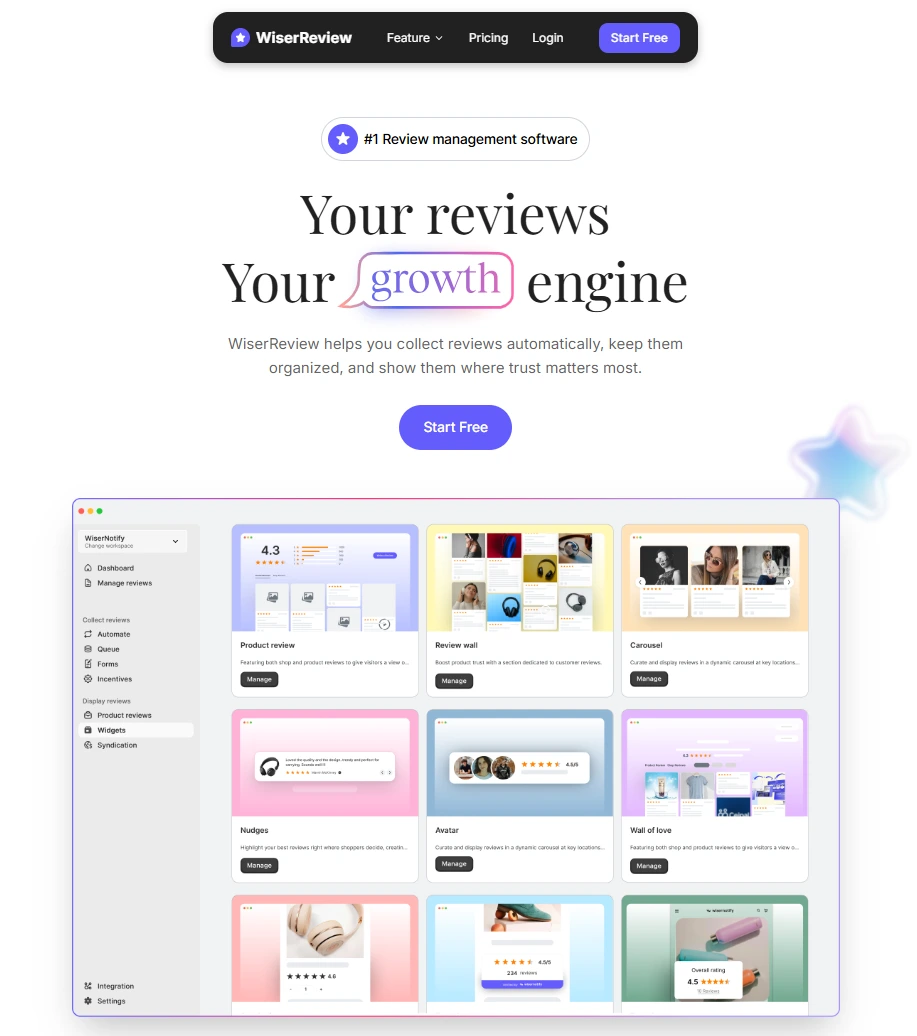
WiserReview helps businesses collect, manage, and show customer reviews in one place. It builds trust by showing real feedback from real users. This trust helps visitors feel confident and take action.
Unlike notification-based tools, WiserReview focuses on reviews and testimonials. It works best when users want proof before they decide.
Collect reviews from real customers
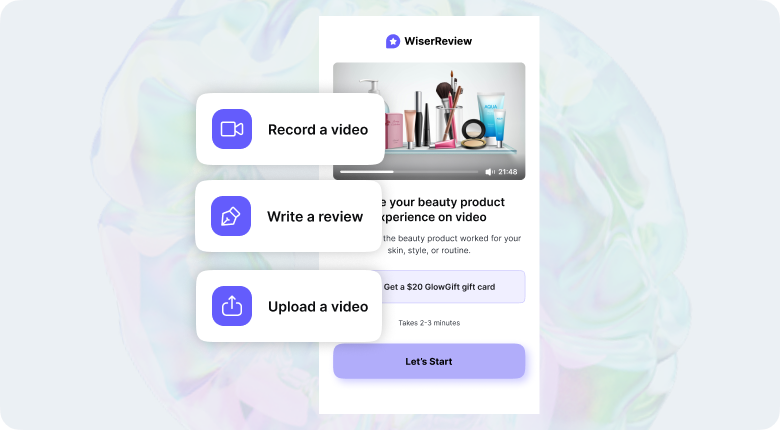
WiserReview makes review collection simple. You can ask customers for feedback at the right time.
- Review collection via Email, SMS, and WhatsApp
- Collect text, star ratings, photos, and videos
- Reduce fake or low-quality reviews
- Get honest feedback from real users
This helps you build a steady flow of fresh reviews.
Automated review
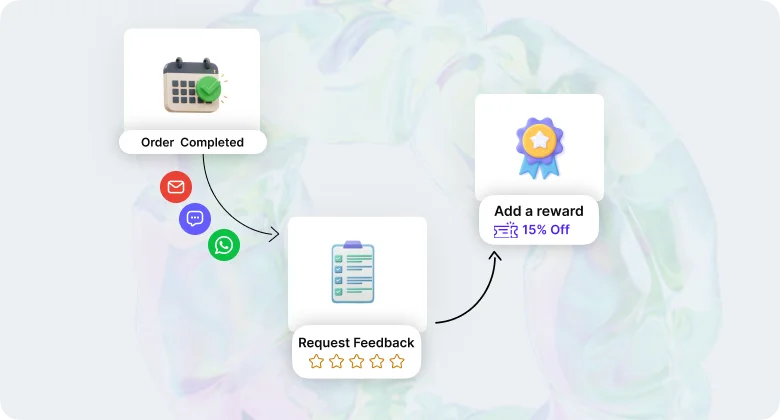
WiserReview automates the review collection process. You do not need to ask customers manually every time.
The tool sends review requests at the right moment. This helps you collect more reviews without extra work.
- Sends automatic review request emails
- Triggers requests after purchase or delivery
- Saves time on manual follow-ups
- Keeps reviews coming regularly
Automation ensures your review section stays fresh and active.
Manage reviews in one dashboard
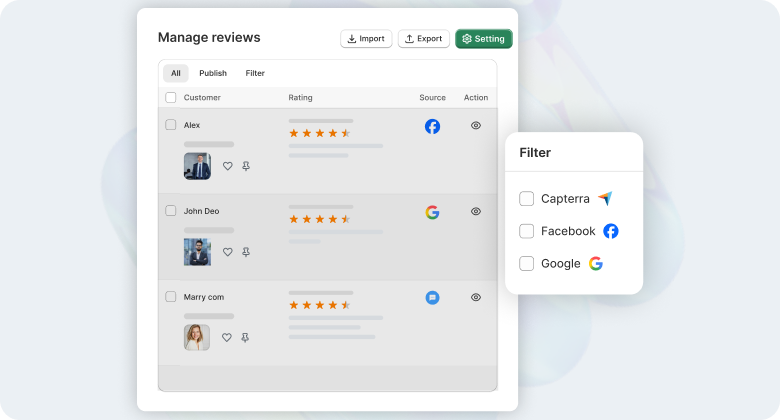
WiserReview gives you full control over your reviews. You can manage reviews from one place.
- Approve or hide reviews
- Reply to customer feedback
- Filter reviews by rating or product
- Keep your review section clean and relevant
This keeps your brand image strong and clear.
Display reviews where they matter most
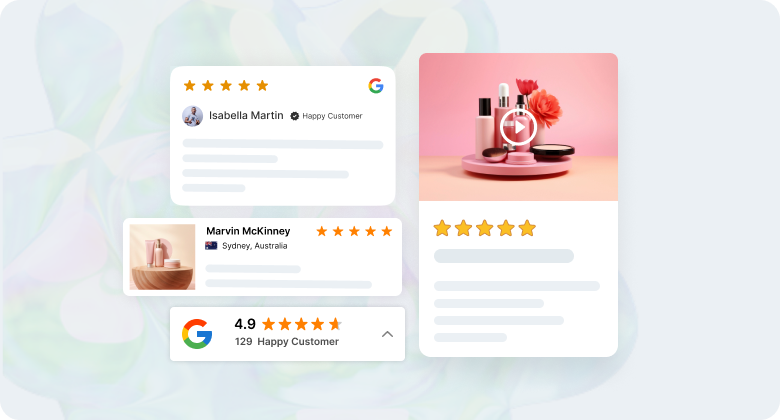
WiserReview lets you show reviews on key pages. These placements help visitors decide faster.
- Product pages
- Landing pages
- Homepages
- Checkout pages
You can choose layouts that fit your site design without clutter.
Multiple review display formats
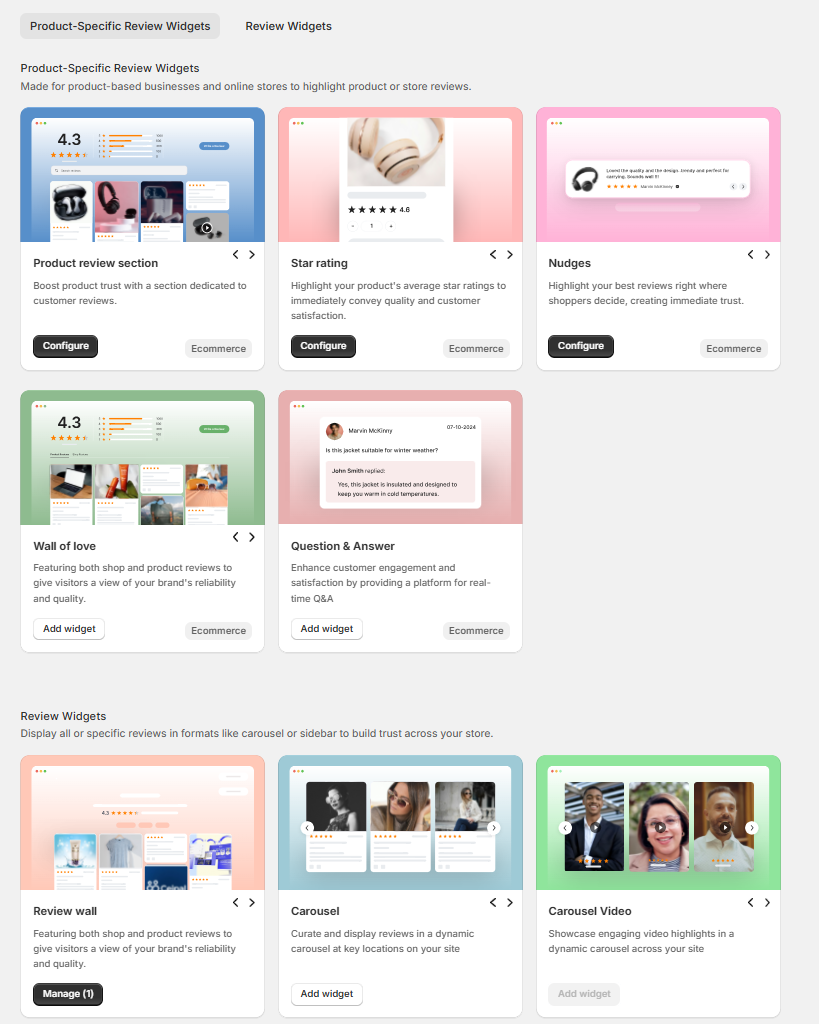
WiserReview supports different display styles. This helps match reviews with page intent.
- Review grids
- Sliders and carousels
- Star rating badges
- Testimonial sections
Each format helps build trust in a simple way.
Easy customization and branding
WiserReview lets you control how reviews look on your site. This keeps everything consistent.
- Match brand colors and fonts
- Adjust layout and spacing
- Control what review details show
You do not need coding skills.
Integrations and setup
WiserReview connects with popular ecommerce and website platforms. Setup stays simple.
- Works with ecommerce platforms
- Supports CMS and website builders
- Quick setup with guided steps
You can start showing reviews in minutes.

All your reviews in one place
Collect reviews, manage every response, and display them where they matter most.
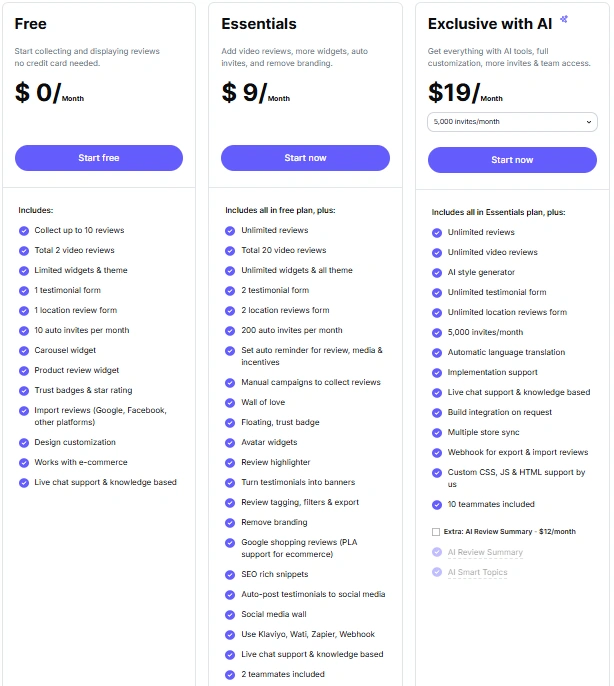
Start Free →Pricing
3. Fomo

Fomo helps websites increase conversions by showing real activity from real users. It proves that people already trust your product or service. This reduces doubt and helps visitors act with confidence.
Fomo works well for ecommerce, SaaS, and landing pages. It supports fast decisions by showing proof at the right moment. When visitors see others buying or signing up, they feel safe to do the same.
Main features
- Shows real-time purchases, signups, and page actions
- Displays live activity from your website and connected tools
- Uses event-based automation for accurate alerts
- Supports custom events for key conversion actions
- Connects with ecommerce, SaaS, and marketing platforms
- Pulls data automatically without manual updates
- Let’s you control notification text and message style
- Allows position and timing control on each page
- Supports page-level and device-based targeting
- Prevents overuse with frequency limits
- Tracks clicks and conversion impact
- Helps test and improve notification performance
Fomo fits businesses that want visible activity, clear trust signals, and better conversions without changing their site layout.
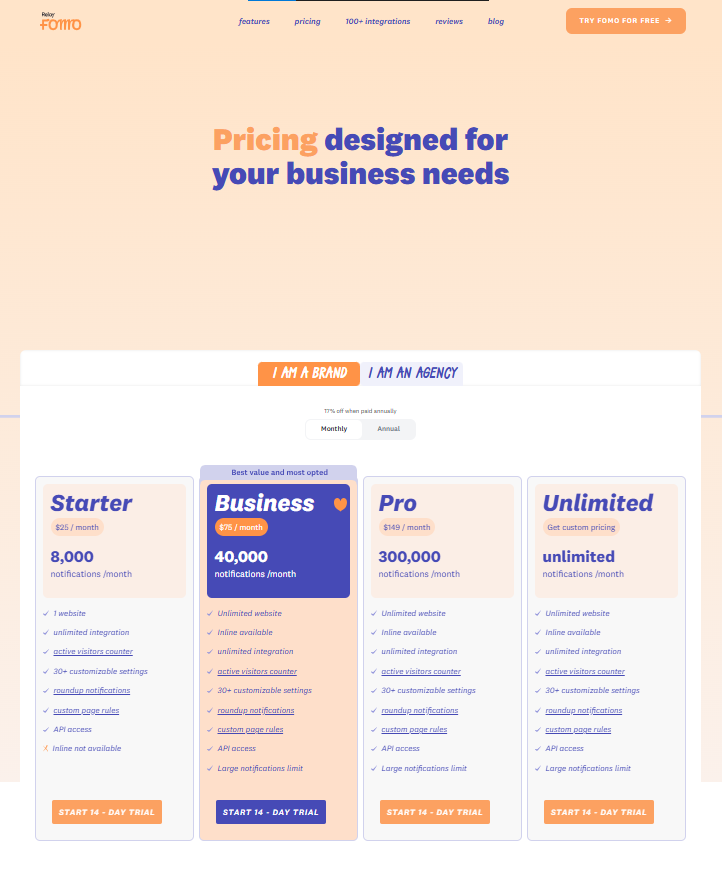
Pricing
4. TrustPulse
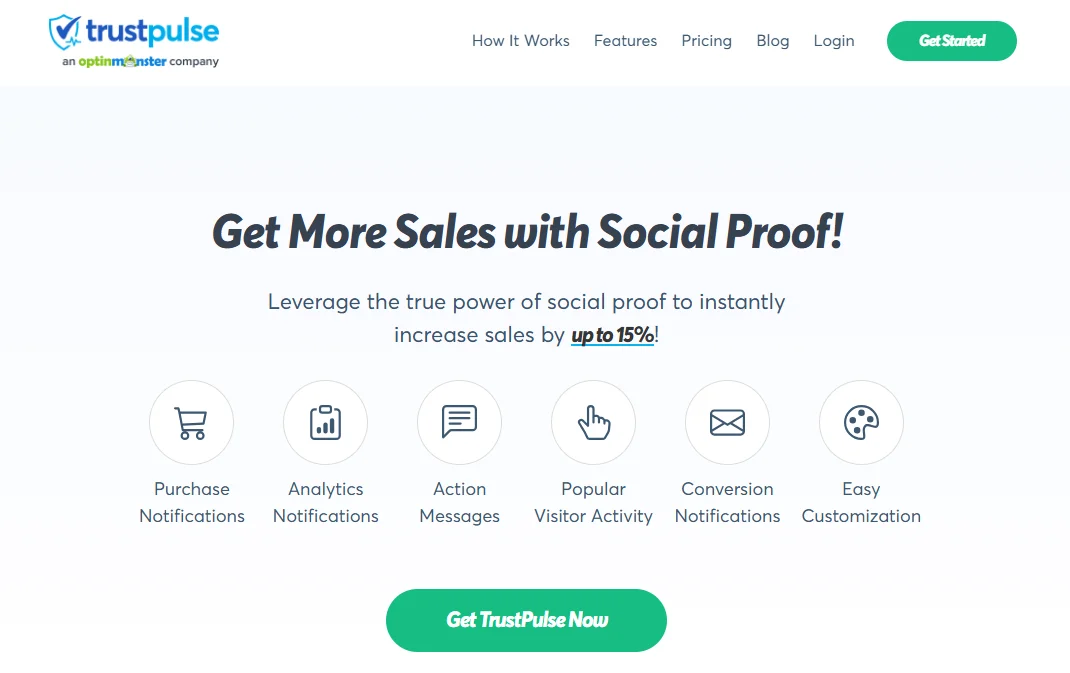
TrustPulse helps websites increase conversions by showing live activity from real visitors. It proves that people are already buying, signing up, or registering. This builds trust and helps new visitors decide faster.
TrustPulse is simple and beginner-friendly. It works well for small businesses and growing websites that want fast results without complex setup.
Main features
- Shows real-time purchases, signups, and registrations
- Displays live activity as it happens on your site
- Uses automatic event tracking with no coding
- Detects actions like clicks, form submits, and sales
- Supports page-level targeting
- Controls where notifications appear
- Allows delay and frequency settings
- Prevents notification overload
- Offers a clean and simple notification design
- Let’s you edit text and message style
- Tracks clicks and conversion impact
- Shows which notifications perform best
TrustPulse fits websites that want quick trust signals with minimal effort. It is a solid choice if you need simple social proof that works out of the box.

Boost conversions with real-time notifications
Show live sales, signups, and activity notifications to build trust and urgency.Pricing
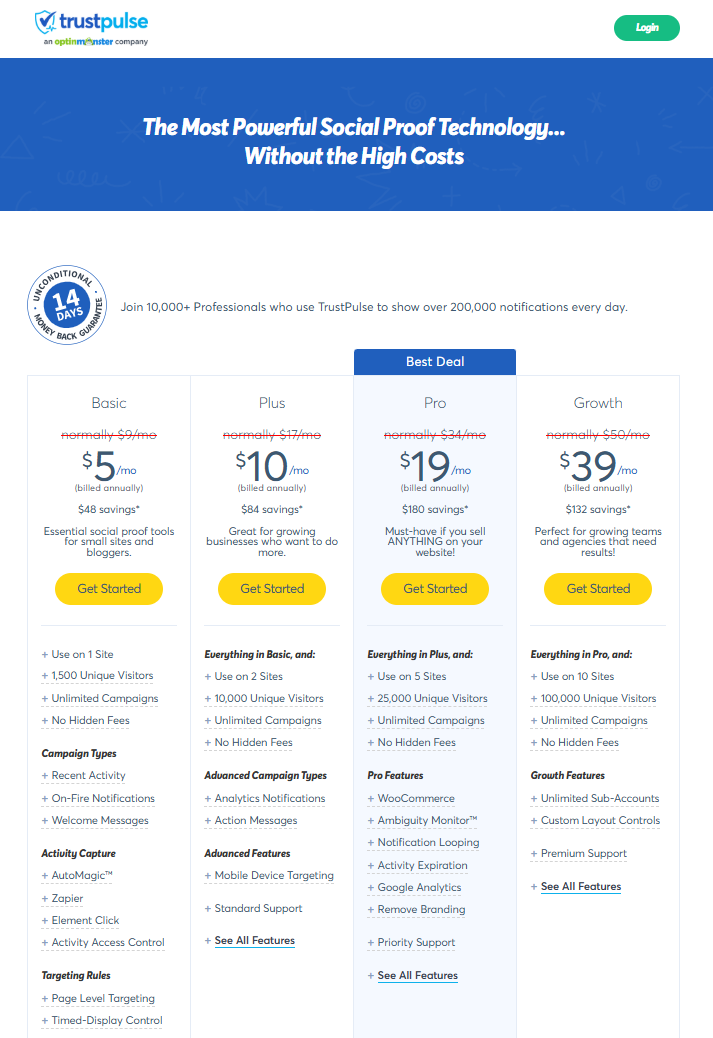
5. ProveSource

ProveSource helps websites build trust by showing real user activity. It increases conversions by proving that people already sign up, buy, or engage. This removes doubt and helps visitors decide faster.
ProveSource works best for SaaS websites and landing pages. It focuses on clean social proof without distraction. The setup stays simple, and the messages stay clear.
Main features
- Shows real-time signups, purchases, and user actions
- Displays live activity while visitors browse
- Uses event-based automation for accurate alerts
- Supports custom conversion events
- Connects with SaaS tools and landing page builders
- Pulls data automatically from integrations
- Keeps notification design clean and minimal
- Allows control over text, position, and timing
- Supports page-level targeting
- Limits frequency to avoid overload
- Tracks clicks and conversions
- Shows which notifications perform best
ProveSource fits businesses that want clear and controlled social proof. It works well when you need trust signals without clutter or urgency pressure.
Pricing

6. NotificationX
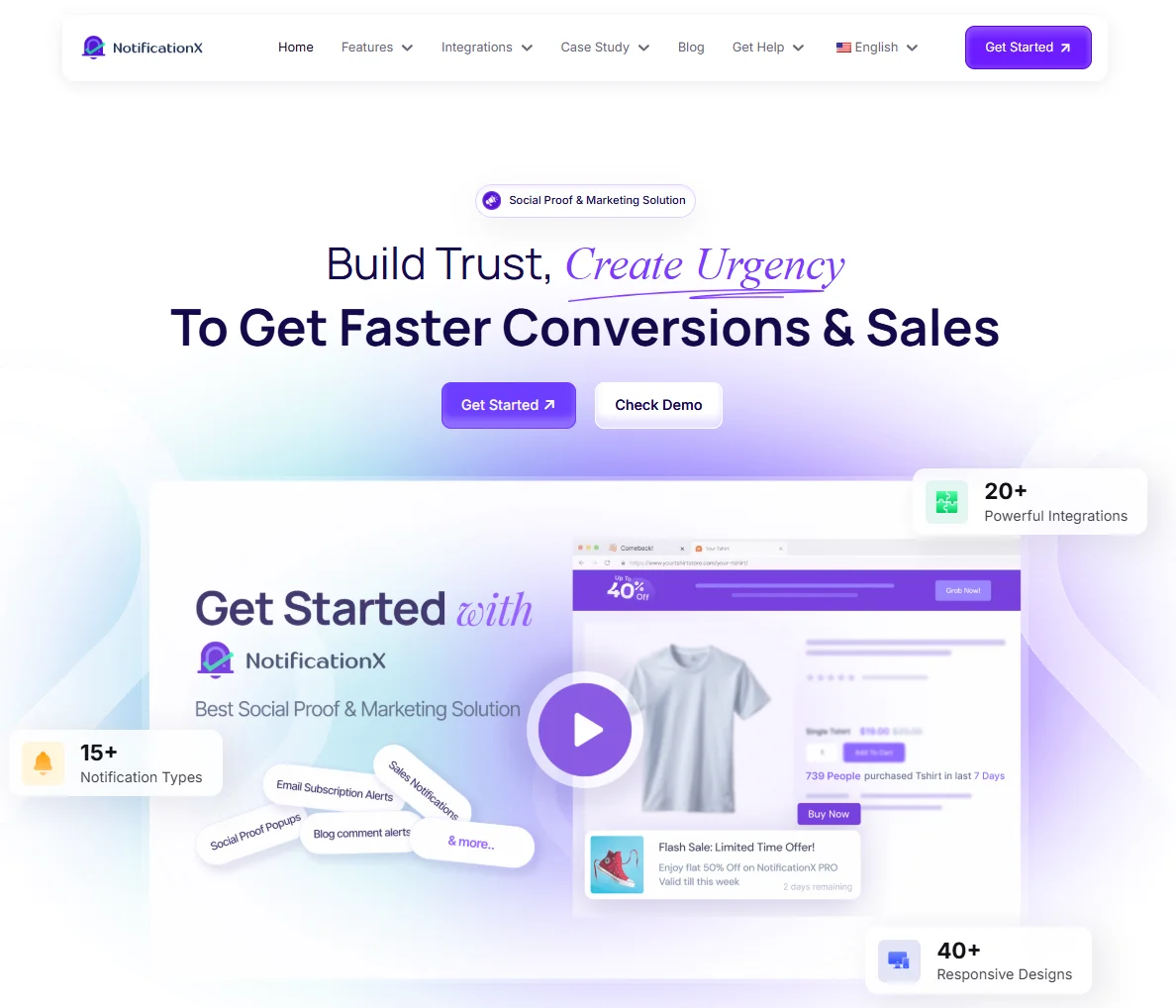
NotificationX helps websites build trust by showing recent activity and proof in small pop-ups. It increases conversions by showing that real users already take action. This helps visitors feel confident and decide faster.
NotificationX works best for WordPress websites. It is easy to use and fits blogs, ecommerce stores, and business sites that want social proof withouta complex setup.
Main features
- Shows recent purchases, signups, and comments
- Displays live activity notifications
- Supports review and rating alerts
- Shows download and subscription proof
- Works well with WordPress and WooCommerce
- Connects with email tools and form plugins
- Supports custom notification text
- Allows control over position and timing
- Offers page-level display rules
- Limits frequency to avoid distraction
- Provides basic performance tracking
- Keeps notification design clean and simple
NotificationX is a good choice for WordPress users who want quick social proof. It helps build trust and improve conversions with minimal effort.
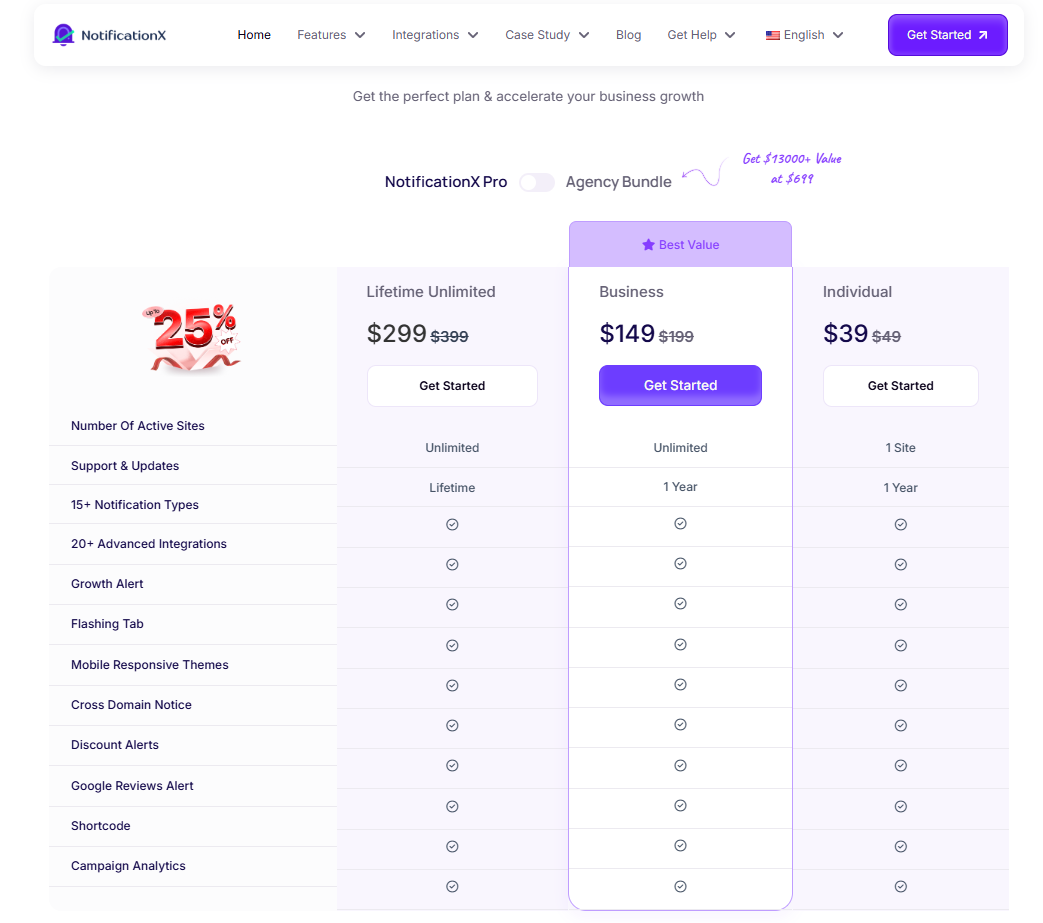
Pricing
7. Proof Factor
Proof Factor helps websites increase conversions by showing live user activity. It proves that real people are already taking action on your site. This builds trust and reduces hesitation.
Proof Factor works well for ecommerce stores, SaaS products, and landing pages. It focuses on urgency and activity-based proof. Setup stays simple, and notifications stay visible without being pushy.
Main features
- Shows real-time purchases, signups, and user actions
- Displays live activity notifications on key pages
- Creates urgency by showing recent actions
- Supports event-based automation
- Triggers notifications from real user behavior
- Works with ecommerce and marketing tools
- Pulls data automatically from integrations
- Allows control over notification text and layout
- Supports page-level targeting
- Controls timing and frequency of alerts
- Prevents notification overload
- Tracks clicks and conversion impact
Proof Factor is a good fit for businesses that want strong urgency signals. It works best when you want visitors to see activity and act faster without changing your site design.
All your reviews in one place
Collect reviews, manage every response, and display them where they matter most.
Start Free →Where to place social proof for maximum impact
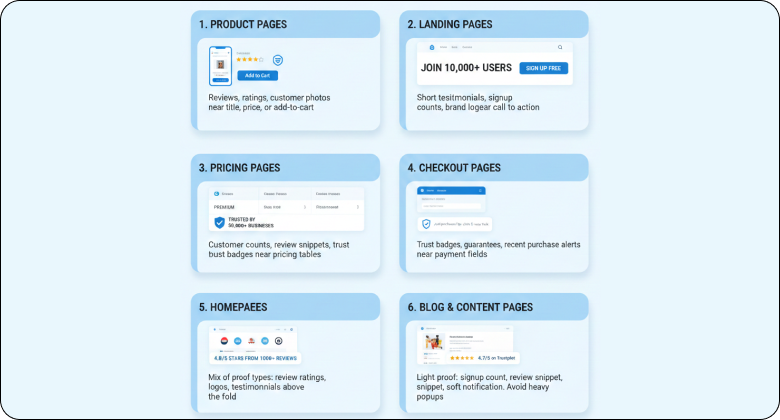
Social proof works best when it appears at the moment of doubt. Placement matters more than quantity. The right proof on the right page can change a decision.
Do not spread social proof everywhere. Place it where users pause, compare, or hesitate.
1. Product pages
Product pages are decision pages. Users want reassurance before they buy.
Reviews, ratings, and customer photos work best here. Place them near the product title, price, or add-to-cart button. This helps users feel confident before action.
2. Landing pages
Landing pages focus on one action. Social proof should support that action, not distract from it.
Use short testimonials, signup counts, or brand logos near the main call to action. This builds trust without breaking flow.
3. Pricing pages
Pricing pages trigger hesitation. Users compare plans and value.
Place proof near pricing tables. Use customer counts, review snippets, or trust badges. This reduces fear and supports the decision.
4. Checkout pages
Checkout is the highest risk point. Users worry about payment and security.
Use trust badges, guarantees, and recent purchase alerts near payment fields. Keep proof simple and calm.
5. Homepages
Homepages introduce your brand. Visitors want quick signals that you are trusted.
Use a mix of proof types. Show review ratings, customer logos, or short testimonials. Place them above the fold or just below key sections.
6. Blog and content pages
Blog pages are for learning, not selling.
Use light-proof only. Add a small signup count, a review snippet, or a soft notification. Avoid heavy popups here.
How to choose the right social proof tools
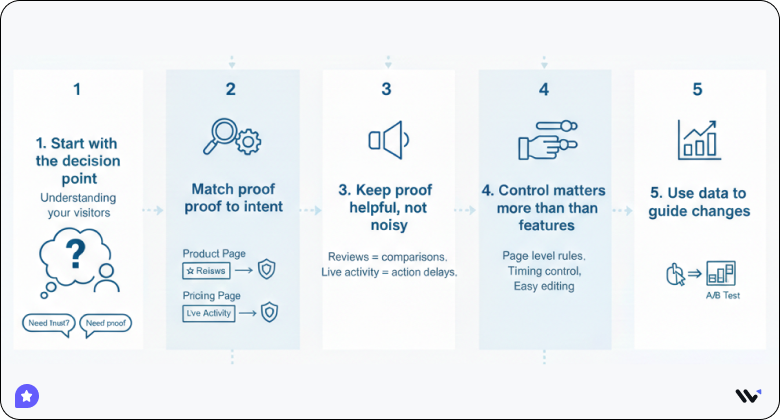
Choosing the right social proof tool starts with understanding your visitors. People hesitate for different reasons. Some need trust. Others need proof that your product works. A good tool solves one clear problem.
Do not choose a tool just because it has many features. Choose it because it fits your page and your audience.
➔ Start with the decision point
Every page has a moment where users pause. This is where social proof works best. Find that moment first.
For example, visitors on product pages look for reviews. Visitors on pricing pages look for reassurance. Checkout pages need safety proof. One tool cannot fix all these points.
➔ Match proof to intent
Different proof works for different goals. The key is relevance.
- Reviews work when users compare options
- Live activity works when users delay action
Using the wrong proof at the wrong place reduces impact.
➔ Keep proof helpful, not noisy
Social proof should support the page, not distract from it. Too many pop-ups feel fake and push users away.
Limit how often proof appears. Use delays. Avoid showing the same message again and again. Clean placement builds trust.
➔ Control matters more than features
A simple tool with good control works better than a complex tool with poor targeting. You should decide where proof appears and when it stops.
Look for page-level rules, timing control, and easy editing. These features keep the proof relevant.
➔ Use data to guide changes
Do not guess. Check what works.
- Track clicks or actions
- Turn off low-performing alerts
Small improvements bring better results over time.
All your reviews in one place
Collect reviews, manage every response, and display them where they matter most.
Start Free →Conclusion
Social proof tools boost conversions by building trust at the moment visitors hesitate.
They work because people trust other people. Reviews, signups, and live activity show that real users already chosen your brand. This removes doubt and helps visitors decide faster.
Not every tool fits every website. Some tools focus on reviews and long-term trust. Others focus on live activity and urgency. The right tool depends on where users pause and what proof they need.
Start with one clear goal. Add social proof to key pages first. Test results and adjust based on data.
When social proof appears at the right time and place, trust increases. Conversions follow.
Frequently asked questions
Yes. Social proof tools increase conversions by reducing doubt. When visitors see reviews or live activity, they trust the site faster and take action.
Tools with easy setup work best for beginners. If you want live activity, choose a simple notification tool. If you want trust through feedback, choose a review-focused tool.
Good social proof tools show real user actions. You should always use tools that pull real data. Fake notifications reduce trust and harm conversions.
Add social proof where users hesitate most. This includes product pages, pricing pages, landing pages, and checkout pages. Avoid placing it everywhere.
Yes, but start with one. Too many tools can feel noisy. Add more only if each tool solves a different problem and supports a clear goal.
Yes. WiserNotify helps increase conversions by showing live user activity at the right moment. When visitors see real purchases, signups, or page activity, they trust the site faster and act with confidence. It works best for quick decisions.
WiserReview builds trust by showing real customer reviews and testimonials. It collects feedback automatically and displays it on key pages. Reviews help visitors feel safe before they buy or sign up.

Krunal