6 min
6 min 
Google reviews may disappear or fail to appear if they violate Google’s review policy. Google utilizes both automated systems and human reviewers to monitor reviews for authenticity and compliance, removing any content that fails to meet its guidelines.
In 2026, Google’s review policy became stricter to maintain the credibility and trustworthiness of its reviews. The platform is focused on ensuring that reviews are genuine, transparent, and free from manipulation.
In this article, we’ll explain how to stay compliant with Google’s policies, avoid penalties, and build a trustworthy reputation that your customers can rely on.
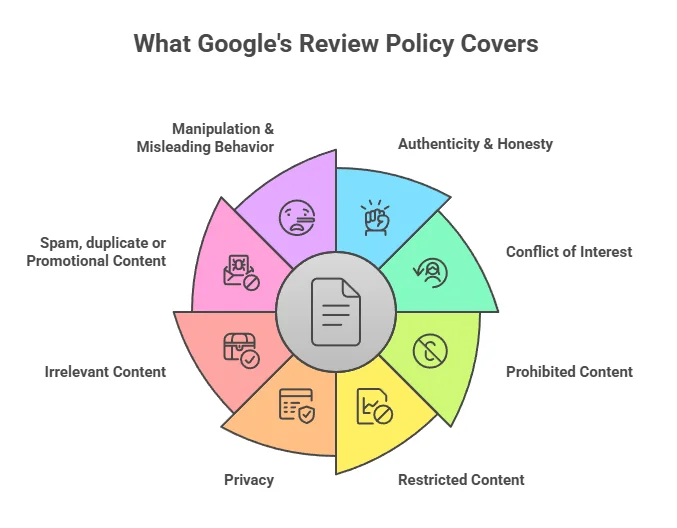
Foundations: What Google’s review policy covers
Google’s review policies prohibit spam, fake content, conflicts of interest, and irrelevant information. All reviews must be based on genuine, first-hand experiences with the business or product.
Google Business Profile & User-generated content policy
Google’s review policy covers reviews submitted via Google Business Profile, Google Maps, and Google Search. These are trusted platforms, so Google enforces rules strictly.
It uses automated tools and human moderators to remove negative reviews or content that breaks the rules.
Why this matters: Even a single negative review that constitutes a Google review violation can harm your online reputation. Repeated violations may lead to restrictions or suspension of your account.
Scope: Where the policy applies (Maps, Search, etc.)
The Google review policy applies wherever your business is visible through Google:
- Reviews on your location card in Google Maps
- Star ratings and reviews appearing in Google Search
- The content seen and managed through your Google Business Profile dashboard
This applies equally to a single local shop, a chain with many locations, service professionals, or ecommerce brands; no business is exempt.
Policy categories:
Google classifies reviews into three groups:
- Prohibited Content: Online reviews that clearly violate policy and must be removed
- Restricted Content: Online reviews allowed under certain conditions, but with limited visibility
- Legitimate Feedback: Honest reviews, even negative ones, that stay published
Knowing which category the review falls under enables informed decisions about whether to flag an inappropriate review, respond to it, or leave it alone.

All Google your reviews in one place
Collect Google reviews, manage every response, and display them where they matter most.
Start Free →What is allowed & what isn’t (Key rules)
Violating Google Review policies/guidelines can result in the removal of the review, restriction of user accounts, or suspension of an aspect of the business’s profile. This section outlines what Google allows and prohibits on your profile, including guidelines for handling negative reviews.
Legitimate content (what reviews should be)
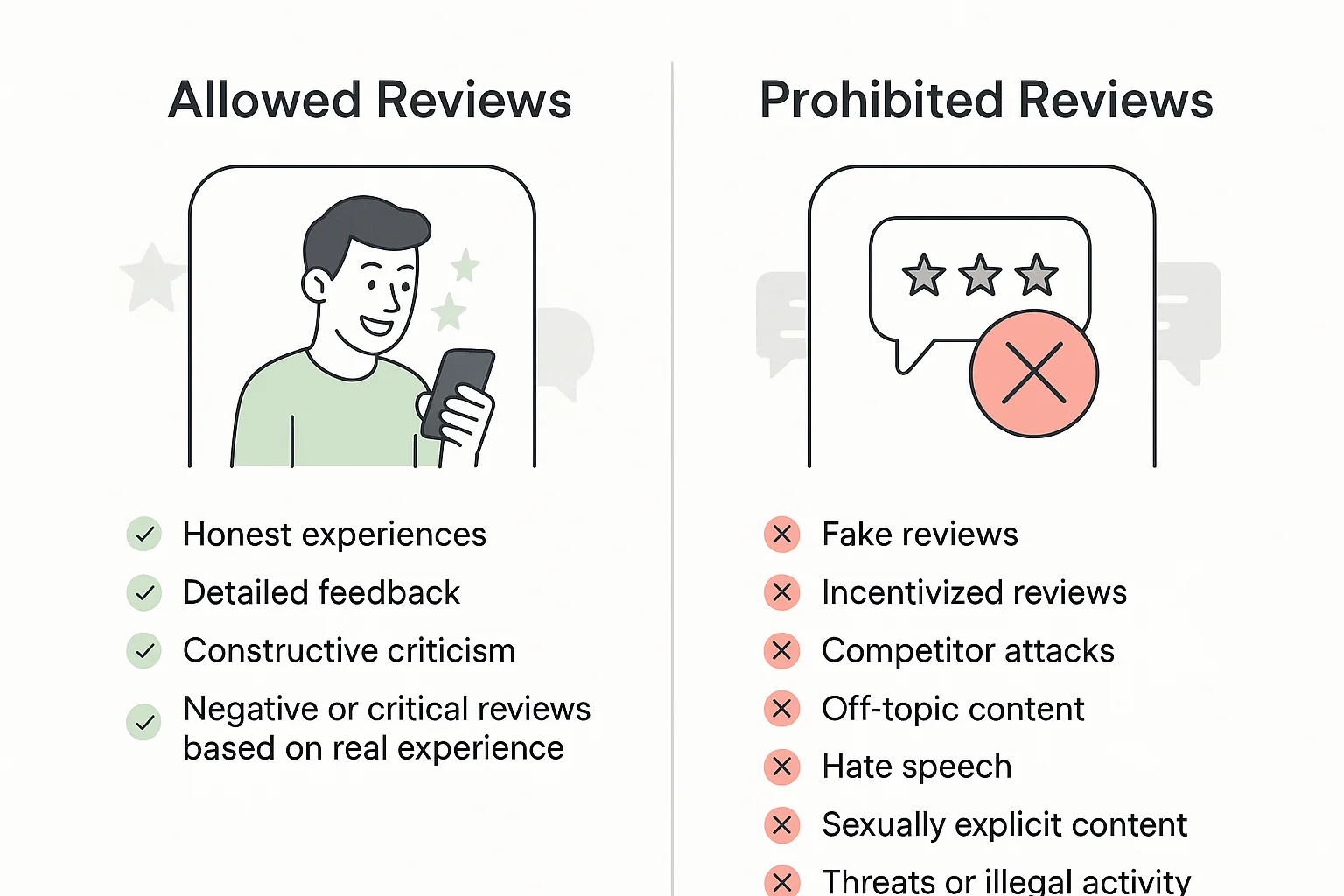
Google permits reviews that reflect genuine experiences from actual customers. Acceptable reviews include:
- Honest accounts of actual visits or interactions
- Negative or critical feedback based on real experiences
- Detailed comments about specific products, services, or staff
- Personal opinions on value, quality, or service
- Constructive criticism aimed at improvement
The primary requirement: Reviews must be based on authentic customer experiences. Google values negative feedback as it contributes to credibility and improvement.
Prohibited & restricted content (Red flags you must avoid)
Some content is prohibited or restricted based on the guidelines provided by Google. Violations will lead to removal or restricted visibility to the following:
Prohibited Content (Will Be removed):
Google will delete reviews that are fake, misleading, or deceptive, as well as reviews about health that are incentivized or those posted by competitors.
Other violations include being off-topic (such as political or personal rants), hate speech, sexually explicit content, threats or illegal actions, and spam campaigns.
Google also prohibits gating online reviews, specifically by only allowing satisfied customers to be encouraged to leave a review, as this may indicate a violation of guidelines.
Restricted Content (Limited Visibility):
Review content that contains profanity, appears to be duplicated from the same user, or promotes items that are not being offered at that business location may be filtered or have limited visibility.
Business conduct: What you can & cannot do
Your responsibility extends beyond just managing reviews; it also involves how you handle negative reviews. It’s about how you solicit and respond to feedback.
Soliciting & encouraging reviews (dos & don’ts)
| What you Can do | What you cannot do |
|---|---|
| Ask all customers equally for reviews | Offering incentives (discounts, freebies, payment) for reviews |
| Request reviews after a purchase or service | Requesting only positive reviews |
| Use generic links/QR codes for review submissions | Creating separate links for positive vs. negative reviews |
| Mention Google Business Profile on emails, receipts, and websites | Screen customers and only ask happy ones for reviews |
| Automate review requests with tools like WiserReview | Using deceptive tactics to manipulate review visibility |
| Use WiserReview to collect reviews with rewards, such as discounts or free shipping | Posting your own reviews or asking employees for fake reviews |
Using Google brand assets and referencing reviews
When promoting reviews on your website, marketing materials, or ads, follow these guidelines:
- Display reviews without incentivizing specific ratings
- Link to your Google Business Profile (don’t gate reviews behind forms requiring emails)
- Use authentic review content without alteration
- Don’t screenshot reviews or selectively show only positive reviews.
- Don’t selectively display only 5-star reviews if you have a mix
Responding to reviews & moderating comments
Google allows business responses to reviews, but with boundaries, to maintain the business’s online reputation:
Best Practices:
- Respond professionally to all reviews, positive or negative.
- Address concerns raised in negative feedback.
- Avoid being defensive or argumentative.
- Provide contact details for further discussions.
What NOT to Do:
- Don’t ask customers to remove or edit reviews.
- Avoid defensiveness or hostility in responses.
- Don’t offer promotions to remove reviews.
For multi-location teams, assign one person to respond to Google reviews to ensure a consistent tone and quality across all locations.
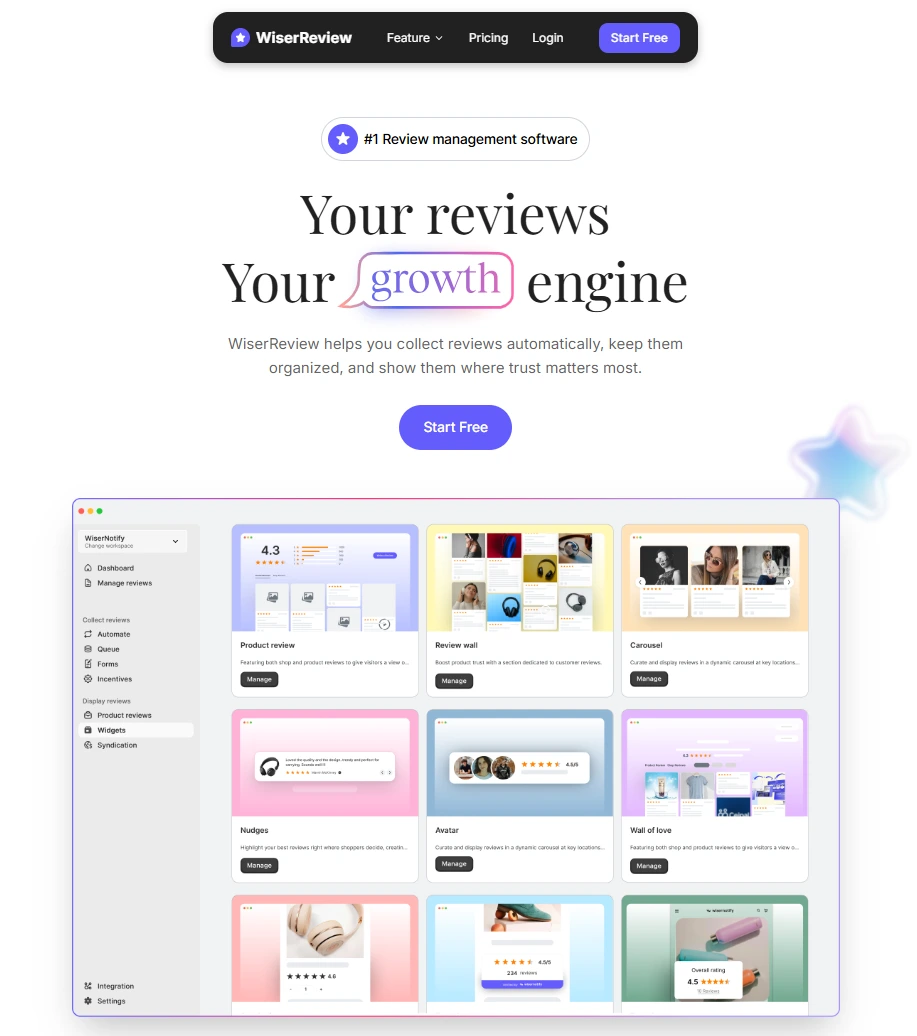
WiserReview – Trusted Google review software compliant with Google policy
The process of manually moderating reviews is generally inefficient and inconsistent, presenting a significant risk to compliance with review policies and limiting the effectiveness of companies in managing fake reviews.
WiserReview establishes a streamlined process that is fully compliant with Google’s review guidelines.
Here’s how WiserReview ensures safety and effectiveness:
- Automatic Review Collection – Sends review requests via email or WhatsApp after customer transactions, ensuring that no incentivized reviews or manipulation occur.
- Smart Filtering – Automatically detects and filters out spam, inappropriate content, or suspicious reviews before publication.
- Centralized Dashboard – Collects reviews from Google and other platforms into one easy-to-manage location.
- Display Widgets – Display authentic reviews directly on product, services, or sales pages without violating Google’s policies.
- Multi-location Support – Easily manage and display reviews for multi-location or branch businesses.
- Platform Integration – Seamlessly integrates with Shopify, WooCommerce, Wix, Google My Business, and over 30 other platforms.
Unlike applications that only request good reviews (referred to as gated reviews), WiserReview treats all third-party reviews and customer feedback equally.
It collects honest reviews from every customer and ensures transparency in moderation, fully complying with Google’s review policies.
All Google your reviews in one place
Collect Google reviews, manage every response, and display them where they matter most.
Start Free →What happens when rules are violated
Understanding the consequences keeps you motivated to stay compliant.
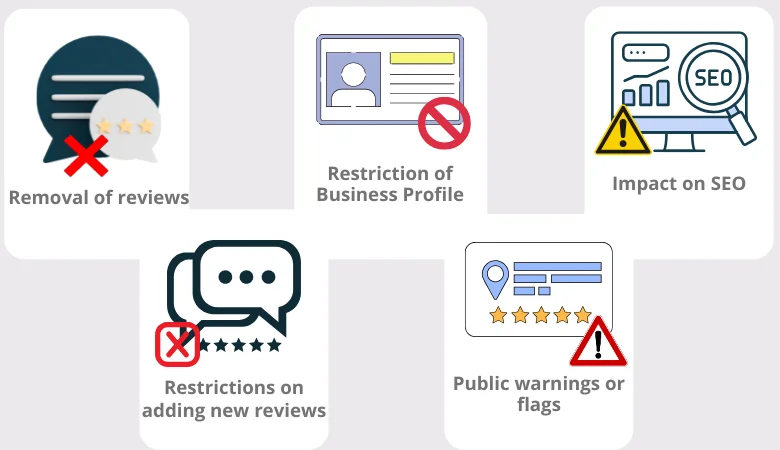
Removal of reviews/hiding from display
When a review violates Google’s review policy, it can be removed or hidden from public view. This happens through:
- Automated detection – AI identifies reviews that follow prohibited patterns (e.g., fake reviews, duplicate reviews).
- Manual review – Google’s team assesses flagged content.
- User reports – You or others can report inappropriate reviews for violation.
After the review is deleted, it will no longer affect your ratings or appear in search results. If you have multiple locations and one location has multiple violations, it may impact the visibility of the entire business enterprise.
Restrictions on adding new reviews or ratings
If Google flags your business profile for review manipulation, it may place your account in a temporary “review freeze,” which prevents new Google reviews from being published during the freeze.
Customers can still view your business profile during a “review freeze,” but they will not be able to leave new Google reviews for you during the freeze. Existing reviews, both before and during the freeze, will remain visible, and no reviews will be removed.
Suspension or restriction of Business Profile or account access
Serious or repeated violations can lead to more severe actions, such as:
- Profile suspension – Your Google Business Profile could be taken offline.
- Review posting disabled – You may lose the ability to moderate or respond to business reviews.
- Account restrictions – Your access to other Google tools could be limited or revoked.
For multi-location chains, suspensions may affect only one location or the entire network, depending on the severity of the violation.
Public warnings or flags (as Google begins more visible enforcement)
Google is becoming more transparent about policy violations by making them visible to customers. If violations occur, policy warning labels may appear on your business profile, alerting customers to the issue.
Additionally, visibility in Google Search and Google Maps may be reduced due to policy violations, making it more challenging for potential customers to locate your business.
You may also see alerts notifying customers that reviews are being managed inconsistently, further signaling issues with your review management practices.
Impact on SEO, local rankings, and trust
Violations can harm your business in several ways, particularly if you fail to address inappropriate content.
- Local SEO damage – Google may deprioritize your profile in local search rankings if violations are detected.
- Review count penalties – Even if reviews aren’t removed, profiles with manipulated reviews get less visibility.
- Customer skepticism – Potential customers may be less likely to trust your reviews if they perceive signs of manipulation, which could lead to a loss of trust.
- Competitive disadvantage – Competitors with authentic reviews will outrank your business in local search results.
For ecommerce brands, the credibility of reviews directly impacts conversion rates, as noted in Search Engine Land.
Manipulated reviews erode customer trust, particularly concerning negative reviews that can significantly harm sales. , which can significantly hurt sales.
How to report & remove violating reviews
If you spot reviews breaking policy, here’s how to take action.
Methods to flag a review (Maps, Search, Business Profile dashboard)
To report a review that violates Google’s review policy, consider how to remove reviews effectively. Follow these steps:
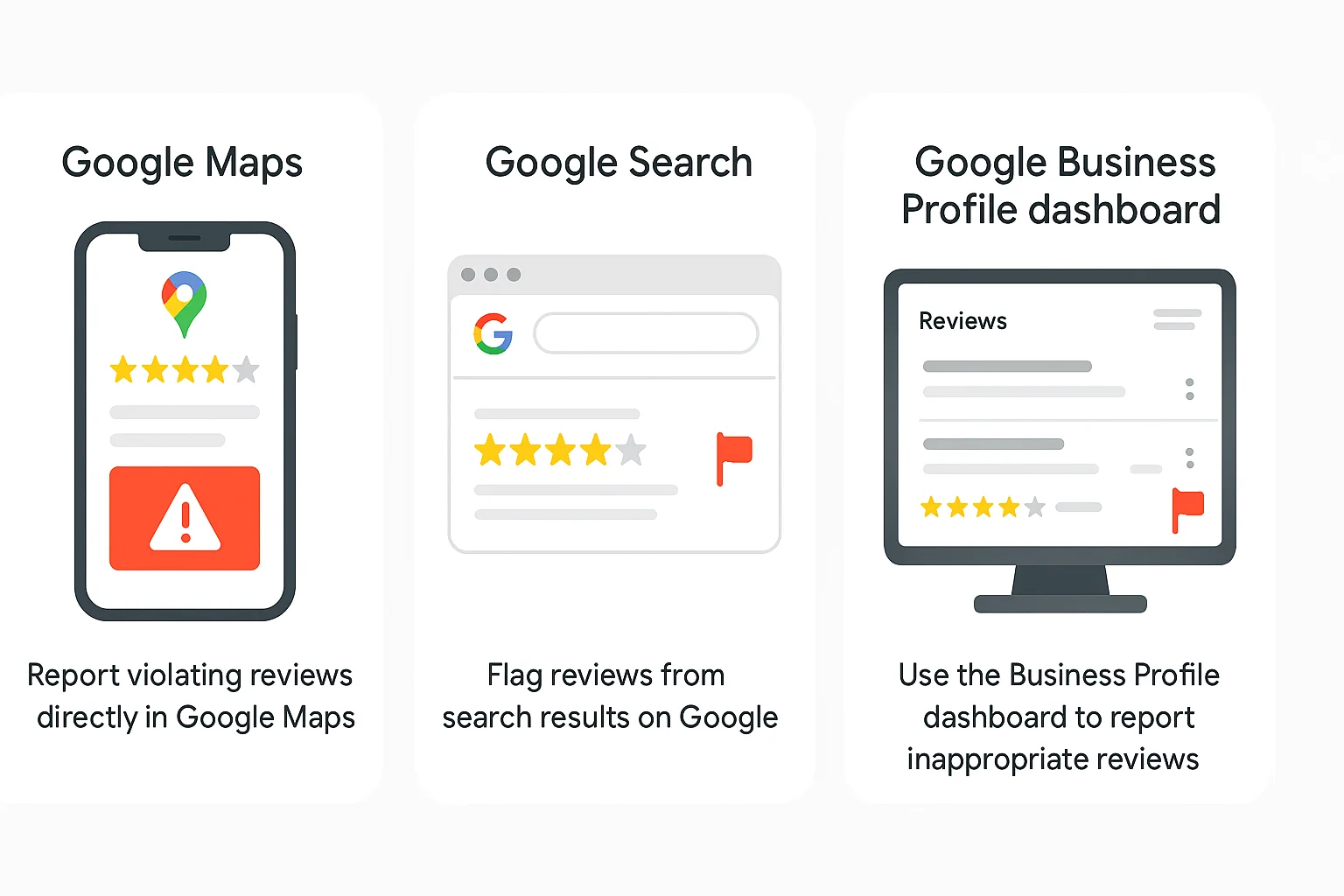
Google Business Profile Dashboard:
- Sign in to your Google Business Profile.
- Navigate to the Reviews section.
- Locate the review in question.
- Click the three dots next to the review and select “Flag as inappropriate”.
- Choose the reason for flagging, such as spam, profanity, or fake reviews.
Google Maps:
Open the Google Maps app, locate your business listing, and tap “Reviews.” Then, tap the reviewer’s name. Tap the three dots in the top right corner, select “Report,” and choose the appropriate reason for reporting.
Google Search:
Search for your business on Google, in the review section, and click on the three dots next to the review, then select “Flag as inappropriate” and provide the reason.
Grounds for flagging match the violation type
Only flagged reviews that breach Google’s review guidelines. Common violations include:
- Fake reviews: Content from users who haven’t interacted with your business.
- Incentivized reviews: Reviews offered in exchange for rewards or compensation.
- Duplicate reviews: Multiple reviews from the same user.
- Off-topic content: Reviews unrelated to your business services or products.
- Hate speech or discriminatory content: Reviews containing offensive language or sentiments.
- Sexually explicit content: Inappropriate or adult content.
- Threats or illegal activity: Mentions of violence, harassment, or unlawful conduct.
Flagging reviews based on personal dislike or disagreement is discouraged and unlikely to result in removal.
Appeal process if Google declines removal
If Google determines that a flagged review doesn’t violate its policies, you can submit an appeal:
- Go to the Reviews Management Tool.
- Sign in with the email associated with your Business Profile.
- Select your business.
- Click “Report a new review for removal.”
- Choose the review you wish to appeal.
- Click “Submit” and provide any supporting evidence, such as official business documents or communication records, within 60 minutes.
Google will review your appeal and notify you of its decision via email.
Best practices when Google doesn’t remove
If Google’s review policy decides not to remove a review, consider the following steps:
- Respond professionally: Address the review calmly and offer to resolve any issues offline.
- Encourage positive feedback: Politely ask satisfied customers to share their honest feedback.
- Monitor for patterns: If multiple negative reviews are from similar sources, investigate for potential coordinated attacks.
- Report inappropriate reviews: Continue to flag reviews that clearly violate Google’s policies.
For businesses with multiple locations, utilizing a review management tool like “WiserReview” can help streamline the process of monitoring and responding to reviews across various platforms.
All Google your reviews in one place
Collect Google reviews, manage every response, and display them where they matter most.
Start Free →Handling negative but legitimate reviews
Not every negative review will violate Google’s review policy, and they can come from multiple accounts.” Responding to these reviews effectively can enhance your business’s online reputation.
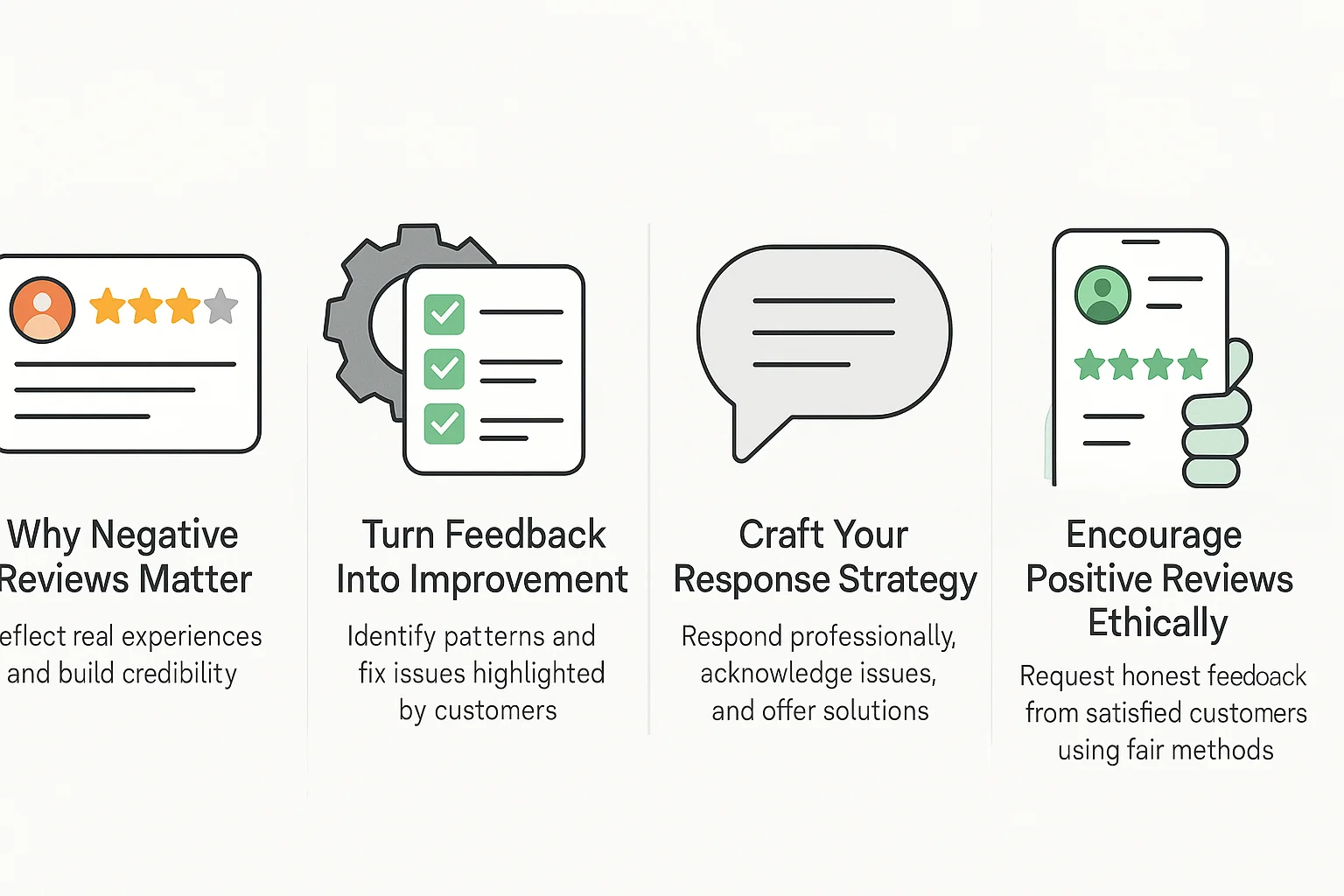
Why can’t you remove all negative reviews?
Google’s review guidelines permit negative reviews that are not off topic and reflect genuine customer experiences.
- Reflect genuine customer experiences.
- Provide constructive criticism for improvement.
- Contribute to a balanced overall rating.
A mix of both positive and negative reviews (for example, a 4.2-star rating) appears more credible than having only 5-star reviews, which can be perceived as suspicious by prospective customers.
Attempting to remove a legitimate negative review may suggest to Google that you’re attempting to manipulate the review process, which is contrary to Google’s review removal policy and can lead to punishment.
Turning negative feedback into improvement and credibility
Negative reviews offer valuable insights:
- Identify recurring issues: If multiple reviews mention slow service or long wait times, it’s a cue to address these areas.
- Take corrective action: Implement changes based on the feedback received.
- Communicate improvements: When responding to reviews, mention the steps you’ve taken to resolve issues.
Crafting your response strategy (tone, focus on resolution)
Your response to negative reviews is crucial:
Do:
- Acknowledge the issue: “Thank you for pointing out the issue with our wait times.”
- Explain corrective measures: “We’ve since hired additional staff to improve service speed.”
- Offer direct contact: “Please reach out to us directly at [contact info] so we can make this right.”
Don’t:
- Use generic apologies: “Sorry you had a bad experience.”
- Dismiss the feedback: “Our other customers disagree.”
- Being defensive: “That’s not true.”
Responding promptly and professionally can demonstrate your commitment to customer satisfaction and help mitigate the impact of negative feedback.
Encouraging balance: how to get more positive reviews ethically
To balance negative reviews:
- Ask satisfied customers: After a positive interaction, politely request them to share their experience.
- Utilize tools like WiserReview to Automate review requests to all customers without bias or incentives.
- Make it easy: Provide direct links or QR codes for leaving reviews.
- Time it right: Request reviews shortly after the service or purchase.
- Space requests naturally: Avoid sending multiple requests in a short period to prevent triggering spam filters.
- Respond to all feedback: Show that you value every opinion, not just positive ones.
Remember, a single new 5-star review can take 2-3 weeks to offset a 1-star review. Starting to ask now can help maintain a balanced rating.
Wrap up
Google’s review policy exists to protect customers and businesses from manipulation. When you follow it, you build genuine credibility that no amount of fake reviews can match.
Stay compliant, respond to feedback professionally, and use tools like WiserReview to automate collection without crossing policy lines. Your online reputation is your best competitive advantage.
Frequently asked questions
A single fake review won’t lead to suspension, but a pattern of fake reviews will. Suspensions occur when Google detects systematic posting of fake reviews.
Employees can review if it's genuine and transparent. They must disclose their status as employees. Fake reviews from employees pretending to be customers violate Google’s policies.
No, responding professionally and offering a resolution is encouraged. Violations occur when help is conditioned on the removal or editing of a review.
Automated reviews are flagged within 24 to 48 hours. Manual reviews can take 3-7 days, and complex cases may take 2-3 weeks.

Krunal