3 min
3 min 
Use review request messages to get more customer feedback. Clear messages lead to more replies.
Most customers are happy to leave a review, but they need a simple ask. If the message feels long or unclear, they ignore it. A short and direct message works better.
This guide shares 7 effective review request messages with real examples. Each message fits a common business moment, such as after a purchase, after a service, or after support helps a customer.
You can copy these messages and send them by email, SMS, or chat. Each example focuses on clarity, timing, and respect for the customer.
Why should brands use SMS to send review requests?
Email gets ignored. SMS gets opened.
If you’re still relying on email alone to ask for reviews, you could be missing out on a faster, more effective channel: text messaging.
Here’s why SMS works so well:
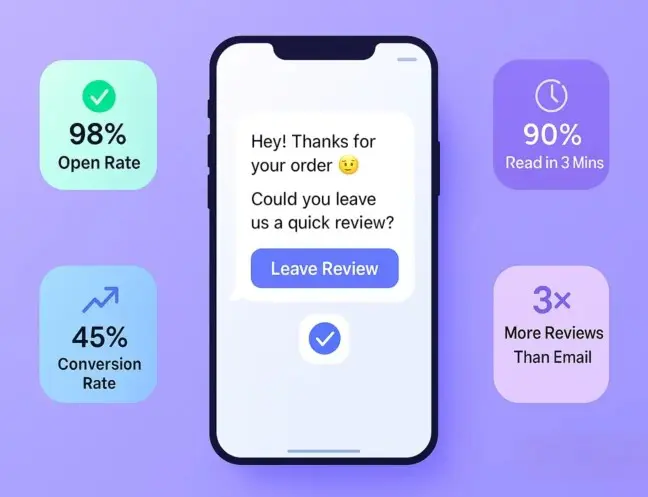
1. 98% Open rate
Text messages have a jaw-dropping open rate of 98%, compared to just 20% for email. Your review request is almost guaranteed to be seen.
2. 90% Read within 3 minutes
According to MobileSquared, 90% of texts are read within 3 minutes. That means customers are far more likely to engage with your message while the experience is still fresh in their minds.
3. Higher conversion rates
SMS campaigns have an average response rate of 45%, compared to just 6% for email. That’s a huge difference when you’re trying to collect valuable feedback.
4. Personal, Yet scalable
SMS feels direct and personal, like a one-to-one conversation. Yet with tools like automation and segmentation, you can send review requests at scale without sounding robotic.
5. Perfect for busy customers
Your customers are mobile. A short, well-timed message with a link makes it easy for them to leave a review in seconds, without needing to log in or navigate through emails.
7 Best review request message templates
Not sure what to say when asking for a review?
The key is to keep it short, friendly, and easy to respond to.
Below are 7 proven SMS review request templates ready to copy, paste, and personalize:
1. Post-purchase thank you
Send a review request right after a purchase while the experience is fresh. This timing works best because customers remember the product and the buying process.
When to use this message
- After order confirmation
- After delivery is completed
- After a successful checkout
SMS review request example
Hi [Customer Name],
Thank you for your purchase from [Brand Name].
If you have a moment, please share your experience with us. Your feedback helps others shop with confidence.
[Review Link]
2. Service follow-up
Send this message after you complete a service or resolve a request. The experience is still fresh, which increases the chance of a reply.
When to use this message
- After a service visit
- After a repair or installation
- After support resolves an issue
SMS review request example
Hi [Customer Name],
Thanks for choosing [Business Name] today.
If everything went well, we’d appreciate a quick review of your experience. It helps us improve and helps others choose us.
[Review Link]
3. Personalized product mention
Use this message when you want to reference the exact product the customer bought. Personal details make the request feel real and increase replies.
When to use this message
- After a specific product delivery
- For high-value or featured products
- When order details are available
SMS review request example
Hi [Customer Name],
Thanks for purchasing [Product Name] from [Brand Name].
If you have a moment, please share your experience with the product. Your review helps other customers decide.
[Review Link]
4. After delivery confirmation
Send this message once the order is delivered and confirmed. Customers are more likely to respond when they have received the product and checked it.
When to use this message
-
After delivery status shows “delivered”
-
After courier confirmation
-
After the customer receives the package
SMS review request example
Hi [Customer Name],
Your order from [Brand Name] has been delivered.
If everything arrived as expected, we’d appreciate a quick review. Your feedback helps other customers and helps us improve.
[Review Link]
5. Returning customer prompt
Use this message for repeat customers who already know your brand. Familiarity increases trust and response rates.
When to use this message
- After a repeat purchase
- After a subscription renewal
- After a second or third service visit
SMS review request example
Hi [Customer Name],
Thanks for choosing [Brand Name] again.
We’d love to hear your thoughts on your recent experience. Your review helps us keep improving.
[Review Link]
6. Loyalty reward hook
Use this message when you want to encourage reviews from loyal customers without pressure. The focus stays on appreciation, not rewards.
When to use this message
- For loyalty program members
- After multiple purchases
- After long-term customer engagement
SMS review request example
Hi [Customer Name],
Thanks for being a loyal customer of [Brand Name]. We really appreciate your support.
If you have a moment, please share your experience with us. Your feedback helps us serve you better.
[Review Link]
7. Short and direct
Use this message when you want quick action with no extra context. It works best for mobile users and busy customers.
When to use this message
- For SMS campaigns
- For repeat customers
- When timing is more important than detail
SMS review request example
Hi [Customer Name],
Please share your experience with [Brand Name] on Google.
👉 [Review Link]
Thank you.
Pro Tip: Experiment with different tones, such as friendly, formal, and playful, to determine which one resonates most effectively with your audience. Keep the message under 160 characters for SMS delivery.
SMS review request examples from real brands
Are you looking to boost your customer reviews with minimal effort?
Explore these SMS review request templates inspired by real-world brands. These examples show you how to craft simple, friendly, and effective messages.
Here are three examples of Google review requests from real brands.
1. Amora Coffee
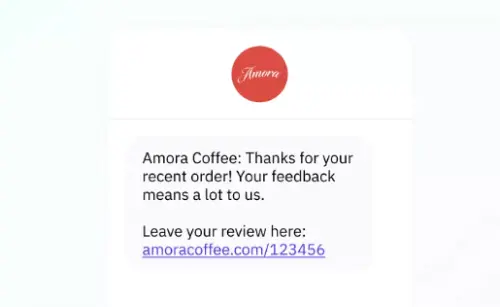
Amora Coffee asks customers to leave a review after their recent coffee order. The friendly review highlights how customers’ feedback on Google helps improve the service.
2. Findit Parts
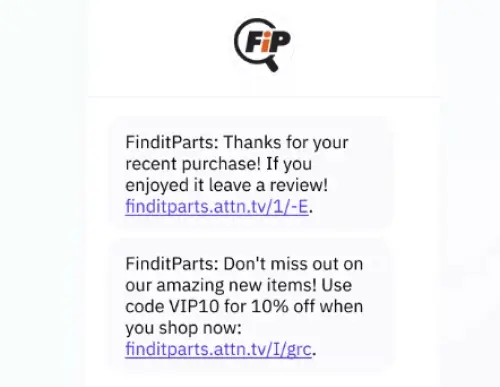
Findit Parts requests a Google review and offers an incentive. Offering discounts encourages customers to share feedback, adding extra value to their next order.
3. Scotch Porter
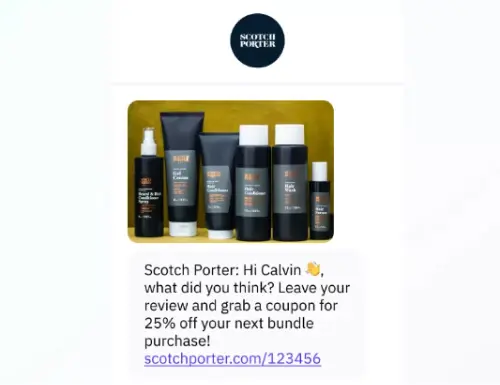
Scotch Porter personalizes the message using the customer’s name and asks for a Google review. It also offers a discount as a thank you, making the request more appealing and rewarding for the customer.
Best SMS review management tools
Managing SMS reviews can be a game-changer for your business. It can help you gather valuable feedback and improve customer satisfaction.
Here are three user-friendly tools to streamline your SMS review management process:
1. WiserReview
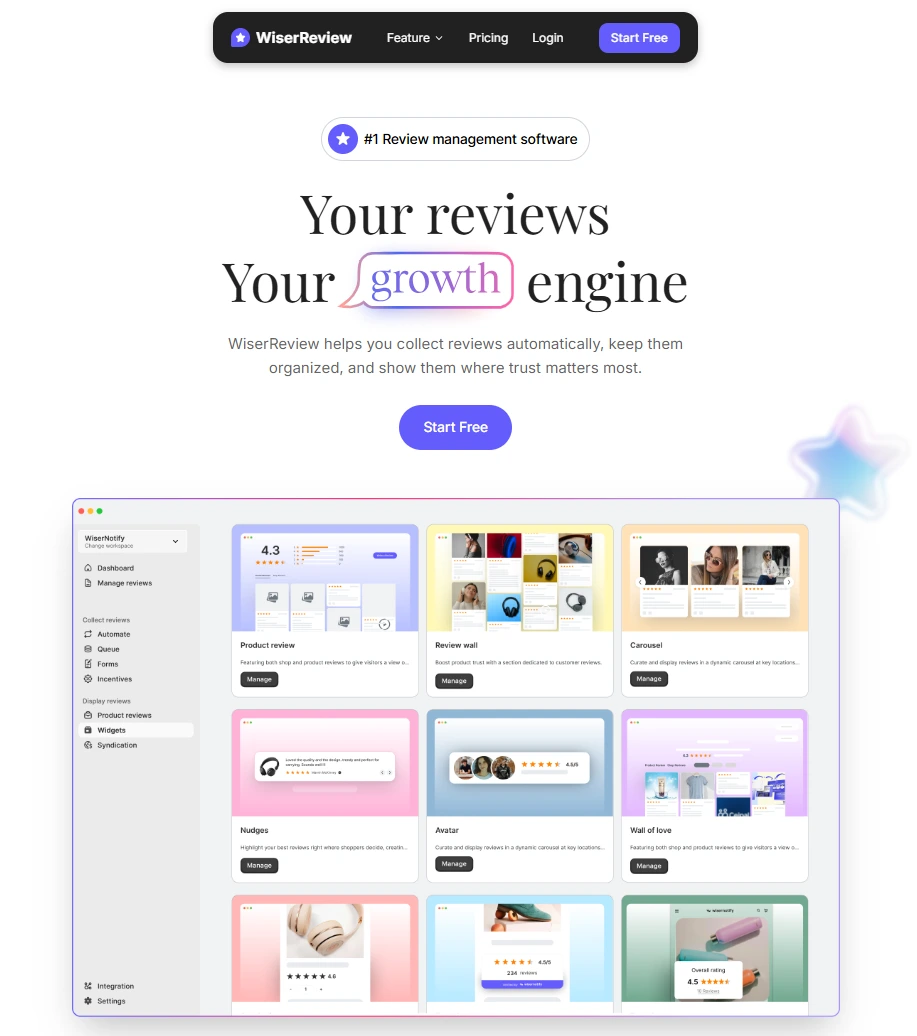
WiserReview helps brands send review requests and manage replies without manual work. It is built for teams that want more reviews with less effort.
It solves three problems. When to ask. How to ask. How to manage replies. Everything runs from one place, so nothing gets missed.
WiserReview helps brands by:
- Turn on automated review requests to remove manual follow-ups
- Trigger review requests after key actions like purchases or services
- Send review requests through email, SMS, or WhatsApp
- Choose ready-made or custom review request templates
- Set the delay for when review requests are sent
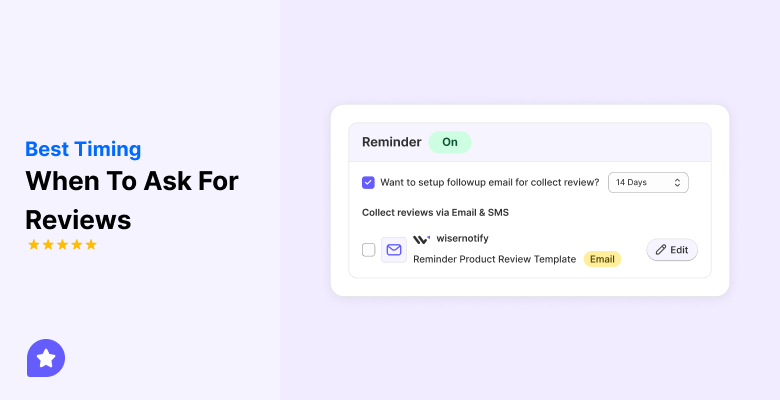
- Schedule reminder messages for customers who do not respond
- Select different templates for initial requests and reminders
- Manage all review requests from one dashboard
- Edit templates to match your brand tone
- Use advanced settings to control timing and delivery
- Display your best reviews on your website using clean, customizable widgets that match your brand.
2. Podium
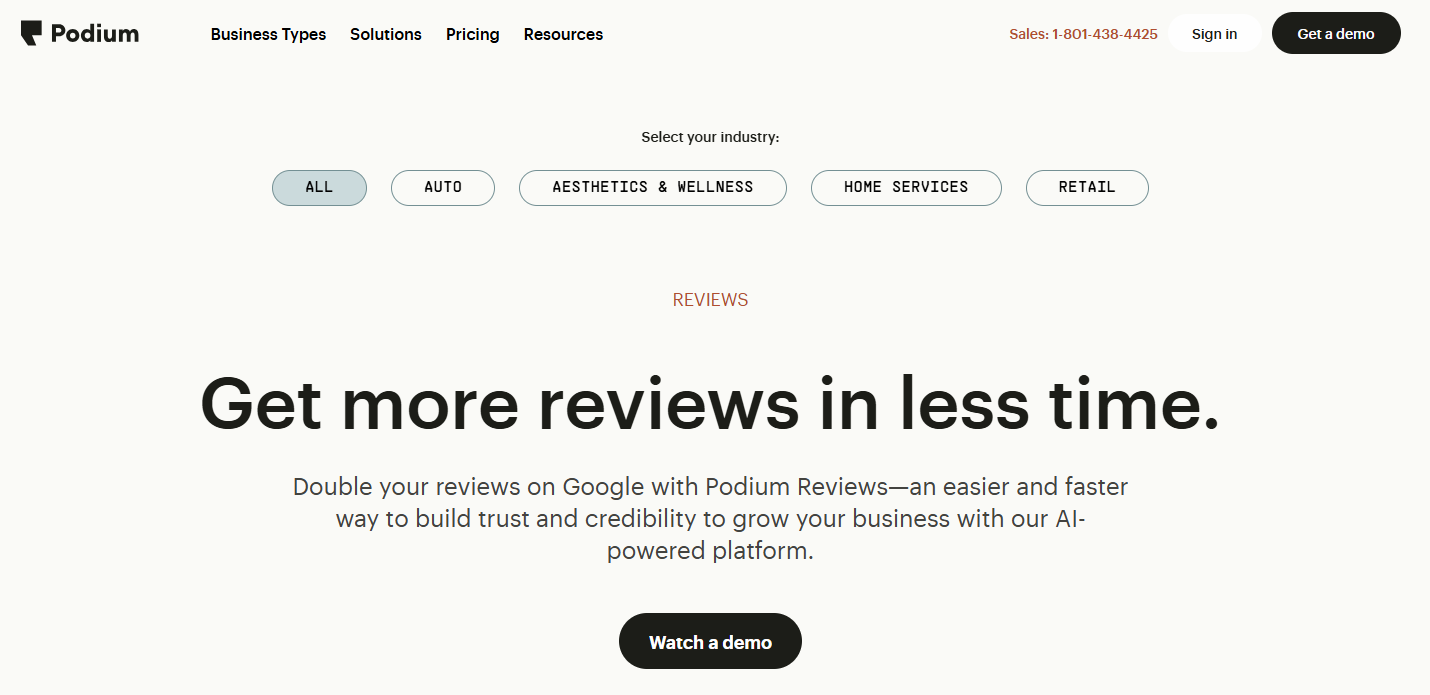
Ideal for small businesses, Podium streamlines the process of gathering customer feedback through SMS.
It turns quick reviews into valuable online feedback, making it easier to boost your reputation.
3. Yotpo
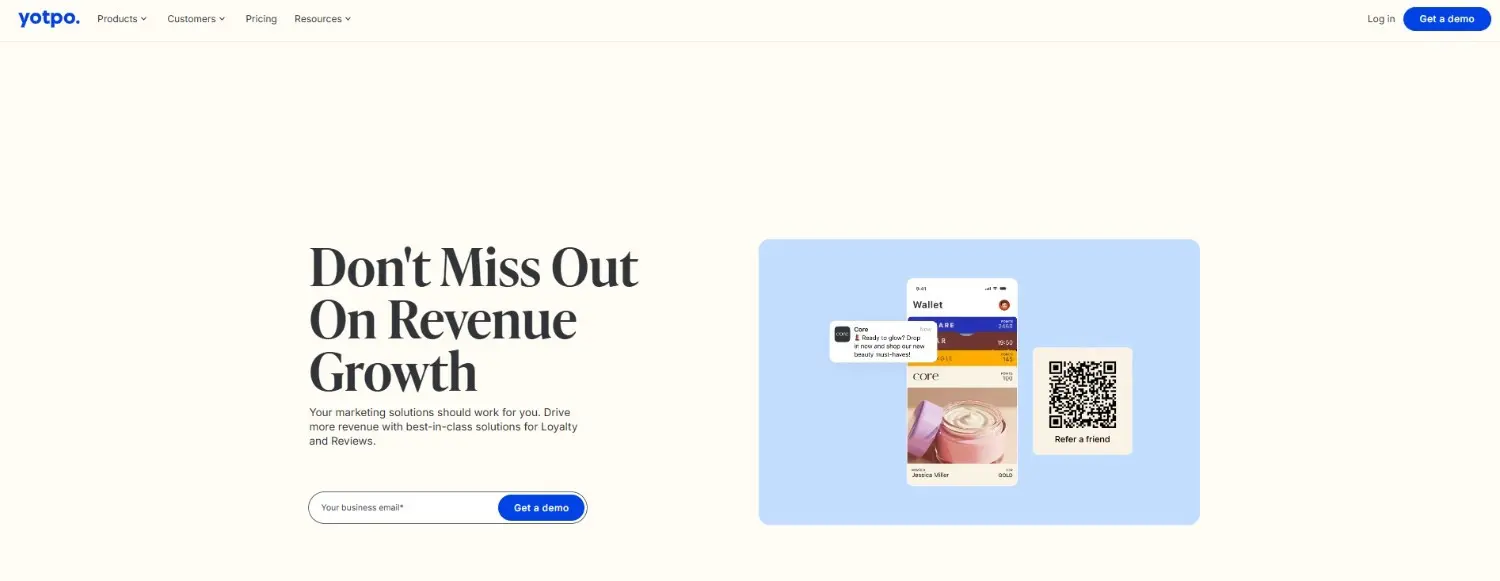
Yotpo helps you collect online reviews via SMS, streamlining the process of gathering customer feedback.
It’s great for quickly getting reviews that enhance your business’s online presence.
4. ReviewTrackers
ReviewTrackers supports SMS-based review requests, making it easier for businesses to manage and respond to customer feedback.
It helps you quickly gather reviews and monitor your online reputation.
How to send an SMS review request
Asking for a review via text message is simple, but it works best when you follow a straightforward process that’s respectful, well-timed, and easy to act on.
Here’s how to do it right:
➔ Choose the right timing
Timing decides whether the message works or fails. Send the SMS when the customer is most satisfied. This is usually right after delivery, service completion, or a successful support interaction.
If you wait too long, customers forget details or lose interest. Early requests feel natural and get higher responses.
➔ Keep it short and friendly
-
Keep the message under two short lines
-
Start with a quick thank-you
-
Avoid marketing or sales words
Short messages feel personal and respectful. Customers are more likely to read and act on them without delay.
➔ Include a direct review link
Customers should reach the review page in one tap. Any extra step reduces response rates.
A direct link removes friction and saves time. It also shows that you value the customer’s effort and convenience.
➔ Personalize when possible
-
Use the customer’s name
-
Reference their order or service
-
Match the tone to your brand
Personal messages feel real, not automated. Even small details increase trust and make customers more willing to leave feedback.
➔ Use an SMS platform or CRM
Manual sending works only at small scale. An SMS platform or CRM helps businesses send messages at the right time without extra work.
-
Automate review requests
-
Track link clicks and replies
-
Send reminders only when needed
This approach keeps review collection consistent and easy to manage as the business grows.
Common obstacles and solutions with SMS review requests
Even with great timing and copy, SMS review requests can sometimes hit a few bumps.
Here are the most common challenges and innovative ways to overcome them:
1. Low response rates
Customers open the SMS but don’t click the review link.
The Fix:
Make the request feel personal and non-generic. Include the customer’s name, the product/service, and a brief reason for contacting us. Also, try sending a polite reminder 24–48 hours later.
2. Broken or long links
Long or unformatted links may not work well on all devices.
The Fix:
Use shortened, trackable URLs (like Bitly) or branded links. Always test your message on mobile before sending at scale.
3. Wrong timing
Messages sent too late or at odd hours get ignored or, worse, annoy the recipient.
The Fix:
Schedule your SMS within 24–48 hours of purchase or service delivery, during business hours. Tools with time-zone intelligence can help.
4. Privacy or compliance concerns
You’re unsure about SMS laws or customer permissions.
The Fix:
Always get opt-in consent before sending marketing texts. Follow local regulations (like TCPA in the U.S. or GDPR in the EU). Utilize SMS platforms that incorporate compliance features by default.
5. Too many messages
Customers often become overwhelmed or unsubscribe after receiving repeated review requests.
The Fix:
Limit requests to one or two well-timed messages per order. Let customers opt out easily and avoid being blasted with the same list multiple times.
A thoughtful strategy beats volume.
Keep it personal, timely, and respectful and you’ll get more genuine reviews with less friction.
Conclusion
Review requests work when the message is simple and the timing is right. Clear requests get more replies.
SMS helps brands reach customers fast. Text messages get seen and read while the experience is still fresh. This leads to higher response rates than delayed or unclear asks.
The seven review request messages in this guide are built for real situations. You can use them after a purchase, after a service, or after a repeat visit. Each message removes friction and respects the customer’s time.
To make this process easy at scale, WiserReview helps automate requests and manage replies from one place.
Frequently asked questions
The best time is right after a purchase, delivery, or completed service. Customers respond more when the experience is still fresh.
SMS works better for faster responses because text messages get opened quickly. Email can still work, but SMS usually gets higher engagement.
Keep it short. One or two clear sentences work best. Long messages reduce response rates.
Yes. Businesses can use review management tools to automate review requests and reminders without manual follow-up.
No. Always ask for honest feedback. Asking only for positive reviews can hurt trust and may break platform rules.
WiserReview helps businesses send review requests automatically by SMS, email, or WhatsApp. It also tracks responses, sends reminders, and lets teams manage all reviews from one dashboard.

Krunal