4 min
4 min 
Google Maps and Google Business Profile (GBP) reviews are not two separate systems; they’re two faces of the same coin.
Both pull from a single review database, but how you interact with and manage those reviews depends on which platform you’re using.
The difference matters because it affects your visibility, control, and customer trust.
Let’s break it down clearly.
Quick comparison table
| Aspect | Google Business Profile | Google Maps |
|---|---|---|
| Platform Type | Business management tool | Mapping & navigation service |
| Primary Purpose | Manage your business presence across Google | Help users find and review places |
| Control & Ownership | Full administrative control | Display-only interface |
| Management Tools | Dashboard with posts, reviews, and insights | No management dashboard |
| Analytics | Detailed metrics on searches, actions, and views | No analytics |
| Customer Engagement | Direct: respond, post, message | Indirect: leave or read reviews |
| Listing Updates | Real-time through GBP | Synced automatically from GBP |
Background & definitions
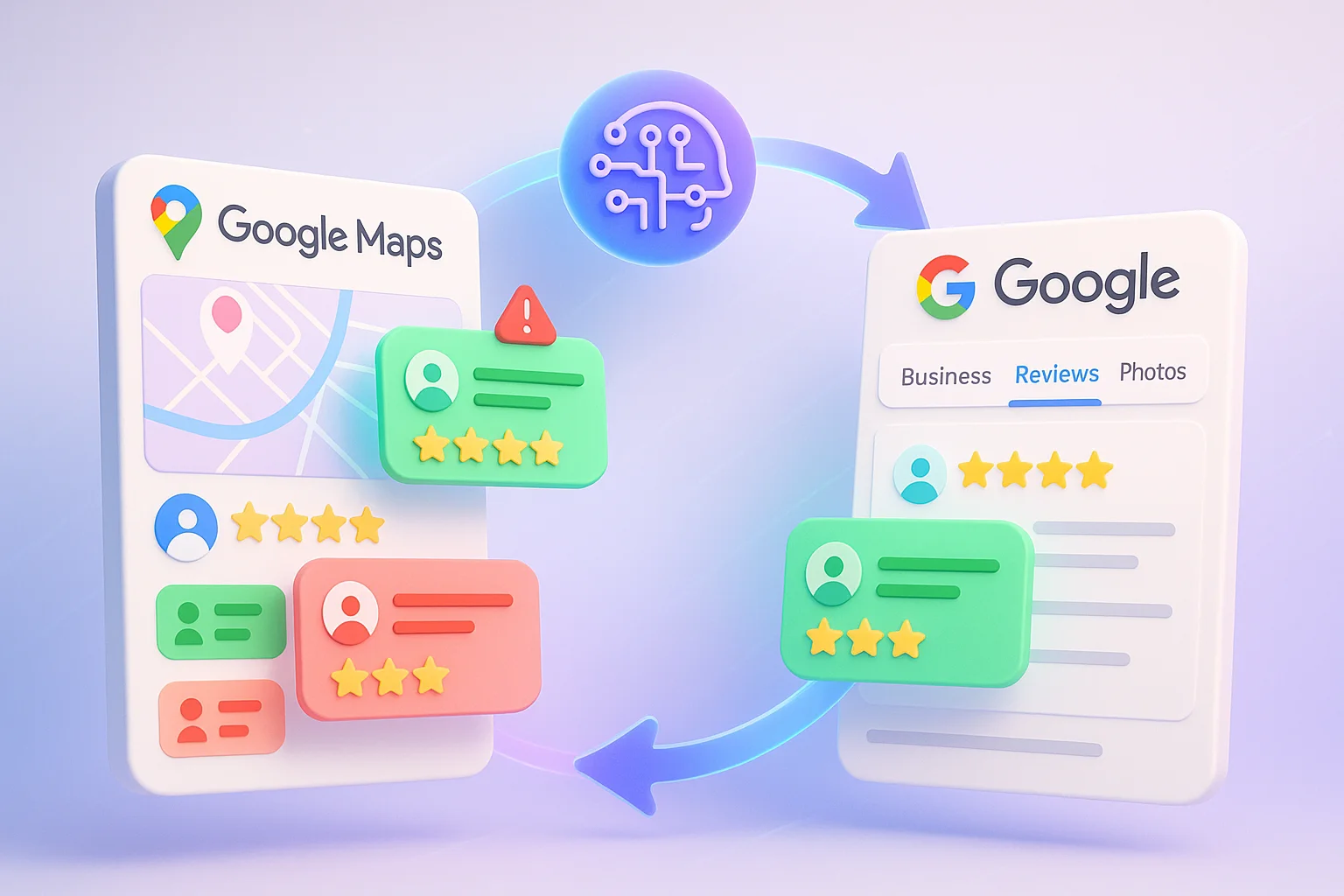
Google builds its review ecosystem on two core platforms.
Knowing what each does clarifies how your business appears in search results.
What is Google Business Profile (GBP)
Google Business Profile is your command center for local visibility.
It’s where you add your business info, update hours, post offers, and reply to reviews.
Think of it as your digital storefront across Search and Maps.
A complete GBP profile boosts your odds of appearing in Google’s “3-Pack” local results and even in AI-generated search overviews introduced in 2025.
What are Google Maps Reviews
Google Maps reviews are customer feedback that is visible on both the Google Maps app and Google Search.
Users often think they’re separate, but every review written through Maps feeds directly into your GBP.
Whether a customer leaves a review from a phone on Maps or through a Search link, it ends up in the same place, your GBP.

All your reviews in one place
Collect reviews, manage every response, and display them where they matter most.
Start Free →Key similarities & overlaps
Both platforms share one review system and identical data.
Your responses, ratings, and visibility work together across Search and Maps.
Shared review system
All Google reviews originate from a single unified system. Write a review on Maps, and it will appear instantly on your Google Business Profile.
Edit or reply in GBP, and it shows up on Maps.
Every review passes through Google’s machine learning filters to block spam and policy violations.
The 2025 Gemini update even re-checks older reviews and flags suspicious activity.
Visibility & reach
Reviews appear everywhere your business is listed: Google Maps, the 3-Pack, Knowledge Panels, and even AI Overviews.
Reviews account for roughly 17% of local ranking factors, making them one of the most significant visibility levers in local SEO.
Business responses & management
All responses must be submitted through GBP, but they are also displayed on Maps.
You can assign team roles (E.g., Owner, Manager), and every response helps build trust.
Statistics show that 97% of users read business replies, and responding within 24–48 hours can improve your search ranking and conversions.
Key differences & nuances
Each platform serves a unique role.
Google Business Profile provides control, while Google Maps focuses on discovery.
➔ Control & ownership
GBP gives you complete control: you manage info, respond to reviews, add photos, and control who else has access.
Maps gives you none; it’s purely a discovery tool showing data from your GBP.
➔ Additional review sources & snippets
Google may display third-party review snippets or “Place Topics” based on review trends.
Business owners can’t create these manually, but they can optimize by encouraging detailed reviews with keywords like “fast delivery” or “friendly service.”
➔ Metrics, insights, and analytics
GBP offers analytics gold: search queries, customer actions, call clicks, direction requests, photo views, and even competitor comparisons.
Maps gives zero insights; it’s consumer-facing only. Businesses monitoring GBP data typically see 5x more customer calls than those who don’t.
➔ Filtering, delay, & visibility Issues
In 2025, Google’s Gemini AI made review moderation stricter. Delays now range from a few hours to several days.
Reviews can also go missing if:
- They come from new or unverified accounts
- They include links or currency symbols
- Too many are posted in a short time
A steady, organic review flow is safer than sudden, suspicious bursts.
Strategic implications for business owners
Business owners must manage reviews with intent.
Intelligent prioritization and timely responses turn visibility into trust.
What to prioritize
Start with GBP, it’s your control hub.
Keep your Name, Address, Phone Number (NAP) consistent, choose the right categories, upload new photos, and post updates every few weeks.
Maintain a “drip” system for reviews instead of mass requests. Aim for a steady stream and an average rating between 4.2 and 4.5 stars for best credibility.
Responding to reviews & building trust
Reply to every review within 48 hours.
- Positive review? Thank them by name and reference specifics.
- Negative review? Stay calm, apologize, and offer to help offline.
Automation tools like WiserReview can help with templates and provide personalized responses.
Monitoring review health & alerts
Use WiserReview to track review trends, sentiment shifts, and missing reviews.
Key metrics to watch:
- Review velocity (steady flow = trust)
- Rating distribution (avoid all 5-stars)
- Response time (fast = professional)
All your reviews in one place
Collect reviews, manage every response, and display them where they matter most.
Start Free →Use cases & scenarios
Different businesses use Google reviews in unique ways. Seeing examples helps you apply the right strategy to your setup.
- Retail Chains: Use GBP’s multi-location dashboard for consistent info while local managers handle reviews.
- Service Businesses: Use service-area listings to show your coverage even without a storefront.
- Healthcare Providers: Place QR codes at checkout or reception for instant feedback.
- Restaurants: Post specials on GBP, reply fast, and watch Maps traffic rise.
- E-commerce + Local Stores: Embed Google reviews on your website for conversion lift and trust signals.
Wrap up
Google Maps and Google Business Profile reviews are one system with two faces.
- GBP is the control center. It’s where you manage, respond, and track analytics.
- Maps are the display window. It’s where people find you and form first impressions.
Winning in 2025 means mastering both: keeping your GBP fresh, replying quickly, and reviewing the flow naturally.
With 81% of consumers relying on Google reviews and 76% visiting a business within 24 hours of searching, your review management isn’t optional anymore; it’s your local SEO engine.
Frequently asked questions
No. Google Maps reviews appear on location searches, while Google Business Profile reviews are tied directly to your business listing and dashboard.
Google Business Profile reviews show up in local search results and the knowledge panel, helping customers see your business reputation faster.
Yes. When you verify your Google Business Profile, you can view and reply to all reviews, including those left through Google Maps.
Yes. Frequent, high-quality reviews on Google Maps improve local SEO visibility and increase your chance of showing up in the “Local Pack.”
You can use tools like WiserReview to send automatic review requests and manage all customer feedback from one dashboard.

Krunal