3 min
3 min 
Google reviews have become one of the biggest trust signals for customers today. When people look up your business on Google or Maps, they often decide whether to visit based on what others say.
Businesses with 10 or more reviews see a 15-20% boost in search traffic.
92% of consumers expect a 4+ star rating before engaging with the businesses.
These reviews affect how potential customers view your business and even how visible you are.
In this article, we’ll explore everything you need to know about Google Reviews, from how they work, how they impact your Local SEO, to how you can get more genuine reviews without breaking rules.
Fundamentals of Google Business Profile Reviews
Business Profile reviews are feedback shared by real consumers on your business profile. They tell others what kind of experience someone had, good or bad. Each review is linked to a Google account, which makes it more trustworthy and transparent.
A strong collection of reviews helps your business appear more credible and improves visibility on Google Search and Maps.
How Google Reviews work
Before diving into strategies, it’s important to know what happens behind the scenes. Google allows verified consumers to share experiences through text, photos, or videos. These reviews appear publicly on your profile and influence how people see your brand.
- Anyone with a Google account can write a review.
- Reviews are public and tied to real profiles.
- They appear on both Google Search and Maps.
- Google values detailed, authentic reviews more than short, generic ones.
- Replying to reviews helps boost engagement and visibility.
Influence on local SEO & business performance
Your online reviews don’t just make your business look good; they directly affect your visibility on Google. Businesses with frequent and helpful reviews are more likely to appear in “Local Pack” (the top 3 results on Google Maps).
Here’s how reviews help your business:
- More reviews = higher belief from potential customers.
- Consistent, helpful reviews improve your search visibility.
- Keywords in reviews (like “great product” or “excellent food”) strengthen local SEO.
- Fresh reviews show Google that your business is active and relevant.
- Replying regularly tells Google your business engages with real consumers.
What is a “review” vs. rating
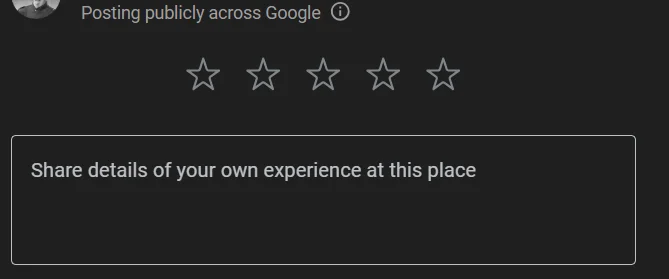
Many business owners confuse reviews and ratings; they are not the same.
Simple difference:
- Rating: The star score (1-5) that reflects how much someone liked your product.
- Review: The written text explaining why they gave the rating.
- Reviews with both stars and text hold more weight in Google’s ranking system.
- Aim for authentic stories, not just star counts; they build stronger belief.
Setting up for review success
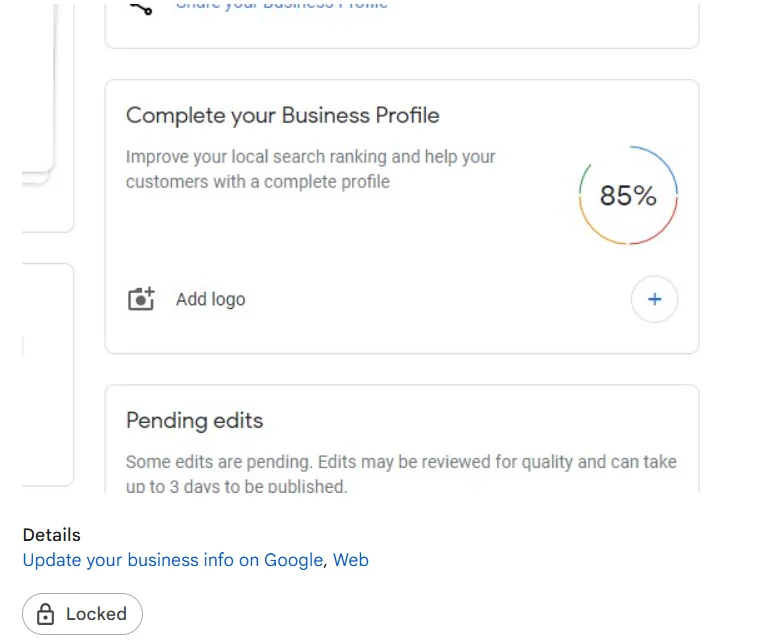
Before you start asking consumers for reviews, it’s important to set up your Business Profile the right way. Think of it as preparing your shop before opening the doors.
A complete and inviting profile helps people believe in your business and encourages them to write a review.
Prepare your Google Business Profile
A complete and correct business profile helps people believe you faster.
- Add your correct business name, address, phone number, and hours.
- Upload a high-quality photo of your product and services.
- Find in all categories and service details.
- Verify your profile through Google (mail, call, or email).
- Keep information updated regularly.
Enable/locate your review link & QR code
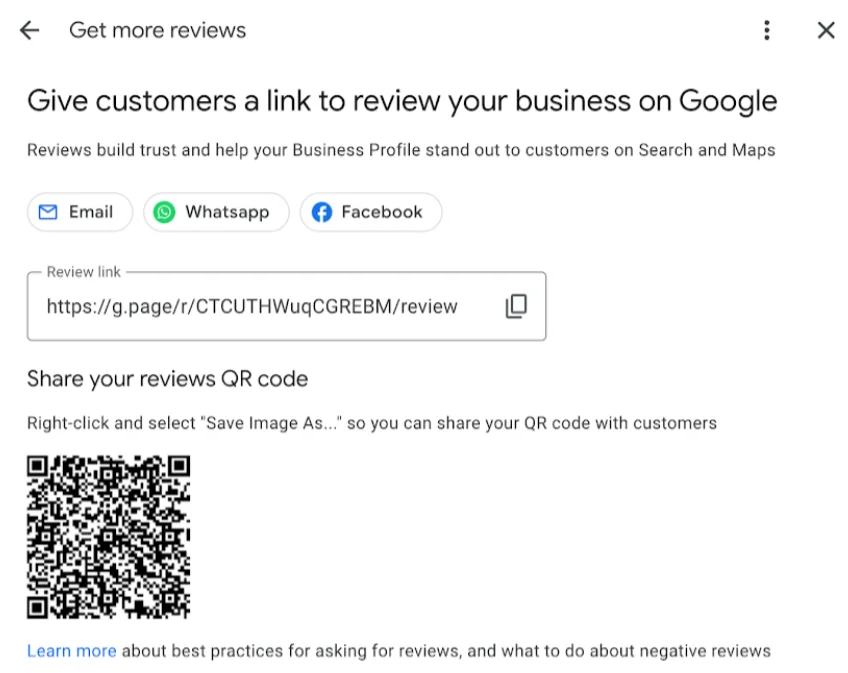
Your Google review link is the easiest way to get more feedback. You can find it in your Google Business dashboard.
Steps:
- Log in to your Business Profile.
- Go to the “Reviews” tab.
- Click on “Get more reviews.”
- Copy your review link or download the QR code.
Use it Smartly:
- Share through WhatsApp, email, or text message.
- Add the QR code on bills, receipts, or posters.
- Ask customers to scan it and leave quick feedback.
How to get more reviews (White-hat strategies)
Getting reviews isn’t about luck; it’s about creating experiences people want to talk about. When consumers experience value, they naturally share their thoughts online.
The goal here isn’t to chase reviews but to earn them honestly through good service, gentle reminders, and smart follow-ups.
Let’s look at some real, ethical ways to bring in more Google reviews the right way:
Asking customers at the right time
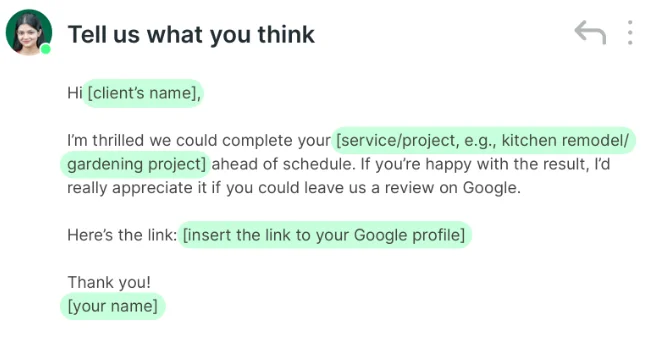
Timing is everything when you want consumers to leave reviews. The best time to request a review is immediately after the customer has had a peek, a helpful moment for your service.
Good moments to ask:
- After a positive purchase experience.
- When a customer thanks your staff.
- After a repeat order or second visit.
How to ask politely:
“We’re so glad you enjoyed our service. Would you mind leaving a short Google review to help us grow?”
Making the process simple
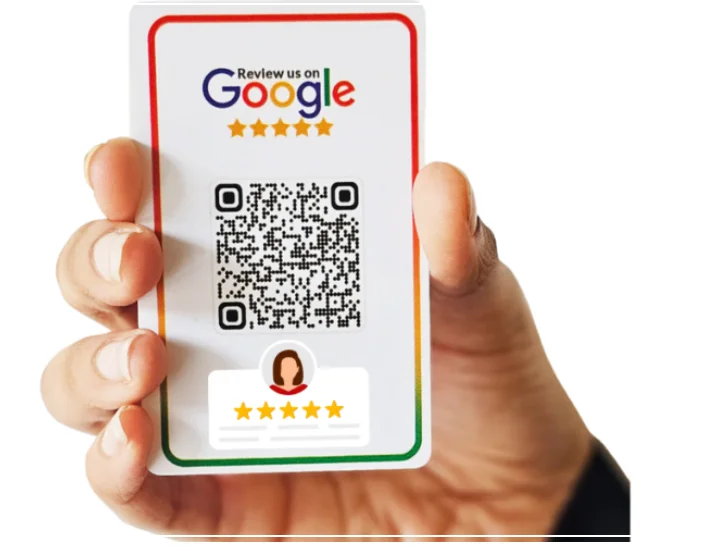
The fewer steps a customer has to take, the more likely they are to leave a review. The whole process should be as simple as a single link.
Tips:
- Use direct links or QR codes.
- Avoid long forms or log-in requests.
- Show them how quick it is, just rate and write a few words.
The easier it feels, the more reviews you’ll get.
Ethical encouragement (without violating Google policy)
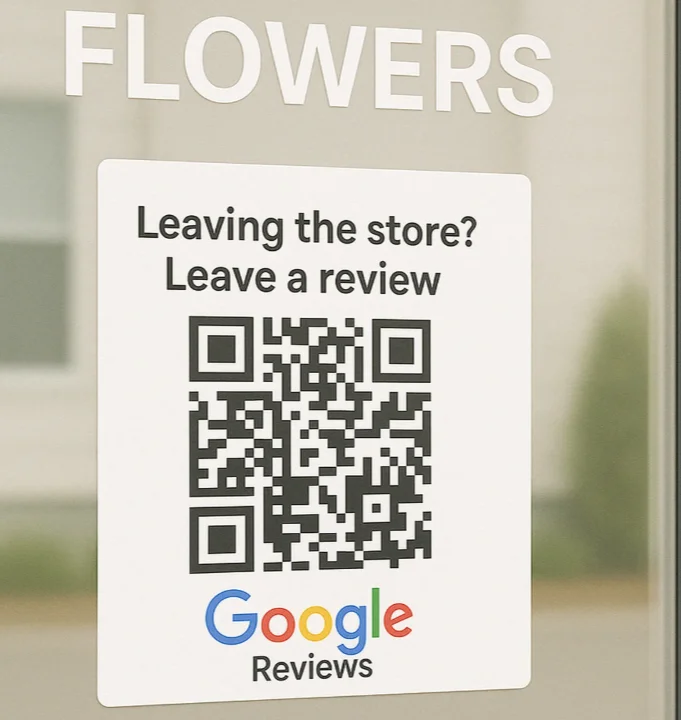
Ethical encouragement means reminding customers about the importance of reviews without breaking rules, which strictly forbid any exchange for a review, good or bad.
- Train staff to remind happy customers.
- Display signs like “Loved our product? Leave us a review.”
- Thank reviewers publicly, appreciation spreads positivity.
Never offer money, discounts, or gifts in exchange for reviews.
Alternate channels & amplifiers
Sometimes, you need to use other platforms to encourage consumers to check your Business Profile and leave reviews. You can use your website’s footer or contact page to include a small button that says, “Review us on Google.”
- WhatsApp group or SMS.
- Email Newsletters.
- Social media platforms like Facebook or Instagram.
- Local community forms.
When people see other people leaving feedback, they feel encouraged to do the same.
WiserReview – Best Google Review management software
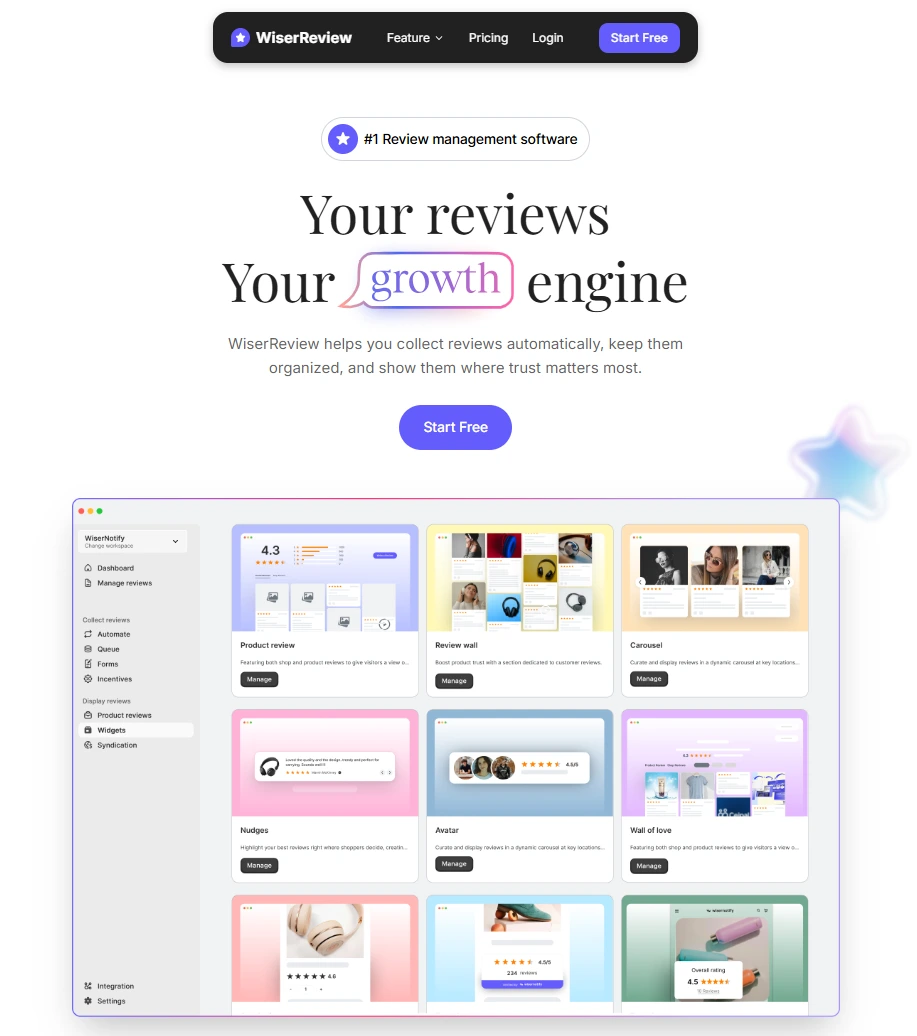
For small businesses, multi-location chains, and agencies managing multiple profiles, tools like WiserReview help automate and monitor the review process.
- Automated Replies: Save time by setting smart reply templates for common feedback while still keeping a personal touch.
- Review Requests Made Simple: Send customers a quick link via SMS, email, or WhatsApp to ask for reviews after they’ve made a purchase or used your service.
- Sentiment Analysis: Understand what people really experience about your business with AI-powered insights that spot common praise or complaints.
- Real-Time Alerts: Get notified instantly when a new review comes in, so you can reply before it impacts your reputation.
- Performance Reports: Track review growth, response rates, and ratings over time, perfect for spotting trends and improving service.
Responding to Google Reviews
The second most important thing after getting more reviews is knowing how to reply to them, both the good and the bad.
Your response shows customers that a real person is behind the business profile and that you care about their experience.
Why you should reply to every review
When you reply to reviews, positive or negative, you show that you value customer feedback. Google notes that businesses that reply to reviews tend to perform better in search.
Potential customers reading your replies gain confidence: they see your business listens and cares. Make it a habit: reply to every review to improve online reputation and customer belief.
Best practices when replying
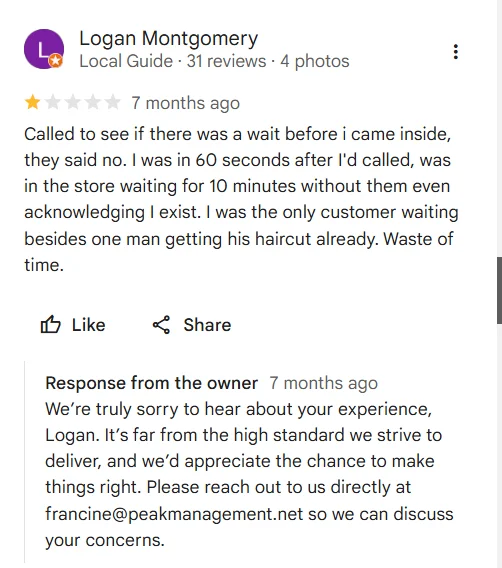
When you reply to Google reviews, follow these simple best practices to maximize their impact:
- For helpful reviews, thank the customer by name if possible, reference their specific comment, and invite them back.
- For negative reviews, don’t argue. Apologize for the experience, show empathy, and offer a way to resolve the issue offline (phone or email).
- Use keywords like your “business name” and “service” only naturally; don’t stuff them.
- Use the reply as part of your customer service: it can convert a bad review into a loyal customer.
Templates & examples
1. For a Helpful Review: “Hi Alex, thank you for your kind words! We’re glad you enjoyed your experience. Hope to serve you again soon.”
2. For a Negative Review: “Hi John, thanks for your honest feedback. We’re sorry about the delay you experienced. Please contact us at support@[business].com so we can solve this and ensure a better experience next time.”
Escalating serious complaints
Even when you do everything right, sometimes a review points to a serious problem, something that can’t be solved with a quick apology or a polite reply.
Here’s a simple way to approach serious or sensitive feedback:
- Acknowledge immediately: Don’t delay your response. Let the customer know you’ve seen their review and are looking into the issue.
- Take it offline: Ask for a way to contact them directly (phone or email). You don’t want sensitive details discussed publicly in a Google review thread.
- Investigate the issue: Find out what went wrong. If the feedback points to a real service or product problem, fix it internally and communicate that back to the customer.
- Reply professionally: Once you’ve resolved it, leave a short public follow-up reply. Something like: “We’ve reviewed your concern and reached out privately to make things right. Thank you for helping us improve our service.”
- Learn from it: Escalated reviews often highlight deeper issues. Use them to strengthen training, processes, or communication inside your business.
Google Business Reviews API
For developers or advanced users, Google offers the Business Profile API (previously known as the Google My Business API), which allows listing, replying to, and deleting review data programmatically. It is useful if you manage many business locations or integrate review data into your own dashboards.
It’s a more technical solution and requires developer access, but it gives more control for large-scale operations.
Multi-location review management
If your business has more than one location, such as a chain of restaurants, gyms, or stores, managing Google reviews can be challenging. Each location has its own Google Business Account, reviews, and local audience.
Here’s how to manage reviews effectively across multiple locations:
- Centralize review monitoring: Use a single dashboard (like WiserReview or Birdeye) to view and respond to all your Business Profile reviews in one place.
- Assign local responsibility: While you can monitor everything centrally, let each branch handle its own replies. Local managers understand their consumers better and can respond with personal context.
- Keep brand tone consistent: Create a simple response guide or set of templates for your team. It helps every location reply professionally while keeping the brand voice unified.
- Encourage reviews at all branches: Use each location’s unique link or QR code so customers can post their feedback.
- Spot patterns early: When multiple locations start receiving similar negative feedback (for example, “slow service” or “parking issues”), it’s a signal to fix a company-wide problem, not just a local one.
Recovering lost Google Reviews
Sometimes reviews disappear, don’t panic. It’s usually because:
- Google detected spam or duplicate content.
- The reviewer deleted their account.
- The review broke Google’s policies.
If you believe a review was real:
- Contact Google Support through your dashboard.
- Share proof like screenshots or dates. Google can recheck and sometimes restore it.
How to delete Google Reviews
Business owners can’t delete reviews directly. But they can flag bad ones.
Steps to report a review:
- Open your Google Business Account.
- Find the review.
- Click the three dots.
- Choose “Report Review.”
- Explain why it breaks Google’s rules.
If Google agrees, they’ll remove it after checking.
How to edit Google Reviews
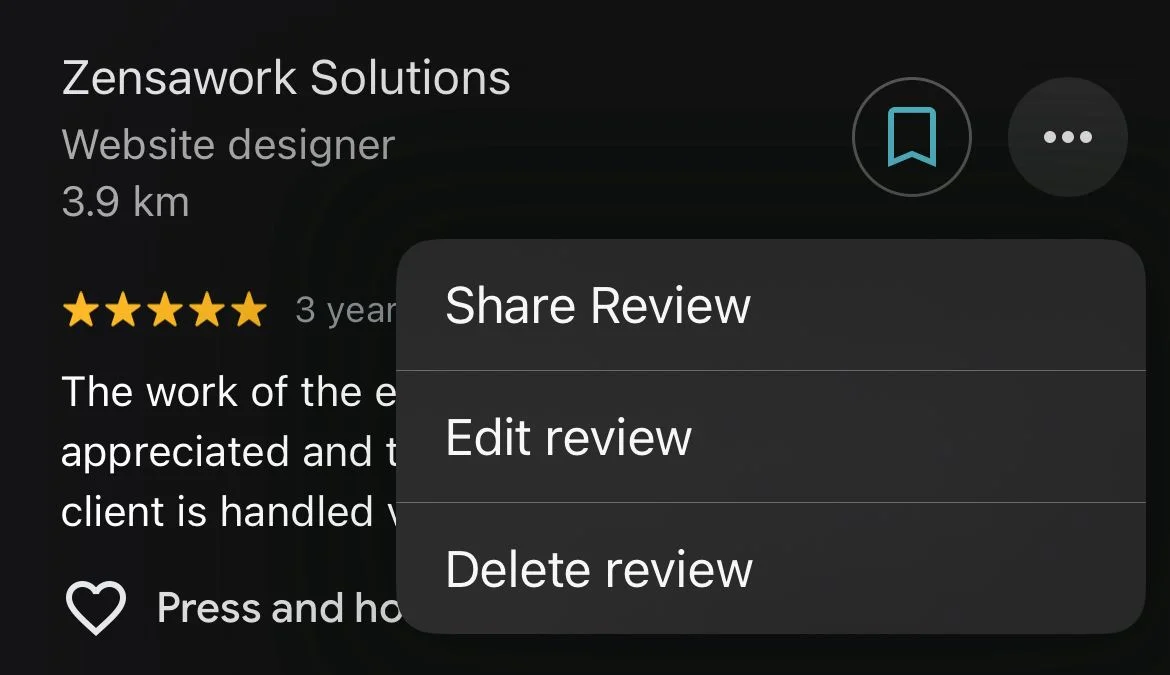
If you posted a review and want to edit it.
Follow these steps:
- Log in to your account.
- Go to “Your Contributions.”
- Find your review.
- “Edit” or “Delete.”While there’s no exact formula, generally 5 to 10 helpful reviews can help offset a 1-star review’s impact on your overall rating.
- Save your changes.
It helps customers update their experience, especially if a business has improved after feedback.
Handling fake or inauthentic Google Reviews
Fake reviews can damage trust, but you can deal with them easily.
What to do:
- Don’t reply angrily.
- Report the review through your dashboard.
- Take a screenshot and record details.
- Wait for Google to verify it and remove it.
Staying calm and following the right steps keeps your account clean and professional.
Google Review analysis & insights
By analyzing the words used often in your reviews, you can learn what your customers love and hate about your product. E.g., if many reviews mention that your team is “friendly,” you know that it is a helpful strength to promote.
If many negative feedbacks mention “long wait times,” you know that is a critical issue your business needs to change to provide better service.
- Find Strengths: Look for common words in genuine reviews (e.g., “friendly,” “fast”) to know what your business does best.
- Identify Issues: Note recurring problems mentioned in negative feedback (e.g., “slow,” “poor communication”) that need fixing.
- Action Plan: Use the insights to make real changes in your service and operations.
Wrap up
Your Business Profile reviews are more than digital comments; they’re the voice of your community. Every single review, whether glowing or critical, influences how customers see your business.
Focus on honesty, fast responses, and consistent care. Encourage real feedback, learn from negative feedback, and celebrate the genuine ones.
With time, your profile becomes not just a listing but a living proof of your business’s belief and value.
Frequently asked questions
Encourage satisfied consumers to write reviews by sending them a follow-up email with a direct link to your business profile, and consider asking them in person after the experience.
A Google Profile increases your visibility in local searches, helps visitors get essential information, and improves your credibility through reviews.
To write a review, search for a business on Google, select the business, and select "Write a review" to submit your thoughts.
While there's no exact formula, generally 5 to 10 helpful reviews can help offset a 1-star review's impact on your overall rating.

Krunal