3 min
3 min 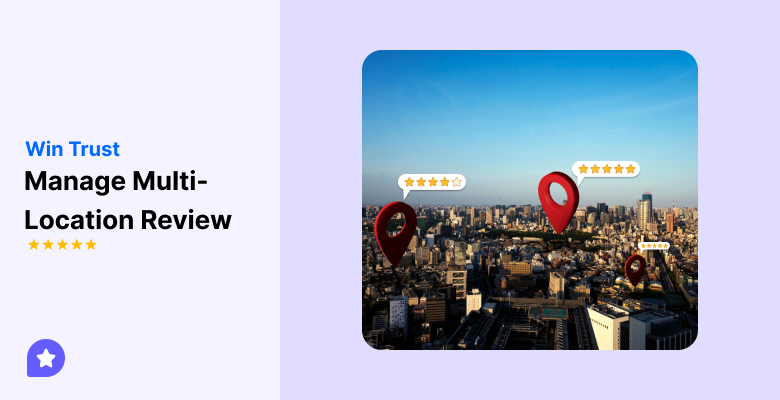
Managing reviews across many locations keeps your brand trusted everywhere. Each store gets its own feedback, and one weak branch can hurt the whole image.
A multi-location review system helps you see and reply to reviews from every branch in one place. It keeps your tone consistent and builds trust with customers in every city.
When all locations collect and manage reviews well, your visibility on Google Maps and local search improves, and your brand looks reliable in every market.
In this guide, you’ll learn what multi-location review management is, how it works, and how it helps your business build trust and visibility across every city you serve.
Let’s get started!
What is multi-location review management?
Multi-location review management means handling reviews for all your stores or branches in one place.
It helps you collect, track, and reply to feedback from every city without switching between accounts.
It keeps your brand voice consistent and lets you spot issues faster. Businesses with multiple locations use it to save time, manage teams better, and maintain the same reputation everywhere.
In short, it’s a simple way to manage every customer review from one dashboard and build trust across all locations.

Manage reviews that build trust
Easily collect and display customer feedback across all locations, track patterns, and boost your brand’s reputation with WiserReview.
Start Free →6 Core principles of winning trust in every city
These six principles help every branch build and keep customer confidence:
1. Centralization with local flexibility
Use one dashboard to manage all reviews across branches. It gives a complete view of your brand’s reputation and helps track patterns easily.
At the same time, let local teams handle replies to keep communication personal and relevant.
Why it works:
- Central control ensures consistent monitoring.
- Local input adds cultural and regional understanding.
- Balanced ownership keeps both brand and branch connected.
2. Consistent brand voice & Review response policies
Customers should feel they are talking to one brand, not separate stores. Set clear tone and message rules for every team.
Use polite, short, and honest language in every reply.
Consistency helps customers trust your brand, no matter which city they visit.
3. Prompt and personalized responses
Replying quickly and using personal details makes a big difference. Customers see effort and care when you respond fast.
Tips for better responses:
- Reply within 24 hours.
- Mention the customer’s name or feedback point.
- Thank happy customers and address problems calmly.
A quick, thoughtful reply turns feedback into trust.
4. Collecting & Displaying local reviews strategically
Regularly collecting reviews keeps your listings active and visible. Showing reviews on each location’s page builds local proof of quality.
Best practices:
- Ask for reviews soon after a purchase or visit.
- Display recent local reviews on your store pages.
- Use local mentions like city or staff names in responses.
This approach helps both local SEO and customer trust.
5. Monitoring, Analytics & Continuous improvement
Keep track of how each branch performs. Use reports to compare ratings, find weak spots, and guide improvements.
Analytics help turn feedback into better service and stronger brand performance over time.
6. Trust, Transparency & Handling negative or fake reviews
Responding honestly to bad or fake reviews shows maturity.
A calm, clear reply often wins more respect than deleting or ignoring.
Do this:
- Acknowledge valid criticism and explain how you’ll fix it.
- Report fake or spam reviews through official channels.
- Keep your tone polite and professional.
Transparency makes your brand trustworthy in every city.
WiserReview – Multi-location review management software
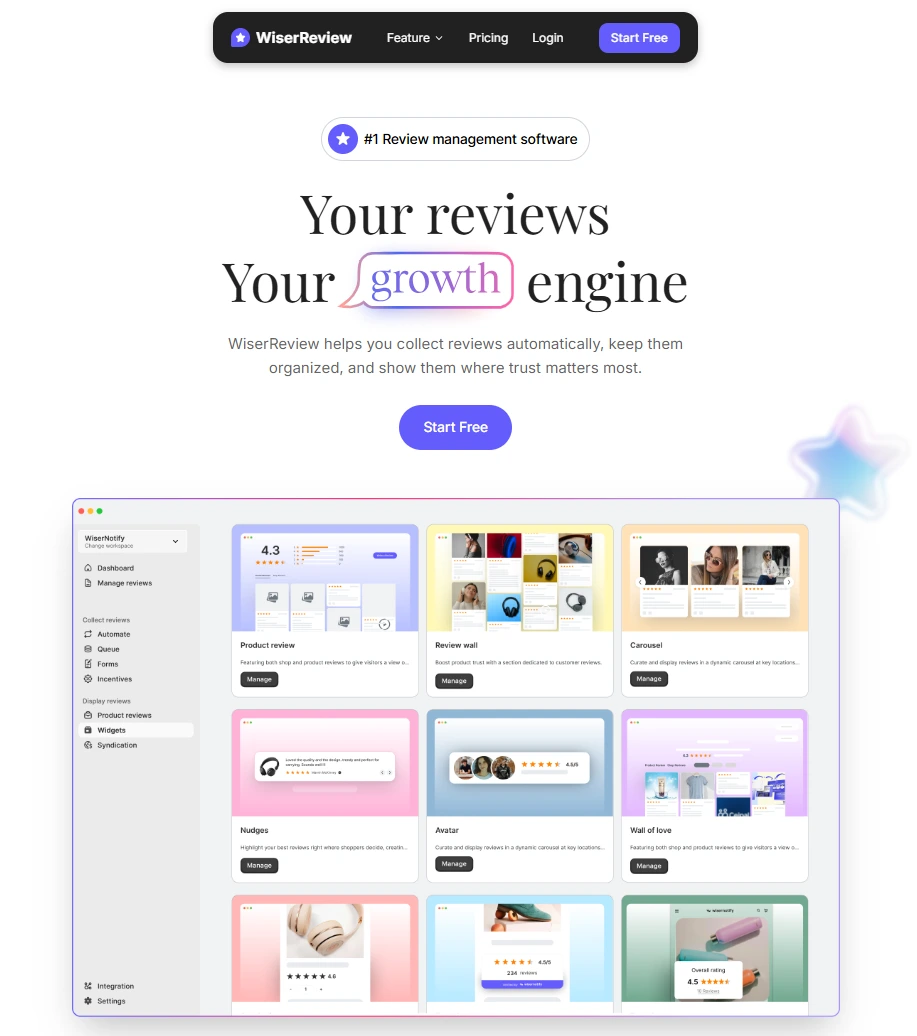
WiserReview is the best Multi-location review management software that helps businesses with multiple locations manage all customer reviews in one place.
It connects every store, city, or branch under one workspace, so you can keep your reputation consistent everywhere.
Whether you run a few stores or hundreds across regions, WiserReview gives you full control from collecting reviews to displaying them online without switching between accounts or losing track of feedback.
1. Collect reviews easily
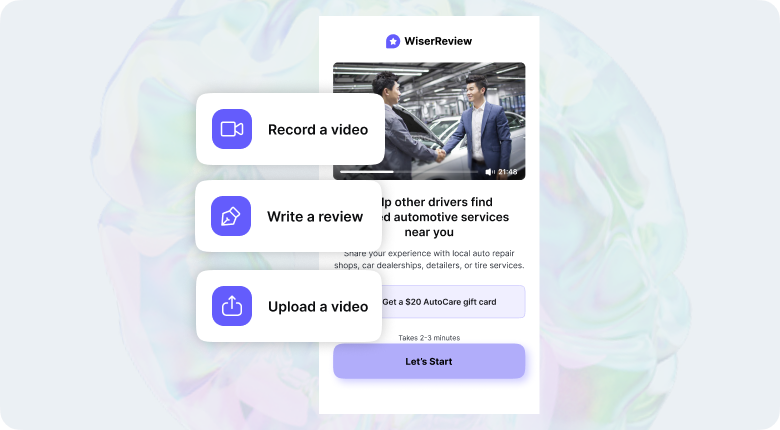
Getting reviews from every branch becomes simple with WiserReview. Each location can collect feedback from real customers right after a visit or purchase.
- Send review requests by email, SMS, or QR codes.
- Link your Google, Facebook, or Yelp pages to pull reviews automatically.
- Keep all reviews from every store visible under one workspace.
- Collect reviews in local languages to connect better with customers.
This helps every branch get steady reviews and build a trusted image in its own city.
2. Automate reviews
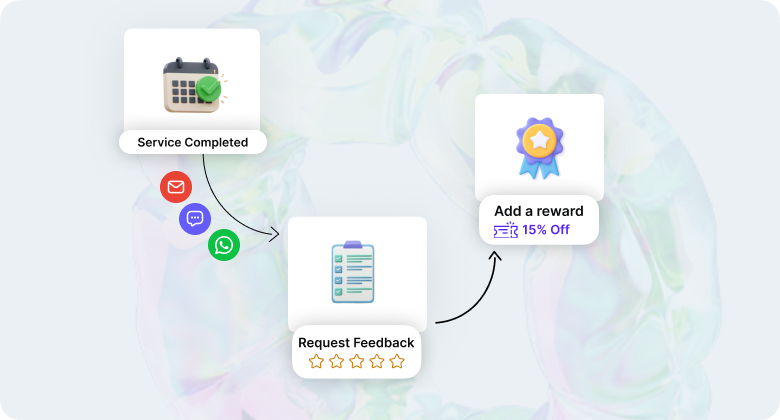
WiserReview saves time by handling review requests and follow-ups automatically. Once set, the system keeps working in the background.
- Send review invites after each order or service automatically.
- Remind customers politely if they haven’t shared feedback.
- Translate reviews between languages to understand what people say.
- Keep all review data synced across stores.
Automation keeps your team free from manual work while reviews keep coming in regularly.
3. Smart moderate
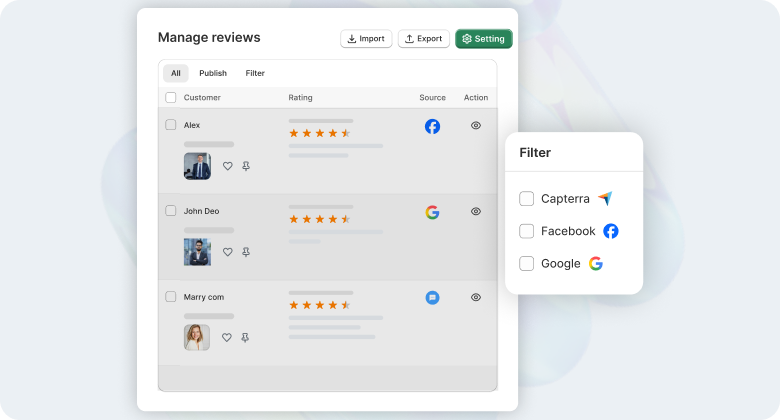
All your reviews from every branch appear in one simple dashboard. You can read, filter, and reply without losing track.
- Sort reviews by store, city, or platform.
- Spot and report fake or spam reviews quickly.
- Use built-in tools to reply fast and keep a friendly tone.
- Approve or remove reviews that don’t follow your policy.
This helps you stay in control and maintain a clean, trusted review profile for each store.
4. Display reviews
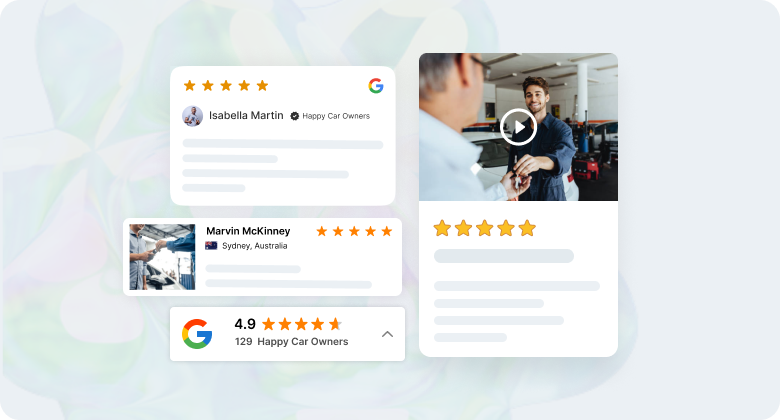
Showing real reviews builds confidence for new customers. WiserReview lets you display reviews beautifully on your website or product pages.
- Add Google review widgets, such as walls, carousels, or badges, that match your brand.
- Show local reviews on each branch’s page to build city-level trust.
- Combine all reviews to highlight your brand’s overall reputation.
- Keep layouts clean and easy to read on all devices.
Visible local reviews help customers trust your business faster.
Manage reviews that build trust
AI-powered review insights, 15+ display widgets, automated collection — starting free.
Start Free →5. Platform integrations
WiserReview connects easily with your current tools and platforms. You can keep everything in sync without extra work.
- Works with Shopify, WooCommerce, BigCommerce, Squarespace, and PrestaShop.
- Connects with Google Shopping, Klaviyo, and AWS SES.
- Keeps reviews and product data updated across all stores.
- Needs no complex setup; everything works smoothly from one place.
These integrations make review management part of your daily flow.
6. Support & Pricing
WiserReview offers simple pricing and helpful support for every stage. It’s made to grow with your business, not limit it.
- Get help through live chat, guides, or email anytime.
- One plan supports multiple locations, with no hidden fees.
- Learn quickly with setup help and onboarding material.
- Try it with a free plan or get a money-back guarantee.
You get the tools and support you need to manage reviews confidently across all your locations.
How to manually manage Google Business Profile reviews
You can manage reviews for each location directly through your Google Business Profile. It takes more time than using software, but it works well for small or single-location businesses.
Step 1: Sign in to your Business Profile
Go to business.google.com and sign in with the email linked to your business.
If you manage multiple locations, choose the one you want to review.
Step 2: Open the reviews section
In the dashboard, click “Read Reviews” or “Reviews” from the left menu.
You’ll see all customer reviews for that location.
Step 3: Read and reply regularly
Reply to every review, both positive and negative. Use short, friendly, and professional language.
- Thank customers for positive feedback.
- Apologize politely if there’s a problem.
- Offer a clear solution when needed.
Timely replies help your business look active and caring.
Step 4: Report fake or spam reviews
If you see a review that breaks Google’s rules, click the “More” option (three dots) beside it and select “Report review.”
You can also explain why it’s fake or irrelevant when asked. Google may take a few days to review your report.
Step 5: Monitor trends manually
Check your review patterns once or twice a week.
Note what customers praise or complain about and share it with your team.
This helps improve service quality across all your stores.
Step 6: Keep consistency across all locations
If you manage multiple branches, create a simple rule for replies.
Use the same tone and message style everywhere so your brand feels consistent across cities.
4 Tips for multi-location review management
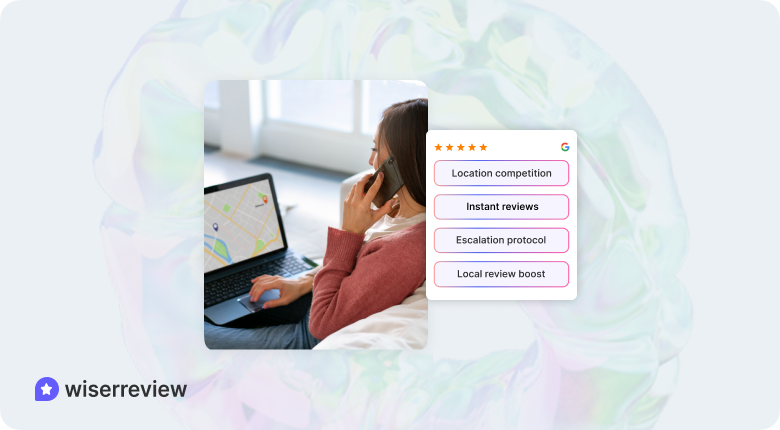
These four tips help your team stay organized and build customer trust in every city.
➔ Gamification or friendly competition across locations
Turn review management into a fun competition.
Set monthly goals for each location, and reward the team with the best reviews or the most improvement.
Celebrate wins and share progress with everyone. This motivates your teams and makes the process more engaging.
➔ Moment-of-service review requests
Ask for reviews right after a customer has a positive experience.
Send review requests through email or SMS while the experience is fresh. Make it easy for customers with simple links or QR codes.
This helps you get more honest, timely feedback.
➔ Tiered escalation protocol for negative or time-critical reviews
Create a clear plan for handling negative or urgent reviews.
For serious issues, make sure they’re addressed quickly, while less urgent reviews can be handled normally.
This keeps things under control and shows customers you care about fixing problems fast.
➔ Location-specific review highlights for marketing & local SEO
Show off positive reviews that are specific to each location.
Highlight them on your website, social media, and Google Business Profile.
This builds trust with local customers and helps your SEO by showing reviews from their area.
6 Common pitfalls & how to avoid them
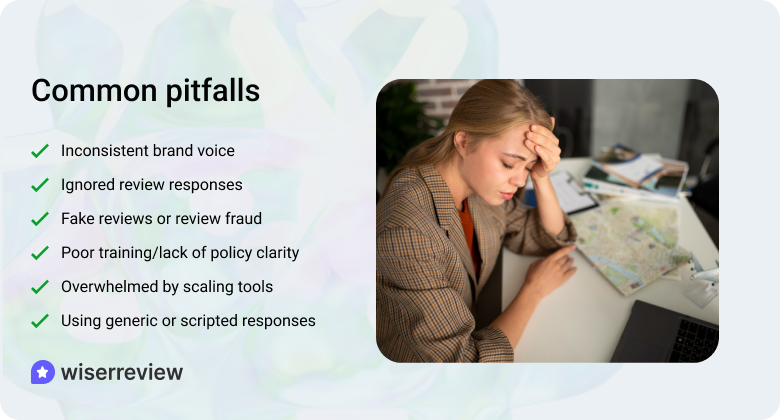
Here’s how to avoid them and keep your brand strong in every city.
1. Inconsistent brand voice & tone across locations
When responses vary from location to location, it can confuse customers and hurt your brand’s image. Customers expect the same level of care no matter where they leave a review.
How to avoid:
- Set clear guidelines on how your brand should respond to reviews.
- Train each location to follow the same tone and style in their replies.
- Use a centralized system to keep responses consistent.
Consistency in responses strengthens your brand and builds trust with customers everywhere.
2. Delayed or ignored review responses, especially negatives
Taking too long to reply to reviews, especially negative ones, makes your business look unresponsive. Ignoring reviews completely can make customers feel unheard.
How to avoid:
- Aim to respond to all reviews within 24 hours.
- Address negative reviews quickly, acknowledging the issue and offering a solution.
- Set up reminders to follow up on reviews that haven’t been replied to.
Quick, thoughtful responses show customers that you care and help keep your brand reputation intact.
3. Poor training/lack of policy clarity
If your team isn’t trained on how to handle reviews or doesn’t know the rules, it leads to mistakes and inconsistent responses.
How to avoid:
- Provide regular training on how to manage reviews effectively.
- Create a clear policy for responding to reviews, both positive and negative.
- Ensure everyone understands the importance of maintaining your brand’s reputation online.
Clear guidelines and proper training help your team stay aligned and respond effectively.
4. Using generic or scripted responses
Generic or robotic replies to reviews make customers feel like their feedback isn’t valued. It’s important to make responses feel personal and tailored to the reviewer’s experience.
How to avoid:
- Avoid copy-pasting responses for every review.
- Personalize each reply by referencing details from the customer’s feedback.
- Take the time to acknowledge the reviewer’s unique experience.
Personal responses make customers feel heard and valued, and they build better relationships with them.
5. Fake reviews or review fraud/misuse of incentives
Fake reviews or using incentives to gather positive feedback can hurt your credibility. Customers trust honest reviews more than anything else.
How to avoid:
- Never ask for fake reviews or offer incentives for positive feedback.
- Report any fraudulent reviews to the platform.
- Use review management tools that detect and block fake reviews automatically.
Staying honest about your reviews helps build long-term trust and keeps your brand reputation intact.
6. Overwhelmed by scale without proper tools/processes
Managing reviews for multiple locations without the right tools can become overwhelming. Without proper systems in place, it’s easy to miss reviews or delay responses.
How to avoid:
- Use a review management platform to track reviews for all locations in one place.
- Set up processes to make review management efficient across locations.
- Automate review collection and response reminders to save time.
Proper tools and processes help you stay on top of reviews and keep things running smoothly, no matter how many locations you manage.
Wrap up
Managing reviews across multiple locations helps keep your brand trusted everywhere.
By staying on top of reviews, responding quickly, and keeping things consistent, you can build trust and improve your visibility.
In this guide, we’ve covered simple ways to manage reviews, avoid common mistakes, and use tools like WiserReview to make the process easier.
Start using these tips today to strengthen your brand and build trust in every city.
Manage reviews that build trust
Easily collect and display customer feedback across all locations, track patterns, and boost your brand’s reputation with WiserReview.
Start Free →Frequently asked questions
You can manage reviews for all your locations by using a centralized platform like WiserReview. It allows you to track, respond to, and display reviews from all locations in one place, helping you stay organized and consistent.
Set up review management tools that send notifications when new reviews come in. This way, you can respond quickly to both positive and negative feedback, showing customers that you care.
Encourage local customers to leave reviews for each branch. Display these reviews on location pages, Google Business Profiles, and social media to improve local search rankings and build trust in each city.
Respond to negative reviews promptly and professionally. Acknowledge the issue, apologize, and offer a solution. This shows that you care and can turn unhappy customers into loyal ones.
Create a review response guide with clear rules for tone and style. Make sure every team is trained on how to reply to reviews, so your brand voice remains consistent across all locations.

Krunal