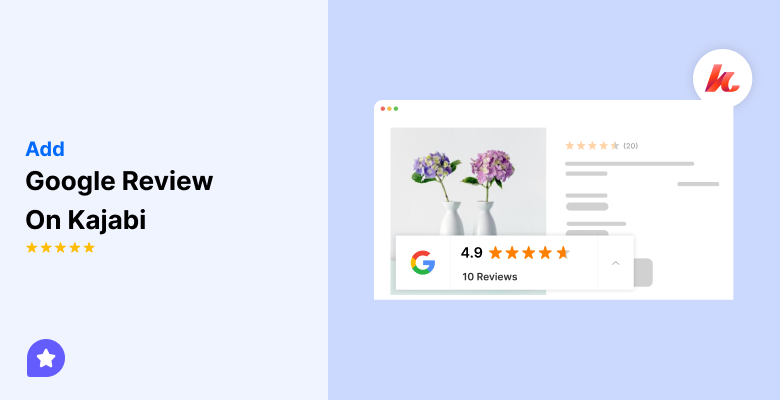
Add reviews to your Kajabi site in just few minutes. Follow a quick, step-by-step method to collect and show customer reviews that build trust and increase conversions, no coding required.
Kajabi creators invest heavily in courses, coaching programs, and memberships, yet many pages lack visible proof from real students.
This creates hesitation, lower enrollments, and abandoned checkouts. Reviews solve this trust gap by showing real outcomes and experiences.
With WiserReview, Kajabi users can collect and display testimonials across landing pages, checkout pages, and course sales pages without breaking design or workflows.
Why add reviews on Kajabi?
Kajabi is built for selling knowledge products, and reviews directly influence buying decisions in this environment.
1. Increase course and coaching enrollments
Kajabi checkout and sales pages are conversion-focused. Adding reviews near pricing sections and call-to-action buttons helps prospects feel confident before purchasing.
Displaying reviews can increase conversions by up to 270%.
WiserReview widgets can be embedded directly into Kajabi sales pages, helping visitors see proof at the exact moment they decide.
2. Build trust for high-ticket offers
Many Kajabi users sell premium coaching or group programs. Reports that 85% of consumers trust online reviews as much as personal recommendations.
Showing verified testimonials, video reviews, and tagged feedback on Kajabi pages reduces skepticism and supports higher price points.
3. Improve engagement across funnels
Kajabi funnels guide users through opt-ins, webinars, and offers. Reviews placed on opt-in pages, thank-you pages, and upsell sections increase confidence and reduce drop-offs.
HubSpot data shows testimonial-based content can improve engagement rates by over 30%, especially in education and coaching niches.
Next, follow the steps below to show clean, high-converting reviews on your site.
Start by importing your existing reviews via a direct integration or CSV import.
If you do not yet have reviews, you can start collecting them with WiserReview automations.
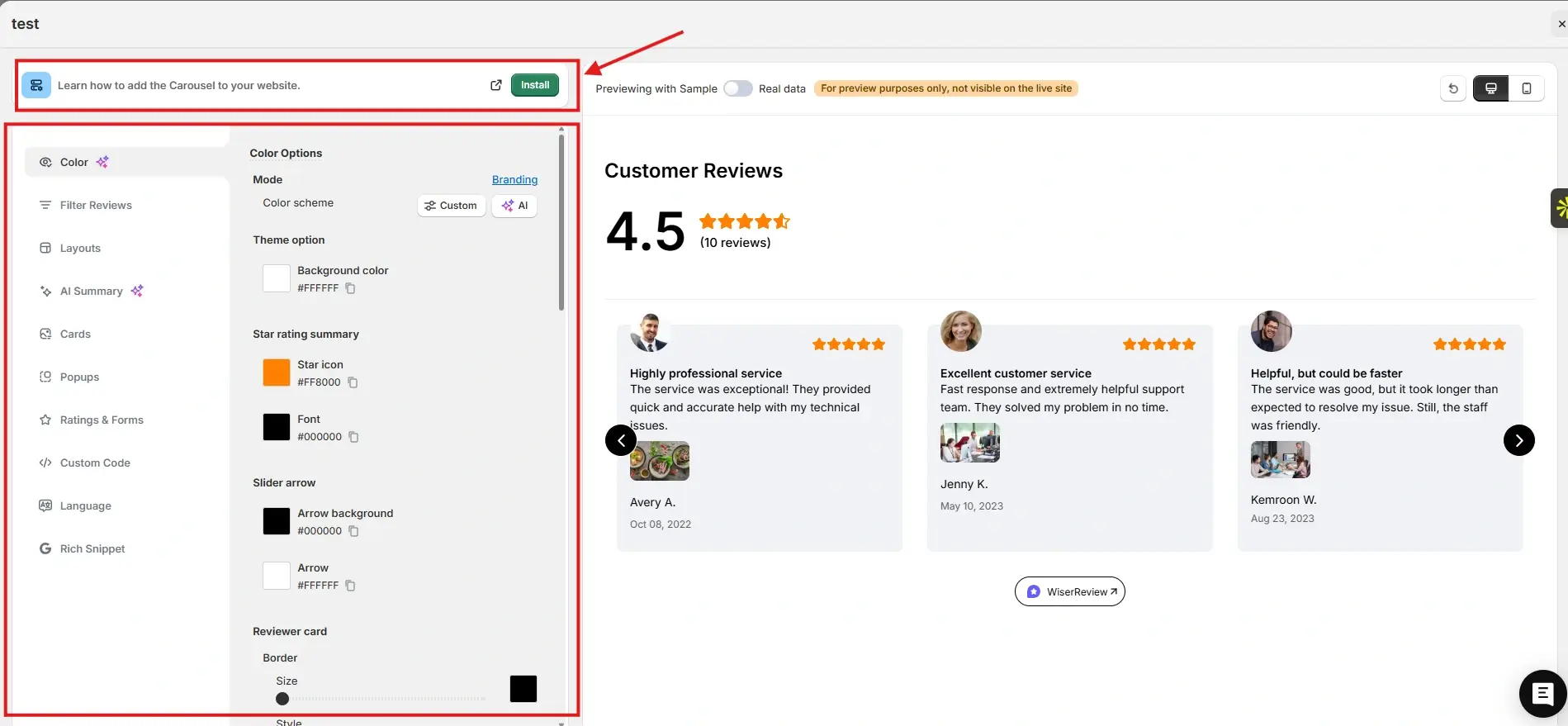
After that, go to the Widgets section. You will see multiple review widgets built to build trust and help visitors decide.
For this example, we chose the Carousel widget. You can customize it to match your brand colors and layout. Once everything looks right, click Install.
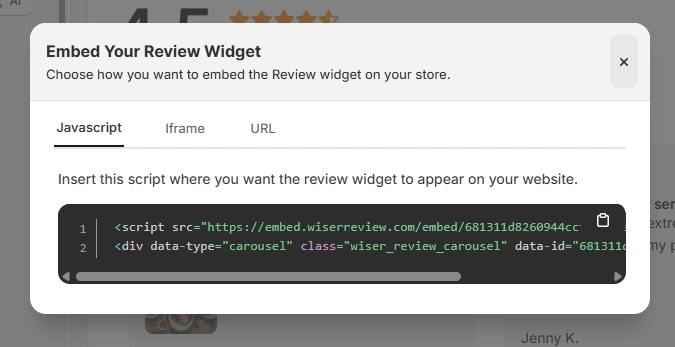
You will then see the JavaScript, iframe, and URL options for embedding the widget on your site.
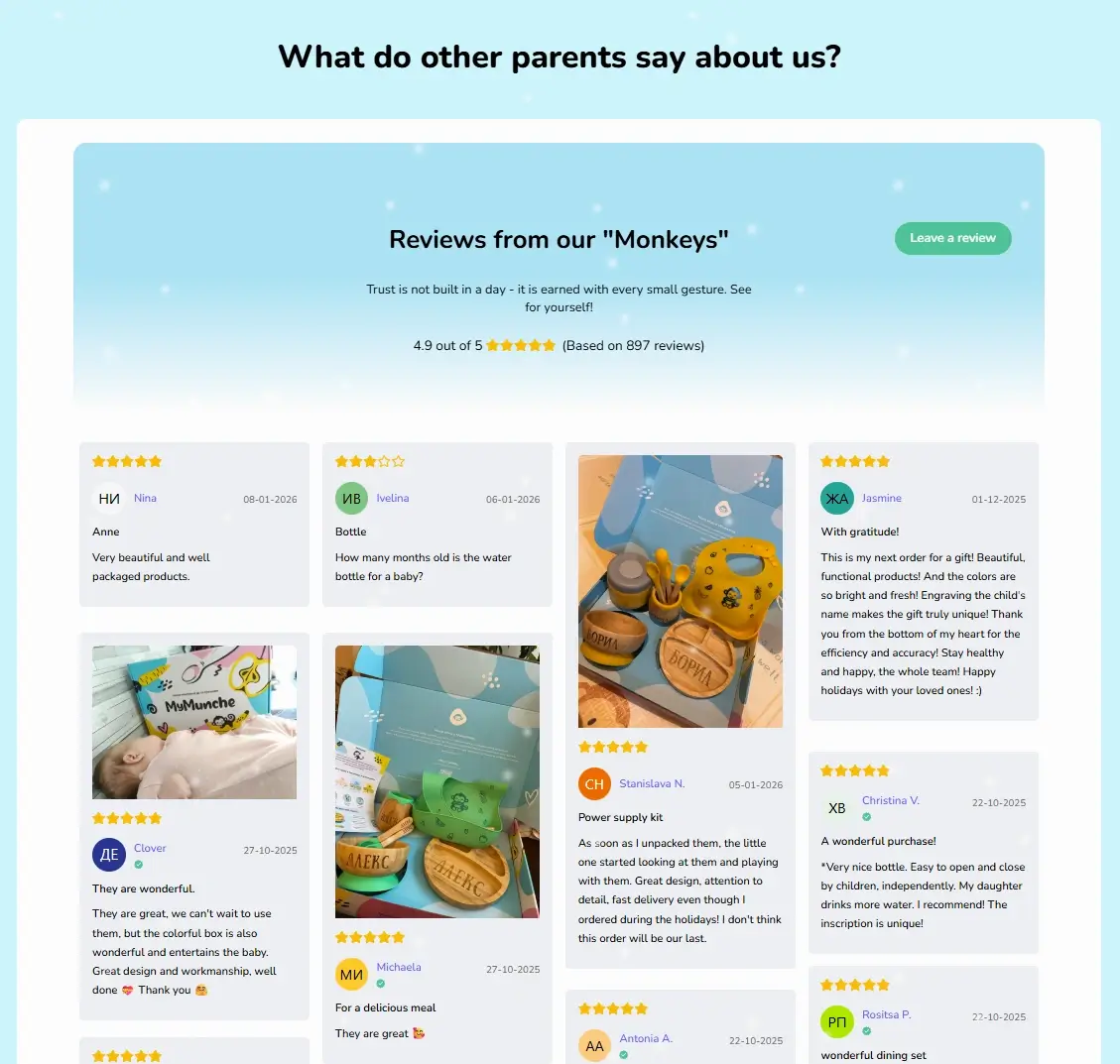
Here is how the Wall of Love looks on the MyMunche website.
You can explore the platform further or book a demo to learn how to collect more reviews and show them where they matter most, based on our four years of experience working with over 1,100 brands.
How to embed reviews on Kajabi
After generating your widget code in WiserReview, log in to your Kajabi admin panel.
Open the page where you want to display reviews.
Add a Custom Code block and paste the WiserReview embed code inside it.
Save the page and preview it.
The reviews will display instantly and update automatically whenever new testimonials are approved in WiserReview.
Best practices for showcasing reviews on Kajabi
Kajabi pages are structured for funnels and offers, so review placement must support the buying flow.
1. Place reviews near pricing and checkout sections
On Kajabi sales pages, add review widgets directly above or below pricing tables. This reassures users right before payment and reduces hesitation.
2. Use video reviews for courses and coaching
Kajabi audiences respond strongly to video proof. Use WiserReview video testimonials from students and place them in hero sections or mid-page breaks.
3. Match reviews to each offer using tags
If you sell multiple courses or programs, tag reviews in WiserReview and embed only relevant testimonials on each Kajabi page. This keeps messaging focused and believable.
All your reviews in one place
Collect reviews, manage every response, and display them on your Kajabi site.
3 Common mistakes to avoid when adding reviews to Kajabi
Kajabi creators often make these mistakes when adding testimonials.
1. Showing generic testimonials across all offers
Using the same reviews for every course weakens trust. Always match reviews to the specific program being sold.
2. Hiding reviews too far down the page
If users must scroll excessively, reviews lose impact. Place them strategically near decision points.
3. Not updating testimonials regularly
Outdated reviews reduce credibility. Use WiserReview automation to collect fresh feedback after course completion.
Wrap-Up
Adding reviews on Kajabi increases enrollments, supports premium pricing, and strengthens funnel performance.
With WiserReview, you can collect, manage, and display testimonials without design or technical issues.
Start using WiserReview on your Kajabi site to turn student success stories into consistent sales.
Frequently asked questions
Yes. WiserReview widgets can be embedded on Kajabi checkout and sales pages using custom code blocks.
Yes. You can add reviews to opt-in pages, webinar pages, and upsells to improve funnel conversion.
Yes. WiserReview supports video reviews that work perfectly for courses and coaching programs.
No. Widgets are optimized and load asynchronously.
Yes. WiserReview supports multiple workspaces for creators and agencies managing several brands.
Article by
Krunal
Krunal Vaghasia is the founder of WiserReview and an eCommerce expert in review management and social proof. He helps brands build trust through fair, flexible, and customer-driven review systems. Read more.

 4 min
4 min