7 min
7 min 
If you’re reading this, you already know Google reviews can make or break your business’s reputation. But here’s the reality:
Most local businesses are either wasting their Google review potential or ignoring it.
And that’s a problem.
Why? Because positive reviews on your Google Business Profile don’t just make you look good, they directly impact local SEO, clicks, sales, and trust.
So, in this guide, we’re going to cut through the fluff. No vague “just ask your customers for reviews” nonsense.
You’ll learn exactly how to:
- Get more Google reviews using proven workflows (including my favorite, WiserReview)
- Manage and respond to online reviews like a pro (yes, even the nasty negative reviews)
- Show off your best Google reviews in ways that convert potential customers into buyers
And, of course, we’ll discuss the review management tools that can significantly simplify this entire process.
Why Google review matters
Let’s start with the “why” before we jump into the “how.”
1. Google reviews improve local visibility
If you’ve ever typed something into Google Maps like “best coffee near me” and wondered why certain spots pop up first, here’s the deal: Google reviews are a serious local ranking factor.
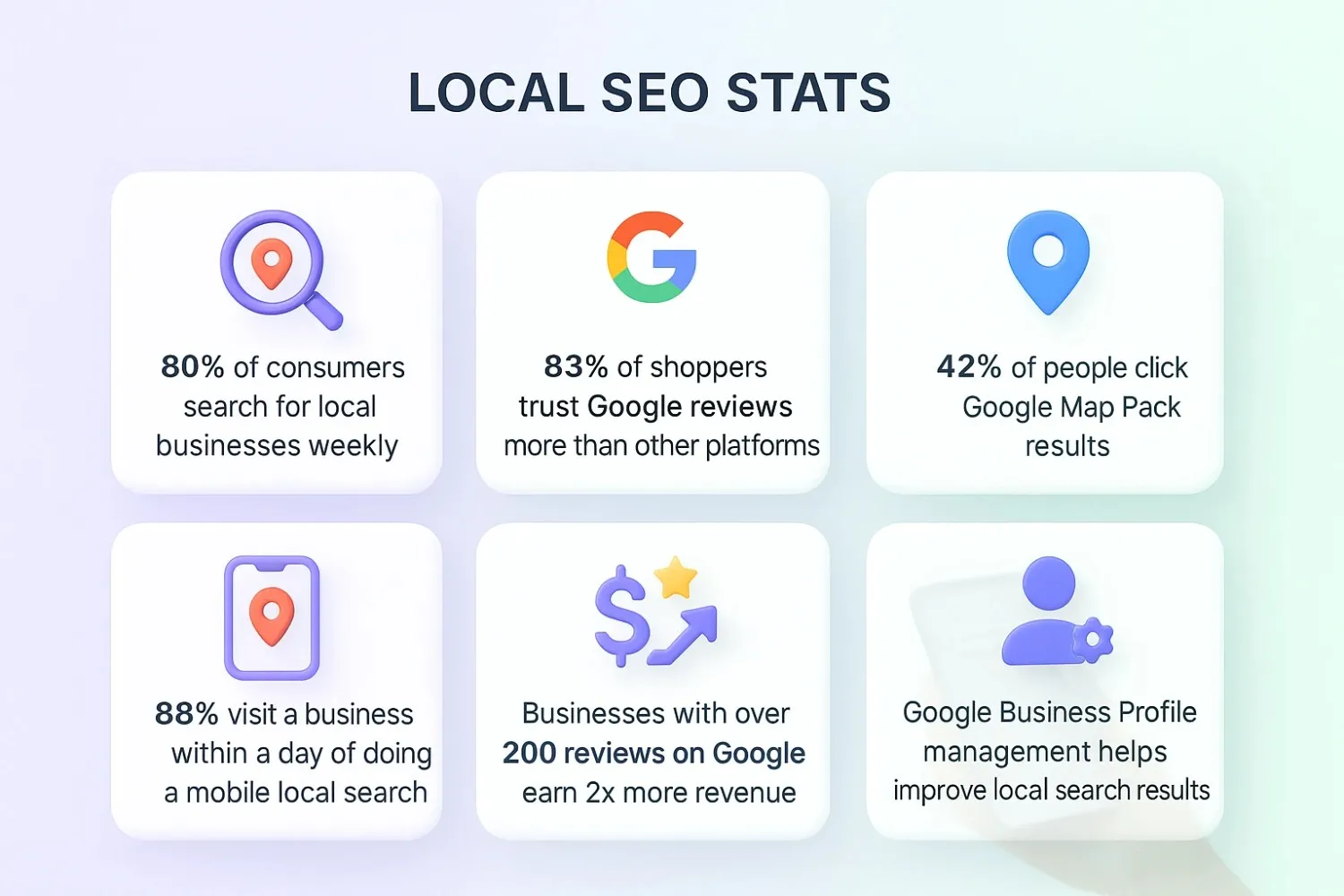
Reviews account for roughly 10% of local SEO ranking signals, making them one of the few ranking levers you can influence as a business owner.
Want to know how many reviews you need to even get onto the radar? The magic number appears to be around 10 reviews, which is often the threshold where you start seeing a bump in Maps rankings.
Bottom line: If you’re not actively working to manage Google reviews, getting new feedback, improving your review volume, and keeping ratings fresh, you’re gifting local SEO spikes to your competitors.
2. Reviews increase clicks and sales
Let’s cut the nonsense. You’re shopping around, comparing service providers, who are you calling?
- Business A: 4.9 stars, 120+ positive reviews
- Business B: 3.2 stars, a handful of so-so reviews
If that doesn’t sway you, nothing will.
Here’s the data to back up your gut:
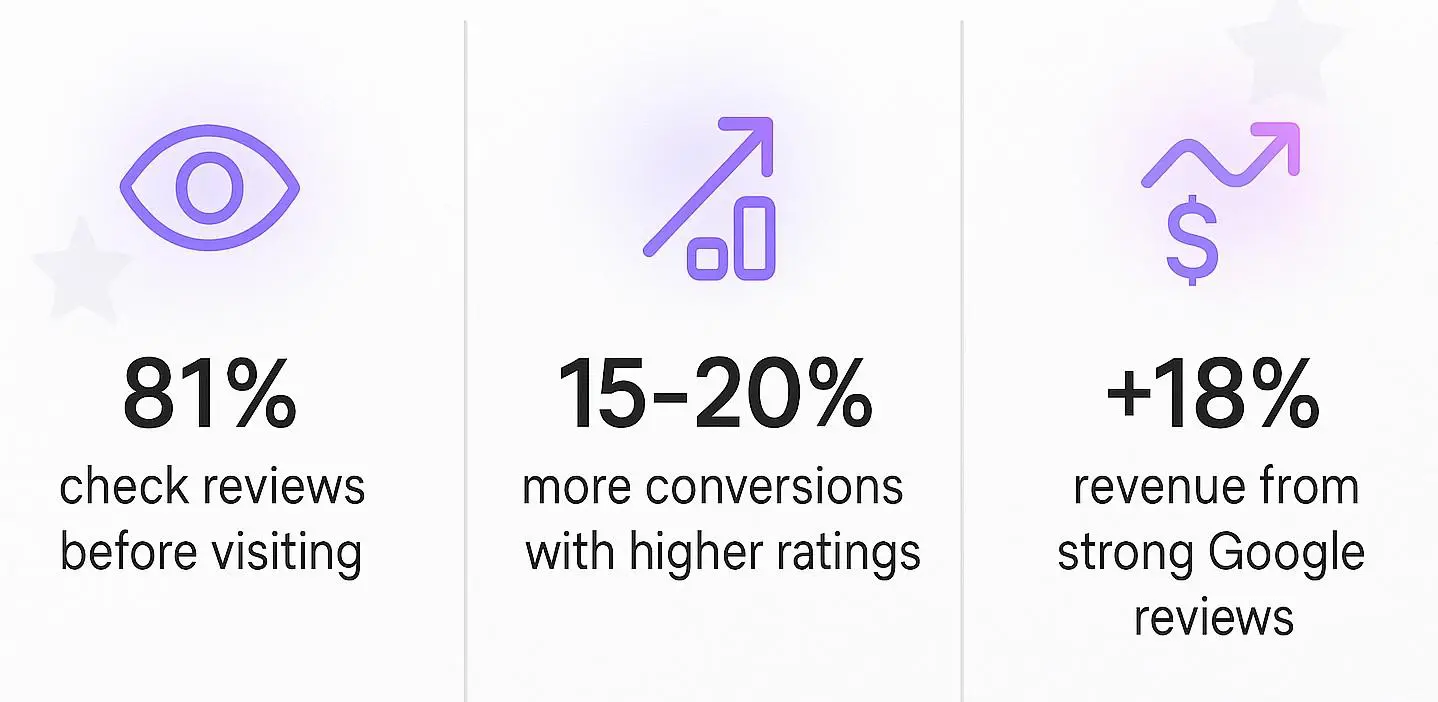
- 81% of people check Google reviews before visiting a business
- Businesses with higher ratings and review volumes experience 15–20% more conversions, and their revenue can rise by as much as 18%
Basically: more reviews = more clicks = more sales. It’s not rocket science, but it’s powerful as hell.
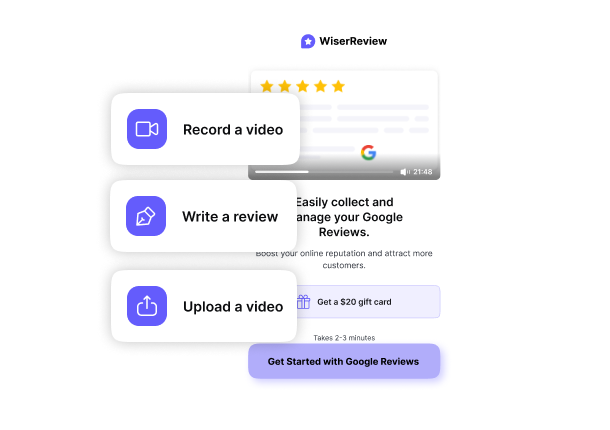

Get more Google reviews easily
Learn how to ask at the right time, reply faster, and turn customer feedback into growth.
3. Google reviews improve sales
You can measure the financial lift from customer feedback.
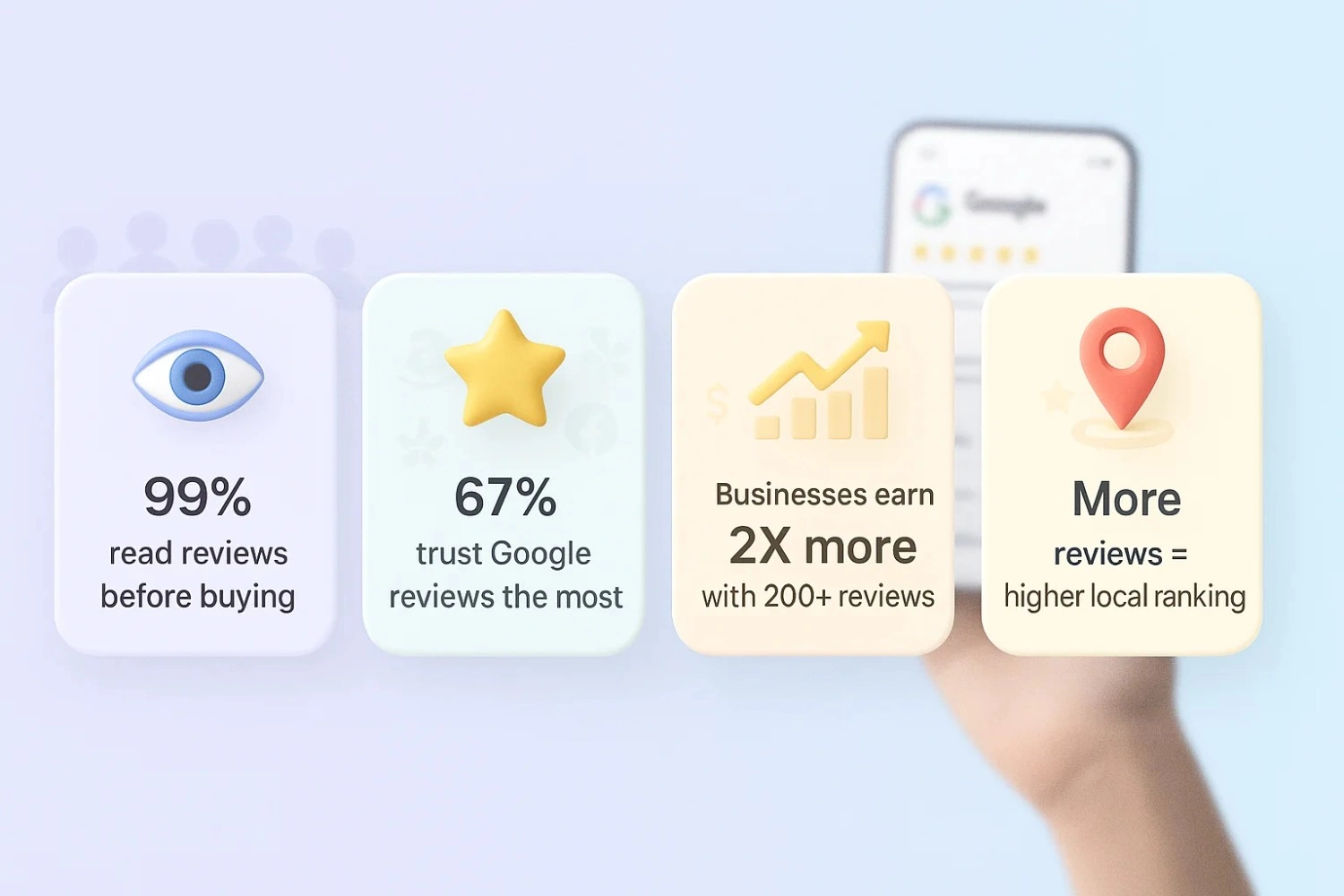
Nearly 75% of consumers say positive reviews build trust, and negative reviews deter 60%.
If you’re ignoring or mishandling negative reviews, you’re potentially scaring off 60% of prospective customers, which is a significant oversight.
And let’s not forget reputation: 88% of consumers are more likely to do business with companies that respond to Google reviews.
All of this adds up to a straightforward truth: Positive reviews drive revenue, and managing reviews well protects it.
Data source: 21 Surprising Google Review Statistics (New Data)
The Trust Factor + Fake Review Reality
Let’s talk trust, because your brand’s online reputation depends on it.
85% of consumers trust online reviews as much as personal recommendations, and 88% trust Google reviews specifically
However, a significant concern is that 30% of online reviews may be fake, leading to skyrocketing suspicion and shaking trust foundations.
That’s why having a genuine review management approach, using review management software, and staying crystal clear on authenticity is not optional; it’s mission-critical.
Also see: 15 Best Google review response examples to build customer trust
How to get more Google reviews
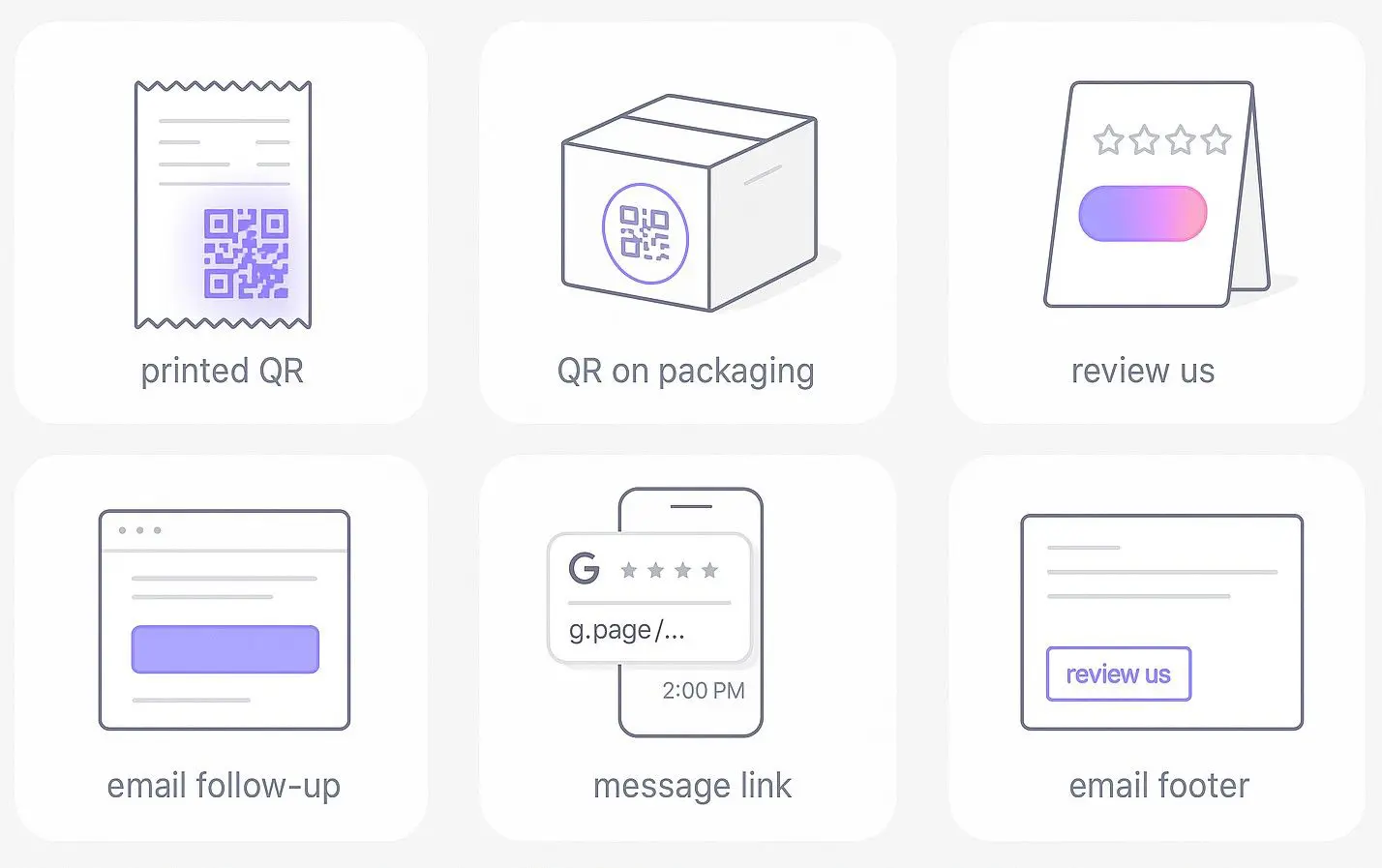
Most businesses don’t have a “Google review problem.”
They’re experiencing a problem with Google review requests.
Customers are happy to give customer feedback, but only if you make it effortless and ask at the right moment.
So, here’s how to consistently get more Google reviews without breaking Google’s review policies or annoying your audience.
1. Share your Google review link or QR code at key customer touchpoints
Let’s start with the low-hanging fruit.
If your Google Business Profile link is buried 17 clicks deep in your website footer, you’re not going to get more reviews. Period.
Here’s what works:
- Print a QR code that links directly to your Google Business reviews page. Stick it on receipts, menus, packaging, and front desks.
- Include the send review request link in post-purchase emails, invoices, and appointment follow-ups.
- Add a “Leave us a review” button in your email signature.
Why? Because review volume thrives when leaving a review is a one-tap experience.
2. Ask at the right time, when customers are most satisfied
Timing isn’t just a dating tip; it’s Google review management software 101.
The best moment to send a review request is right after the customer experiences peak satisfaction:
- When they’ve just checked out, smiling.
- When their problem have been solved.
- When they say “Wow, thank you so much!”
Pro Tip: With WiserReview, you can automate review requests so they’re triggered based on customer actions, like a completed order or service completion. No forgetting, no awkwardness.
3. Use policy-safe flows without gating or incentives
Here’s where many businesses often go wrong.
They try to bribe people into leaving positive reviews or block negative feedback (known as “review gating“). That’s a fast track to losing your listing and your business’s reputation.
Instead:
- Send review requests to all customers, not just the happy ones.
- Focus on customer satisfaction improvements to naturally increase positive reviews.
- Use review management tools that keep you compliant with Google review policies.
4. Train your team to ask for reviews naturally
Scripts are fine. Robots are not.
Your staff should weave review requests into everyday conversation, like:
“Hey, if you found our service helpful today, it would mean a lot if you could leave us a quick Google review. It helps other people find us.”
WiserReview even provides customizable review response templates and request scripts that make this painless.

Get more Google reviews easily
Learn how to ask at the right time, reply faster, and turn customer feedback into growth.
Start Free →How to manage Google reviews
Getting more reviews is great. But if you ignore them, you’re inviting people to watch your reputation rot in public.
Review management isn’t just damage control; it’s a strategic way to:
- Build trust
- Boost customer engagement
- Improve customer satisfaction
And yes, increase sales
Here’s how to manage Google reviews the right way without losing your mind.
1. Manage and respond to Google reviews the right way
Rule #1: Never ghost your reviewers.
When people take time to leave online reviews, they expect acknowledgment, whether it’s positive reviews or negative feedback.
Respond on time and match your tone to the situation:
- Positive review? Thank them and reinforce their experience.
- Mixed review? Thank them, address their concerns, and offer help.
- Negative review? Stay calm, be polite, and move the conversation offline.
With WiserReview’s centralized dashboard, you can monitor reviews from multiple locations and respond without logging in and out of different accounts.
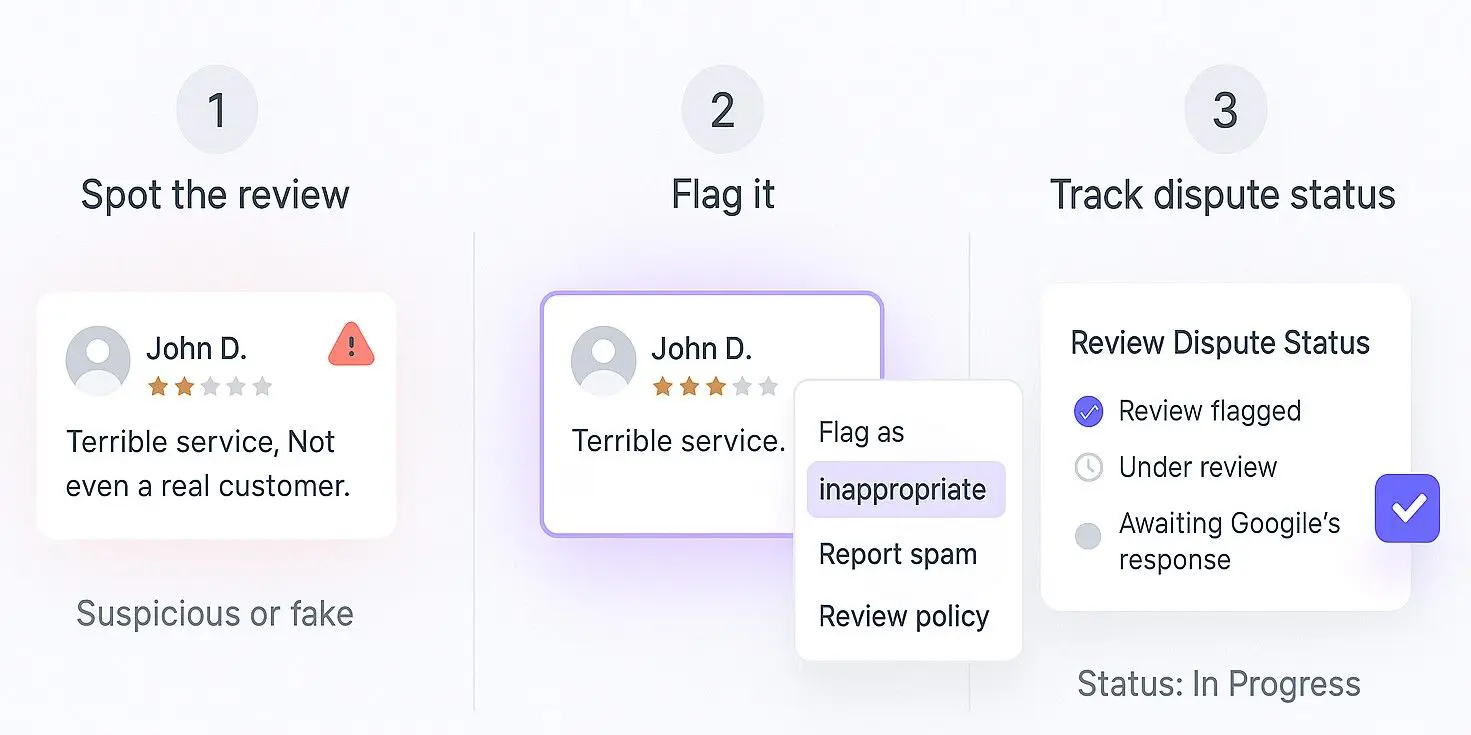
2. Flag and dispute reviews that break Google’s rules
Not every bad review is legitimate.
If you spot fake reviews, spam, or reviews that violate Google’s policies (like personal attacks or irrelevant content), you can:
- Flag them in your Google Business Profile dashboard
- Provide evidence if requested
- Monitor the dispute status
Pro Tip: Centralized review management tools like WiserReview make it easy to track flagged reviews and keep everything organized.
3. Stay compliant with Google’s latest review policies
Google business reviews come with rules. Break them, and you risk losing your listing.
Some quick “don’ts”:
- Don’t offer incentives for positive reviews ;)😛
- Don’t “select reviews” and hide the rest
- Don’t publicly share private customer info in your responses
- Don’t post reviews for your own business (yes, people still try this)
With review monitoring inside WiserReview, you’ll get alerts about policy changes so you don’t get blindsided.
4. Control review management across all locations
If you’re running multiple locations, juggling separate accounts is a nightmare.
That’s where centralized review management software becomes a lifesaver:
- One reviews the tab to see all incoming feedback
- Maintain consistent tone and policy compliance across the board
5. Share review insights with CX and product teams
Your Google reviews are a free customer sentiment analysis tool.
- Patterns in negative reviews often indicate product issues or poor processes.
- Patterns in positive reviews = what’s working and worth amplifying.
By sharing these trends with your customer experience or product teams, you turn review responses into actionable growth strategies.
How to show Google reviews
Most businesses collect positive reviews like trophies… and then hide them in the dusty “Reviews” tab on their site where no one clicks.
If you’re serious about business growth, you’ve got to actively display your reviews where potential customers are making buying decisions.
1. Choose the proper review widget and follow Google’s display rules
Not all review management tools display Google business reviews the same way.
WiserReview’s Google review widgets are designed for compliance with Google’s display rules:
- They show unbiased reviews (no cherry-picking)
- They pull in fresh, new reviews automatically
- They’re customizable, so they match your branding
2. Place widgets where they match visitor intent
Think about your site visitors:
- Homepage visitors = just getting to know you → use a floating carousel widget for quick trust.
- Product/service page visitors = close to buying → use a review wall with full text reviews.
- Contact page visitors = ready to reach out → place a star rating Google badge right above your form.
Pro Tip: Always match social proof placement to where it’ll have the most significant conversion impact.
You can also use the Google review widget from WiserReview for this.
3. Keep your reviews fresh, relevant, and trustworthy
Online reputation is a “what have you done for me lately” game.
If your last Google review is from 2022, potential customers will wonder if you’re still in business.
With review monitoring inside WiserReview, you can ensure you’re consistently getting and displaying recent and relevant Google reviews.
Get more Google reviews easily
Learn how to ask at the right time, reply faster, and turn customer feedback into growth.
Start Free →4. Track how reviews impact clicks and conversions.
Here’s where most local businesses fall short: they fail to connect review volume with sales performance.
With the right Google review management software, you can:
- See how display reviews impact form submissions
- Track response time and its effect on conversions
- Identify customer concerns mentioned in reviews and fix them to improve your business’s reputation
Bottom line: Displaying Google reviews is about strategy, not vanity.
Related: Smart customer review marketing strategies
Google review response templates
You can tweak these to fit your brand’s online reputation tone, but keep them policy-safe and professional.
1-2 Star response template
Goal: Acknowledge the issue, stay calm, and take the conversation offline.
Hi [Customer Name],
We’re sorry to hear about your experience and appreciate you taking the time to share your feedback. This isn’t the level of customer satisfaction we aim for.
Please get in touch with us directly at [contact info] so we can address your concerns in detail. We want the chance to make things right.
– [Your Business Name] Team
Why this works: You’re avoiding public arguments, not revealing private info, and showing you care about customer concerns.
3-4 Star response template
Goal: Thank them, address any issues, encourage a return.
Hi [Customer Name],
Thanks for your honest feedback and for choosing us. We’re glad to hear you enjoyed [positive mention from review] and appreciate your thoughts on [area for improvement].
We’re always looking to improve, so your input is valuable. We hope to see you again soon!
– [Your Business Name]
Why this works: It acknowledges the good and the bad, which improves online reputation credibility.
5 Star response template
Goal: Celebrate, reinforce loyalty, encourage sharing.
Hi [Customer Name],
We’re thrilled to hear you had such a positive experience! Thank you for taking the time to leave us a Google Business Review. It means a lot.
We look forward to serving you again soon, and if you know someone looking for [service/product], we’d love your referral.
– [Your Business Name] Team
Why this works: You’re reinforcing loyalty and subtly driving more Google reviews through referrals.
Best Google review management tools
If you want to win at review management, you need more than a spreadsheet and good intentions. You need review management software that can:
- Send review requests automatically
- Monitor reviews across multiple locations
- Store customizable review response templates
- Track customer sentiment over time
Here are my top picks:
1. WiserReview (My #1 Recommendation)
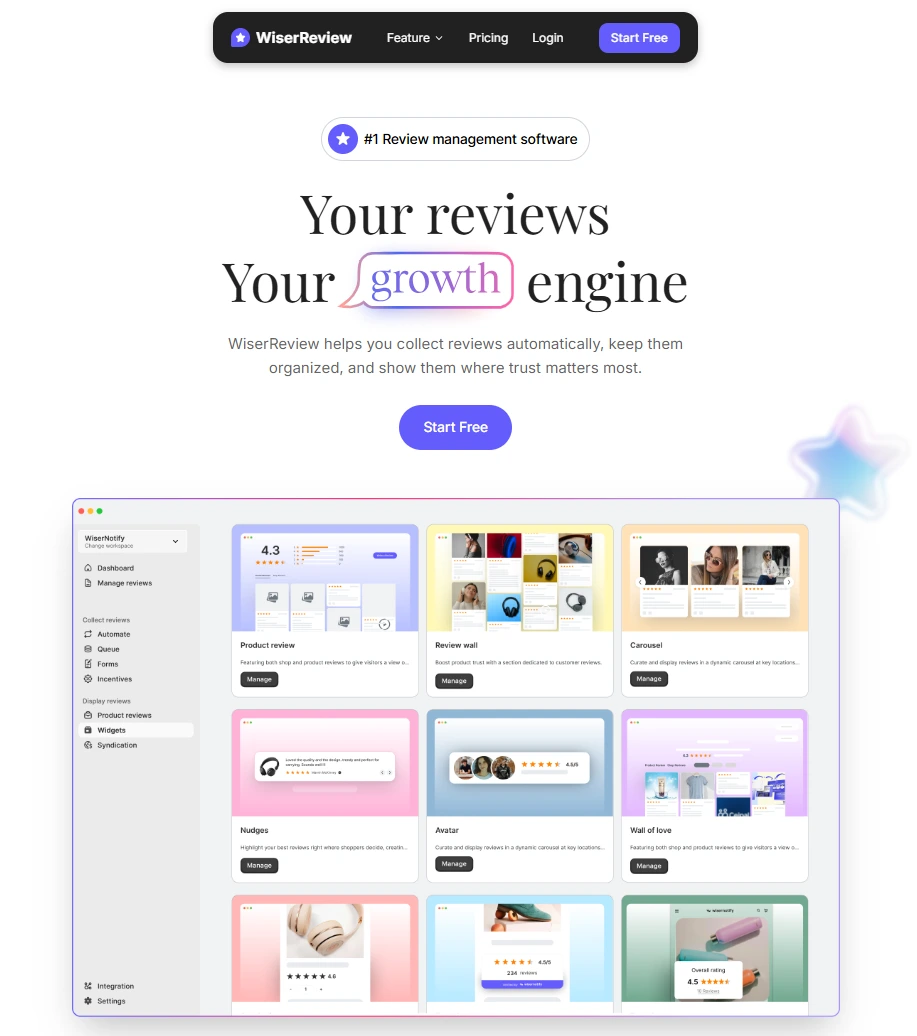
WiserReview is an all-in-one Google review management tool that helps businesses build trust and grow with real customer feedback.
It makes the process of collecting reviews simple, keeps all online reviews in one place for easy management, and gives you multiple ways to display reviews as social proof.
Key Features:
Collect Reviews
- Automated review requests: Send requests through email or SMS right after a purchase or service.
- Customizable review request messages: Personalize reminders to fit your brand voice.
- One-click Google review link: Share links or QR codes with customers for quick feedback.
- Multi-channel collection: Capture reviews from Google, Facebook, and other review sites.
- Video and photo reviews: Allow customers to share authentic experiences with visuals.
Manage Reviews
- Centralized dashboard: Monitor all your Google reviews and other platforms in one place.
- Customizable review response templates: Reply quickly while keeping responses personal.
- Negative feedback filter: Identify and handle poor ratings before they harm your online reputation.
- Review performance reports: Track trends, measure customer sentiment, and see what drives business growth.
- Multi-location support: Manage reviews for multiple branches with location-specific insights.
Display Reviews
- Review widgets: Add reviews directly to your website in sliders, grids, or badges.
- Star ratings on pages: Show ratings on product or service pages to improve local SEO and conversions.
- Social sharing tools: Post positive feedback directly to Facebook, Instagram, or other channels.
- Testimonial highlights: Pin your best reviews for stronger social proof.
- Customizable designs: Match review displays with your brand style using customizable templates.
Pros:
- Super easy to set up
- Automation saves hours on request reviews
- Great display reviews customization
- Built for compliance
Cons:
- Right now, focused mainly on Google and product reviews (not 100+ review sites like some competitors)
Pricing:
- Free – $0/ month: Collect up to 10 reviews, 2 video reviews, 10 auto invites/month
- Essentials – $9/ month: Unlimited reviews, 20 video reviews, 200 auto invites/month
- Exclusive with AI – $19/month: Unlimited reviews & videos, AI style generator, 5,000 invites/month, advanced customization
Get more Google reviews easily
Learn how to ask at the right time, reply faster, and turn customer feedback into growth.
Start Free →2. Birdeye
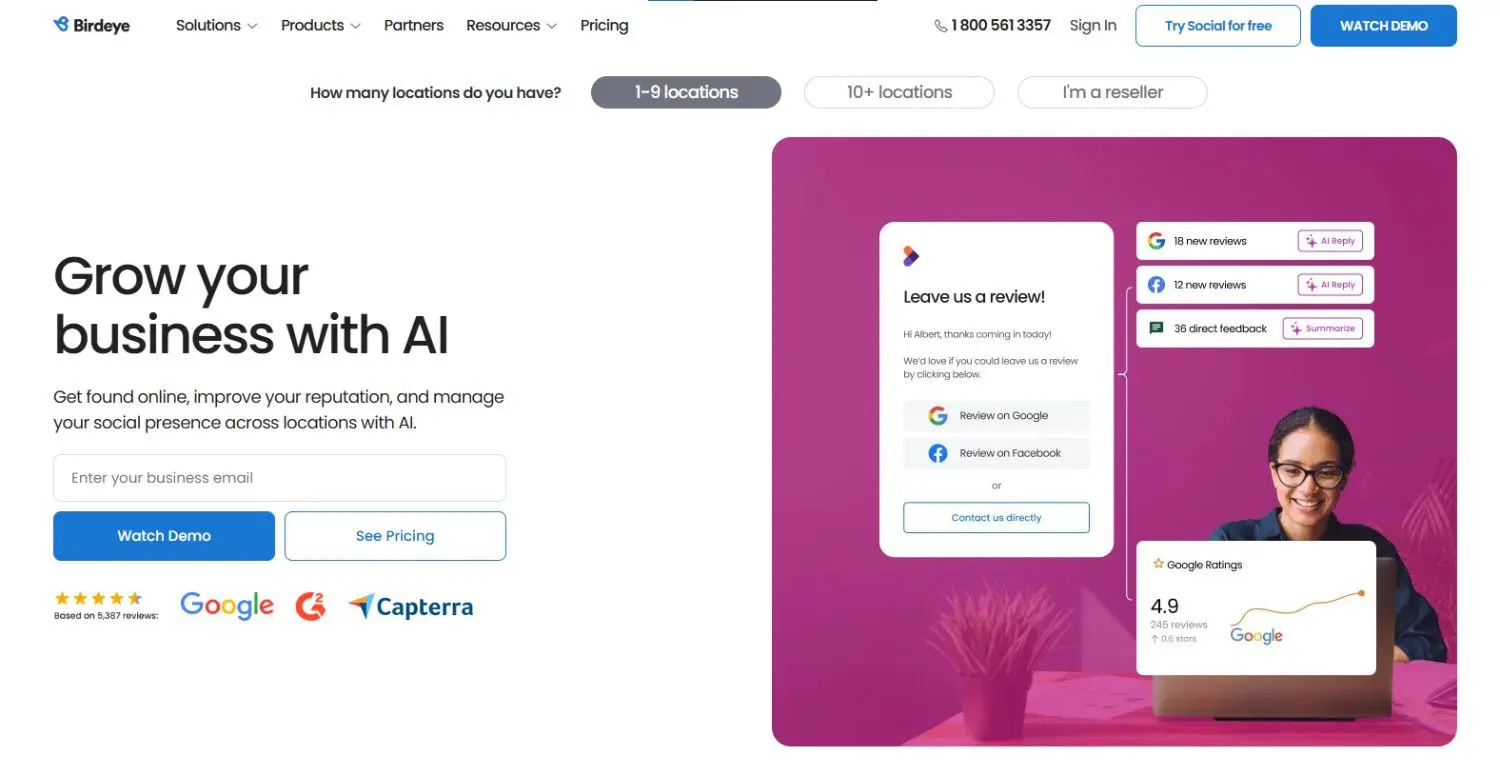
Birdeye is a robust review management software designed for larger businesses and enterprises that need multi-platform review monitoring at scale.
Key Features:
- Covers 150+ review sites beyond just Google reviews
- AI-powered customer sentiment analysis tools
- Multi-location centralized review management
- Integration with CRM and marketing systems
- Survey and customer feedback collection tools
Pros:
- Excellent for businesses needing broad online reputation coverage
- Deep customer engagement analytics
- Robust automation for review requests
Cons:
- Expensive for small businesses
- Interface can be overwhelming if you only want Google review management
Pricing:
- Its pricing starts from $299/month
3. BrightLocal
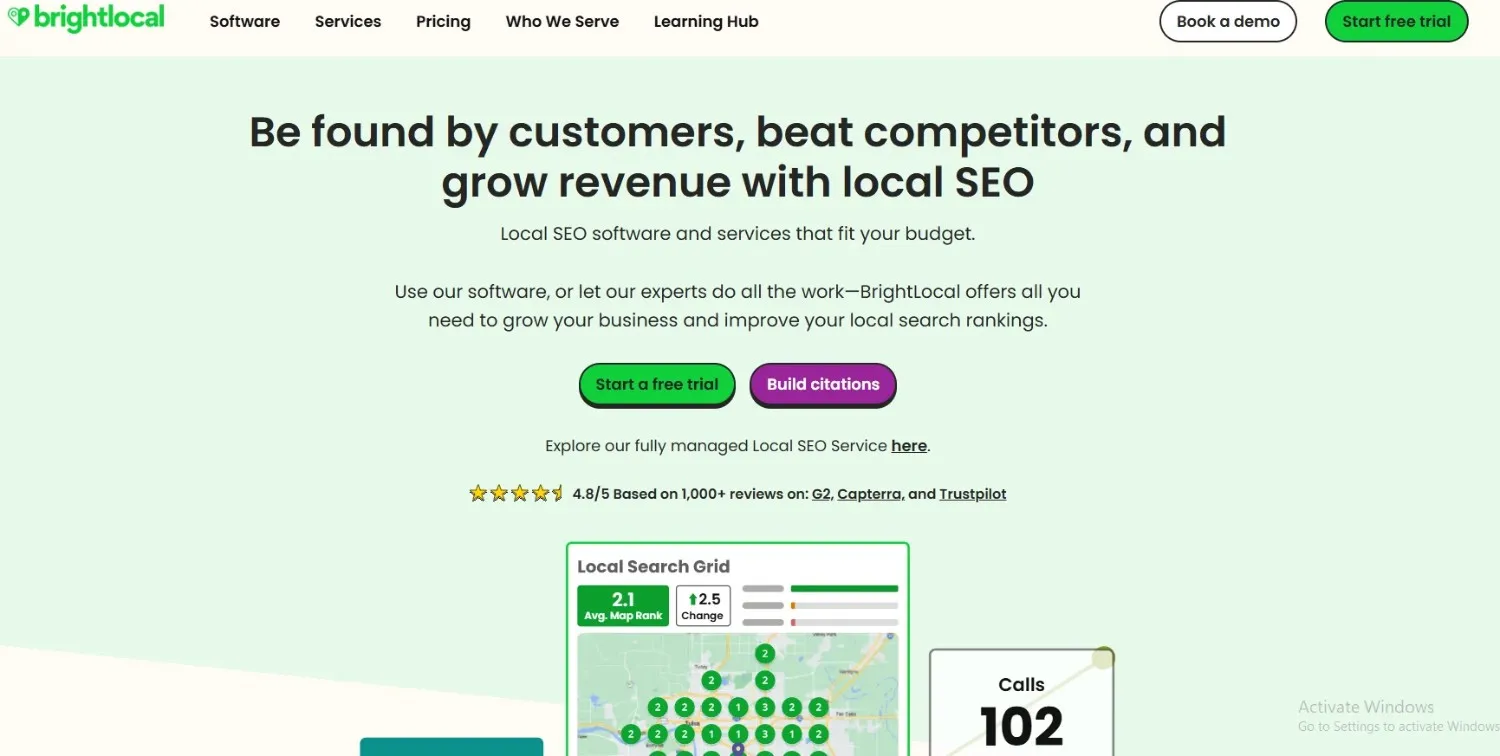
BrightLocal is a budget-friendly local SEO and review management tool perfect for smaller businesses looking to improve their business listings and track Google Business reviews.
Key Features:
- Review monitoring for Google reviews and other platforms
- Automated send review requests emails and SMS
- Local rank tracking for Google Maps
- Business citation management
Pros:
- Affordable for local businesses
- Combines review management with local SEO tracking
- Easy-to-use dashboard
Cons:
- Less advanced automation than WiserReview or Birdeye
- Limited widget customization for displaying Google reviews
Pricing:
- Track – $39/month: Essential local SEO tools
- Manage – $49/month: Includes listings management
- Grow – $59/month: Includes review management features
3 Common mistakes to avoid
Even the most well-meaning business owners trip over these mistakes. Avoid them, and your brand’s online reputation will thank you.
1. Block negative reviews
Also known as “review gating,” this practice involves selectively asking happy customers to leave positive reviews while quietly discouraging those with negative feedback.
It’s tempting… but it’s also against Google’s rules.
Google wants authentic customer feedback, the good, the bad, and the ugly. Filtering reviews is one of the fastest ways to lose your Google Business Profile privileges.
Better approach:
Improve customer satisfaction by addressing issues quickly and turning critics into fans. Use review responses to publicly show your commitment to fixing problems.
2. Handle reviews professionally, don’t ignore, argue, or reveal private info
This one’s brutal to watch.
A customer leaves a bad review… and the business replies by:
- Arguing
- Getting personal
- Or worse, revealing private info
Not only does this break trust, but it also hurts customer engagement and can be a PR nightmare.
Better approach:
Reply on time, stay calm, and take the conversation offline. Remember, you’re not just replying to them; you’re showing potential customers how you handle conflict.
3. Show honest reviews and follow Google’s display rules
If you display reviews on your site, they must reflect a balanced picture.
Google review management tools like WiserReview automatically keep you compliant by:
- Showing new reviews and older ones
- Displaying all feedback, not just the glowing 5-stars reviews
- Making sure your social proof is trustworthy
Better approach:
Follow Google’s display rules and use review monitoring to keep your review volume healthy and current.
Conclusion
If you take nothing else from this guide, remember this:
Google reviews are the single most public measure of your business’s reputation.
They influence your local SEO, shape customer sentiment, and can decide whether potential customers choose you or the competitor down the street.
When you:
- Send review requests at the right time
- Respond to every review on time
- Use Google review management tools like WiserReview to centralize and automate the process
- Display reviews strategically to build social proof
… you’re not just “managing reviews”, you’re building an online reputation that fuels business growth.
Get more Google reviews easily
Learn how to ask at the right time, reply faster, and turn customer feedback into growth.
Start Free →Frequently asked questions
There's no magic number, but a healthy review volume should steadily grow month to month. Fresh new reviews matter more than a one-time spike.
Aim for a response time within 24–48 hours. It shows you value customer feedback and improves customer engagement.
No, but you can flag fake reviews or policy violations. Use your Google Business Profile dashboard or centralized review management software to dispute them.
Share your Google review link via email, SMS, QR codes, and in-person, ideally right after peak customer satisfaction moments.
Absolutely. Local businesses with more positive reviews and recent activity tend to rank higher in Google Maps and local search results.
No, Google's review policies prohibit offering incentives for reviews (positive or negative). Focus on delivering good customer service and asking at the right time.

Krunal