Next, follow the steps below to show clean, high-converting reviews on your site.
Start by importing your existing reviews via a direct integration or CSV import.
If you do not yet have reviews, you can start collecting them with WiserReview automations.
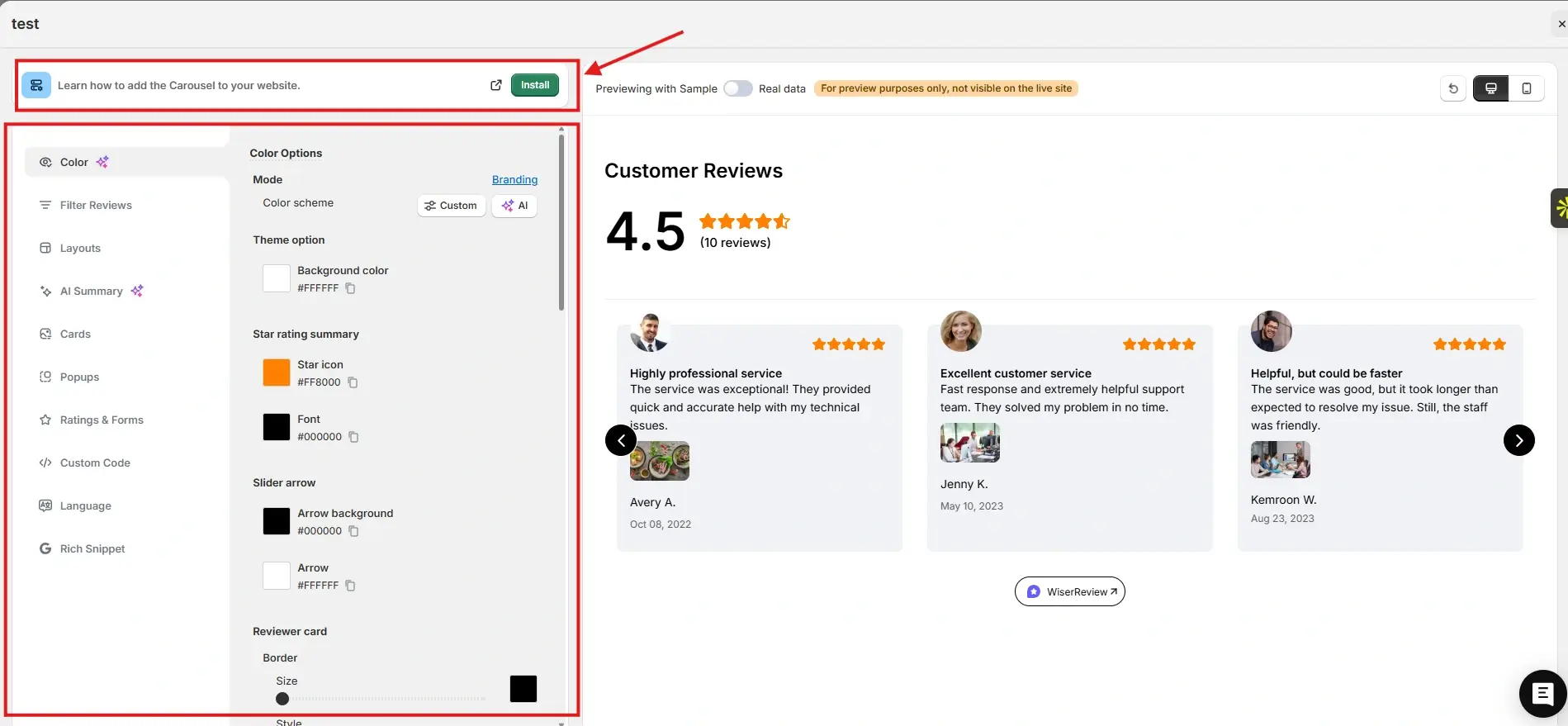
After that, go to the Widgets section. You will see multiple review widgets built to build trust and help visitors decide.
For this example, we chose the Carousel widget. You can customize it to match your brand colors and layout. Once everything looks right, click Install.
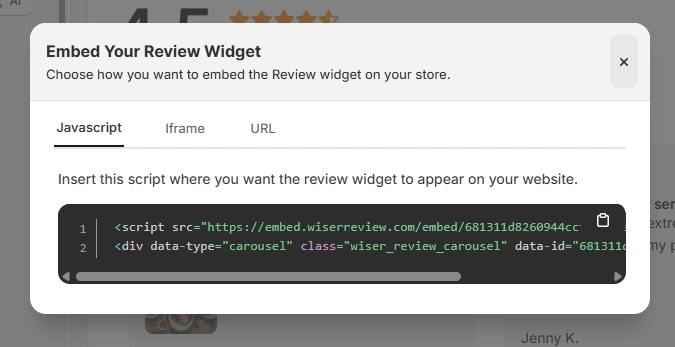
You will then see the JavaScript, iframe, and URL options for embedding the widget on your site.
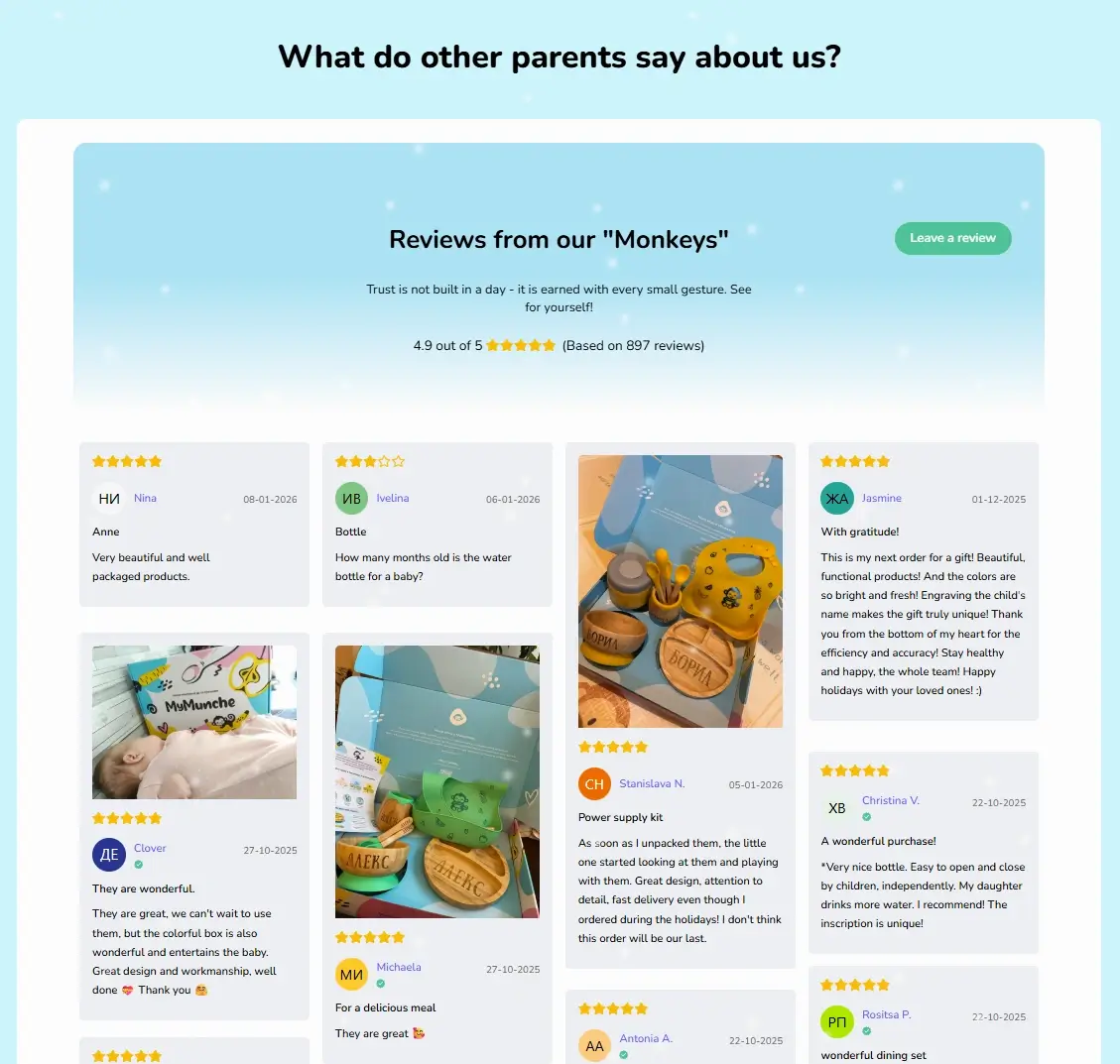
Here is how the Wall of Love looks on the MyMunche website.
You can explore the platform further or book a demo to learn how to collect more reviews and show them where they matter most, based on our four years of experience working with over 1,100 brands.
How to embed reviews on Landing Pages
After generating your WiserReview widget code, follow these general landing page steps:
Open your landing page editor or builder.
Navigate to the section where reviews should appear.
Add an HTML, Embed, or Custom Code block.
Paste the WiserReview embed code.
Adjust spacing and alignment to match the layout.
Preview desktop and mobile views.
Publish the page.
For multi-step funnels:
Add different review widgets at each step.
Match reviews to the intent of the page.
Best practices for showcasing reviews on Landing Pages
Landing pages require precision. Reviews should support conversion, not distract.
1. Place reviews near high friction points
Visitors hesitate before action.
Place reviews:
Near CTA buttons
Above forms
Before pricing or checkout sections
2. Match reviews to page intent
Each landing page has a single goal.
Use WiserReview tags to:
Show signup focused reviews on opt-in pages
Show results focused reviews on sales pages
3. Keep reviews short and scannable
Long testimonials slow decisions.
Use:
One sentence reviews
Clear outcomes
Names or star ratings
3 Common mistakes to avoid when adding reviews to Landing Pages
Even small mistakes reduce conversions.
1. Adding reviews too late on the Page
Users may leave before seeing proof.
Solution: Introduce reviews early and reinforce them later.
2. Using generic testimonials
Generic proof feels staged.
Solution: Use relevant, tagged, and outcome-based reviews.
3. Overloading pages with reviews
Too much proof distracts users.
Solution: Use one focused widget per page.
All your reviews in one place
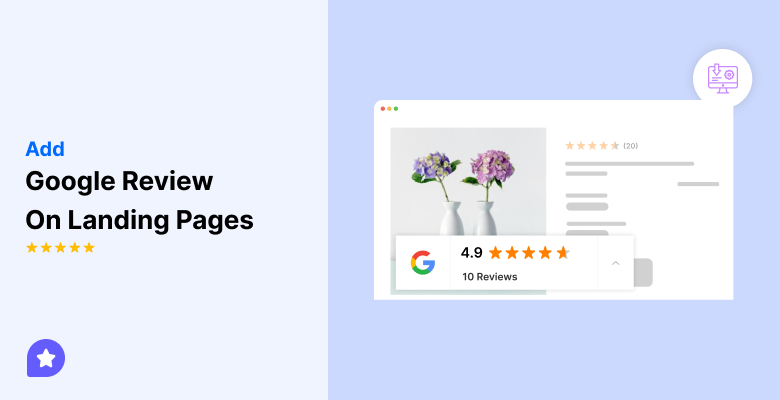
Collect reviews, manage every response, and display them on your Landing pages site.
Landing pages convert when trust supports clarity. Reviews provide the proof visitors need to act with confidence.
With WiserReview, you can add fast, clean, and targeted reviews to any landing page without hurting speed or focus.
Start using WiserReview to turn your landing pages into high trust conversion assets.
Frequently asked questions
Yes. WiserReview works with all landing page platforms using embed code.
No. Widgets load asynchronously and remain lightweight.
Yes. Review widgets work well with split testing.
No. You only copy and paste the embed code.
Yes. All updates are managed inside the WiserReview dashboard.
Article by
Krunal
Krunal Vaghasia is the founder of WiserReview and an eCommerce expert in review management and social proof. He helps brands build trust through fair, flexible, and customer-driven review systems. Read more.

 3 min
3 min