BigCommerce Customer Reviews: Everything you need to know
A clear guide to BigCommerce customer reviews, covering setup, automation, imports, rich snippets, and the best tools to manage and display reviews with ease.
Nearly all consumers read reviews before making a purchase, so positive, clear, and honest reviews are critical to any BigCommerce store. A good review can create trust almost instantly and help encourage new visitors to place an order.
BigCommerce customer review provides stores with an easy review system, but many wish for greater control over reviews, better display options, and a more effective way to collect them. A good setup can help build your credibility in a steady, straightforward way.
This guide will show how BigCommerce Customer Reviews work, how to set them up, collect and manage reviews, and finally, how to improve reviews with better tools and better placement.
What BigCommerce reviews are and why they matter
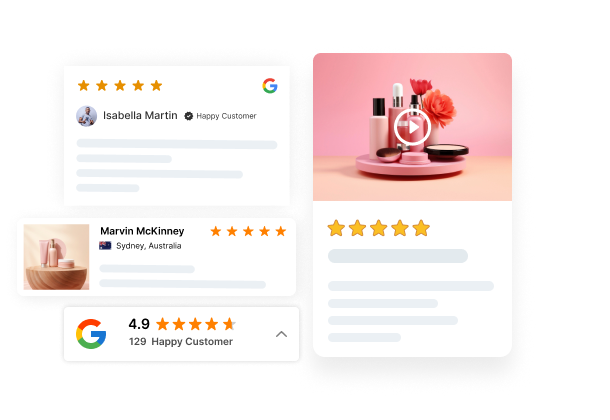
BigCommerce product reviews are customers’ product feedback that can be displayed on product pages. They include star ratings, written comments, and sometimes photos or videos to give shoppers a real feel for what customers have to say about the product.
BigCommerce has a built-in review system, but you can also use third-party review apps to get really fancy with features like photo reviews, automated review requests, and greater flexibility in how reviews are displayed.
How reviews shape buying decisions
Reviews have a more substantial influence on purchase behavior than anything else you’ll write in your marketing copy. If shoppers see that another customer bought and loved the product, they are more likely to trust it.
Here’s what happens when you add reviews to your store:
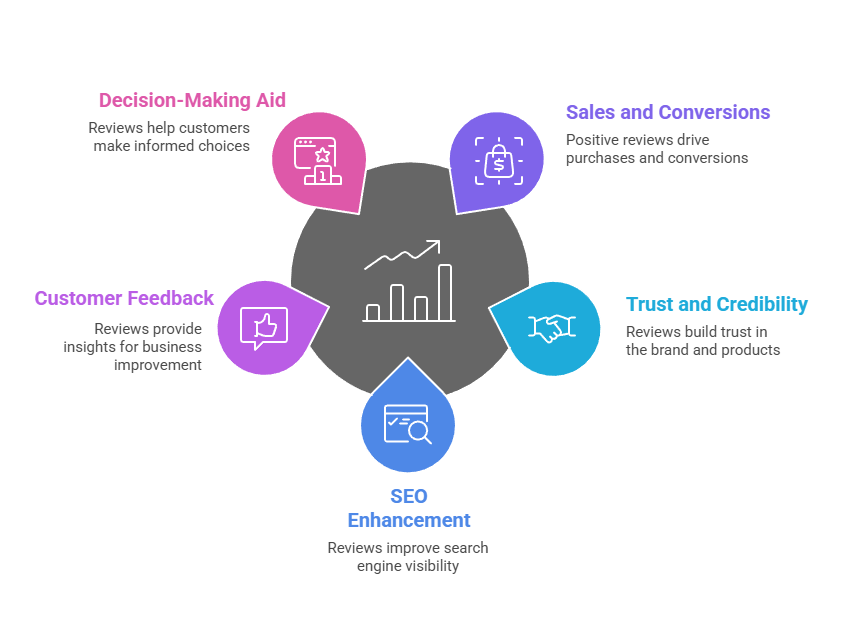
Trust goes up almost immediately: New customers feel much more comfortable shopping at your store.
Conversion rates skyrocket: Adding reviews can boost conversion rates by up to 3.5 times compared to a product without reviews.
Purchase hesitation drops: Real customer photos and written testimonials (“fits perfectly” or “runs small”) can answer all those “what if” questions before they even get asked.
How the BigCommerce review system works
BigCommerce’s review system is actually pretty straightforward: you collect, moderate, and display customer feedback right on your product pages.
It’s got basic review capabilities that’ll work fine for smaller stores, and it also integrates with third-party review apps for super-advanced features like automated review requests, photo and video uploads, and more.
How reviews help store SEO
Search engines love fresh, user-generated content. Reviews add exactly that to your product pages. When you turn on rich snippets (structured data), your star ratings show up right in the Google search results.
That means customers can see how highly your product is rated before they even click your link, boosting click-through rates.
Reviews also add natural keywords to your pages, helping you rank for more search terms without extra effort.
All your reviews in one place
Collect reviews, manage every response, and display them where they matter most.
Setting up BigCommerce reviews takes less than five minutes. The platform gives you complete control over who can review, how reviews appear, and which feedback goes live.
How to enable or disable reviews
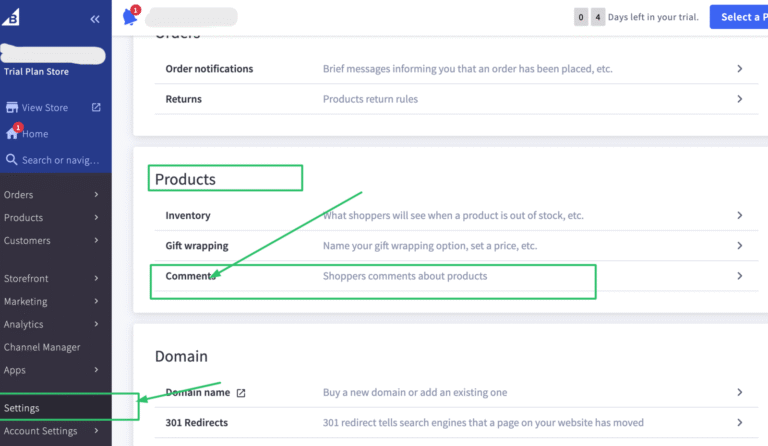
To enable/disable reviews, navigate to your BigCommerce dashboard:
Open your BigCommerce dashboard and go to Settings.
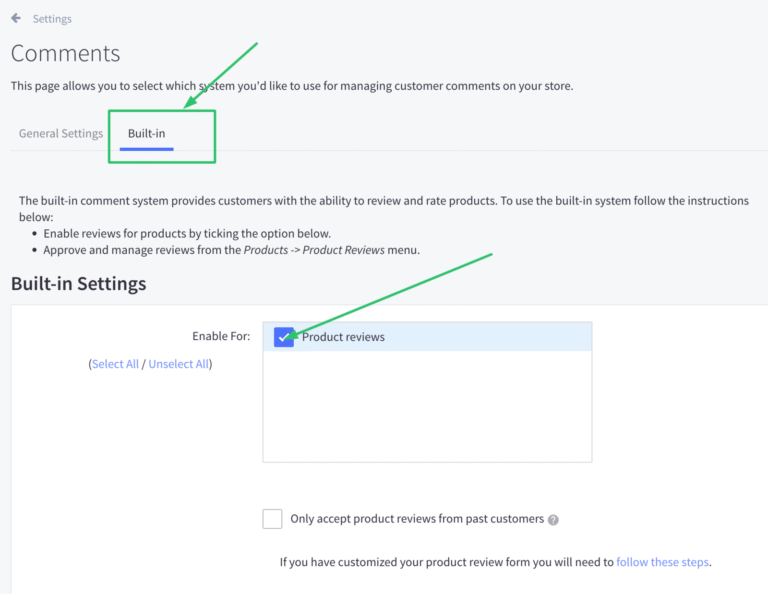
Next, scroll down to the Products section and click Comments and select “Built-in”.
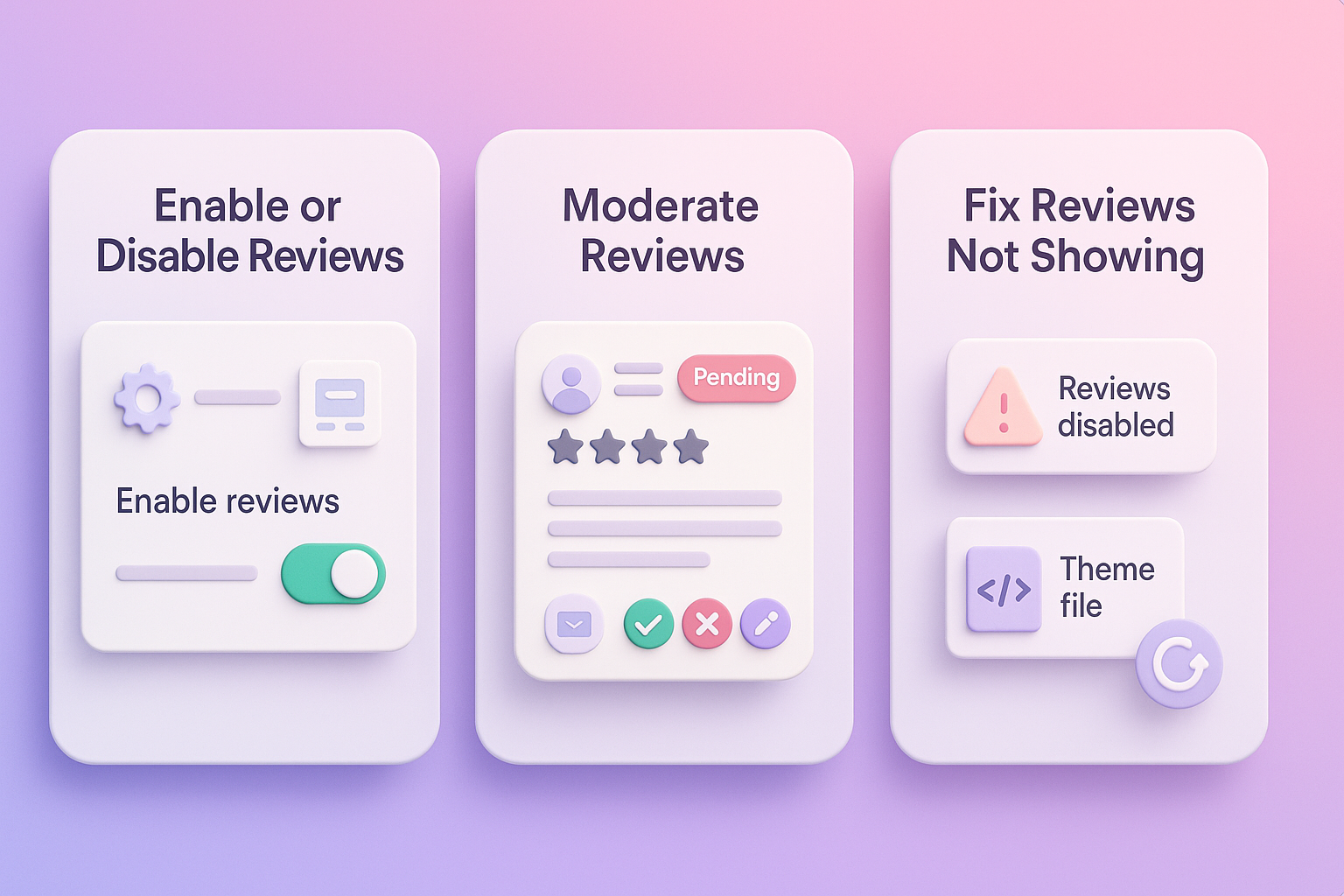
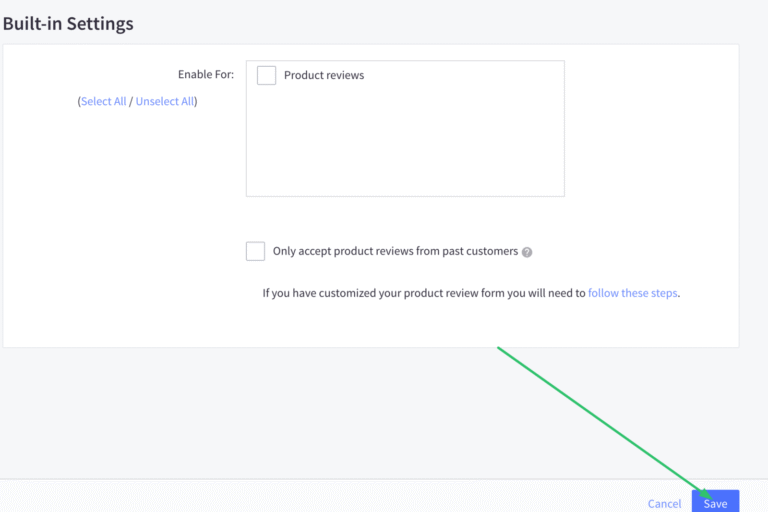
Inside the Built-in tab, check/uncheck the box to enable/ disable Product reviews.
How to moderate reviews
BigCommerce provides three options for moderating product reviews. You can either approve, reject or edit any review before it’s publicly displayed to everyone.
Access your BigCommerce store’s admin dashboard. Navigate to Product Reviews: Products > product reviews. View Pending Reviews. New reviews will have a “pending” status by default unless you have configured automatic approval.
Pro tip: Enable the “Only accept product reviews from past customers” setting. This forces reviewers to enter an email address, which BigCommerce cross-references with your orders.
Why your reviews may not show and how to fix it
BigCommerce has a bunch of settings that could be preventing your reviews from showing up as they should.
If your BigCommerce reviews are not showing on your storefront, the issue typically stems from moderation settings, theme compatibility, or caching problems.
Here’s the fix:
Reviews are disabled: Double-check that Product Reviews are turned on in Advanced Settings > Built-in > Product Reviews.
Theme issues: Check your theme documentation or reach out to your theme developer – some BigCommerce themes need a bit of code tweaking to get reviews to display correctly.
Caching Delays: Wait a few minutes (5-15 minutes is enough), force a refresh (Ctrl+F5 or Cmd+Shift+R) on the product page, and Clear the Server Cache.
How to collect more customer reviews
Most customers won’t leave reviews unless you ask. Automating review requests and making the process simple dramatically increases review volume.
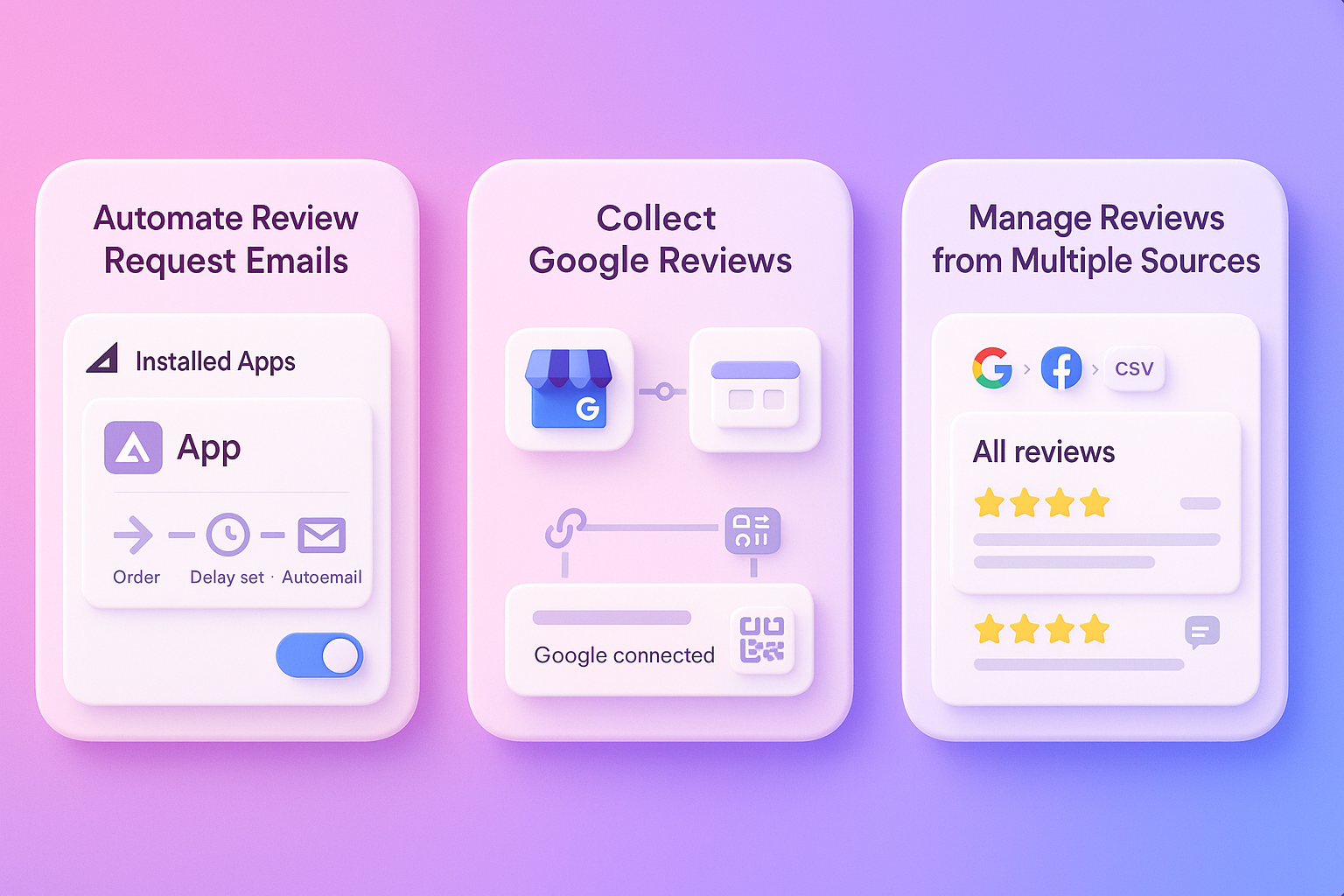
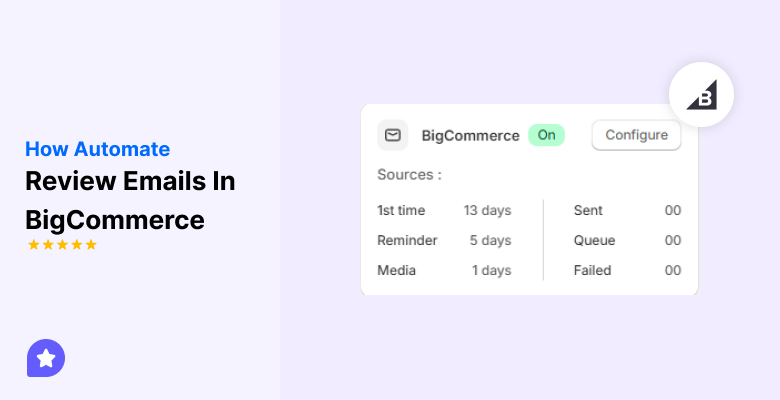
How to automate review request emails
BigCommerce’s built-in system does not support automated review request emails triggered by order status changes. To automate this process, use a dedicated third-party review from the BigCommerce App Store.
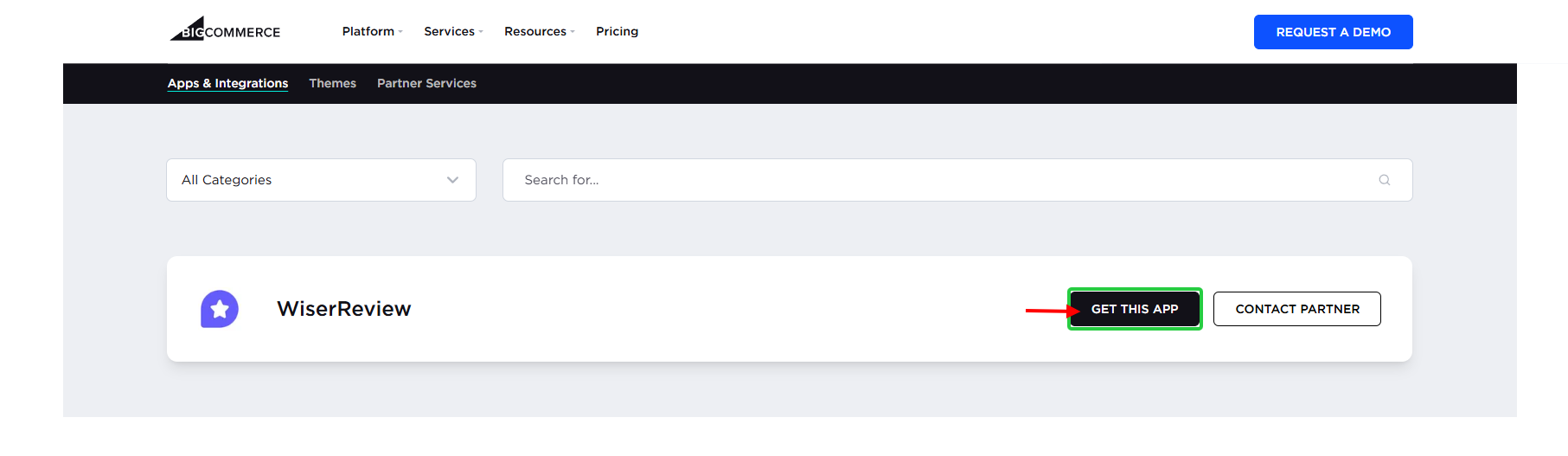
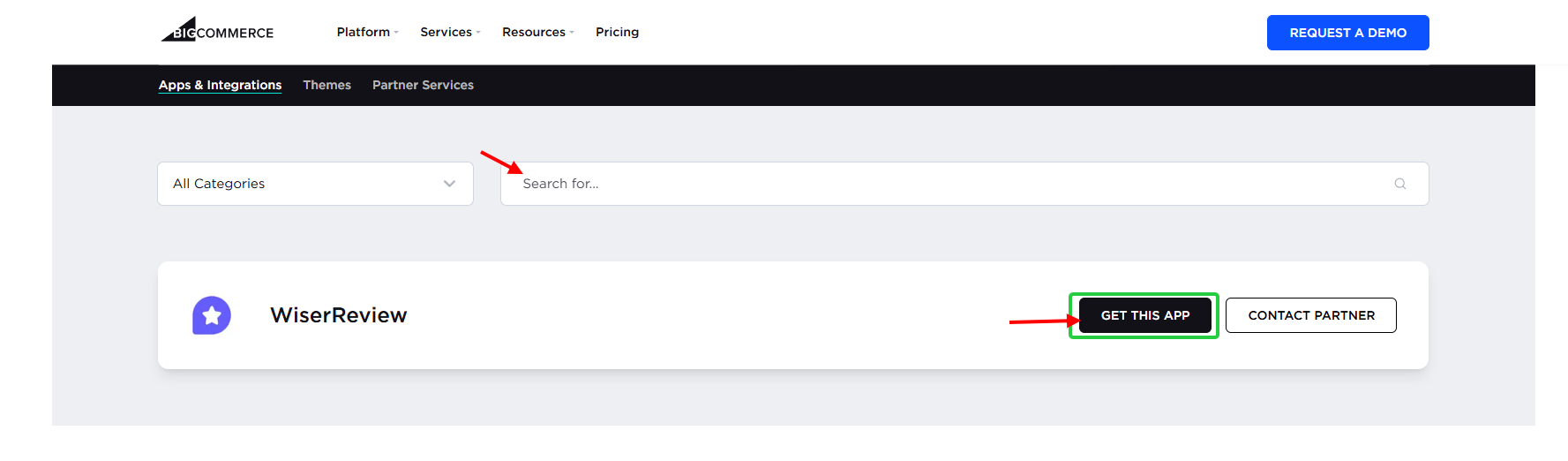
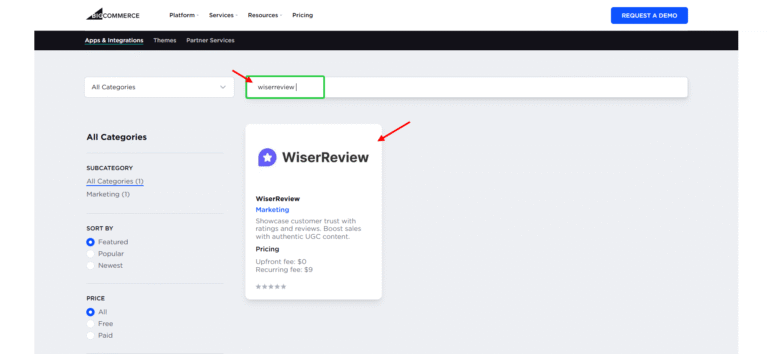
Log in to your BigCommerce control panel. Navigate to Apps > App Marketplace. Search for a review app (like “Wiserreview”) and install it by clicking “Get this app”.
Now complete Onboarding and set up.
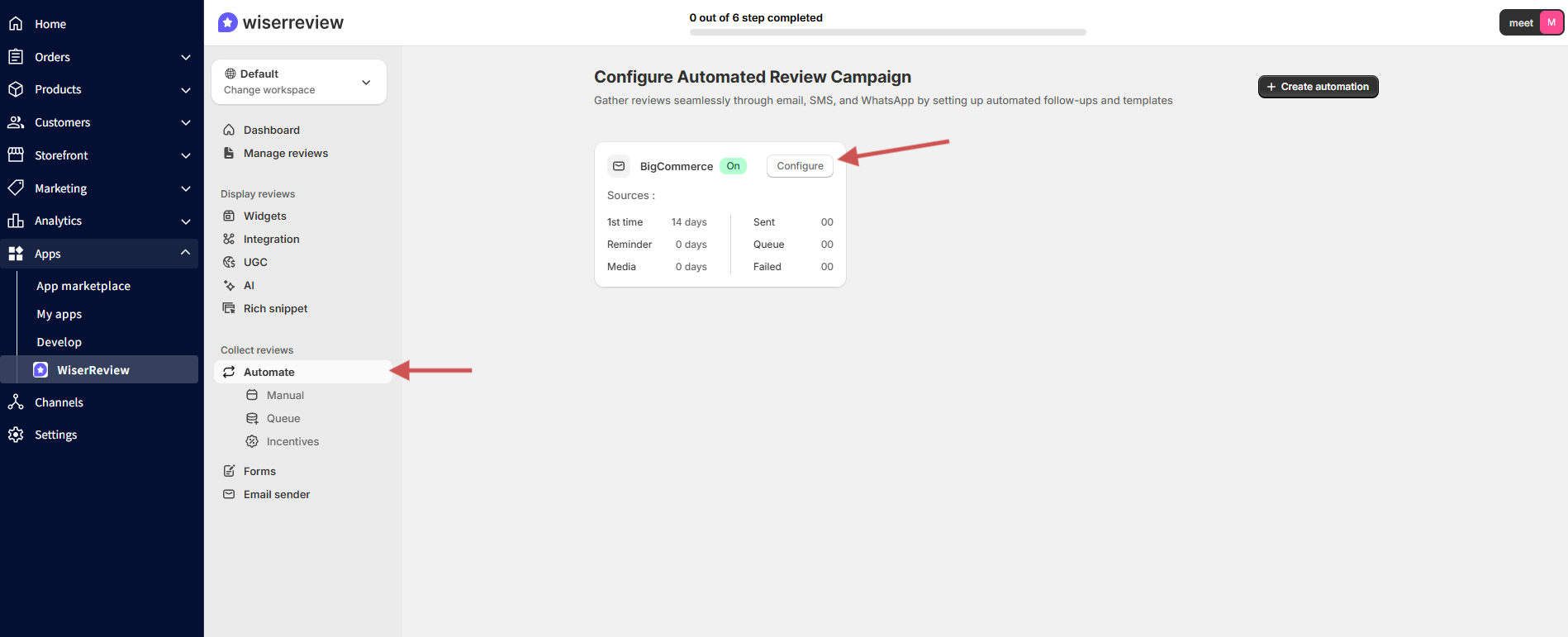
Go to “Automation and click “Configure”.
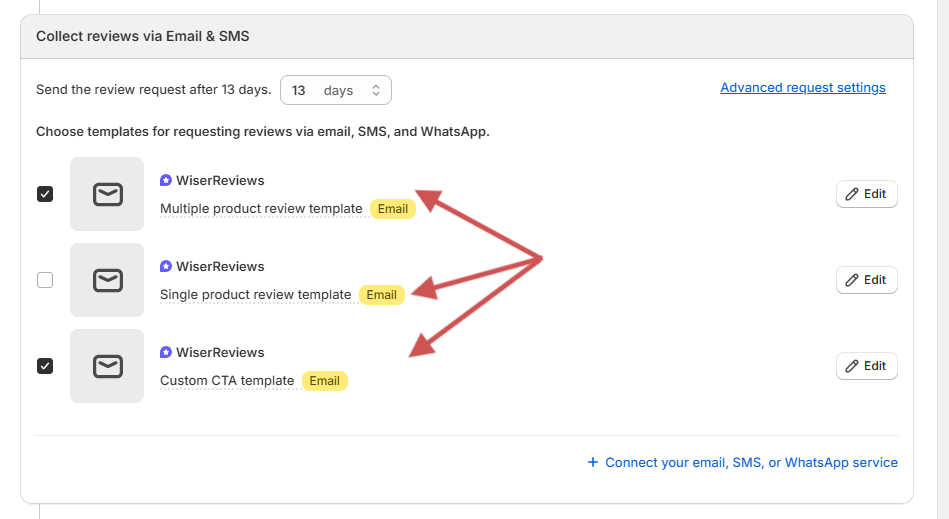
Set a delay for the email to be sent after the trigger event.
Collect reviews via email or SMS.
Send a test email to yourself to ensure everything looks and works correctly.
How to collect Google Reviews on BigCommerce
To collect Google reviews directly on your website’s pages, you need a third-party app from the BigCommerce App Store, such as “WiserReview”.
Verify Your Google Business Profile
Install a Third-Party App that is “WiserReview”
Connect Your Google Account
Generate Your Google Review Link
Place the Collection Button/Link on Your Store
Activate the App and Promote the Link
How to import, export, and move BigCommerce reviews
When it comes to migrating reviews between platforms or backing them up, you’ve got a few options. BigCommerce supports CSV imports and exports, but third-party apps can make the process much smoother.
How to import reviews into BigCommerce
To import reviews;
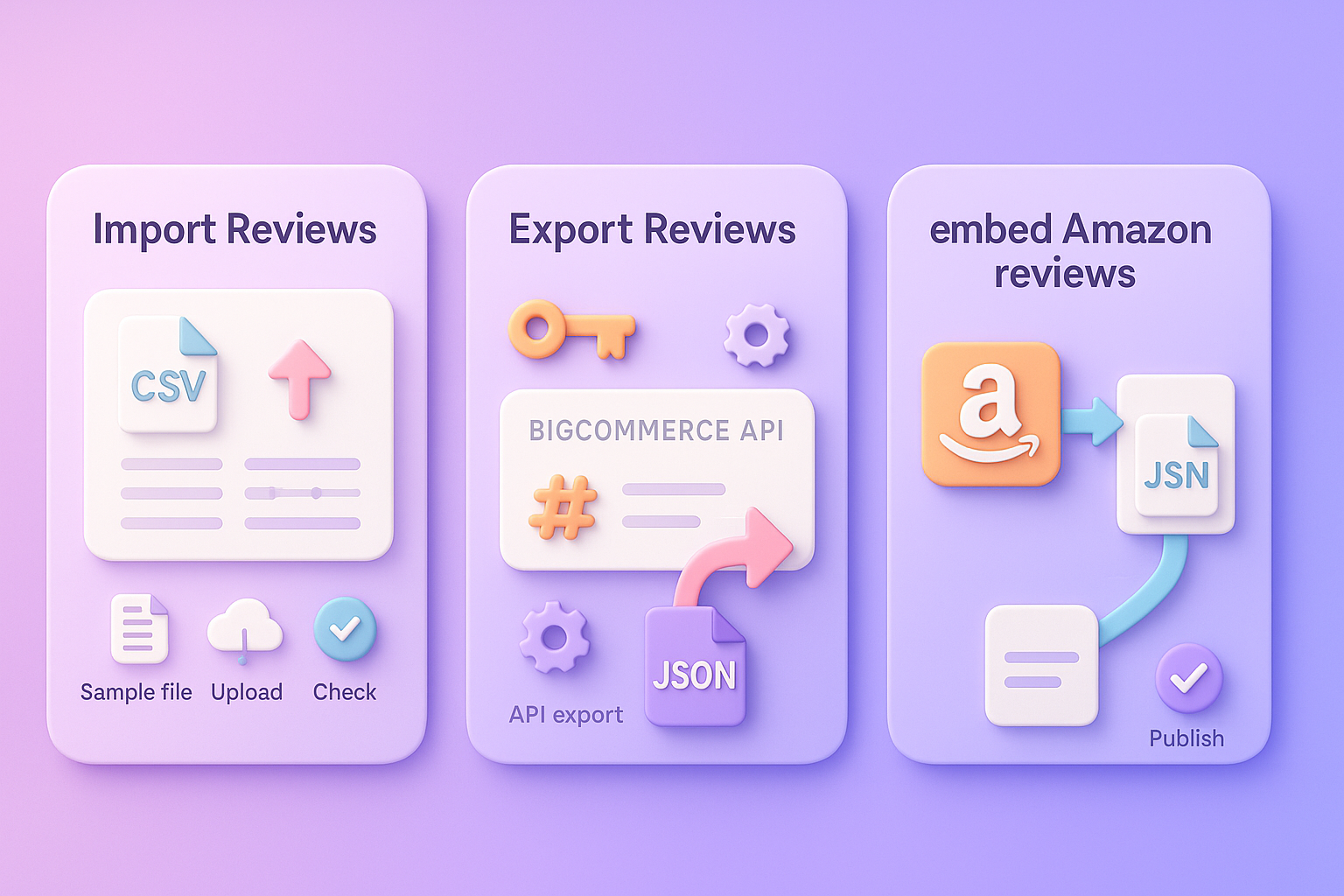
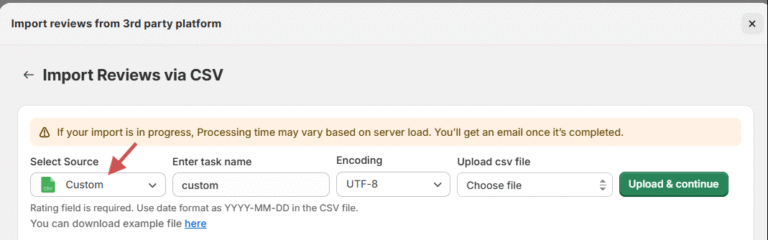
1. Install and connect WiserReview
2. Open WiserReview and go to Import/Export
3. Download the sample CSV and prepare your CSV file
4. Upload your CSV
5. Check field mapping
6. Run the import and verify
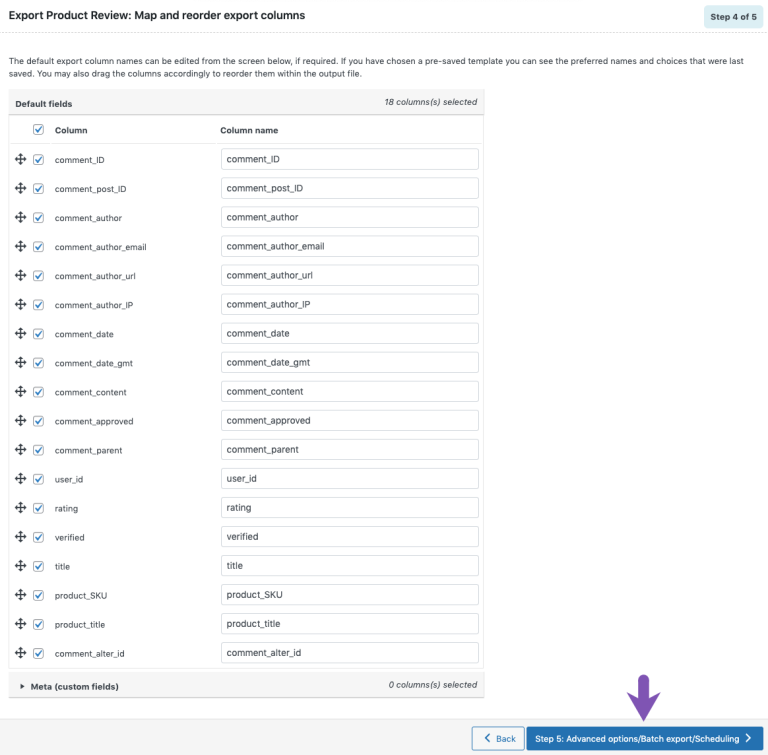
How to export reviews from BigCommerce
BigCommerce does not offer a direct “Export Reviews” button; you export reviews via the API.
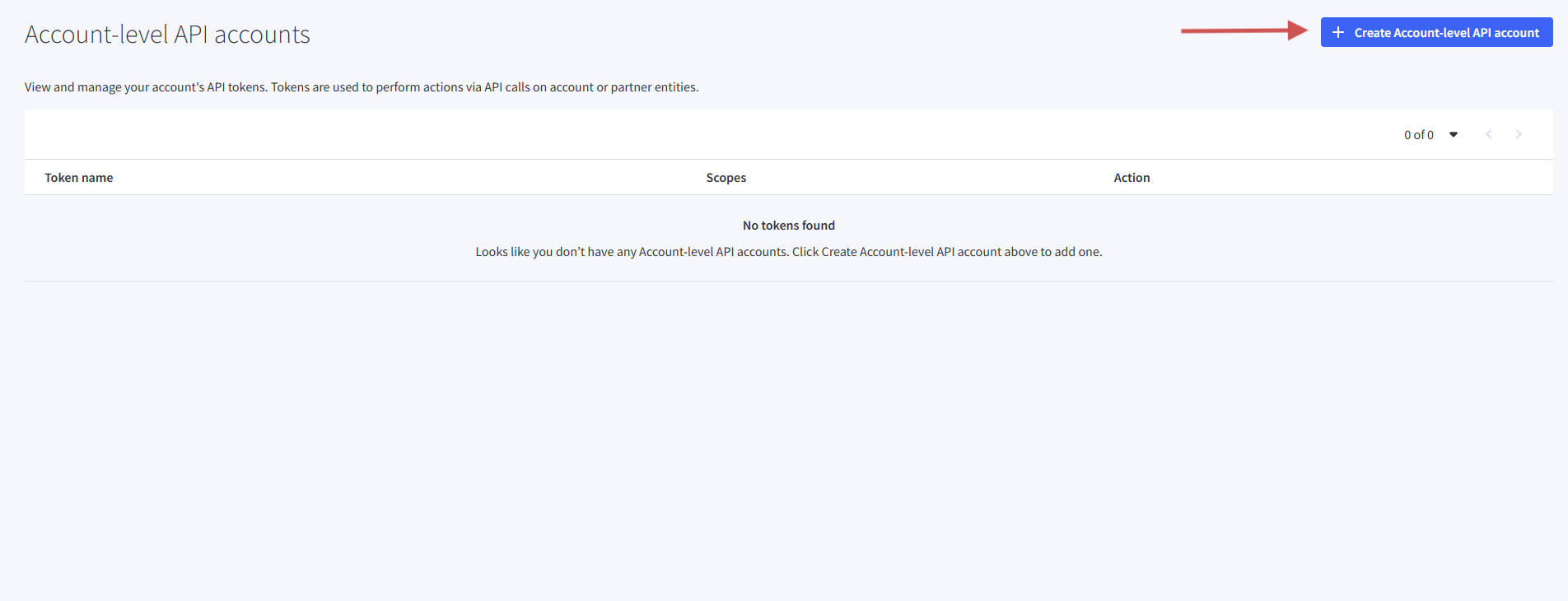
To Export reviews, you need to create your API account first.
1. In your BigCommerce admin, go to Advanced Settings > API Accounts.
2. Get your store hash.
3. Use an API client, and add your API keys.
4. Run the reviews export request.
5. Download the JSON file.
How to embed Amazon reviews in BigCommerce
Displaying Amazon reviews on your BigCommerce store adds instant credibility, especially for products sold on both platforms.
To embed Amazon reviews using a third-party app;
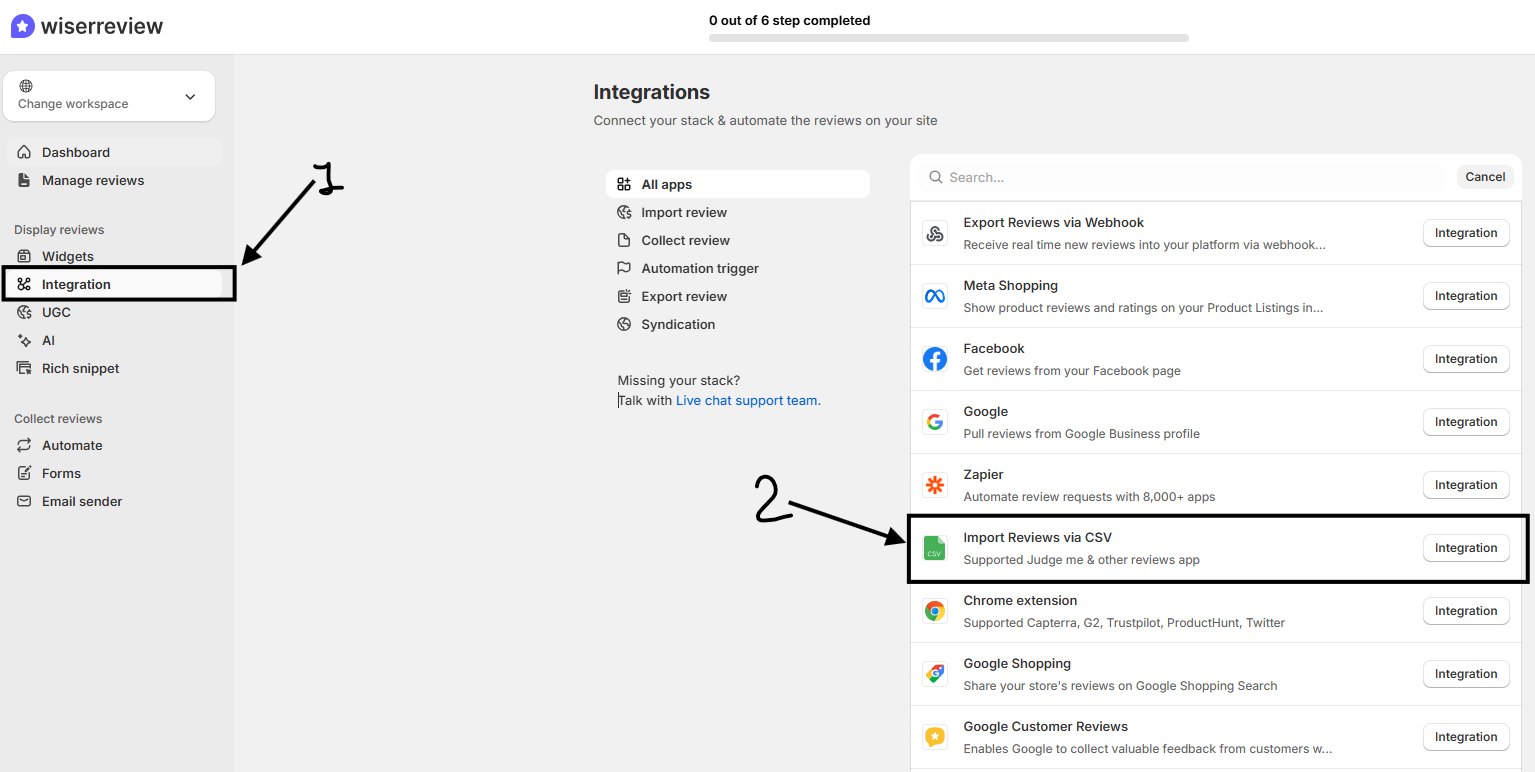
Install “Wiserreview” and log in to your Wiserreview dashboard.
Click Integration on the left sidebar.
Scroll the integrations list and Select “Import Reviews via CSV”.
Review and Publish Your Imported Amazon Reviews
3 Best review apps for BigCommerce
Native BigCommerce reviews work fine, but dedicated review apps unlock advanced features like photo reviews, automated collection, and better display options.
1. WiserReview
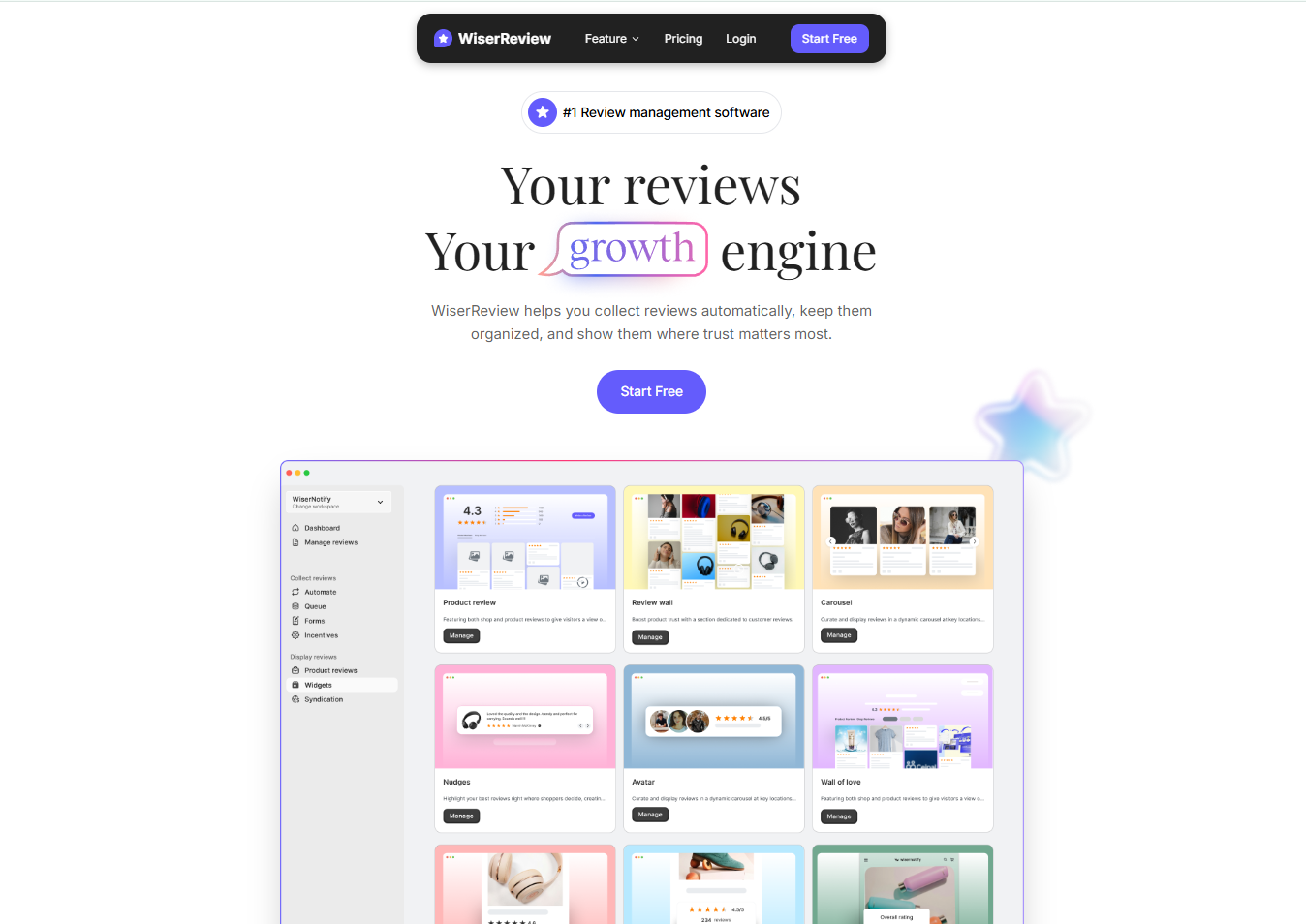
WiserReview is an easy way to manage all your customer feedback in a BigCommerce store, with automatic collection/management/display of customer feedback.
WiserReview integrates robustly with BigCommerce, so you’ll be able to do a lot without “hacky” coding!
Key Features;
Automatically send review-request emails or SMS after purchase.
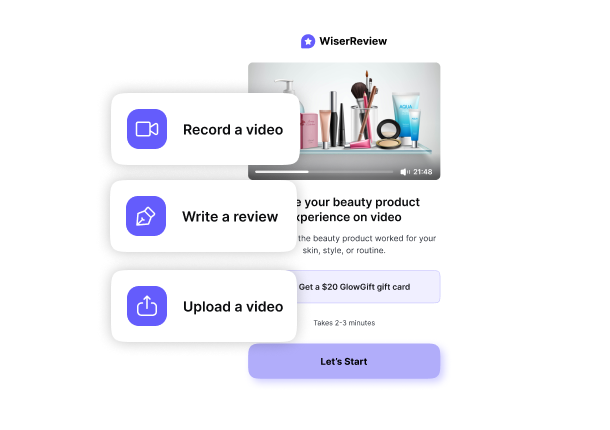
Collect photo and video reviews, along with star ratings and written feedback.
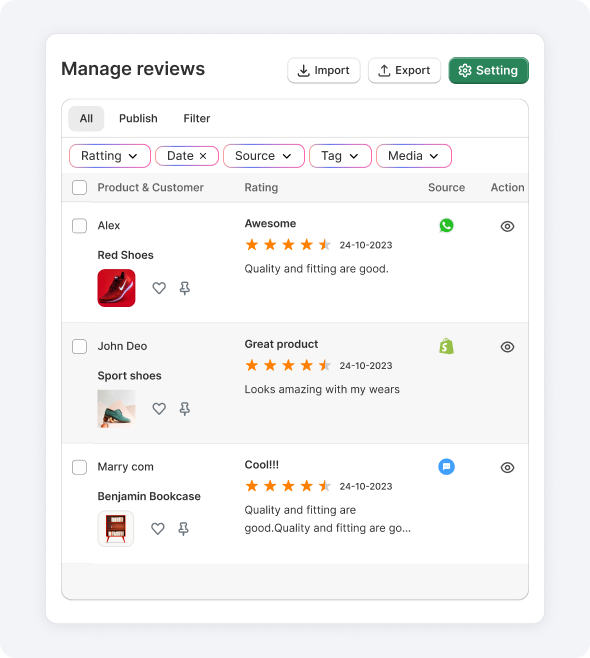
Built-in moderation tools: filter reviews by keyword, tag them, approve or reject.
Stamped collects customer reviews and combines them with Loyalty /Referral Programs, so it’s perfect for Stores that are all about keeping Customers coming back over & again or utilizing every possible outlet to bring in New Customers.
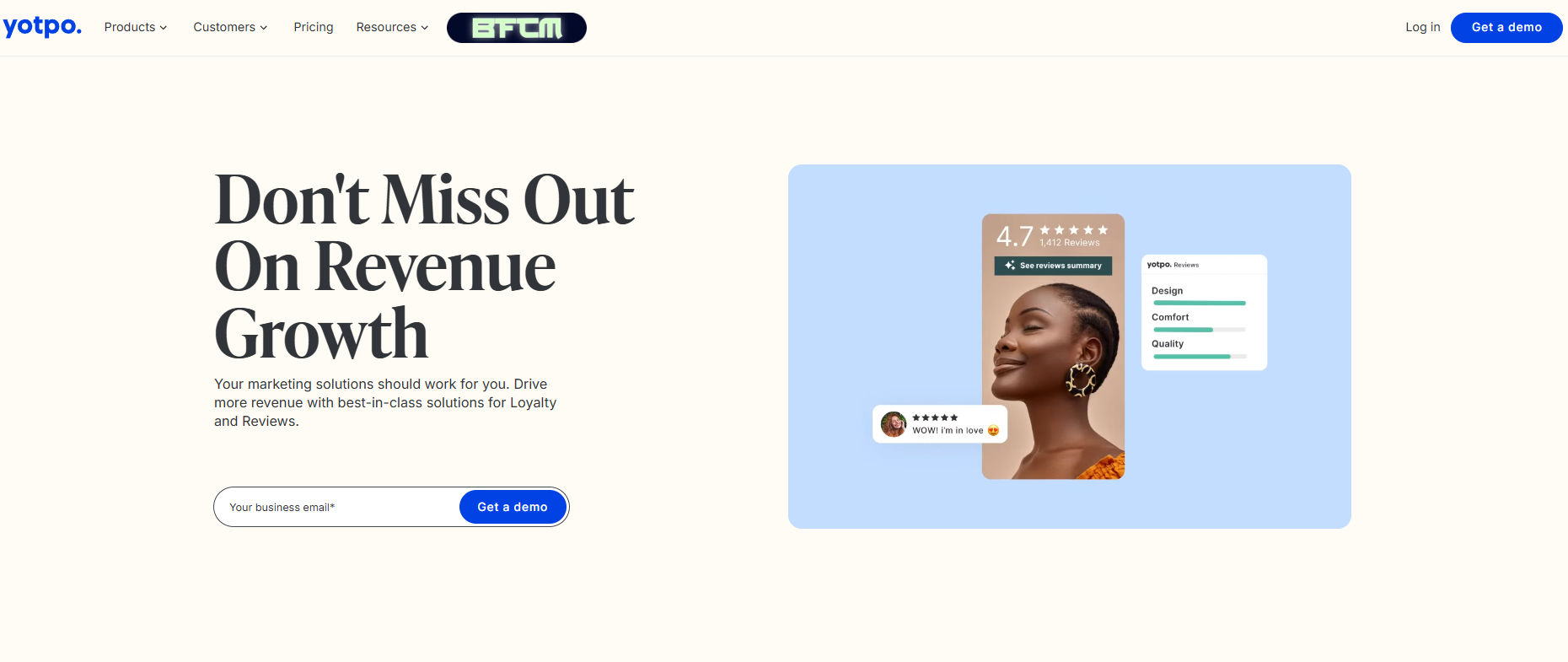
Yotpo is an extensive Marketing Platform for all things Review/Subscription/SMS/Marketing based that is extremely powerful and flexible but does come at a higher COST!
Key features:
Product and site reviews with photo/video support
SMS marketing campaigns (20-35% CTR vs 2-5% email average)
Loyalty and referral programs
Integration with Klaviyo, Google Shopping, and Facebook.
The way you display reviews matters as much as collecting them. A well-placed review widget turns hesitant visitors into confident buyers.
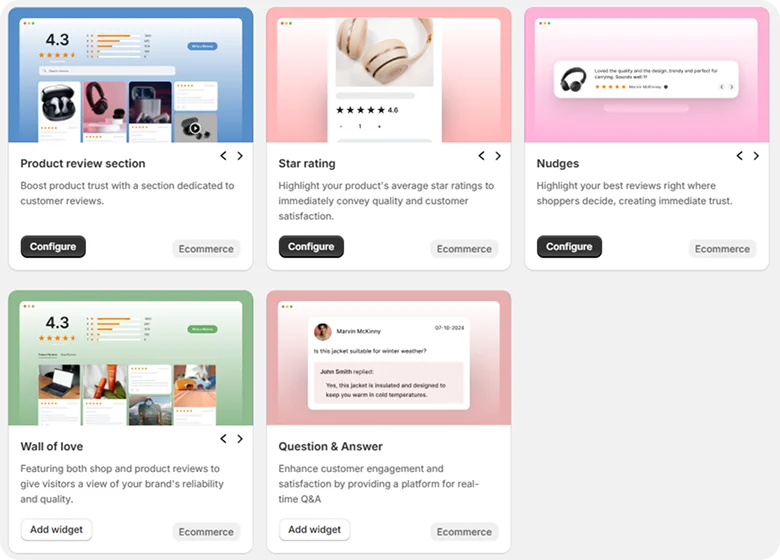
Product-Specific Review Widgets
Product review section: Displays a whole review block with ratings, media, and details for each product page.
Star rating: Displays the average star rating so shoppers can quickly judge quality.
Nudges: Shows small auto-rotating review snippets to build trust at decision points.
Wall of love: Shows a large grid of customer reviews and photos to build strong trust.
Question & Answer: Let shoppers ask questions and see answers in real time on product pages.
Review Widgets
Review wall: Shows a combined wall of your shop reviews and product reviews in one place.
Carousel: Displays reviews in a rotating slider that fits any landing or product page.
Auto Slider: Shows reviews in an auto-scroll slider for fast trust building with no clicks.
Trust badge: Displays a clean star rating badge with the total review count for instant trust.
Sidebar Snippet: Displays a vertical review strip on the side of your site to keep trust front and center.
Floating badge: Displays a small, slide-in rating badge that remains visible as users browse.
Floating Social Badge: Shows your Facebook or Google rating in a floating badge to build trust.
Avatar: Displays reviewer faces with short snippets to add a human touch.
Floating Popup: Shows small live popups of top reviews to increase trust and conversions.
How to show reviews with rich snippets
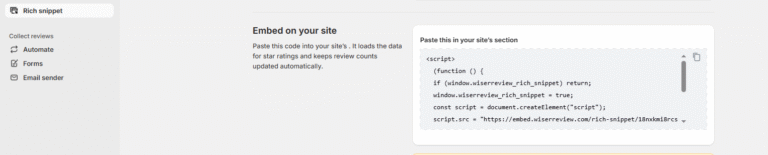
WiserReview adds clean rating and review data without any code. It also updates the schema when new reviews come in, so Google always reads fresh information.
Method 1 – Using an app/plug-in
BigCommerce requires structured data (schema markup) to enable rich snippets. Here’s how to add it using a third-party app:
Install a Rich Snippets App “Wiserreview”
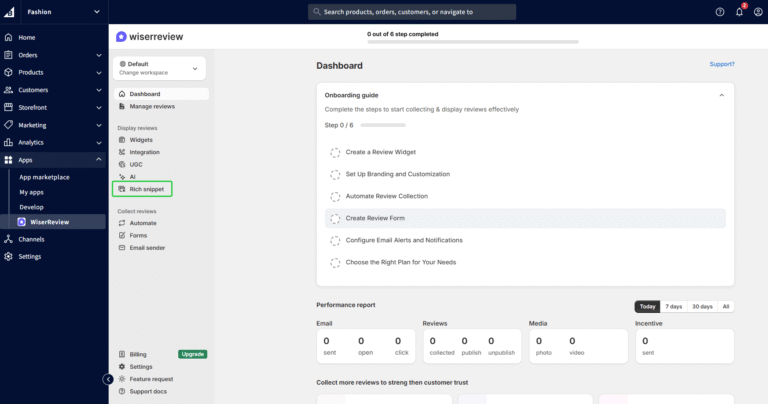
Click Rich snippet under the “Display reviews” menu.
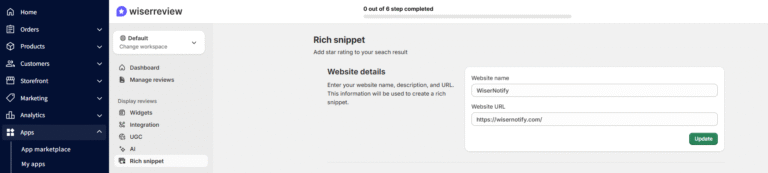
Enter your website name and website URL in the fields shown.
Once enabled, WiserReview creates the correct JSON-LD data that Google needs.
Make sure the widget is active.
Now, open the Google Rich Results Test and test your product page by pasting your product URL.
Wait for Google to update
Method 2 – Manual schema markup/custom code
You can add rich snippets manually in BigCommerce by inserting a custom JSON-LD block into your theme files.
Place the code in your product template, include key product fields, publish the theme, and test the page using Google’s Rich Results tool.
Keep the schema up to date so your ratings and product details remain accurate.
How to check if snippets work
After adding structured data, verify it’s working correctly:
Access the Tool: Open the Google Rich Results Test tool in your web browser.
Enter Your URL: Paste the URL of a specific product page from your BigCommerce store into the search bar. This tool needs a live, public URL to analyze.
Run the Test: Click “Test URL” and wait a few moments for Google’s analysis.
Review the Results: Google shows whether rich snippets are detected and displays any errors.
All your reviews in one place
Collect reviews, manage every response, and display them where they matter most.
Customer Reviews on BigCommerce are the ultimate secret weapon in turning your website from just a product catalogue into a trusted online Shopping destination for customers.
They will help you answer questions/concerns, remove doubts, and create a safe place for shoppers to confidently “hit” the buy button.
Get started with the basics: turn on reviews, set up automated requests, and keep that feedback moderation on point. Then level up with tools like WiserReview to automate collection, display reviews in a pretty way, and show star ratings in Google search results.
The stores winning today aren’t just collecting reviews – they’re strategically showing them everywhere trust matters. Make reviews impossible to miss, and watch those conversion rates roar.
Frequently asked questions
Yes. You can import reviews via CSV or via direct sync with WiserReview.
Yes. Reviews add fresh content and show star ratings in Google when you use rich snippets.
Use WiserReview to send automated review-request emails or messages after each order.
Native BigCommerce reviews are free but basic, text-only, limited automation, and minimal display options. WiserReview adds photo and video reviews, automation, and improved widget display.
Yes. WiserReview lets you display Google Reviews with clean, customizable widgets.
Article by
Krunal
Krunal Vaghasia is the founder of WiserReview and an eCommerce expert in review management and social proof. He helps brands build trust through fair, flexible, and customer-driven review systems. Read more.

 8 min
8 min