Learn how to add reviews to your website in just few minutes. A simple way to show real customer feedback and build trust, no coding or complex setup required.
Next, follow the steps below to show clean, high-converting reviews on your site.
Start by importing your existing reviews via a direct integration or CSV import.
If you do not yet have reviews, you can start collecting them with WiserReview automations.
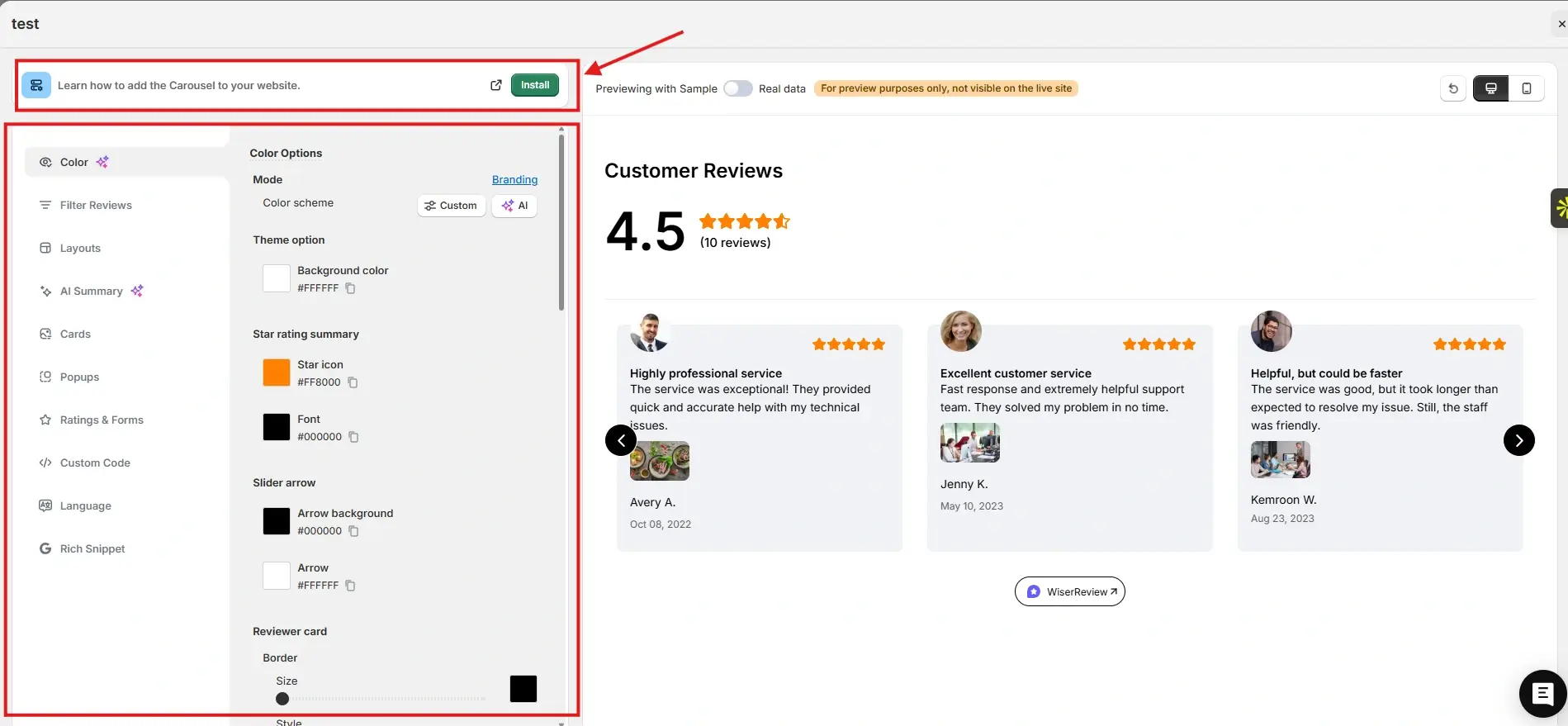
After that, go to the Widgets section. You will see multiple review widgets built to build trust and help visitors decide.
For this example, we chose the Carousel widget. You can customize it to match your brand colors and layout. Once everything looks right, click Install.
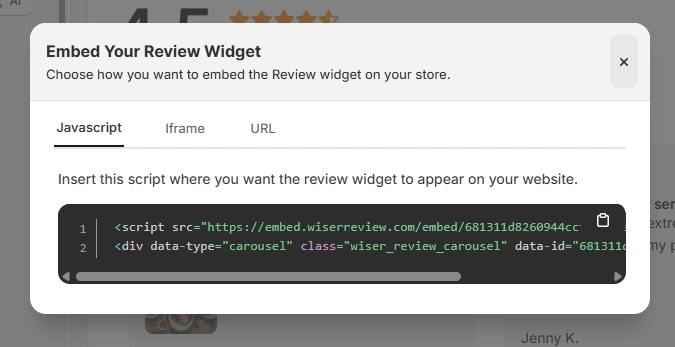
You will then see the JavaScript, iframe, and URL options for embedding the widget on your site.
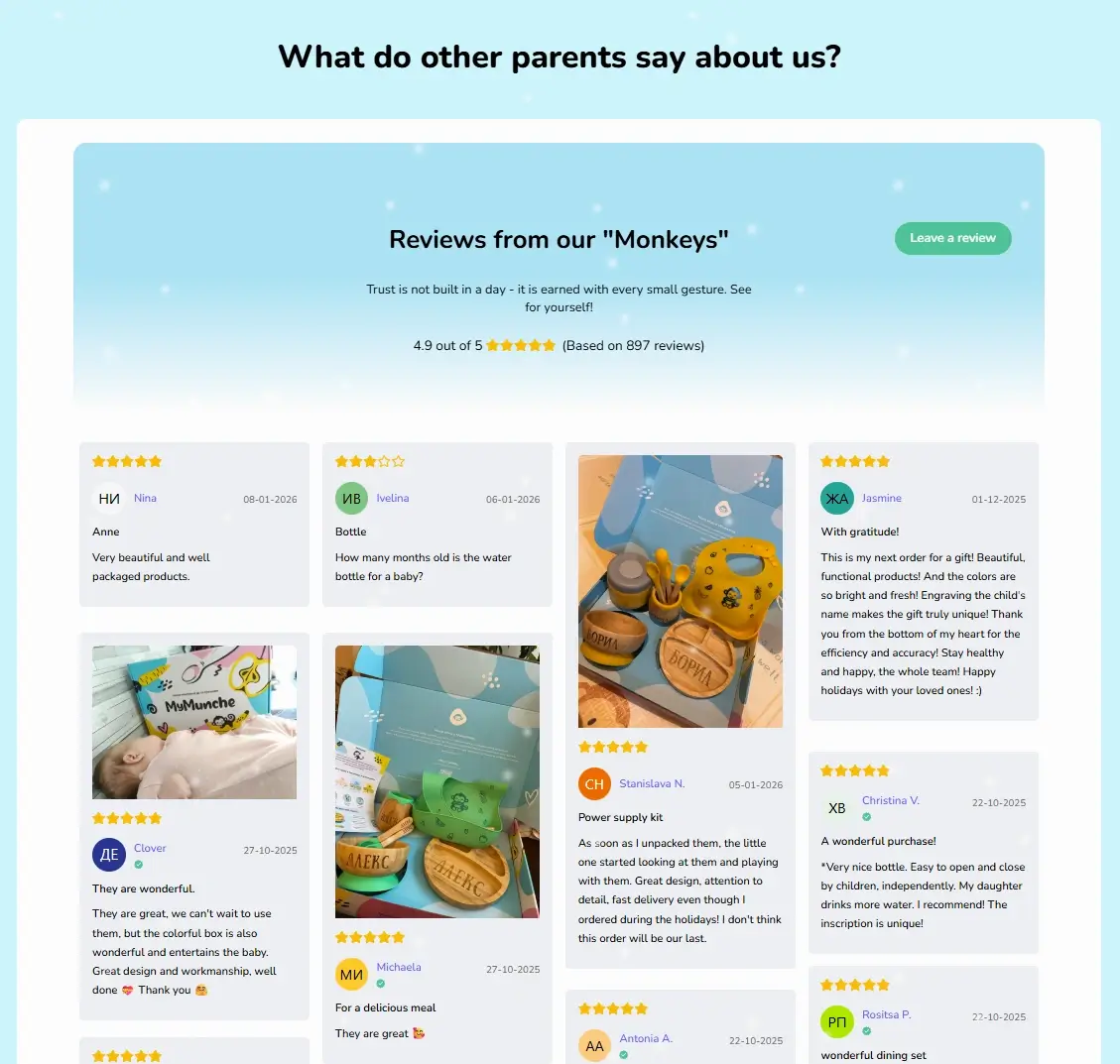
Here is how the Wall of Love looks on the MyMunche website.
You can explore the platform further or book a demo to learn how to collect more reviews and show them where they matter most, based on our four years of experience working with over 1,100 brands.
How to embed reviews on a website
After generating your WiserReview widget code, follow these general website steps:
Log in to your website admin or builder.
Open the page where reviews should appear.
Add an HTML, Embed, or Custom Code section.
Paste the WiserReview embed code.
Adjust spacing and alignment.
Preview desktop and mobile views.
Publish the changes.
For site wide reviews:
Add the embed code to header, footer, or global sections.
Reuse widgets across multiple pages.
Best practices for showcasing reviews on a website
Websites perform best when reviews are placed strategically.
1. Place reviews near high-intent actions
Visitors hesitate before acting.
Place reviews:
Near contact forms
Above CTA buttons
Before pricing sections
2. Match reviews to page purpose
Each page serves a different goal.
Use WiserReview tags to:
Show service specific reviews on service pages
Show product-specific reviews on product pages
3. Keep reviews clean and scannable
Clutter reduces impact.
Use:
Short testimonials
Clear outcomes
Star ratings or names
3 Common mistakes to avoid when adding reviews to a website
Avoid these common trust killers.
1. Hiding reviews too far down pages
Many users never scroll fully.
Solution: Surface review summaries higher on the page.
2. Using generic testimonials everywhere
Generic proof feels staged.
Solution: Use page specific, tagged reviews.
3. Overloading pages with reviews
Too many testimonials distract visitors.
Solution: Use one focused widget per page.
All your reviews in one place
Collect reviews, manage every response, and display them on your website.
Websites convert best when strong messaging is supported by real proof.
Reviews give visitors the confidence they need to take action. With WiserReview, you can add fast, clean, and relevant reviews to any website without technical effort or performance issues.
Start using WiserReview to turn your website into a trust-driven conversion engine.
Yes. WiserReview works with all websites using embed code.
No. Widgets load asynchronously and remain lightweight.
Yes. Use tags and multiple widgets.
No. You only copy and paste the embed code.
Yes. All review management happens inside the WiserReview dashboard.
Article by
Krunal
Krunal Vaghasia is the founder of WiserReview and an eCommerce expert in review management and social proof. He helps brands build trust through fair, flexible, and customer-driven review systems. Read more.

 3 min
3 min