Google review app for Webflow. Show proof. Build trust.
Show real customer proof, exactly where it matters.
Seamlessly embed Google reviews on any Webflow page.

Dedicated review section for products.

Average star ratings on product pages.
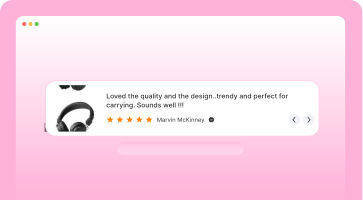
Best reviews where shoppers decide.

Shop and product reviews together.

Reviews in a dynamic carousel.

Auto-rotate reviews in a slider.
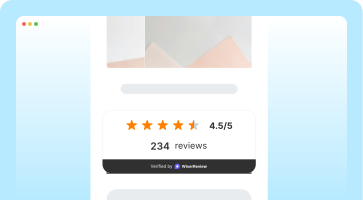
Review count badge for trust.
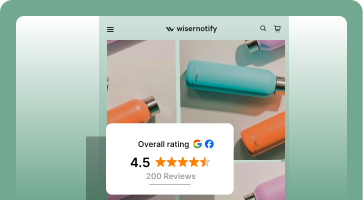
Social badge with star ratings.
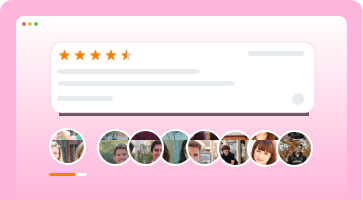
Reviewer avatars in a carousel.
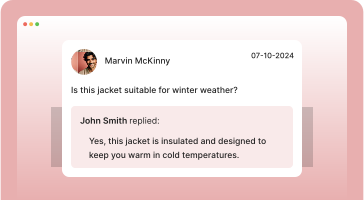
Product questions and answers.

Reviews in an engaging popup.
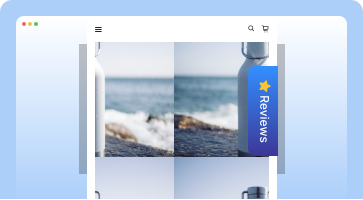
Reviews in a sidebar panel.

Social media content display.
Review widget that convert
A scrollable row of your Google reviews. Drop it on a product page or under your homepage hero.
This bottle keeps drinks cold for hours, so you can enjoy them fresh throughout the day. The matte finish gives it a clean, modern look. Read more
Ordered on a Friday and it arrived Monday morning. Packaging was solid and everything was exactly as pictured. Read more
Tracks steps and sleep accurately. Helpful notifications. Battery lasts about a week between charges. Read more
Stylish stand keeps my desk tidy. Posture improved. Great for remote work and long days at the screen. Read more
Google reviews build trust on Webflow

Google reviews, made for Webflow
WiserReview helps you collect, manage, and showcase Google reviews. Perfectly built for Webflow users who want to boost trust, traffic, and sales with ease.

Collect Google reviews easily
Send review requests through email, WhatsApp, or direct links. Customers can reply with text, photos, or videos.

Automate review invites
Set rules once and let the system handle follow-ups. No manual reminders needed.

Filter and manage reviews
Choose which reviews to show based on rating, keywords, or tone. You stay in full control of what goes live.

Display reviews your way
Use flexible widgets like sliders, badges, or walls. Just copy the embed code into any Webflow page or block.
Built for Webflow
WiserReview brings powerful review features, without tech hassle.

Quick setup
Works seamlessly with all Webflow websites.

Automatic sync
No updates or maintenance needed, just set it & forget it.

Custom-fit display
Add carousels or badges that match your brand.

SEO-ready
Show review stars in Google search to boost visibility.
Best Google review widget
Arrived two days early and the quality is better than the photos.
Second order this month. Packaging is genuinely excellent.
Google Carousel
Scroll through your best Google reviews in a compact row. Fits product pages and homepage sections.
Fits exactly as described. Would buy again.
Support replied in under an hour on a Sunday.
Third purchase. Never had an issue.
Fits exactly as described. Would buy again.
Support replied in under an hour on a Sunday.
Third purchase. Never had an issue.
Auto Slider
Reviews glide past on their own, no clicking needed. Good for narrow strips above the footer.
Trust Badge
Your average rating and total review count in one small block, for any page where visitors hesitate.
Sidebar Snippet
A slim tab pinned to the edge of the screen. Stays out of the way until someone wants proof.
Google Review badge
Your Google rating shown with the Google mark, so visitors can see where the score came from.
Floating review badge
Sits in a page corner and follows the scroll, for long pages where reviews sit far from the buy button.
Avatar
Overlapping customer avatars with the rating beside them. A light touch for headers and checkout.
Better than the photos suggested.
Support replied within the hour.
Packaging is genuinely excellent.
Third order. Never had an issue.
Fits exactly as described.
Shipped same day, arrived early.
Review wall
Every review in a masonry grid. The one to use on a dedicated reviews page.
Fuel search with Google reviews
Show stars in ads, shopping, and search to boost clicks and traffic.
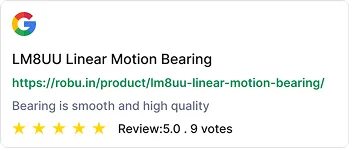
Google Ads ratings
Show star ratings on your ads to grab attention fast. Boost CTR and reduce cost per click with trusted proof.

Shopping feed integration
Push reviews into Google Shopping listings automatically. Build trust and win clicks before the product page even opens.
SEO snippets
Add review stars to your organic search results. Get better visibility, more clicks, and stronger credibility.
Who needs a Google review widget?
Perfect for businesses that grow through trust and proof. If your customers check reviews before buying, this is for you.
Local service businesses
Add review widgets to service pages and footers.
Help visitors see real proof before calling or booking.
Works well for plumbers, electricians, cleaners, and repair pros.
Healthcare & wellness providers
Show trusted ratings on booking pages.
Build confidence with reviews from real patients.
Ideal for dentists, therapists, clinics, and wellness studios.
Salons, spas & personal Care
Display reviews where clients decide, home, gallery, or service sections.
Boost walk-ins and repeat visits.
Let new clients see real feedback before visiting.
Hospitality & travel services
Place star ratings on landing pages or booking forms.
Reviews help guests choose faster and with more trust.
Great for hotels, rentals, and travel packages.
Multi-location & franchise businesses
Use different widgets for each branch.
Show location-specific reviews on the right WordPress pages.
Manage all locations from one dashboard with ease.
Freelancers, consultants & agencies
Embed Google reviews on your homepage or portfolio.
Build trust before the first message.
Perfect for creatives, marketers, and solo professionals.
Google reviews ready in minutes


Instant setup
Connect your Google profile and go live fast. No tech setup or plugin required.
Auto-collect reviews
Send review requests automatically after a purchase or visit. No follow-ups needed.
Flexible display options
Add carousels, popups, or badges anywhere on your site. Fits all Webflow themes and layouts.
Other popular review widgets

Facebook review widget
Show real reviews from your Facebook page in a clean layout with star ratings and names. Auto-sync supported.
Perfect for: local pros, service businesses, personal brands.

Google seller ratings
Highlight your Google Seller Ratings in search or on-site using verified data. Supports stars and review count.
Perfect for: ecommerce stores running Google Ads.

Wall of love widget
Showcase all your best reviews in a clean grid or collage. Filter by source or tag.
Perfect for: testimonials page, about page, landing pages.

Video Testimonial widget
Display short customer videos with names and star ratings. Boosts trust with real faces and voices.
Perfect for: coaching, SaaS, services, personal brands.

Google review badge
A small sticky badge that shows real-time reviews as users browse your site. Works on all pages.
Perfect for: product pages, landing pages, checkout flows.
Google product review feeds
Send product-level reviews to Google Shopping using structured feed files. Boosts visibility and click-throughs.
Perfect for: product pages, cart upsells, post-purchase flows.
Add reviews where your visitors are
It works with WordPress, Webflow, Shopify, Wix, and more, no extra setup needed.

WordPress
Add Google reviews to WordPress

Custom HTML sites
Embed Google reviews with HTML

Google business profile
Sync Google reviews in real-time

Wix
Auto-sync Google reviews on Wix

Squarespace
Show Google reviews on Squarespace
30+ integration
View allReal words, real results
Google review tactics for Webflow
Convert visitors into buyers by placing trust where it counts most.
Create unique pages for each location
Localized pages boost SEO and make reviews feel directly relevant to each visitor’s city or region.
How
Duplicate your page template for each location (/chicago, /miami, etc.)
In WiserReview, tag reviews by location
Use the WiserReview Google Widget filter to generate location-specific reviews.
Embed the widget via Webflow’s HTML Embed block
Pro tip: Include a map and store hours for local ranking boosts
Place review widgets near CTAs
Reviews near contact forms or pricing buttons ease hesitation and give visitors a reason to act.
How
Booking forms
Contact sections
Pricing pages
How to implement:
Add a WiserReview carousel or floating badge next to CTA buttons
Use Webflow’s built-in layout tools to wrap the review next to the form/button
Include microcopy like: “Here’s what real customers are saying before booking”
Use floating widgets on mobile
Persistent review visibility builds trust while users scroll, especially on mobile where space is limited.
How
In WiserReview, enable the Floating Popup widget
Customize it to match your brand colors
Paste the generated script inside Webflow’s global Custom Code (before )
Optional: Use scroll triggers or delays to avoid interfering with UX
Add trust badges to sticky navbars or footers
Small, unobtrusive badges quietly reinforce credibility on every page without disrupting design.
How
Choose the Trust Badge widget in WiserReview
Copy the embed code
Place it inside Webflow’s Navbar Symbol or Footer Symbol using a small div + HTML Embed
Optionally animate with Webflow’s interactions (e.g., fade in)
Build review walls to boost SEO
Long-form review pages are keyword-rich and offer fresh, crawlable content Google rewards in rankings.
How
In WiserReview, create a Review Wall widget
Use tags to curate reviews by service or product
Embed the widget on your /reviews or /testimonials page
Pro tip: Add text headers above each review group to boost keyword relevance
Automate review requests post-conversion
Timely review requests increase response rates and help maintain a constant flow of fresh testimonials.
How
Use Zapier to connect Webflow forms or Memberstack signups
Trigger WiserReview’s review request email or WhatsApp flow
Incentivize with a discount or digital freebie using WiserReview’s incentive builder
Example: After someone signs up for a course or downloads a lead magnet, automatically request a review
Add Google reviews
to Webflow
Show real Google reviews on your Webflow website. Turn trust into clicks and conversions.