This guide explains how to export reviews from WiserReview in a few clear steps.
Step 1: Open the Publish Reviews page
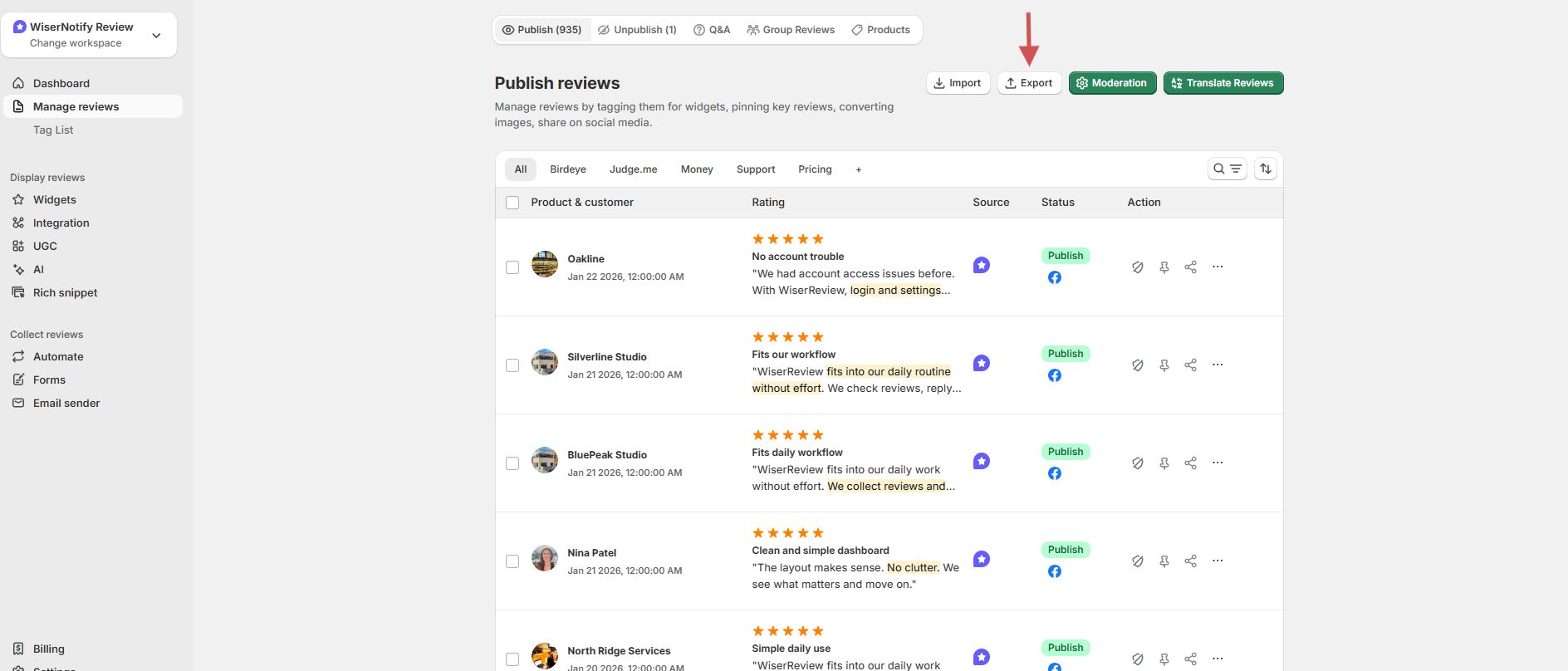
- Log in to your WiserReview dashboard.
- Go to Manage reviews.
- Click the Export button.
Step 2: Choose what you want to export
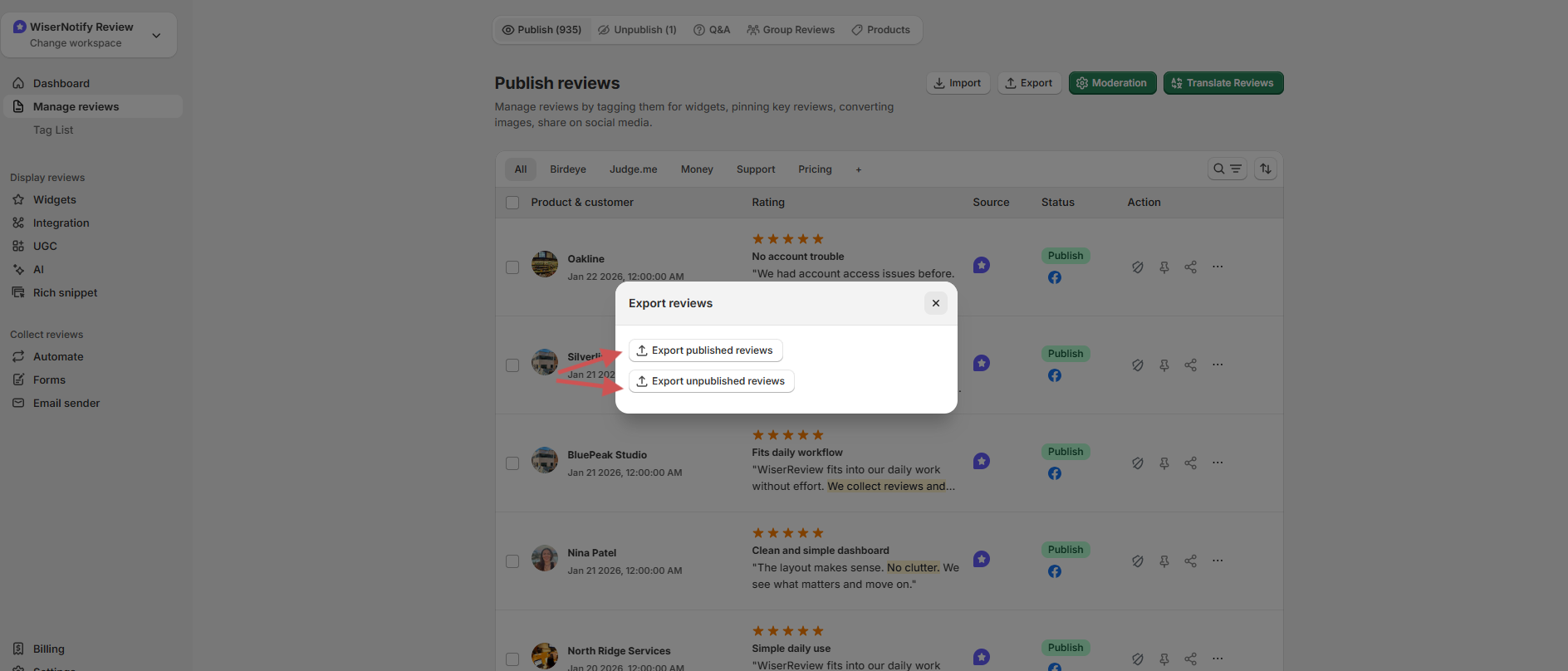
A pop-up will open with two options:
- Export published reviews
- Export unpublished reviews
Click one of the two options based on your need.
Step 4: Wait for the export to process
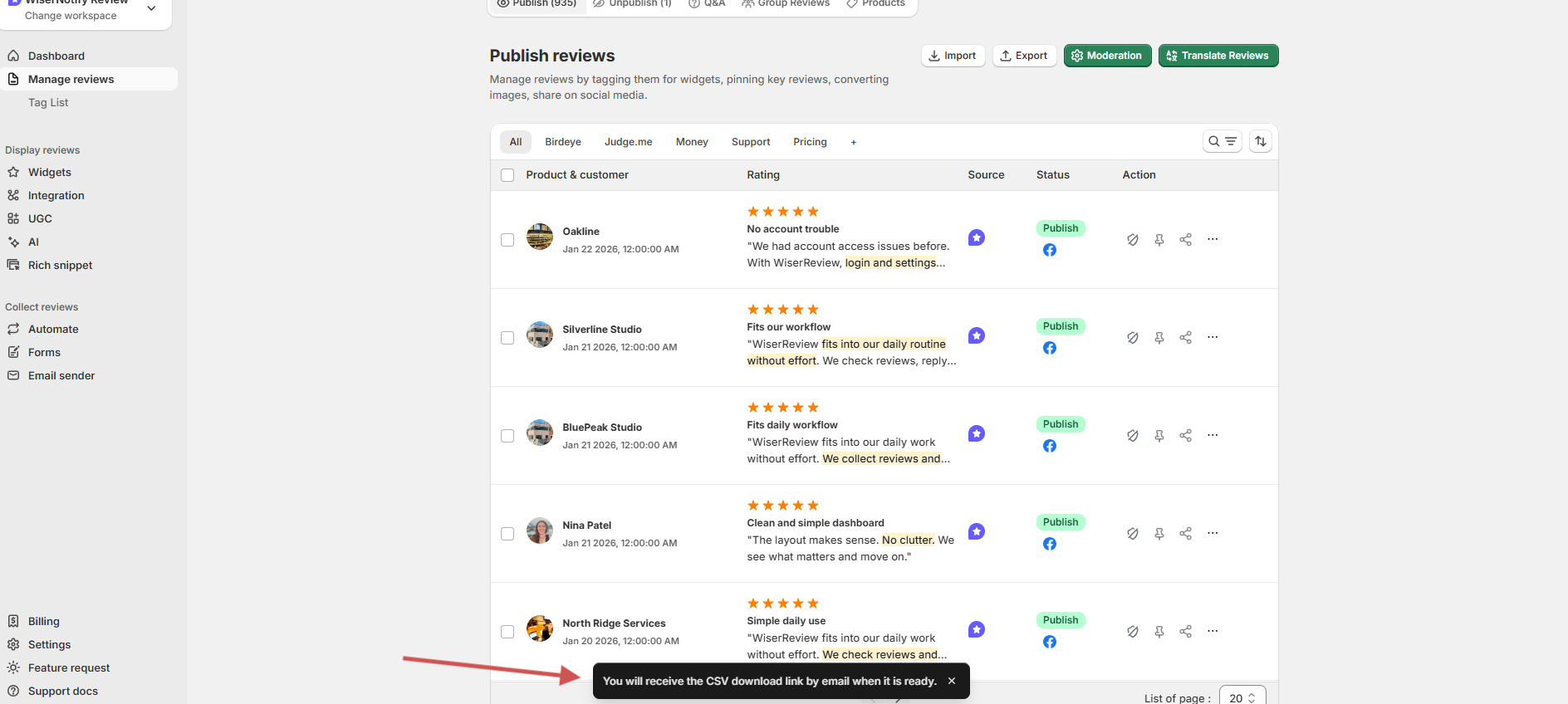
After you click an option,
Once the export is ready:
- You will receive an email.
- The email contains a link to a CSV download.
- Click the link to download your reviews file.