This guide shows how to show review widgets in the Squarespace store – no developer required.
We’ll show you how to get set up and running on the Squarespace store in 3 simple steps:
Step 1: Choose and Configure a Product Widget
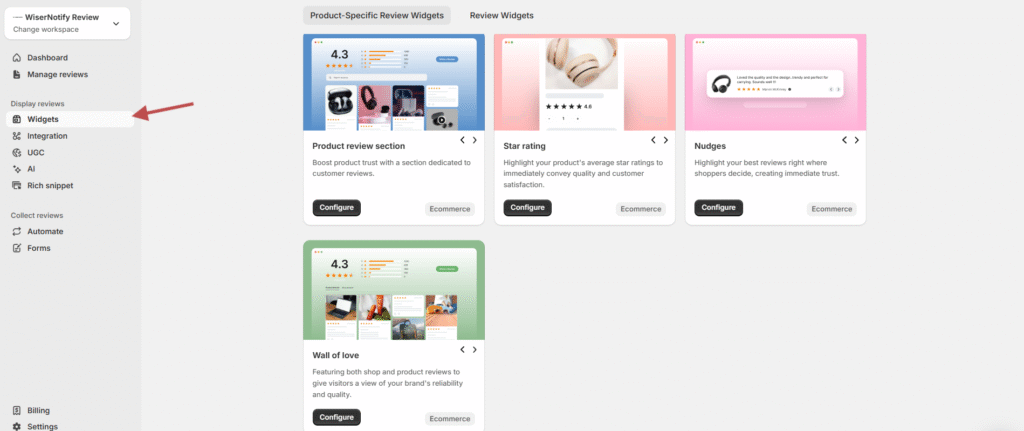
Go to the Widgets section in your WiserReview dashboard
Under the Product-Specific Review Widgets tab, you’ll see available widget types:
- Product Review Section
- Star Rating
- Nudges
- Wall of Love
Click Configure on the widget you want to use.
Step 2: Customize WiserReview Widget Design and Settings
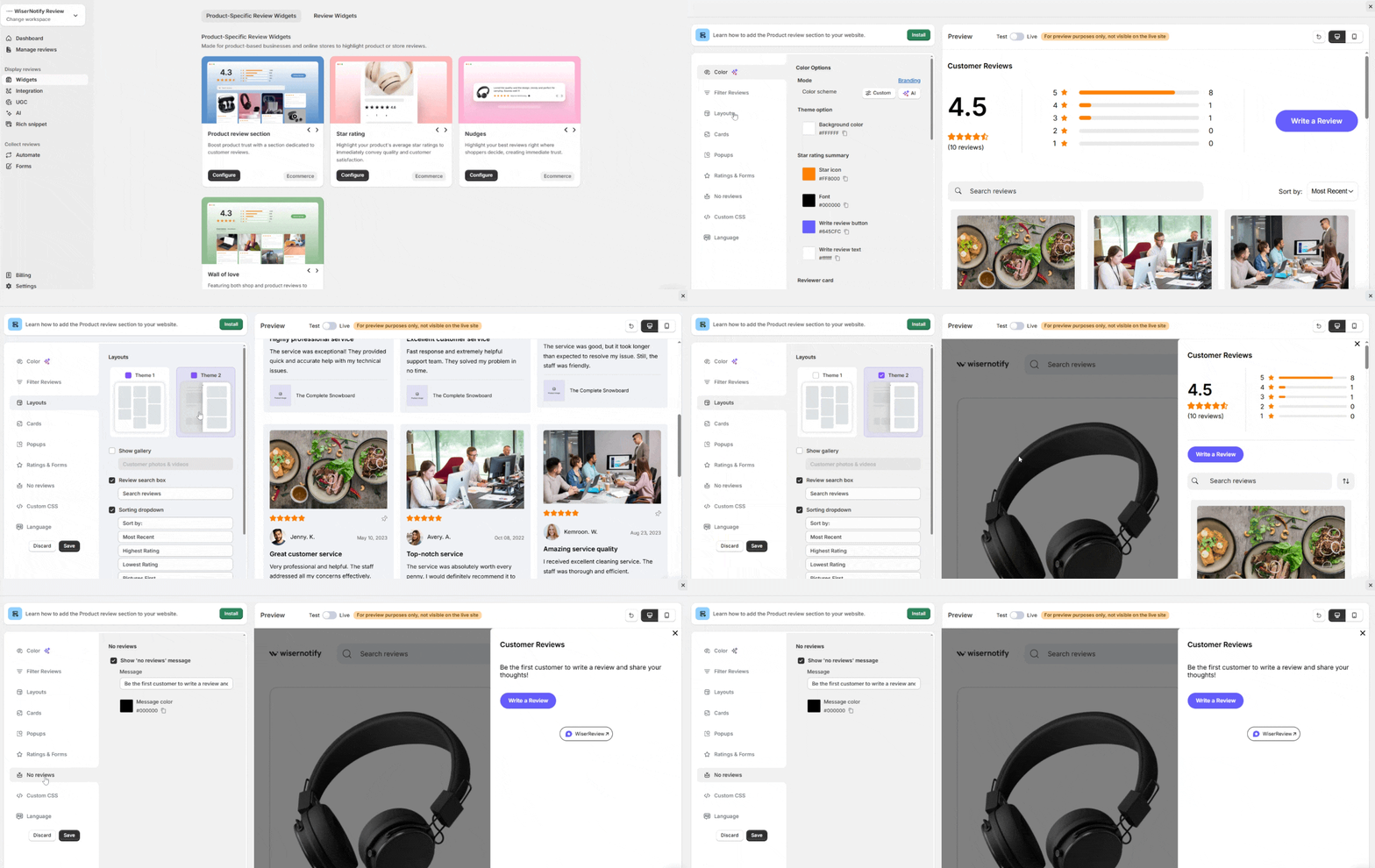
Use the left panel to:
- Adjust color, layout, and card style
- Filter reviews by tag, rating, or verification
- Add optional Custom CSS for advanced styling
Use the Preview area on the right to see changes live.
Step 3: Install the WiserReview Widget on Your Squarespace Store
-
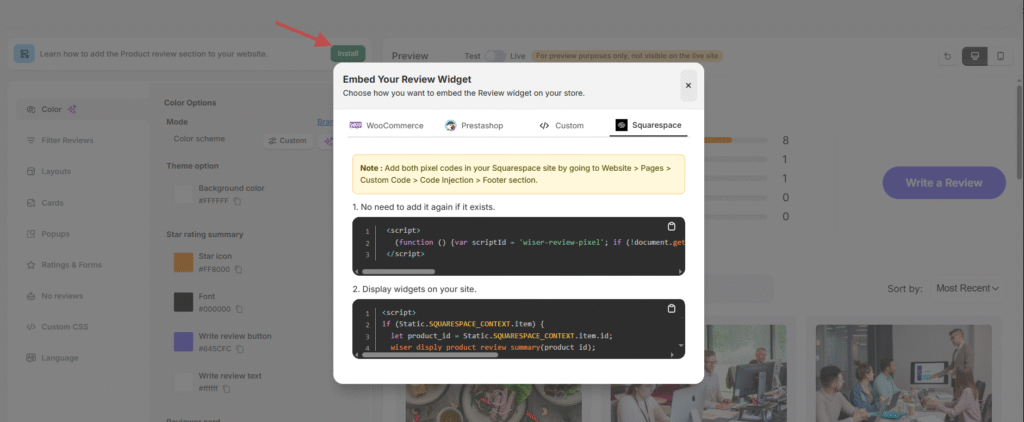
After customizing, click the Install button (top left)
-
In the pop-up, switch to the Squarespace tab
-
You’ll see two script codes:
-
Pixel Script (adds tracking)
-
Widget Display Script (loads the widget on product pages)
-
🧩 How to add scripts in Squarespace:
Go to your Squarespace Dashboard
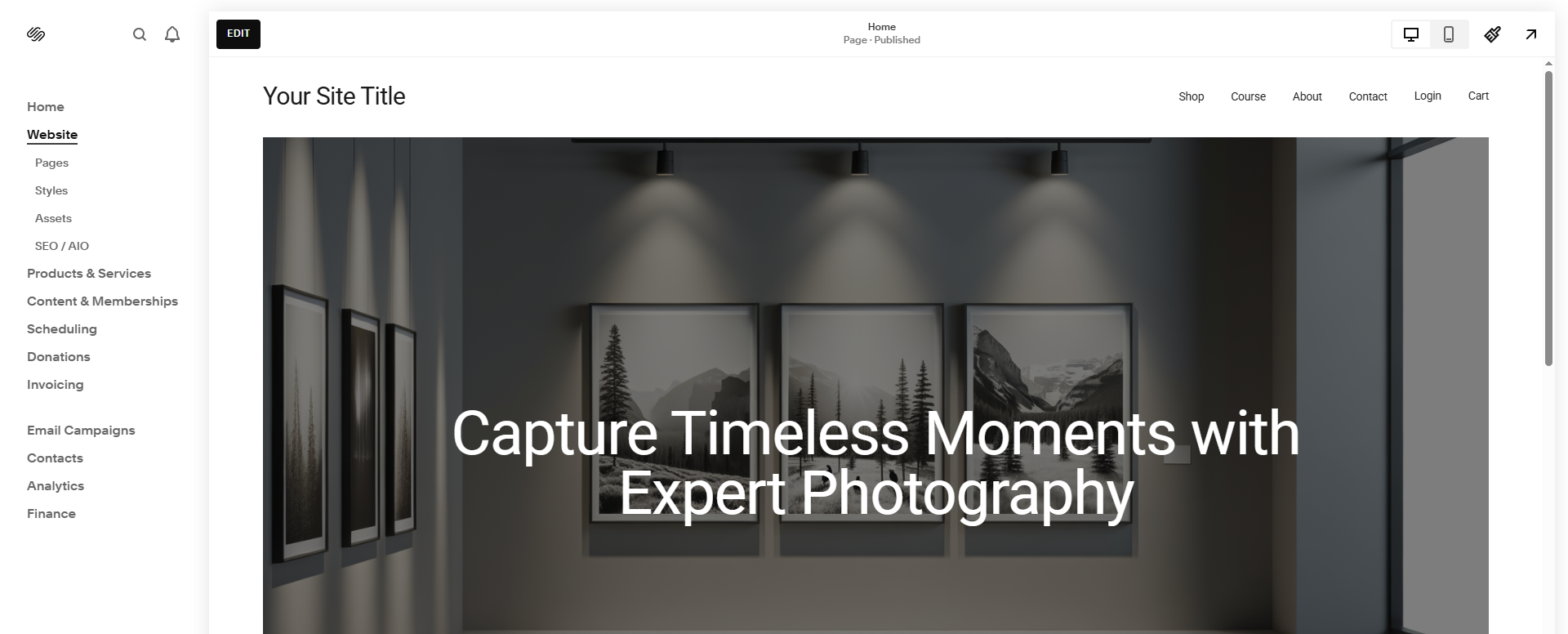
Navigate to: Website > Pages > Custom Code > Code Injection
Paste:
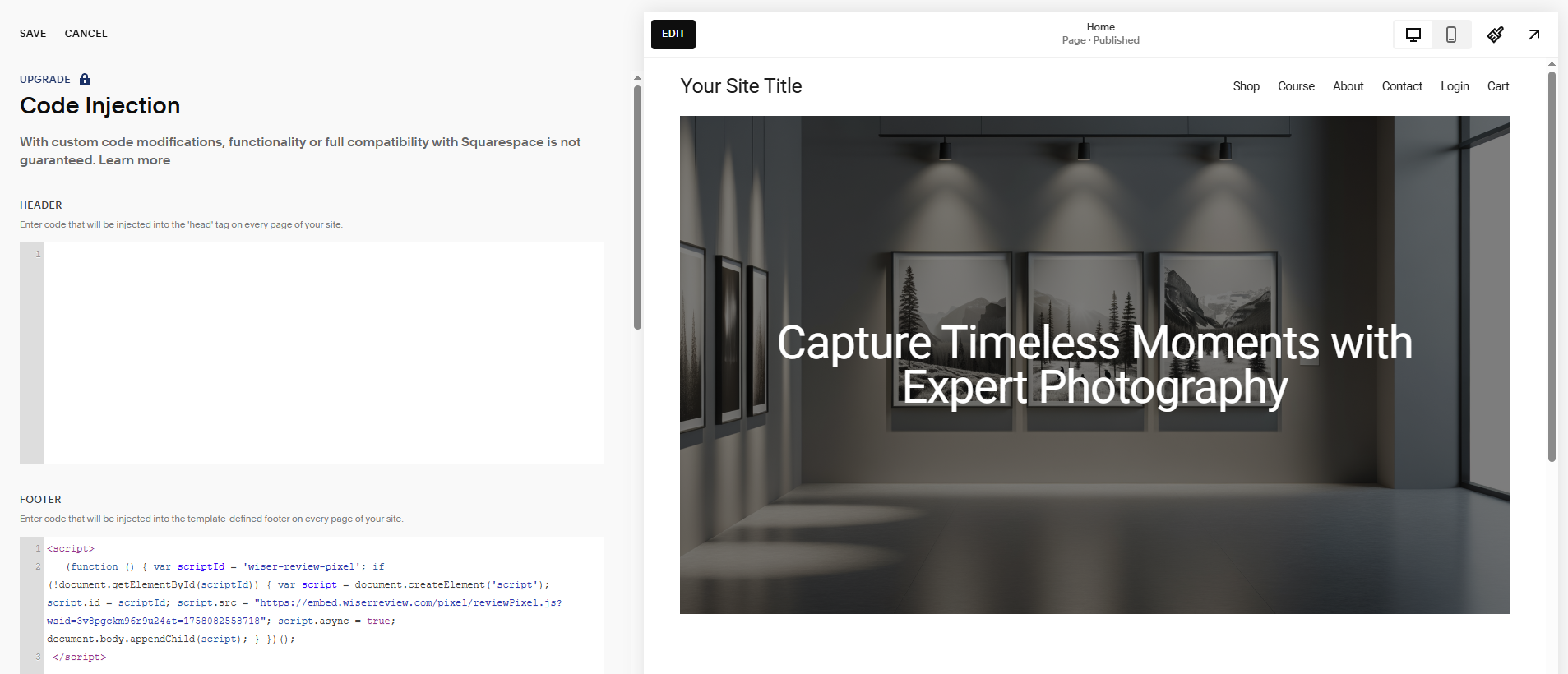
- Pixel script into the Footer section.
- Use the widget script in the same footer or embed it directly in a code block on product pages.
Display the Wall of Love widget in your Squarespace store.

Open WiserReview Dashboard
- Log in to your WiserReview account.
- From the left sidebar, click Widgets.
- Select Wall of Love.
- Click Configure.
Copy Embed Code
- In the Wall of Love widget settings, adjust the layout and design as you like.
- Click Install on Squarespace.
- Copy the JavaScript embed code.
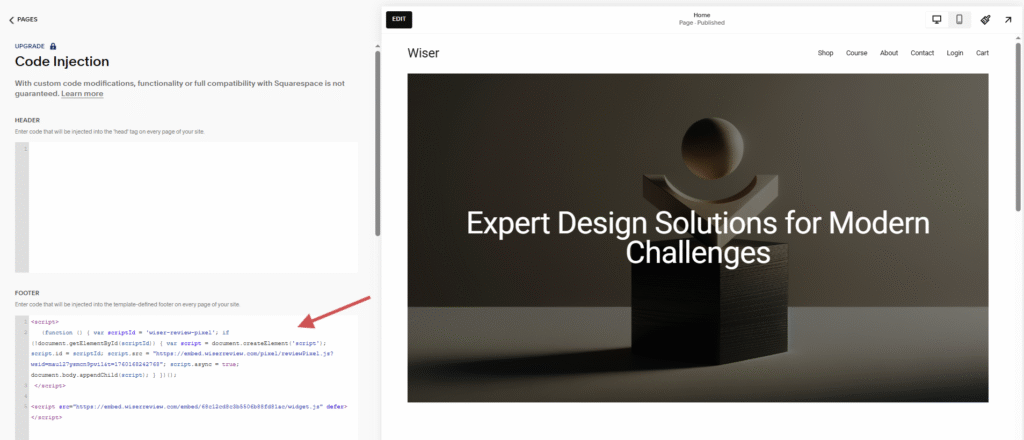
Open Squarespace Editor
Log in to your Squarespace account
In Squarespace, go to Settings → Advanced → Code Injection → Under the Footer section, paste the WiserReview embed script.
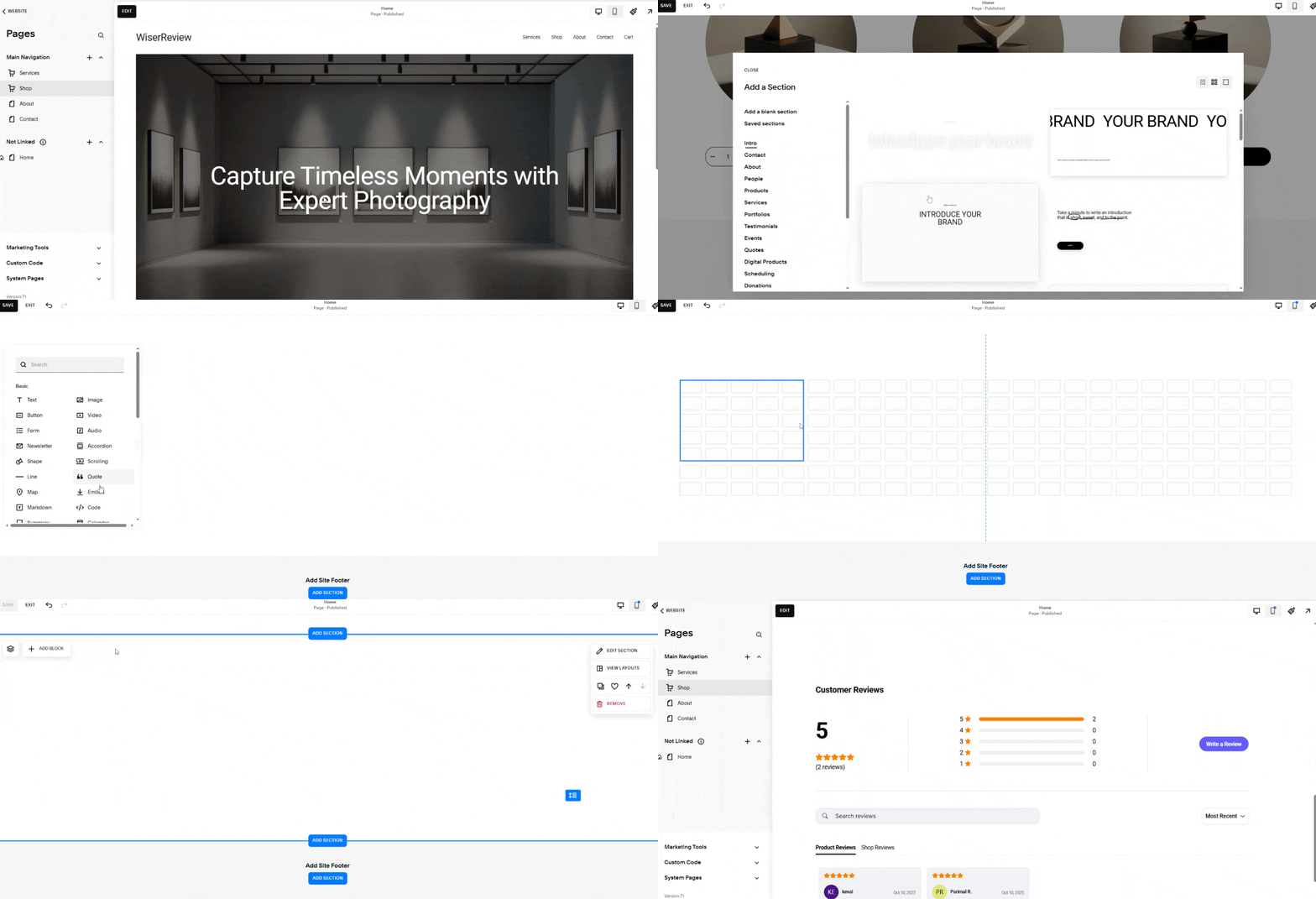
Add Embed Code via Code Injection
- Go to Website → Pages → Home or Shop Page → Click Edit.
- Add a blank section then
- Add a code block and paste the wall of love widget code.
-
Save & Publish
Click Save. Reload your site — your Wall of Love widget will now appear on the live Squarespace page, displaying real customer reviews automatically synced from WiserReview.
What Happens Next?
Once installed:
-
The widget automatically detects the product being viewed.
-
It loads the relevant reviews, ratings, or nudges for that product.
-
You can manage visibility, tags, or filters at any time from WiserReview.
WiserReview offers multiple product-specific review widgets, like:
-
✅ Product Review Section
-
⭐ Star Rating
-
💬 Nudges
-
💚 Wall of Love
These widgets help build trust and increase conversions by showcasing real customer feedback directly on your Squarespace store product pages.