You can easily migrate your Yotpo reviews (including text & images) into WiserReview using the Import Reviews module. Here’s how to do it in 3 simple steps:
Step 1: Export Reviews from Yotpo
- Log in to your Yotpo Admin Dashboard.
- From your Yotpo Reviews main menu, go to Reviews > Moderation.
- (optional) Use the filters to define which reviews you want to export. You can filter by date range, content type, product, and more.
- On the right of the screen, click Export to CSV.
- Save the CSV file to your computer.
Step 2: Import CSV into WiserReview
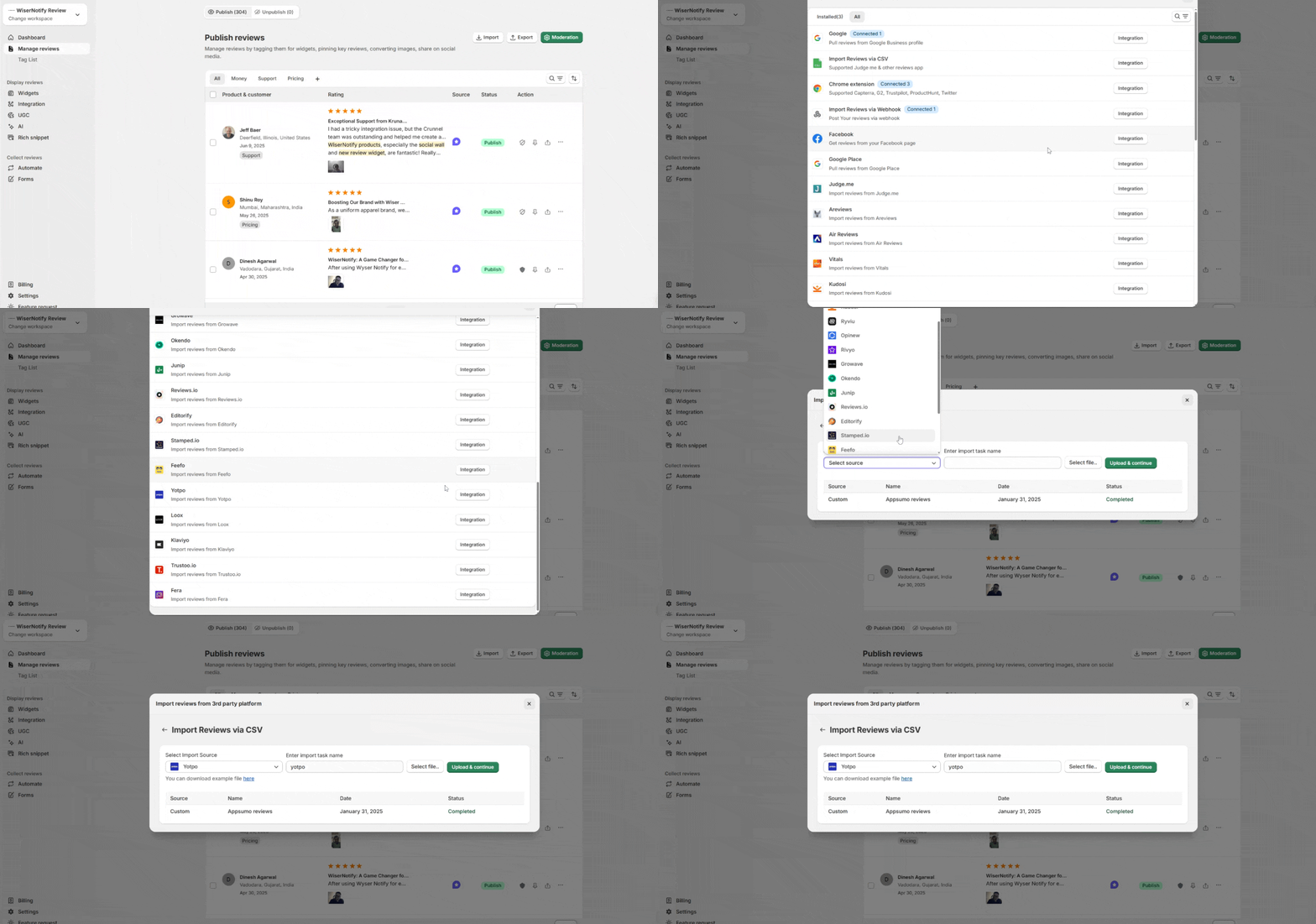
- Open your WiserReview Dashboard.
- Navigate to Manage Reviews → Import Reviews.
- In the Import Source dropdown, select Yotpo.
- Click Upload CSV and choose the file you exported from Yotpo.
Step 3: Processing in WiserReview
- WiserReview will automatically process the CSV file and import all reviews.
- Any media (photos/videos) linked in the file will be downloaded and securely hosted on WiserReview servers.
- For imports larger than 1,000 reviews, processing may take additional time.
- Refresh the Manage Reviews page to see your imported reviews.