This guide walks you through the complete process of displaying customer reviews on your Shopify store using the WiserReview (WiserNotify Reviews) app.
Step 1: Login & Install WiserReview
1. Log in to Your Wix Store
-
Go to Wix.com and log in to your admin dashboard.
2. Install the WiserReview App
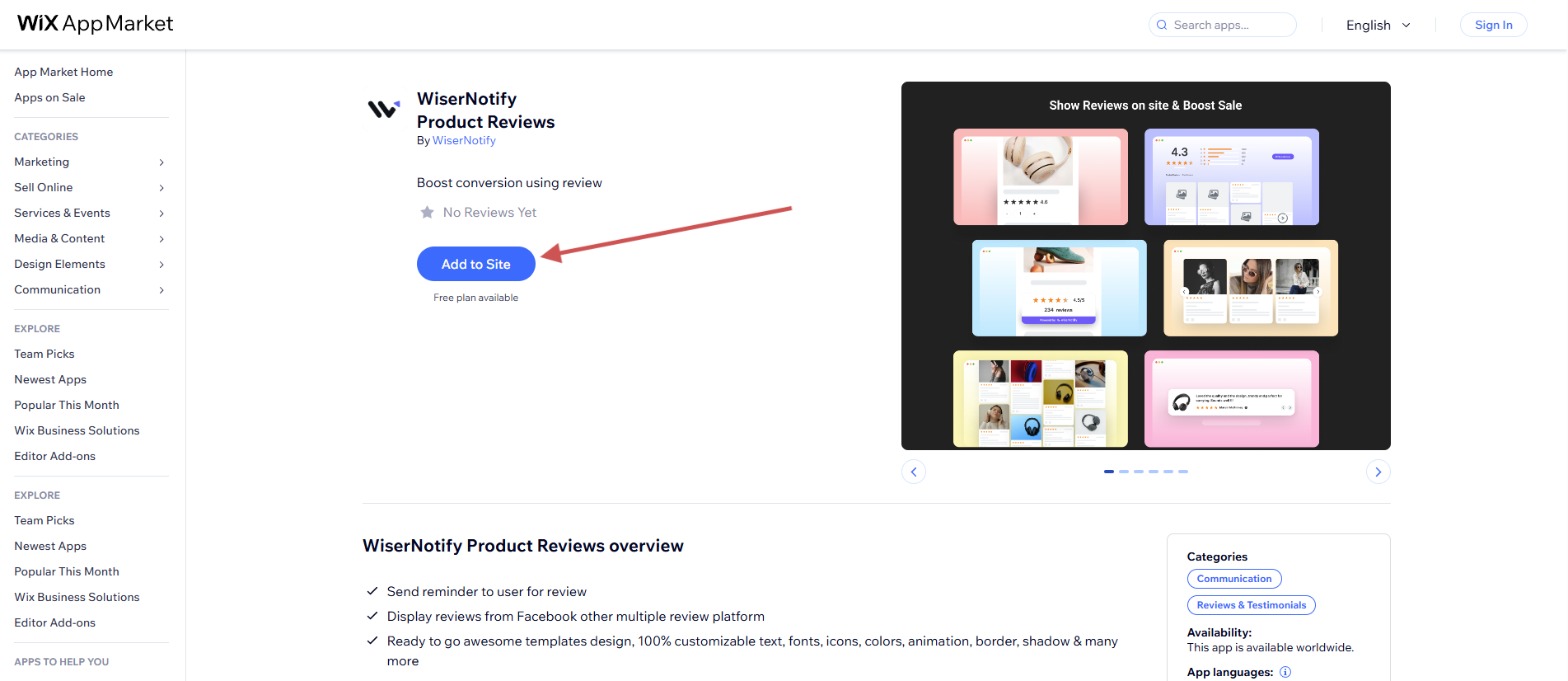
-
Go to Apps → Wix App Store
-
Search for “WiserNotify Product Reviews”
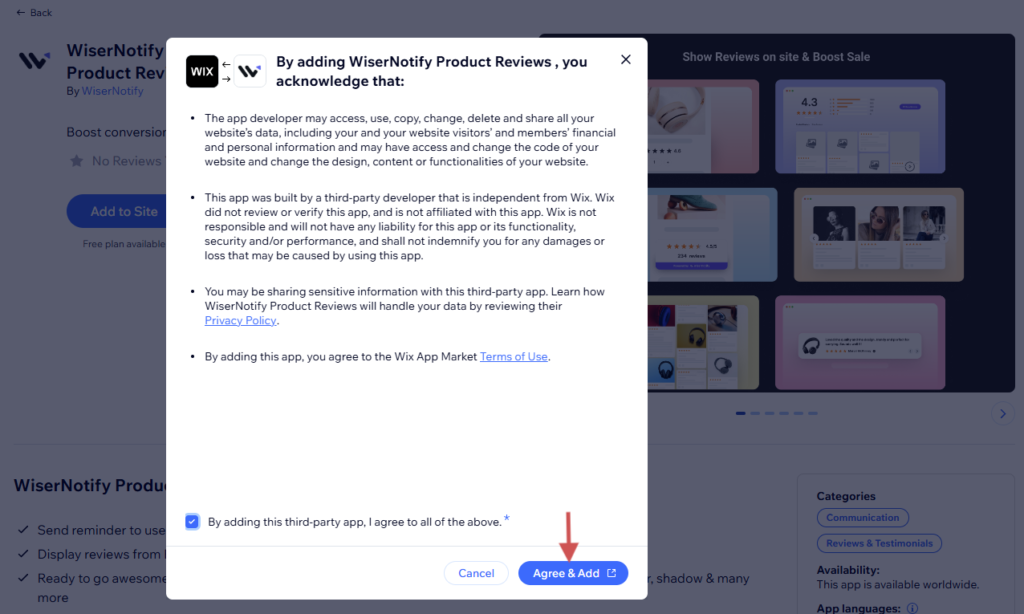
-
Click Install App and approve the permissions.

- Then WiserNotify is automatically added to your Wix Store. (Only Star rating and product review section)
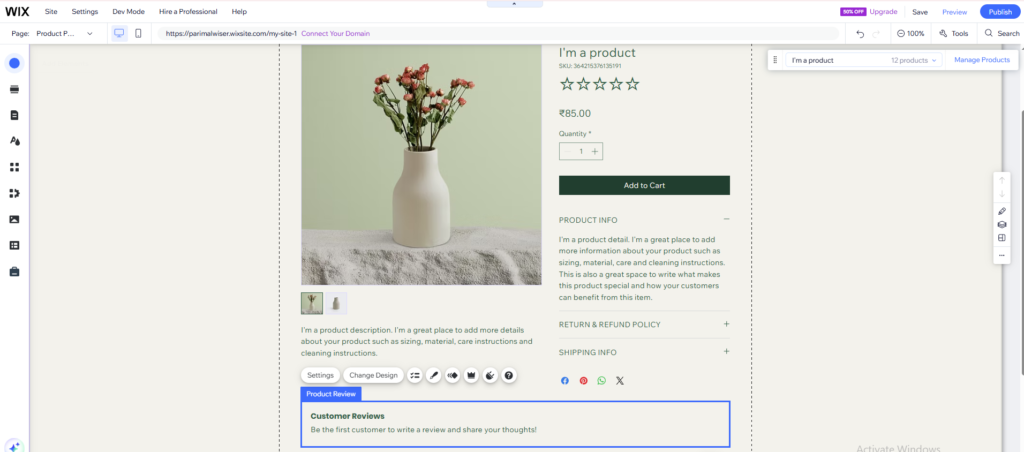
Step 2: Customize WiserReview Widget Design and Settings
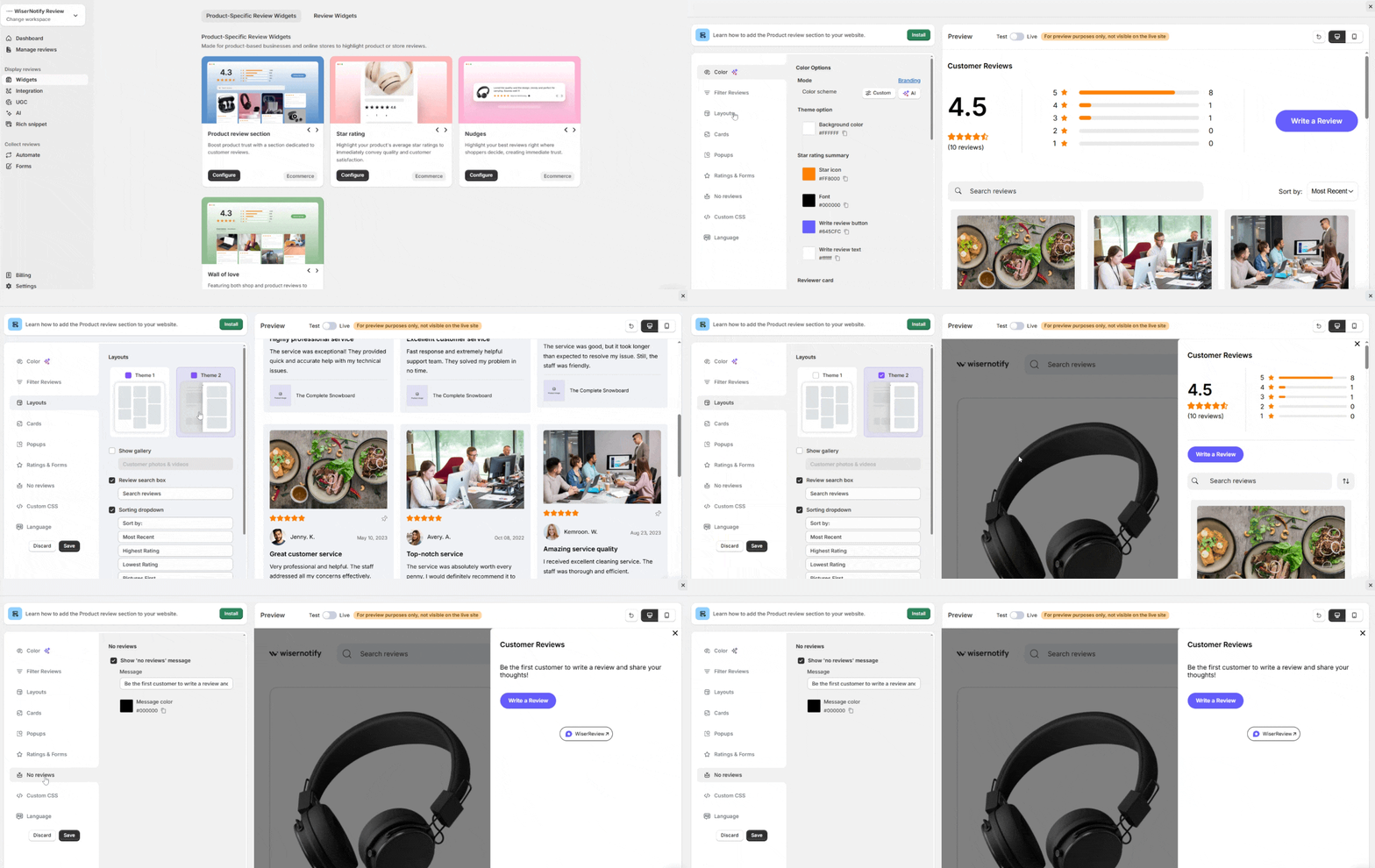
Use the left panel to:
- Adjust color, layout, and card style
- Filter reviews by tag, rating, or verification
- Add optional Custom CSS for advanced styling
Use the Preview area on the right to see changes live.
Step 3: How to display the review wall in the Wix store
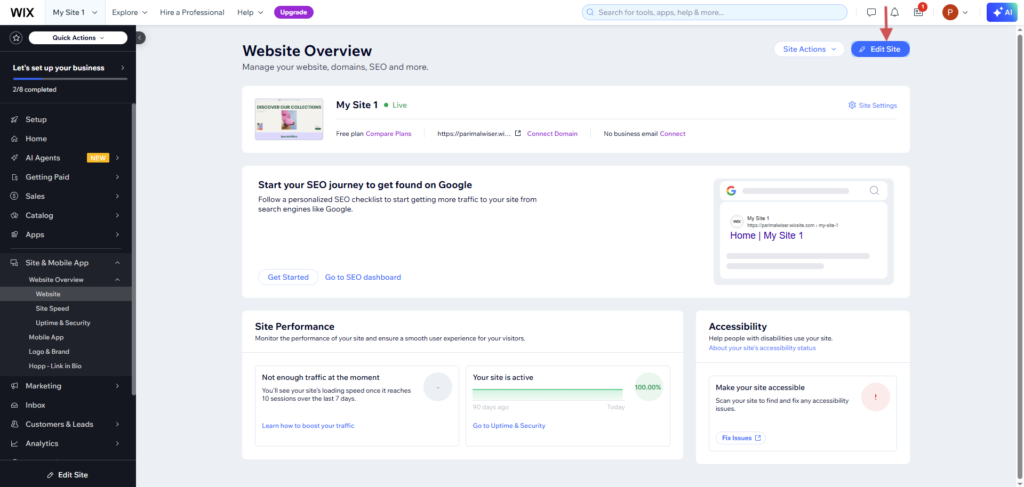
- Go to Site & mobile app -> Website overview -> Website -> Edit site.
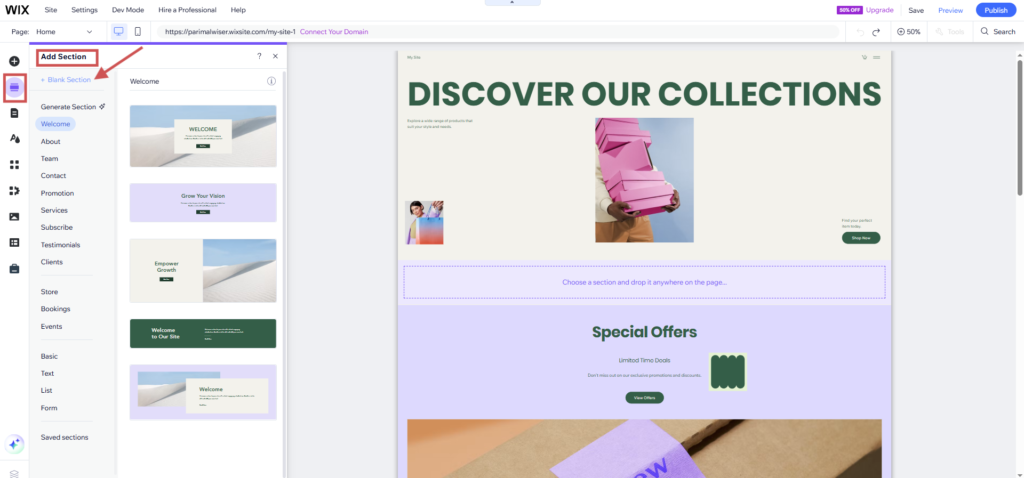
- Add a blank section.
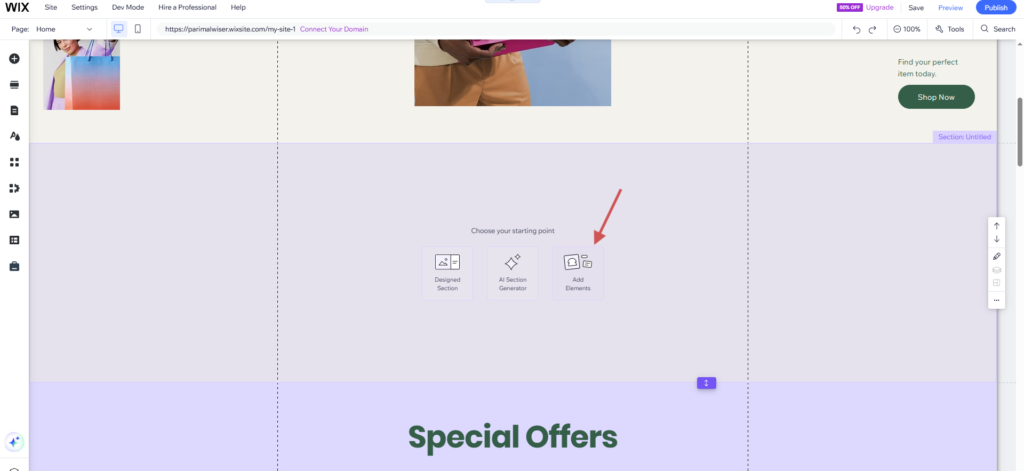
- Add Element.
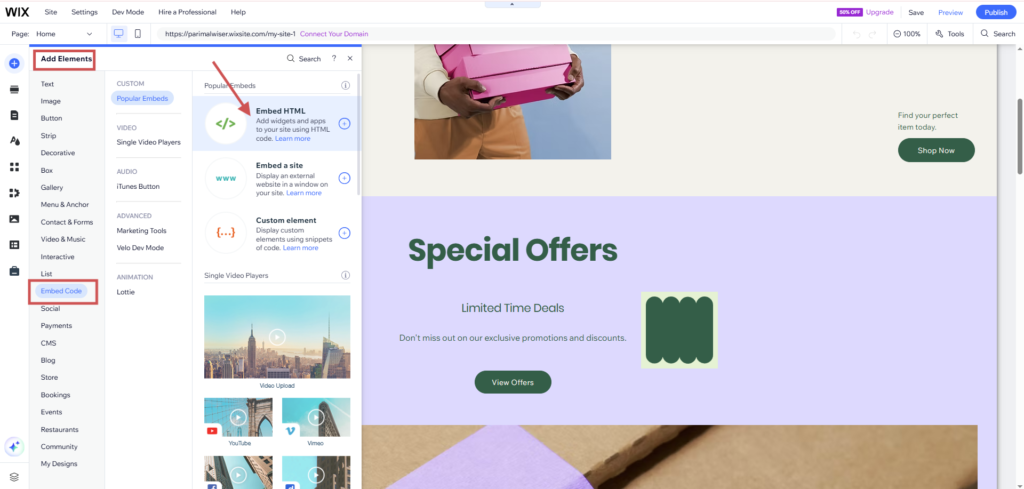
- Add Element -> Embed Code -> Embed HTML.
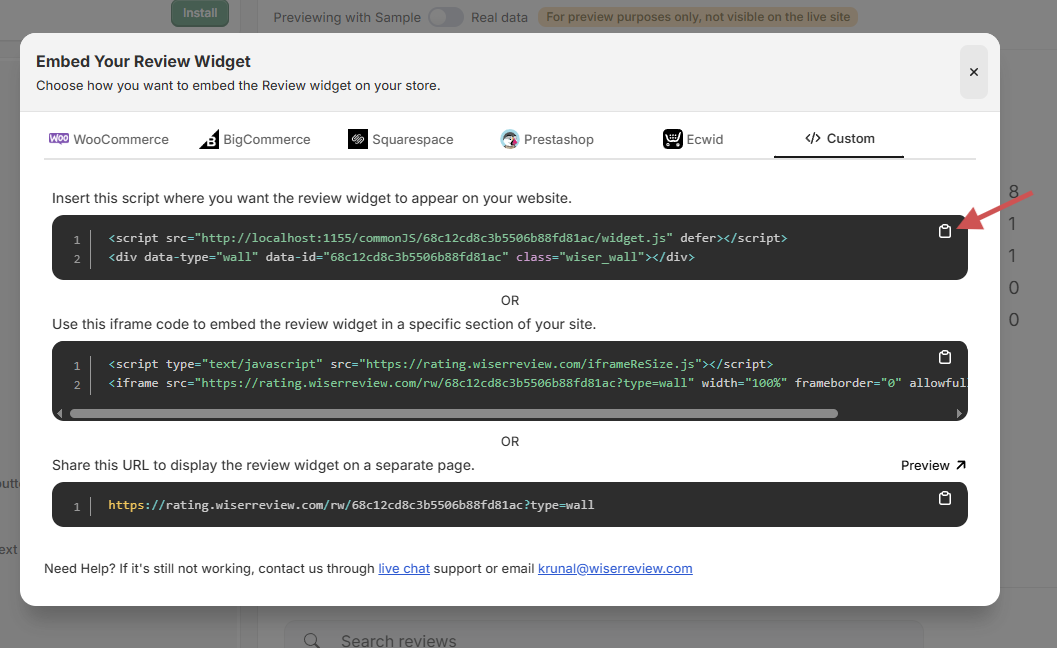
- Copy the wiserreview review wall widget code.
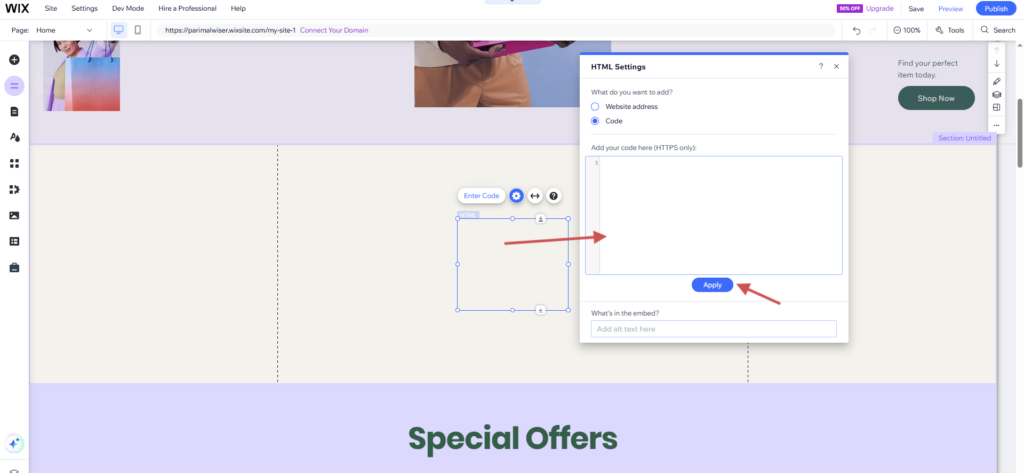
- Paste the wiserreview widget code here. Then click on apply and publish your site.